Philips AZ215S/12 - User Manual
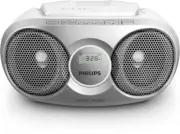
Philips AZ215S/12 – User Manual, read for free online in PDF format. We hope this helps you resolve any issues you may have. If you have further questions, please contact us through the contact form.


Table of Contents:
- Page 3 – Contents
- Page 4 – Safety
- Page 5 – Notice
- Page 6 – Introduction
- Page 7 – Overview of the main unit
- Page 8 – Get started; Connect power; AC power; Battery power; Turn on
- Page 9 – Turn off
- Page 10 – Program radio stations manually; Play from an external device
- Page 11 – Adjust volume; Turn Dynamic Bass Boost on/
- Page 12 – Play options; Control play; Program tracks
- Page 13 – Amplifier; Disc; Tuner; Maintenance
- Page 15 – Troubleshooting
www.philips.com/support
AZ215
AZ216
User manual
Always there to help you
Register your product and get support at
Question?
Contact
Philips
"Loading the manual" means you need to wait until the file loads and becomes available for online reading. Some manuals are very large, and the time they take to appear depends on your internet speed.
Was this manual helpful?
Helpful for 5 of 5 readers
About this manual
- Brand
- Philips
- Model
- AZ215S/12
- Document type
- User Manual
- Language(s)
- English
- Pages
- 16
- File size
- 837.7 KB
- Format
Other Manuals for Philips AZ215S/12
Summary
1 EN Contents 1 Safety 2 2 Notice 3 3 Your CD Soundmachine 4 Introduction 4 What's in the box 4 Over view of the main unit 5 4 Get started 6 Connect power 6 Turn on 6 Turn off 7 5 Play 8 Play disc 8 Listen to FM radio 8 Play from an external device 8 Adjust volume 9 Turn Dynamic Bass Boost on/off 9 ...
2 EN 1 Safety This 'bolt of lightning' indicates uninsulated material within your unit may cause an electrical shock. For the safety of ever yone in your household, please do not remove product covering. The 'exclamation point' calls attention to features for which you should read the enclosed liter...
3 EN 2 Notice Any changes or modifications made to this device that are not expressly approved by Gibson Innovations may void the user’s authority to operate the equipment. Hereby, Gibson Innovations declares that this product is in compliance with the essential requirements and other relevant provi...


