Philips AZ215B/05 - Quick Guide
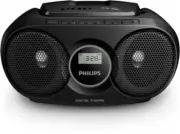
Philips AZ215B/05 – Quick Guide, read for free online in PDF format. We hope this helps you resolve any issues you may have. If you have further questions, please contact us through the contact form.


Question?
Contact
Philips
www.philips.com/suppor t
AZ215
AZ216
2015 © Gibson Innovations Limited. All rights reser ved.
This product has been manufactured by, and is sold under the responsibility of Gibson
Innovations Ltd., and Gibson Innovations Ltd. is the warrantor in relation to this product.
Philips and the Philips Shield Emblem are registered trademarks of Koninklijke Philips N.V.
and are used under license from Koninklijke Philips N.V.
AZ215_AZ216_05_Shor t User Manual_V1.0
Shor t User Manual
1 Safety
This ‘bolt of lightning’ indicates uninsulated material within your unit
may cause an electrical shock. For the safety of ever yone in your
household, please do not remove product covering.
The ‘exclamation point’ calls attention to features for which you
should read the enclosed literature closely to prevent operating and
maintenance problems.
WARNING: To reduce the risk of fire or electric shock, this
apparatus should not be exposed to rain or moisture and objects
filled with liquids, such as vases, should not be placed on this
apparatus.
CAUTION: To prevent electric shock, match wide blade of plug to
wide slot, fully inser t.
Warning
•
Never remove the casing of this apparatus.
•
Never lubricate any par t of this apparatus.
•
Never look into the laser beam inside this apparatus.
•
Never place this apparatus on other electrical equipment.
•
Keep this apparatus away from direct sunlight, naked flames or heat.
•
Ensure that you always have easy access to the power cord, plug or
adaptor to disconnect the apparatus from the power.
•
The device shall not exposed to dripping or splashing.
•
Do no place any source of danger on the device (e.g. liquid
filled objects. lit candles).
•
Where the MAINS plug or an appliance coupler is used as
the disconnect device, the disconnect device shall remain
readily operable.
•
Make sure that there is enough free space around the
product for ventilation.
•
Batter y usage CAUTION – To prevent batter y leakage which
may result in bodily injur y, proper ty damage, or damage to
the unit:
•
Install all batteries correctly, + and - as marked on the
unit.
•
Batteries (packed or installed) shall not be exposed to
excessive heat such as sunshine, fire or the like.
•
Remove batteries when the unit is not used for a long
time.
•
Only use attachments/accessories specified by the
manufacturer.
Caution
•
Use of controls or adjustments or performance of procedures other than
herein may result in hazardous laser exposure or other unsafe operation.
2 Notice
Any changes or modifications made to this device that are not
expressly approved by Gibson Innovations may void the user’s
authority to operate the equipment.
This product complies with the radio interference requirements of
the European Community.
Disposal of your old product
Your product is designed and manufactured with high quality
materials and components, which can be recycled and reused.
This symbol on a product means that the product is covered by
European Directive 2012/19/EU. Inform yourself about the local
separate collection system for electrical and electronic products.
Follow local rules and never dispose of the product with normal
household waste. Correct disposal of old products helps prevent
negative consequences for the environment and human health.
Environmental information
All unnecessar y packaging has been omitted. We have tried to
make the packaging easy to separate into three materials: cardboard
(box), paper pulp (buffer) and polyethylene (bags, protective foam
sheet.)
Your system consists of materials which can be recycled and reused
if disassembled by a specialized company. Please obser ve the local
regulations regarding the disposal of packaging materials, exhausted
batteries and old equipment.
Important notes for users in the U.K.
This information applies only to products with a UK mains plug.
This product is fitted with an approved molded plug. If you replace
the fuse, use one with:
•
the ratings shown on the plug,
•
a BS 1362 approval, and
•
the ASTA approval mark.
Contact your dealer if you are not sure about what type of fuse
to use.
Caution: To conform with the EMC directive (2004/108/EC), do not
detach the plug from the power cord.
How to connect a plug
The wires in the mains lead are coloured with the following code:
blue = neutral (N), brown = live (L).
As these colours may not correspond with the colour markings
identifying the terminals in your plug, proceed as follows:
•
Connect the blue wire to the terminal marked N or coloured
black.
•
Connect the brown wire to the terminal marked L or
coloured red.
•
Do not connect either wire to the ear th terminal in the plug,
marked E (or e) or coloured green (or green and yellow).
Before replacing the plug cover, make cer tain that the cord grip
is clamped over the sheath of the lead - not simply over the two
wires.
Copyright in the U.K.
Recording and playback of material may require consent. see
Copyright Act 1956 and The performer’s Protection Acts 1958 to
1972.
This apparatus includes these labels:
Class II equipment symbol
This symbol indicates that the apparatus has a double insulation
system.
Note
•
The type plate is located on the bottom of the apparatus.
Specifications
Amplifier
Rated Output Power
3W
Frequency Response
80 Hz - 16000 Hz, +/-3 dB
Signal to Noise Ratio
>72 dBA
Total Harmonic Distor tion
<1 %
Disc
Audio DAC
24 Bits, 44.1 kHz
Frequency Response
80 Hz -16000Hz, +/-3 dB
Tuner
Tuning Range
FM: 87.5 - 108 MHz
Tunning grid
50 KHz
Preset stations
20
General
Power supply
- AC Power
- Batter y
220 - 240 V ~, 50/60 Hz
DC 9V, 6 x 1.5 V R14/
UM2/C Cell
Standby Power Consumption
< 0.5 W
Dimensions
- Main Unit (W x H x D)
252 x 124 x 232 mm
Weight
- Main Unit
- With Packing
1.0 kg
1.6kg
"Loading the manual" means you need to wait until the file loads and becomes available for online reading. Some manuals are very large, and the time they take to appear depends on your internet speed.
Was this manual helpful?
About this manual
- Brand
- Philips
- Model
- AZ215B/05
- Document type
- Quick Guide
- Language(s)
- English
- Pages
- 2
- File size
- 1.7 MB
- Format


