Panasonic TH-L32XV6A - User Manual
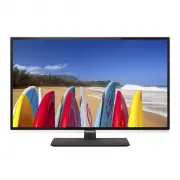
Panasonic TH-L32XV6A TV – User Manual, read for free online in PDF format. We hope this helps you resolve any issues you may have. If you have further questions, please contact us through the contact form.


Table of Contents:
- Page 2 – Important Notice
- Page 3 – Pedestal; Safety Precautions; Mains plug and lead; Take care
- Page 5 – Accessories; Assembling / Removing the pedestal; Assembling the pedestal
- Page 6 – Preventing the TV from falling over
- Page 7 – Connections; Terminals; Basic connections; Digital TV, Analogue TV; Mains lead
- Page 8 – AV devices; Network; Wired connection
- Page 9 – Other connections; DVD player; Camcorder / Game equipment; Amplifier
- Page 11 – Identifying Controls; Remote Control; Installing / Removing batteries
- Page 12 – Operation guide; How to use remote control
- Page 13 – First time Auto Tuning; Plug the TV into mains socket and turn power on; Auto Tuning is now complete and your TV is ready for viewing.; Watching TV; Turn power on
- Page 14 – How to Use eHELP; Select the category and item
- Page 15 – First, remove the mains plug from the socket outlet.
- Page 16 – Specifications
- Page 17 – When using the wall-hanging bracket
- Page 18 – Panasonic; Panasonic Australia Pty. Limited; Warranty
- Page 19 – WARRANTY - New Zealand only; Distributed in New Zealand by Panasonic New Zealand Limited; NEW ZEALAND
- Page 20 – Customer’s Record
Operating Instructions
LED TV
English
For more detailed instructions, refer to [eHELP]
(Built-in Operating Instructions).
[eHELP]
●
How to use [eHELP]
(p. 14)
Contents
Be Sure to Read
Important Notice ·················································2
Safety Precautions ·············································3
Quick Start Guide
Accessories ························································5
Connections························································7
Identifying Controls ··········································· 11
First time Auto Tuning ·······································13
Using your VIERA
Watching TV ·····················································13
How to Use eHELP ···········································14
Others
FAQs·································································15
Maintenance ·····················································15
Specifications ···················································16
Thank you for purchasing this Panasonic product.
Please read these instructions carefully before operating this product and
retain them for future reference.
The images shown in this manual are for illustrative purposes only.
TQB4GC1081
CJM
Model No.
Australia
New Zealand
TH-L32XV6A
TH-L32XV6Z
TH-L39EV6A
TH-L39EV6Z
"Loading the manual" means you need to wait until the file loads and becomes available for online reading. Some manuals are very large, and the time they take to appear depends on your internet speed.
Summary
2 Important Notice Panasonic does not guarantee operation and performance of peripheral devices made by other manufacturers; and we disclaim any liability or damage arising from operation and/or performance from usage of such other maker’s peripheral devices. The recording and playback of content on...
3 Important information If the TV is not positioned in a sufficiently stable location, it can be potentially hazardous due to falling. Many injuries, particularly to children, can be avoided by taking simple precautions such as: • Using cabinets or stands recommended by the manufacturer of the TV. •...
5 Accessories Remote Control (p. 11) ● N2QAYB000817 Batteries (2) ● R6 (p. 11) Pedestal (see below) Mains lead (p. 7) Operating Instructions with Warranty statement Fall-prevention parts (p. 6) ● Accessories may not be placed all together. Take care not to throw them away unintentionally. ● For the ...