Panasonic SC-HC29GN-K - User Manual
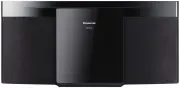
Panasonic SC-HC29GN-K Sound System – User Manual, read for free online in PDF format. We hope this helps you resolve any issues you may have. If you have further questions, please contact us through the contact form.


Table of Contents:
- Page 4 – Making the connections; Preparing the remote control
- Page 5 – Overview of controls
- Page 6 – Preparing the media; Disc; Pairing a device
- Page 7 – Media playback; Basic playback
- Page 8 – Play menu; Link mode; Input level; Note on disc
- Page 9 – Radio; Manual tuning; Automatic presetting; Improving the sound quality; Checking the signal status; AM allocation setting
- Page 10 – Selecting a preset station
- Page 11 – Clock and timers; Setting the clock; Sleep timer; Play timer
- Page 12 – Sound effects; External equipment; Others; Auto off; Bluetooth; Maintenance
- Page 13 – Troubleshooting; Common problems
- Page 14 – Main unit displays; Remote control code; To set the code to “REMOTE 2”; System memory reset
- Page 15 – Specifications
- Page 16 – Installation accessories; Supplied accessories; Installation instructions
- Page 17 – About Bluetooth; Licenses
- Page 18 – Panasonic Australia Pty. Limited; SHOULD BE RETAINED BY THE CUSTOMER AT ALL TIMES; Panasonic Warranty
Operating Instructions
Compact Stereo System
Model No.
SC-HC29DB
SC-HC29
“EB” indicates the United Kingdom model.
Thank you for purchasing this product.
For optimum performance and safety, please read these instructions carefully.
Please keep this manual for future reference.
The installation instructions are on page 16.
Please read these instructions carefully before installing.
EB
RQT9869-2B
GS
GN
SC-HC29 DBEB.GN.GS RQT9869-2B EN.fm Page 1 Friday, April 18, 2014 10:45 AM
"Loading the manual" means you need to wait until the file loads and becomes available for online reading. Some manuals are very large, and the time they take to appear depends on your internet speed.
Summary
4 R Q T9869 Making the connections Connect the AC mains lead only after all the other connections have been made. 1 For the United Kingdom and Ireland Connect the DAB antenna. Be sure to tighten fully the nut. Do not use any other DAB antenna except the supplied one. For others Connect the FM indoor...
5 R Q T9869 Overview of controls Do the procedures with the remote control. You can also use the buttons on the main unit if they are the same. A Standby/on switch [ ` ], [ 1 ] Press to switch the unit from on to standby mode or vice versa. In standby mode, the unit is still consuming a small amount...
6 R Q T9869 Preparing the media Disc 1 Press [USB/CD] to select “CD”. 2 Press [CD x ] (main unit: [ x OPEN/CLOSE]) to open the sliding door. Put in a disc with the label facing towards you. 3 Press [CD x ] (main unit: [ x OPEN/CLOSE]) again to close the sliding door. Keep fingers away from the slidi...