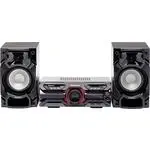
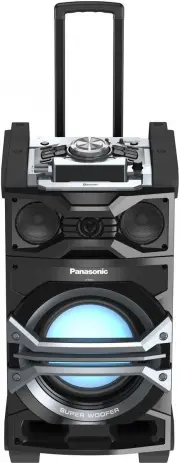
Page 2 - Dear customer; System; Main unit; Listening caution
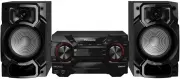
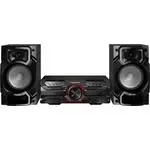
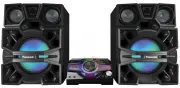
2 RQT8043 RQTV0061 LANG - 5 LANG - 4 FRANÇAIS DANSK ENGLISH Dear customer Thank you for purchasing this product.For optimum performance and safety, please read these instructions carefully. These operating instructions are applicable to the following systems. AK340 : indicates features applicable to...
Page 3 - IMPORTANT SAFETY INSTRUCTIONS
3 RQT8043 RQTV0061 LANG - 5 LANG - 4 FRANÇAIS D ANSK ENGLISH The lightning flash with arrowhead symbol,within an equilateral triangle, is intended toalert the user to the presence of uninsulated dangerous voltage within the product s enclosure that may be of sufficient magnitude to constitute a risk...
Page 4 - Getting started; For your reference; Optional antenna connections; Use outdoor antenna if radio reception is poor.
4 RQT8043 RQTV0061 LANG - 5 LANG - 4 FRANÇAIS DANSK ENGLISH (L) (R) Getting started 4 Connect the AC power supply cord. For your reference To save power when the unit is not to be used for a long time, unplug it from the household AC outlet. You will need to reset some memory items after plugging in...
Page 5 - Batteries; close to the front panel.; Use; Refer to page 6 for the remote control sensor position.; Placement of speakers; You cannot take the front net off the speakers.; Use only the supplied speakers.
5 RQT8043 RQTV0061 LANG - 5 LANG - 4 FRANÇAIS DANSK ENGLISH Step 2 - Inserting batteries into the remote control AA/R6/LR6 ■ Batteries • Insert so the poles (+ and –) match those in the remote control.• Remove if the remote control is not going to be used for a long period of time. Store in a cool, ...
Page 6 - Overview of controls; Refer to the numbers in parentheses for page reference.; Remote control; Buttons such as
6 RQT8043 RQTV0061 LANG - 5 LANG - 4 FRANÇAIS DANSK ENGLISH Overview of controls Main unit Main unit Refer to the numbers in parentheses for page reference. AC supply indicator [AC IN] This indicator lights when the unit is connected to the AC power supply. 1 Standby/on switch [ y /l , POWER] (10, 1...
Page 7 - Discs; Basic play; Play Mode function; You can listen to specifi c discs and tracks.; When playback ends
7 RQT8043 RQTV0061 LANG - 5 LANG - 4 FRANÇAIS DANSK ENGLISH Discs Numeric buttons Basic play Basic play 1 Press [ 0 , OPEN/CLOSE] on the main unit to open the tray. The unit turns on, load a disc in the current tray with the label facing up.Press [ 0 , OPEN /CLOSE] to close the tray. 2 Press [ 6 , C...
Page 8 - By main unit only; Checking the track information; You can select a desired disc display mode.; Advanced play; Program play; This function allows you to program up to 24 tracks.; or; Repeat steps 4 to 6 to program other tracks.
8 RQT8043 RQTV0061 LANG - 5 LANG - 4 FRANÇAIS DANSK ENGLISH Numeric buttons Changing multiple discs (MULTI CHANGE) Changing multiple discs (MULTI CHANGE) By main unit only 1 Press [ 0 , MULTI CHANGE] to open the trays. 2 Press the button repeatedly to check and change multiple discs. Note: • The tra...
Page 9 - You can repeat program play or other selected play mode.; While your desired album is playing, press [; previous or next match.; Album title search
9 RQT8043 RQTV0061 LANG - 5 LANG - 4 FRANÇAIS DANSK ENGLISH Advanced play Program play To Action check program contents Press [ 4 , REW / ] or [ ¢ , / FF] when “PGM” is displayed in the stop mode. The track number, program order and disc number are displayed: Program order Track number The program o...
Page 10 - NOTE on CDs; NOTE on MP3 or WMA; Cassette tape – Play and record; You can use either DECK 1 or DECK 2 for tape playback.
10 RQT8043 RQTV0061 LANG - 5 LANG - 4 FRANÇAIS DANSK ENGLISH NOTE on CDs • This unit can access up to 99 tracks.• Choose disc with this mark. • This unit can play MP3 or WMA fi les and CD-DA format audio CD-R / RW that have been fi nalized. • It may not be able to play some CD-R / RW due to the cond...
Page 11 - and insert the cassette.; Recording; Selection of tapes for recording; Preparation; ] for DECK 2 and insert the cassette; Prepare the desired disc recording mode.; Other basic operations; Cassette tape – Play and record (Continued)
11 RQT8043 RQTV0061 LANG - 5 LANG - 4 FRANÇAIS DANSK ENGLISH 2 Press [ 0 OPEN] for DECK 1 or [OPEN 0 ] for DECK 2 and insert the cassette. Insert with the side to be played facing towards you and the exposed tape facing down. Close the holder by hand. Front side 3 Press [ 3 , TAPE] to start play. To...
Page 12 - FM allocation setting; To change the step to 0.1 MHz; Memory preset; Manual tuning; To tune automatically; Radio
12 RQT8043 RQTV0061 LANG - 5 LANG - 4 FRANÇAIS DANSK ENGLISH FM allocation setting FM allocation setting By main unit only This system can also receive FM broadcasts allocated in 0.1 MHz steps. To change the step to 0.1 MHz 1 Press and hold [TUNER, BAND]. After a few seconds the display changes to a...
Page 13 - To activate the timer; Setting the clock; Displaying the clock; Using the play or record timer; Timer
13 RQT8043 RQTV0061 LANG - 5 LANG - 4 FRANÇAIS DANSK ENGLISH 4 Repeat steps 2 to 3 to set the finishing time. Finish time To activate the timer 5 Press and hold [– ˚ PLAY/REC] to turn on your desired timer. ˚ PLAY no display (off) ˚ REC ➞ 6 Press [ y ] to turn off the unit. The unit must be off for ...
Page 14 - Sound adjustment; Selecting sound effects; Preset EQ; Enhancing the bass sound; To activate; Press; To cancel
14 RQT8043 RQTV0061 LANG - 5 LANG - 4 FRANÇAIS DANSK ENGLISH MUSIC PORT jack Using the sleep timer Using the sleep timer This function enables you to turn off the unit automatically after the set time. Press [SLEEP] to select your desired time. SLEEP 30 SLEEP 60 SLEEP 90 SLEEP 120 SLEEP OFF Sleep ti...
Page 15 - External unit; Connecting to a portable audio equipment; Product Service; If the surfaces are dirty; When moving the unit
15 RQT8043 RQTV0061 LANG - 5 LANG - 4 FRANÇAIS DANSK ENGLISH External unit Connecting to a portable audio equipment Connecting to a portable audio equipment This feature enables you to enjoy music from a portable audio equipment. Portable audio equipment (not included) Audio cord (not included) Play...
Page 16 - Troubleshooting guide
16 RQT8043 RQTV0061 LANG - 5 LANG - 4 FRANÇAIS DANSK ENGLISH Troubleshooting guide Before requesting service, make the following checks. If you are in doubt about some of the check points, or if the remedies indicated in the chart do not solve the problem, refer to the “Customer Services Directory” ...
Page 17 - Specifi cations
17 RQT8043 RQTV0061 LANG - 5 LANG - 4 FRANÇAIS DANSK ENGLISH AMPLIFIER SECTION AK340 AK343 FTC Output power THD 10%, both channels driven 50 Hz to 3 kHz (Low channel) AK340 : 81 W per channel (3 Ω ) AK343 : 77 W per channel (3 Ω ) 3 kHz to 12 kHz (High channel) AK340 : 81 W per channel (3 Ω ) AK343 ...
Page 18 - Panasonic Audio Products
18 RQT8043 RQTV0061 LANG - 5 LANG - 4 FRANÇAIS DANSK ENGLISH Limited Warranty (ONLY FOR U.S.A.) Panasonic Consumer Electronics Company, Division of Panasonic Corporation of North America One Panasonic Way Secaucus, New Jersey 07094 Panasonic Puerto Rico, Inc. Ave. 65 de Infantería, Km. 9.5 San Gabri...
Page 19 - PANASONIC PRODUCT – LIMITED WARRANTY; Our Customer Care Centre:; locator” under “Customer support”
19 RQT8043 RQTV0061 LANG - 5 LANG - 4 FRANÇAIS D ANSK ENGLISH Limited Warranty (ONLY FOR CANADA) Panasonic Canada Inc. PANASONIC PRODUCT – LIMITED WARRANTY Panasonic Canada Inc. warrants this product to be free from defects in material and workmanship and agrees to remedy any such defect for a perio...
Page 20 - IS; DANSK; Preparativos iniciales; Conecte el cable de alimentación de CA; Para su referencia; Referencia; Paso; - Introducción de pilas en el mando a distancia; Pilas; tiempo largo. Guárdelas en un lugar fresco y oscuro.; Utilización; una distancia máxima de 7 m (23 pies) directamente frente al aparato.; Conecte la antena interior de FM.; Conecte la antena de cuadro de AM.
20 RQT8043 RQTV0061 ESP AÑOL LANG - 4 FR A N Ç A IS DANSK ENGLI S H (L) (R) Preparativos iniciales 4 Conecte el cable de alimentación de CA Para su referencia Para ahorrar energía cuando no utiliza el aparato durante mucho tiempo, desenchúfelo de la toma de CA.Después de enchufar el aparato tendrá q...
Page 21 - - Función de demostración; Colocación de los altavoces; No quite la red frontal de los altavoces.; Utilice solamente los altavoces suministrados.; • No instale estos altavoces en paredes ni
21 RQT8043 RQTV0061 ESP AÑOL LANG - 4 FR A N Ç A IS DANSK ENGLI S H Paso Paso 3 3 - Función de demostración - Función de demostración Cuando el aparato se enchufe por primera vez puede aparecer en el visualizador una demostración de sus funciones.Si el ajuste de demostración está desactivado, usted ...
Page 22 - Controles; Aparato principal; Los números entre paréntesis indican la página de referencia.; Mando a distancia; Los botones como el
22 RQT8043 RQTV0061 ESP AÑOL LANG - 4 FR A N Ç A IS DANSK ENGLI S H Controles Aparato principal Aparato principal Los números entre paréntesis indican la página de referencia. Indicador de alimentación de CA [AC IN] Este indicador se encenderá cuando el aparato esté conectado a la red de CA. 1 Inter...
Page 23 - Discos; Reproducción básica; OPEN/CLOSE] en la unidad principal para; Función de modo de reproducción; Puede escuchar discos específi cos y pistas.; Cuando termine la reproducción
23 RQT8043 RQTV0061 ESP AÑOL LANG - 4 FR A N Ç A IS DANSK ENGLI S H Discos Botones numéricos Reproducción básica Reproducción básica 1 Pulse [ 0 , OPEN/CLOSE] en la unidad principal para abrir la bandeja. El aparato se enciende, carga un disco en la bandeja actual con la etiqueta hacia arriba.Pulse ...
Page 24 - Selección de las cintas para la grabación; Preparación; la cinta que hay que grabar.; Pulse; Otras operaciones básicas; Cintas de casete – reproducción y grabación
24 RQT8043 RQTV0061 ESP AÑOL LANG - 4 FR A N Ç A IS DANSK ENGLI S H Botones numéricos L o s b o t o n e s d e s c r i t o s p a r a “ C i n t a s d e c a s e t e – reproducción y grabación” son principalmente para la unidad a no ser que se indique lo contrario. Reproducción básica Reproducción básic...
Page 25 - la frecuencia de la emisora requerida.; Para sintonizar automáticamente; Aparato principal solamente; Para cambiar el paso a 0,1 MHz; Grabación de emisoras en memoria; Pulse los botónes numéricos para seleccionar el canal.
25 RQT8043 RQTV0061 ESP AÑOL LANG - 4 FR A N Ç A IS DANSK ENGLI S H Sintonización manual Sintonización manual 1 Pulse [TUNER, BAND] para seleccionar “FM” o “AM”. 2 Pulse [PLAY MODE] para seleccionar “MANUAL”. 3 Pulse [ 4 , REW / ] o [ ¢ , / FF] para seleccionar la frecuencia de la emisora requerida....
Page 26 - Visualización del reloj; Para activar el temporizador; Temporizador
26 RQT8043 RQTV0061 ESP AÑOL LANG - 4 FR A N Ç A IS DANSK ENGLI S H Puesta en hora Puesta en hora Éste es un reloj de sistema de 12 horas. 1 Pulse [CLOCK/TIMER] para seleccionar “CLOCK”. Cada vez que pulse el botón: ➞ CLOCK ˚ PLAY Visulización original ˚ REC ➞ 2 ( Entre 8 segundos después ) Pulse [ ...
Page 28 - Panasonic Canada Inc.; Sp
En Panasonic Consumer ElectronicsCompany, Division of PanasonicCorporation of North America One Panasonic Way Secaucus,New Jersey 07094 http://www.panasonic.com Panasonic Puerto Rico, Inc. Ave. 65 de Infantería, Km. 9.5San Gabriel Industrial Park, Carolina,Puerto Rico 00985 Panasonic Canada Inc. 577...