Page 4 - Making the connections; Preparing the remote control
4 R Q T9869 Making the connections Connect the AC mains lead only after all the other connections have been made. 1 For the United Kingdom and Ireland Connect the DAB antenna. Be sure to tighten fully the nut. Do not use any other DAB antenna except the supplied one. For others Connect the FM indoor...
Page 5 - Overview of controls
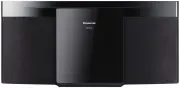
5 R Q T9869 Overview of controls Do the procedures with the remote control. You can also use the buttons on the main unit if they are the same. A Standby/on switch [ ` ], [ 1 ] Press to switch the unit from on to standby mode or vice versa. In standby mode, the unit is still consuming a small amount...
Page 6 - Preparing the media; Disc; Pairing a device
6 R Q T9869 Preparing the media Disc 1 Press [USB/CD] to select “CD”. 2 Press [CD x ] (main unit: [ x OPEN/CLOSE]) to open the sliding door. Put in a disc with the label facing towards you. 3 Press [CD x ] (main unit: [ x OPEN/CLOSE]) again to close the sliding door. Keep fingers away from the slidi...
Page 7 - Media playback; Basic playback
7 R Q T9869 One-Touch Connection (NFC) For NFC-compatible Bluetooth ® devices (Android™ devices) only Simply by touching an NFC (Near Field Communication)-compatible Bluetooth ® device on the system, you can complete all preparations, from registering a Bluetooth ® device to establishing a connectio...
Page 8 - Play menu; Link mode; Input level; Note on disc
8 R Q T9869 Play menu CD USB 1 Press [PLAY MENU] repeatedly to select “PLAYMODE” or “REPEAT”. 2 Press [ R , T ] to select the setting and then press [OK]. Note: • During random playback, you cannot skip to tracks which have been played. • The setting is cancelled when you open the sliding door. Link...
Page 9 - Radio; Manual tuning; Automatic presetting; Improving the sound quality; Checking the signal status; AM allocation setting
9 R Q T9869 Radio Preparation For Australia and New Zealand Press [RADIO/AUX] to select “FM” or “AM”. For others Press [RADIO/AUX] to select “FM”. Manual tuning 1 Press [PLAY MENU] repeatedly to select “TUNEMODE”. 2 Press [ R , T ] to select “MANUAL” and then press [OK]. 3 Press [ 2 / 3 ] or [ 5 / 6...
Page 10 - Selecting a preset station
10 R Q T9869 DAB/DAB+ For the United Kingdom and Ireland Preparation Press [RADIO/AUX] to select “DAB/DAB+”. Note: If you select “DAB/DAB+” for the first time, the system will tune automatically. Manual tuning 1 Press [PLAY MENU] repeatedly to select “MANUAL SCAN”. 2 Press [ R , T ] to select the fr...
Page 11 - Clock and timers; Setting the clock; Sleep timer; Play timer
11 R Q T9869 Clock and timers Setting the clock This is a 24-hour clock. 1 Press [SETUP] repeatedly to select “CLOCK”. 2 Press [ R , T ] to set the time and then press [OK]. To check the time Press [SETUP] repeatedly to select “CLOCK” and then press [OK]. In standby mode, press [DISPLAY]. Note: Rese...
Page 12 - Sound effects; External equipment; Others; Auto off; Bluetooth; Maintenance
12 R Q T9869 Sound effects 1 Press [SOUND] repeatedly to select the sound effect. 2 Press [ R , T ] to select the setting and then press [OK]. Note: The default setting is underlined. Changed settings will be kept until it is changed again, unless otherwise indicated. External equipment You can play...
Page 13 - Troubleshooting; Common problems
13 R Q T9869 Troubleshooting Before requesting service, make the following checks. If you are in doubt about some of the check points, or if the solutions indicated do not solve the problem, consult your dealer for instructions. █ Common problems The unit does not work. • The safety device has been ...
Page 14 - Main unit displays; Remote control code; To set the code to “REMOTE 2”; System memory reset
14 R Q T9869 █ Main unit displays “--:--” • You connected the AC mains lead for the first time or there was a power failure recently. Set the clock. “ADJUST CLOCK” • The clock is not set. Adjust the clock. “ADJUST TIMER” • The play timer is not set. Adjust the play timer. “AUTO OFF” • The system has...
Page 15 - Specifications
15 R Q T9869 Specifications █ Amplifier section RMS output power stereo mode Front Ch (both ch driven) 10 W per channel (8 Ω ), 1 kHz, 10% THD Total RMS stereo mode power 20 W For Asia and the Middle East PMPO output power 200 W █ Tuner, terminals section Preset memory FM 30 stations For Australia a...
Page 16 - Installation accessories; Supplied accessories; Installation instructions
16 R Q T9869 Attaching the unit to a wall (optional) For the United Kingdom and Ireland You can use the supplied wall mount brackets to attach this unit to the wall. Preparation Disconnect the antenna(s) and the AC mains lead. Installation accessories █ Supplied accessories 2 Wall mount brackets ...
Page 17 - About Bluetooth; Licenses
17 R Q T9869 About Bluetooth ® Frequency band • This system uses the 2.4 GHz frequency band. Certification • This system conforms to the frequency restrictions and has received certification based on frequency laws. Thus, a wireless permit is not necessary. • The actions below are punishable by law:...
Page 18 - Panasonic Australia Pty. Limited; SHOULD BE RETAINED BY THE CUSTOMER AT ALL TIMES; Panasonic Warranty
18 R Q T9869 Limited Warranty (Australia) Panasonic Australia Pty. Limited ACN 001 592 187 ABN 83 001 592 187 1 Innovation Road, Macquarie Park NSW 2113 PRO-031-F11 Issue: 4.0 01-01-2011 If you require assistance regarding warranty conditions or any other enquiries, please visit the Panasonic Austra...