Page 2 - Contents
IMPORTANT SAFETY INSTRUCTIONS . . . . . . . . . . . . . . . . . . . . . . . . . . . . . . . . . 4 Guide to the Fridge-Freezer combination . . . . . . . . . . . . . . . . . . . . . . . . . . . . . . 7 Before use . . . . . . . . . . . . . . . . . . . . . . . . . . . . . . . . . . . . . . . . . . . . ....
Page 4 - Electrical Safety; Before installation, make sure that; IMPORTANT SAFETY INSTRUCTIONS
When using the appliance, followbasic safety precautions, includingthe following: Read all instructions beforeinstallation and use to preventaccidents and machine damage. This appliance is intended forresidential use only. Use only asdescribed in this Operating manual. Only use the appliance for its...
Page 6 - Disposal of your old appliance
~ After your appliance is in operation, do not touch the cold surfaces in themachine, ice cubes or frozen food,particularly when hands are damp orwet. Skin may adhere to theseextremely cold surfaces. ~ Do not refreeze frozen foods which have thawed completely. ~ Do not handle frozen food or ice with...
Page 7 - Guide to the Fridge-Freezer combination
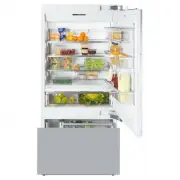
a Hinged door shelf b Shelves (height adjustable) c Door shelves (height adjustable) d Floating drawer e Control panel f Humidity filter g Main switch to turn the applianceOn/Off h SmartFresh drawer i Ice maker j Water filter k Small freezer basket l Large freezer basket m Ice cube container Guide t...
Page 8 - Control panel
Control panel a Access button " p " activates the control panel b Refrigerator c Left SmartFresh drawer d Right SmartFresh drawer e Freezer f Temperature display X colder; Y warmer Allows you to set the desiredtemperature in the refrigerator orfreezer section g Food type(s) to be stored in t...
Page 9 - Open the upper appliance door.; Before use
Before using for the first time ^ Clean the inside of the appliance andthe accessories with a mild solutionof warm water and liquid dish soap.Dry with a soft cloth. If the appliance was transported orlaid horizontally for any reason, allowit to stand vertical for at least 8 hoursbefore turning it on...
Page 10 - Using the settings; Settings
Using the settings This appliance is operated with the useof touch keys activated by a finger. – An available button will appear white. – A selected button will appear yellow. ^ Touch the access button " p " so it turns yellow. On the control panel you will now seethe sensor buttons of the f...
Page 11 - Custom settings; Function
Custom settings In the custom settings mode you canselect and change functions. Thefunction possibilities are described inthe respective chapters of this manual. Function Display text Temperature unit°C - °F(see "Setting thetemperature") † RemoteVisionModule settings(optional accessory) ; Bu...
Page 13 - Temperature alarm; – too much warm air flows into the; Turning the temperature alarm Off; Door alarm; Turning the door alarm Off; Temperature and door alarm
The appliance is equipped with analarm system, to ensure that thetemperature does not rise unnoticedbecause of energy loss or open doors. The alarm system is alwaysoperational, it does not need to beturned on. Temperature alarm If the temperature becomes too warm,an alarm sounds, the "alarm"...
Page 14 - Setting the temperature
Setting the temperature in therefrigerator and freezersections The refrigerator and freezer sectionscan be set independently of each other. ^ Touch the access button " p " so it turns yellow. ^ Touch the sensor button for therefrigerator or freezer section so itturns yellow. ^ Use the X and ...
Page 16 - Place the food in the drawer.; SmartFresh drawers
The SmartFresh drawers provide theright combination of temperature andhumidity. The result is freshness up tothree times longer than in the otherzones of the refrigerator. Storage temperatures For fresh foods that are not adverselyaffected by cold, the best range is32° - 37°F (0° - 3°C). This helps ...
Page 18 - Different storage zones; Warmest area; – dishes or baked goods containing; Using the refrigerator efficiently
Different storage zones Due to the natural circulation of air inthe appliance, there are differenttemperature zones in the refrigerator.Cold, heavy air sinks to the lowestsection of the appliance. Make use ofthese different zones when placingfood in the appliance. This appliance uses a dynamiccoolin...
Page 19 - Freezing food; Load bearing capacity of the baskets:; Using the freezer efficiently
Freezing food Fresh food should be frozen as quicklyas possible. This helps maintain thenutritional value, vitamin content,appearance and taste of the food. Never refreeze partially or fullydefrosted food. Consume defrostedfood as soon as possible, it will lose itsnutritional value and spoil if left...
Page 20 - Defrosting; Poultry; Cooling drinks quickly
Defrosting Frozen food can be defrosted indifferent ways: – in a microwave oven, – at room temperature, – in the refrigerator (the cold given off by the frozen food helps to keep theother food cold), – in a steam oven. Poultry It is especially important to observe proper hygiene whendefrosting poult...
Page 21 - When used with the; refrigerator; the; the; hours; before the fresh food is placed in; Switching on SuperCool; SuperCool
When the SuperCool function isactivated, the appliance is cooled asquickly as possible (to a factory-presettemperature). SuperCool When used with the refrigerator the SuperCool function is ideal for the rapidcooling of drinks and refrigerating largequantities of food. When used with the freezer the ...
Page 22 - Turning on the ice cube maker; Ice production will vary due to; Turning off the ice cube maker; Ice cube maker
For the automatic ice cube maker tooperate, it must be connected to thehousehold water supply. See"Plumbing". Turning on the ice cube maker ^ Make sure that the ice cubecontainer is under the ice cubemaker, as far as possible. Ice cubes will not be produced unlessthe container is completely ...
Page 23 - Freezer section; Automatic defrost
Refrigerator section andSmartFresh drawers The refrigerator and SmartFreshdrawers defrost automatically. During normal operation, condensateand frost can form on the rear wall ofthe refrigerator and drawers.You do not need to remove thisbuild-up, it will defrost and evaporateautomatically with the h...
Page 24 - Moving the shelves; Pull the shelf forward.; Floating drawer; upward and lift the drawer; Adjusting the interior fittings
Moving the shelves The shelves can be adjusted accordingto the height of the food. ^ Using both hands, grasp the shelffrom underneath and lift slightly sothat the rear of the shelf is slightlyabove the mountings. ^ Pull the shelf forward. ^ Move the shelf to the desired height,then insert the (rear)...
Page 25 - Replacing the SmartFresh drawer
The divider in the drawer can also beremoved for cleaning. ^ Remove the drawer. ^ Lift the divider upward and out. To re-insert the divider, slide it backdown along the tracks. Important: If the divider is not in place, the SmartFresh drawer willnot work properly. Replacing the SmartFresh drawer ^ C...
Page 26 - Adjusting the door shelves; Make sure the shelf is level.; Removing a door shelf
Adjusting the door shelves For easier loading, unloading, andcleaning, the door shelves can beshifted or completely removed. ^ Using both hands, grasp the doorshelf by the frame and tip it slightlyforward. ^ Slide the tipped shelf up or downalong the slide-rails, and click it intoplace with the lowe...
Page 27 - Ice cube container; Replacing the ice cube container; Slide the container in.; Small freezer basket; upward and lift the basket; Replacing the small freezer basket; Fully extend the telescopic tracks.; Replacing the large freezer basket
Ice cube container The ice cube container is set ontelescopic tracks, and can be removedfor loading, unloading and cleaning. ^ Slide the container forward untilresistance is felt. ^ On both sides of the container, pullthe latches (see arrow) upward andlift the container out of the freezer. Push the ...
Page 28 - do not; Cleaning and care
To reduce the risk of electricalshock, disconnect the appliancefrom the power supply by shuttingoff the power main, tripping thecircuit breaker or unplugging thepower cord before maintenance. Never use cleaning agentscontaining abrasive substancessuch as sand, soda, acids, chloridesor chemical solve...
Page 29 - Before cleaning; Unplug the power cord.; Aluminum frames
Before cleaning ^ Use the main switch to turn theappliance off completely. The main switch is located on the rightside underneath the control panel. ^ Unplug the power cord. ^ Remove any food from the applianceand store it in a cool place. ^ Take out any removable parts,e.g., shelves. Cleaning the i...
Page 30 - Humidity filters; Remove the SmartFresh drawer.; Ventilation slits
Humidity filters The two humidity filters, located abovethe SmartFresh drawers, must beremoved for cleaning. ^ Remove the SmartFresh drawer. ^ Unhook the filter cover, 1. in each side of the drawer and remove themalong with the filter mat downwardsstarting from 2 . ^ Remove the filter mat. ^ Clean t...
Page 31 - After cleaning; Return all shelves and accessories.; Changing the light bulb; Upper lighting
After cleaning ^ Return all shelves and accessories. ^ Place food back in the refrigeratorsection, close the appliance doors,insert the plug in the power outletand turn the appliance on. ^ Switch on the SuperCool function forthe freezer section. The freezersection will cool down quickly. ^ Once the ...
Page 32 - Remove the defective light bulb.; Side lighting; Restore power to the appliance.
Never touch a halogen bulb withbare fingers.When inserting a glass halogen bulbalways hold it with a soft cloth. ^ Remove the defective light bulb. ^ Place the new bulb in the socket.Halogen bulb type:20 W/12 V/socket GY 6.35. ^ Slip the rear of the light cover backinto position, then pull it forwar...
Page 33 - Water filter change indicator; – When the filter indicator lights red,; Water filter
The Appliance is supplied with anactive charcoal filter which improvesthe taste and smell of ice cubes byremoving chlorine and othersubstances from the incoming tapwater. Additional water filters are availablefrom Miele. It is important to change the waterfilter regularly. To avoid serious illness o...
Page 34 - Exchanging the water filter; Remove the cap from the used filter,
Exchanging the water filter Note: Air trapped in the system maycause water and the filter cartridgeto eject forcefully. Use caution whenremoving. ^ Push in and rotate the filter cap onthe base panel of your appliancecounterclockwise 180°, 1 . ^ Pull the used filter cartridge out of theappliance, 2 ....
Page 35 - Confirming the filter change; The filter change indicator goes out.; Using an external water filter
^ After the filter change the filterindicator in the display still flashes.The change must be be confirmed inthe electronic. Confirming the filter change ^ Press and hold the filter changesensor button. ^ At the same time place a finger onthe access button. Press and holdboth sensor buttons for appr...
Page 38 - Lead free certificate
This product KF 1801 Vi, KF 1811 Vi (KIMBM30US) / KF 1901 Vi, KF 1911 Vi(KIMBM36US) is tested and certified by WQA against ORD0902 for California"lead free" compliance. Miele & Cie. KGCarl-Miele-Straße 29D-33332 Gütersloh Lead free certificate 38
Page 39 - Reset the circuit breaker.; Frequently asked questions
With the aid of the following guide minor problems can be corrected without a ser-vice call. Repairs should only be carried out by a qualified and trained person in strictaccordance with local and national safety regulations. Unauthorized repairscould cause personal injury or machine damage and may ...
Page 41 - Self-tapping valves and
General problems Issue Possible fault Solution Water is flowing out ofthe appliance. Close the shut-off valve immediately. Check whether the waterpipe in the appliance isdefective. Contact Miele TechnicalService. Check whether the waterpressure is too low. Contact a plumber. Check whether the correc...
Page 42 - The door is not closed.
Alarm / Indicator warnings Issue Possible fault Solution The alarm is ringing. The appliance door(s)have been open forlonger than 5 minutes. Close the door(s). The alarm is ringing andthe "alarm" indicator forthe door or temperatureis flashing. The door is not closed. Once the alarm conditio...
Page 45 - Change the water filter.
Problems with the ice maker Issue Possible fault Solution The ice maker is notproducing enough iceor the ice cubes aremisshapen. Check the waterpressure. The waterpressure must bebetween 25 and 120 psi(1.72-8.25 bar). Contact a plumber. Check that the freezertemperature is not toolow. See "Selec...
Page 46 - The appliance is uneven.
The appliance is making noises. Issue Possible fault Solution Brrrrr... Humming noise made by thecompressor. This noise can getlouder for brief periods when themotor is switching on. These noises are not afault. The noise of thecompressor and thecoolant circulating inthe system isunavoidable. Blubb,...
Page 47 - MieleCare; , our Extended Service; MieleCare; is the only Extended Service; MieleCare; After sales service
In the event of a fault which you cannoteasily fix yourself, please contact theMiele Technical Service Department atthe address on the back of this booklet. When contacting the Technical Servicedepartment, please quote the modeland serial number of your appliancegiven on the data plate inside theapp...
Page 49 - Installation instructions; before
Installation instructions Information is subject to change. Please refer to our website to obtain the mostcurrent product specification, technical & warranty information. To prevent accidentsand machine damageread these instructions before installation or use.
Page 50 - Caring for the environment
Disposal of packing materials The cardboard box and packingmaterials are biodegradable andrecyclable. Please recycle. Ensure that any plastic wrappings,bags, etc., are disposed of safely andkept out of the reach of babies andyoung children. Danger of suffocation! Disposal of an old appliance Old app...
Page 51 - WARNING; Empty weight of your machine:; Installation site; water; Installation
Have the appliance installed by aqualified technician, according tothe enclosed installation instructions. , WARNING This appliance is top-heavy andmust be secured to prevent it fromtipping forward.Keep the doors closed until theappliance is completely installedand secured as per the installationins...
Page 53 - Single column
Stainless steel panels Stainless steel door panels and toe-kickcovers are available from Miele. Custom door panels This appliance is compatible with allstyles and designs of kitchen cabinetry. The total weight of the decorativepanel(s) must not exceed the following: KF 18X1 Vi Upper door . . . . . ....
Page 54 - If there is a partition with a thickness; from; If there is a partition with a thickness of; more than 6; between; Side panels
Installation with partition using the"Merging Kit" The minimum thickness of the partitionis 5 / 8 " (16 mm). If there is a partition with a thickness from 5 / 8 " (16 mm) to 6 5 / 16 " (160 mm) between the adjacent appliances, theneach appliance should be individuallyinstalled wi...
Page 56 - Dimensions
Door dimensions (opening angle 90°) *The dimensions of the door frontsand handles will vary according toeach individual kitchen. 3 / 8 " (10 mm) A B C KF 18X1 Vi 32 5 / 8 " (829 mm) Door front max. 1 1 / 2 " (38 mm)* Door handle* KF 19X1 Vi 38 11 / 16 " (982 mm) Door front max. 1 1 /...
Page 57 - Niche dimensions
Niche dimensions Niche width (A) KF 1801 Vi, KF 1811 Vi 30" (762 mm) KF 1901 Vi, KF 1911 Vi 36" (915 mm) Dimensions 57
Page 59 - Before you begin; Tools needed for installation; Installing the appliance
Before you begin Read these instructions completelyand carefully.Have the appliance installed by aqualified technician, according tothe enclosed installation instructions. To reduce the risk of injury ordamage to the product, two peopleshould be used for installation. These installation instructions...
Page 63 - Mounting Accessories
Mounting Accessories The mounting accessories needed forinstalling the appliance into the nicheare included in the packaging. Severalplastic bags are included which arenumbered alphabetically. The bag needed for each step will bemarked with its respective letter. ^ Use the included Torx screwdriver ...
Page 64 - screws; In a cabinet with a back wall
^ Drill pilot holes: – 1 / 8 " (3 mm) for 5 x 60 mm wood screws – 1 / 16 " (2 mm) for 4 x 15 mm wood screws. ^ Tightly secure the anti-tip brackets inthe niche. Be certain that the screws penetratethrough the flooring and into the wallplate a minimum of 3 / 4 " (19 mm). If the included a...
Page 67 - Aligning the appliance; The installation aids
Aligning the appliance ^ Align the appliance with the customfront. The installation aids e on the appliance door have been designed forthe following custom door thicknesses: – 3/4" (19 mm) – 1 1/2" (38 mm). The height-adjustable feet at the frontand rear can all be adjusted from thefront: – ...
Page 70 - Preparing the custom door
Now connect the water supply to theappliance (see "Plumbing"). Preparing the custom door For best results, it is important tomount the upper door before the lower door. ^ Open the appliance door. ^ Unscrew the installation supports n from the appliance door. ^ Loosen the remaining screws fro...
Page 71 - Mark the distance; only; – Always select the best load-bearing
^ Mark the distance X on the back-side of the custom door. ^ Also calculate and mark the center ofthe custom door Y . ^ Remove the mounting frame from theappliance door and position itaccording to the markings on thecustom door. ^ Pre-drill the holes. ^ Tightly screw on the bracket usingthe pre-dril...
Page 73 - Attaching the lower bracket; Open the appliance door all the way.
Note the size of the upper custom doorfront: ^ Measure the distance Y between the adjusting rail from the lower door andthe upper door. ^ Be sure to leave a distance of 1/8"(3 mm) from the upper cabinetrydoor. Attaching the lower bracket (Only for appliances using the "Frontpanel gap kit"...
Page 74 - Attaching the covers; Attach the light switch cover.
Attaching the covers ^ To mount the cover strips on bothsides of the upper and lower doors,click them into place from bottom totop, into the gap between theappliance door and the custom door. ^ Screw the brackets onto both sidesof the appliance, to hold the coverstrip. ^ Insert the cover strip into ...
Page 75 - Attaching the toe-kick cover
^ Insert the cover plate on the freezercompartment door. Attaching the toe-kick cover The maximum height of the toe-kickcover is 4" (101 mm) from the top ofthe floor. Do not cover the ventilationslits in the plinth. Risk of damage tothe appliance. ^ If required, cut the toe-kick cover tothe requ...
Page 76 - Mounting the air separator
Mounting the air separator The air separator keeps the supply andexhaust air separate. This preventswarm exhaust air from flowing into themachine, optimizing the energyperformance of the unit. ^ If necessary, shorten the three partsof the air separator. ^ Insert the foam pieces back into thesides. ^...
Page 77 - Plumbing
All plumbing work should be carriedout by a suitably qualified andcompetent person, in accordancewith all applicable local and nationalregulations. The water quality must conform tocountry requirements for drinkingwater. – The appliance is only suitable for connection to the cold water supply. – The...
Page 78 - Preparing the water connection; For appliances with a hose guide
Preparing the water connection The connection to the householdwater supply must be installedbefore the appliance is installed. ^ Turn off the main water valve to preventdamage caused by leaking water. ^ Attach the connecting pipe to theshut-off valve, according to theinstructions supplied by themanu...
Page 79 - Connecting the water supply; Switch the appliance on.
Connecting the water supply When connecting the water pipe tothe solenoid valve of the appliance,follow the instructions supplied bythe manufacturer of the ice cubemaker installation kit. When bending the water pipe, be surenot to kink it, otherwise there is a risk ofleaks and water damage.Use bendi...
Page 80 - Avoid the risk of electrical; Electrical connection
, Avoid the risk of electrical shock- Plug into a grounded 3-prongoutlet.- Do not move the ground plug.- Do not use an adapter.- Do not use an extension cord. Failure to follow these instructionscan result in death, fire, or electricalshock. Improper connection of theequipment grounding conductormay...
Page 83 - MasterCool control panel options for RemoteVision; Status indicators Description of function
MasterCool control panel options for RemoteVision Status indicators Description of function Flashing ; ~ Module booting phase Flashing ; ‡ Not connected to network Flashing ; | Connection to network established, no IP addressassigned Solid ; # Connected to network Flashing ; < In Ad-Hoc Mode, not...