Logitech M280 - User Manual
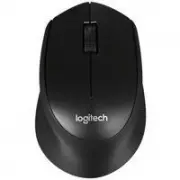
This user manual covers the Logitech Wireless Mouse M280, detailing its wireless setup, connectivity, and core functionality. The guide highlights essential topics like battery management (including sleep modes), compatibility with Logitech Unifying technology, and troubleshooting common connection or operational issues such as power failures, USB receiver placement, and interference. It also explains basic components–buttons, scroll wheel, LED indicators–and provides setup instructions for pairing with laptops and desktop computers.
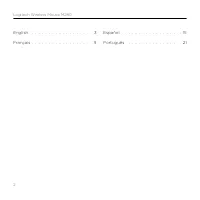
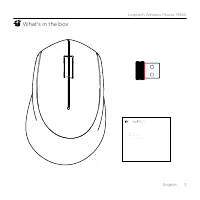
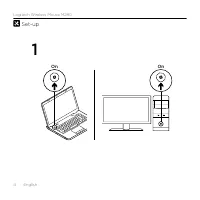
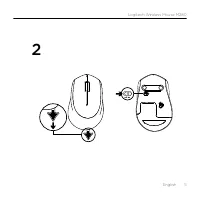
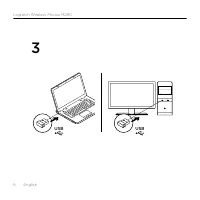
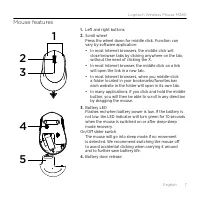
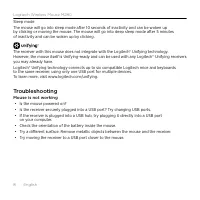
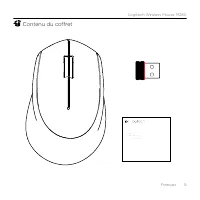
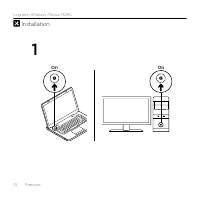
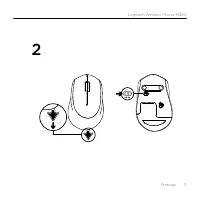
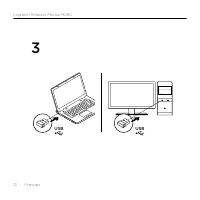
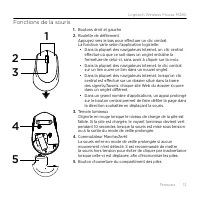
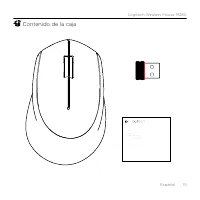
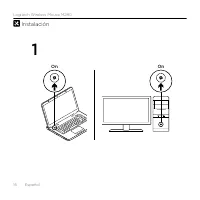
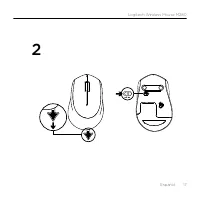
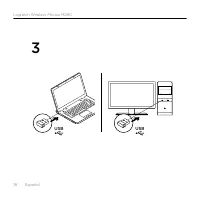
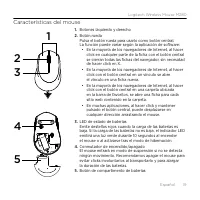
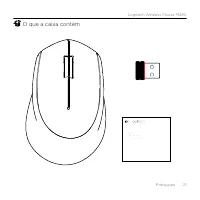
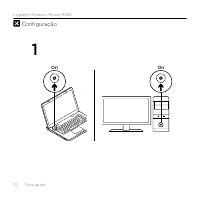
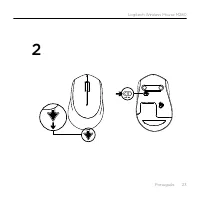
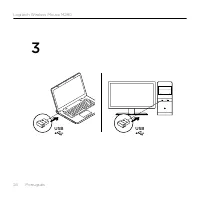
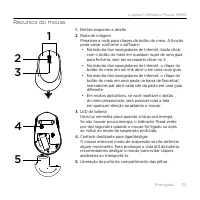
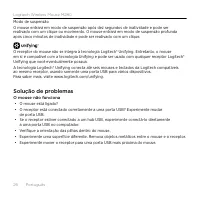
Table of Contents:
- Page 1 – Getting Started Guide
- Page 2 – Table of Contents
- Page 3 – Package Contents
- Page 4 – Initial Setup Procedure
- Page 5 – Accessing Battery Compartment
- Page 6 – USB Receiver Connection
- Page 7 – Mouse Features and Controls
- Page 8 – Sleep Mode and Troubleshooting
- Page 9 – Included Accessories
- Page 10 – Mouse Installation Setup
- Page 11 – Powering On the Mouse
- Page 12 – Connecting via USB Receiver
- Page 13 – Component Functions
- Page 14 – Sleep Mode and Troubleshooting
- Page 15 – Package Contents Confirmation
- Page 16 – Installation Step 1
- Page 17 – Setup Step 2
- Page 18 – USB Receiver Connection Setup
- Page 19 – Detailed Mouse Features
- Page 20 – Sleep Modes and Troubleshooting
- Page 21 – Package Contents Confirmation
- Page 22 – Device Configuration
- Page 23 – Battery Insertion Setup
- Page 24 – USB Receiver Compatibility
- Page 25 – Mouse Component Details
- Page 26 – Sleep Modes and Connectivity Troubleshooting
- Page 27 – Regulatory Identification Information
- Page 28 – Copyright and Legal Notice
Getting started with
Première utilisation
Logitech® Wireless Mouse M280
"Loading the manual" means you need to wait until the file loads and becomes available for online reading. Some manuals are very large, and the time they take to appear depends on your internet speed.
Was this manual helpful?
About this manual
- Brand
- Logitech
- Model
- M280
- Document type
- User Manual
- Category
- Computer Mouse
- Language(s)
- English, Spanish, French
- Pages
- 28
- File size
- 2.4 MB
- Format
Summary
Initial setup guidance and product introduction for the Logitech Wireless Mouse M280.
Listing of user guides organized by language, including English, French, Spanish, and Portuguese sections.
Items included in the box, including the mouse, USB receiver, and product packaging illustration.


