LG WTP3 - User Manual
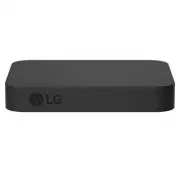
LG WTP3 Sound Bar – User Manual, read for free online in PDF format. We hope this helps you resolve any issues you may have. If you have further questions, please contact us through the contact form.


Table of Contents:
- Page 2 – Installing and using the Product; Connect the LG WOWCAST to your TV via an HDMI cable.; LG WOWCAST Quick Guide
- Page 3 – Manually connecting the LG WOWCAST to the sound bar (
- Page 4 – Table of Contents
- Page 5 – Supported LG Wi-Fi Sound Bar models; Connecting to the TV
- Page 6 – Connecting LG WOWCAST automatically
- Page 7 – Checking the connection with the LED on LG WOWCAST
- Page 8 – Connecting LG WOWCAST manually
- Page 9 – How to reset; Resetting the Products
- Page 10 – Safety and Regulatory; CAUTION; Safety Precautions
- Page 12 – Troubleshooting; General Errors; Before Reporting Product Malfunction
- Page 13 – Appendix
- Page 14 – Registered Trademarks and Licenses
- Page 15 – When shipping the Product; Cleaning the product
OWNER’S MANUAL
Please read this manual carefully before operating your set and retain it for future
reference.
Model
WTP3
2201_Rev03
www.lg.com
Copyright ©
2021-2022
LG Electronics Inc. All Rights Reserved.
"Loading the manual" means you need to wait until the file loads and becomes available for online reading. Some manuals are very large, and the time they take to appear depends on your internet speed.
Was this manual helpful?
Helpful for 3 of 3 readers
About this manual
- Brand
- LG
- Model
- WTP3
- Document type
- User Manual
- Category
- Sound Bar
- Language(s)
- English
- Pages
- 16
- File size
- 1.4 MB
- Format
Summary
2 LG WOWCAST Quick Guide Installing and using the Product a Connect the LG WOWCAST to your TV via an HDMI cable. TV (e)ARC HDMI IN (eARC/ARC) USB HDMI IN a b D C B A A LG WOWCAST B Sound bar C Remote Control Receiver / Status Display D Wireless Subwoofer - Install it close to the sound bar. LG WOWCA...
3 b Connect the LG WOWCAST to your TV via a USB cable for the power supply. You can also connect to an electrical outlet for a stable power supply. c Install the LG WOWCAST on the rear panel of your TV. After attaching the double-sided foam tape on the LG WOWCAST, fix it to the rear panel of the TV....
4 Table of Contents LG WOWCAST Quick Guide 2 Installing and using the Product Connecting to the TV 5 Supported LG Wi-Fi Sound Bar models 6 Connecting LG WOWCAST automatically 8 Connecting LG WOWCAST manually Resetting the Products 9 How to reset Safety Precautions 10 Safety and Regulatory Before Rep...
Ask a question
Related manuals
Popular LG Sound Bars


More LG Sound Bars models
 LG SPM2 User Manual
 LG SPM7A User Manual
 LG SPQ8-S User Manual
 LG SQC1 User Manual
 LG SQC2 User Manual
 LG SQC4R User Manual
 LG GX User Manual
 LG LAP240 User Manual
 LG LAS260B User Manual
 LG LAS454B User Manual
 LG LAS465B User Manual
 LG LAS485B User Manual
 LG LAS551H User Manual
 LG LAS751M User Manual
 LG LAS855M User Manual