LG LAP240 - User Manual
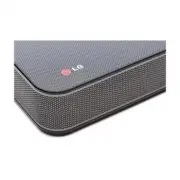
LG LAP240 Sound Bar – User Manual, read for free online in PDF format. We hope this helps you resolve any issues you may have. If you have further questions, please contact us through the contact form.


Table of Contents:
- Page 2 – Safety Information; CAUTION
- Page 3 – IMPORTANT SAFETY
- Page 5 – Table of Contents; Getting Started
- Page 6 – Unique features; LG Sound Sync; Introduction; Symbols used in this manual; Note; Caution; Accessories
- Page 7 – Front panel
- Page 8 – Remote control
- Page 9 – Battery installation; Warning
- Page 10 – Setting up the unit
- Page 12 – How to Affix the Ferrite Core
- Page 13 – Basic operations; Optical input operation
- Page 14 – With wired connection; With wireless connection
- Page 15 – Auto power down; Auto function change; When optical signal comes in
- Page 16 – Using Bluetooth; About Bluetooth; Bluetooth profiles; Listening to music stored on; Pairing this unit and Bluetooth
- Page 17 – Using Bluetooth App; About “LG Bluetooth Remote” App; Install “LG Bluetooth Remote”; Install “LG Bluetooth Remote” App
- Page 18 – Activate Bluetooth with “LG
- Page 19 – Setting sound effect
- Page 20 – Troubleshooting
- Page 21 – Trademarks and
- Page 22 – Specifications
- Page 23 – Maintenance; Handling the unit; When shipping the unit
Please read this manual carefully before operating
your set and retain it for future reference.
LAP240
OWNER’S MANUAL
SoundPlate™
ENGLISH
Printed in China
www.lg.com
LAP240-NB.DUSALLK.indd 1
2014-03-04 9:18:25
"Loading the manual" means you need to wait until the file loads and becomes available for online reading. Some manuals are very large, and the time they take to appear depends on your internet speed.
Was this manual helpful?
About this manual
- Brand
- LG
- Model
- LAP240
- Document type
- User Manual
- Category
- Sound Bar
- Language(s)
- English
- Pages
- 24
- File size
- 3 MB
- Format
Summary
1 Getting Started Getting Started 2 Getting S tar ted 1 Safety Information CAUTION RISK OF ELECTRIC SHOCK DO NOT OPEN CAUTION: TO REDUCE THE RISK OF ELECTRIC SHOCK DO NOT REMOVE COVER (OR BACK) NO USER-SERVICEABLE PARTS INSIDE REFER SERVICING TO QUALIFIED SERVICE PERSONNEL. This lightning flash with...
Getting Started 3 Getting S tar ted 1 This device is equipped with a portable battery or accumulator. Safety way to remove the battery or the battery from the equipment: Remove the old battery or battery pack, follow the steps in reverse order than the assembly. To prevent contamination of the envir...
Table of Contents 5 1 2 3 4 Table of Contents 1 Getting Started 2 Safety Information 6 Unique features 6 Introduction6 Accessories7 Front panel 7 Rear panel 8 Remote control 10 Setting up the unit 2 Operating 13 Basic operations 13 – Optical input operation13 – LG Sound Sync14 – AUTO POWER On/Off15 ...
Ask a question
Related manuals
Popular LG Sound Bars


More LG Sound Bars models
 LG SPQ8-S User Manual
 LG SQC1 User Manual
 LG SQC2 User Manual
 LG SQC4R User Manual
 LG WTP3 User Manual
 LG GX User Manual
 LG LAS260B User Manual
 LG LAS454B User Manual
 LG LAS465B User Manual
 LG LAS485B User Manual
 LG LAS551H User Manual
 LG LAS751M User Manual
 LG LAS855M User Manual
 LG LAS950M User Manual
 LG LASC47 User Manual