Page 2 - Contents; Specifications and Features
Contents Safety Precautions .........................................................................................................................1 HD Speaker .........................................................................................................................................3...
Page 3 - Bluetooth; Safety Precautions; The safety precautions are classified into “WARNING” and “CAUTION”.; WARNING
1 ENGLISH The LG TONE Free (TONE-FP9) is a lightweight wireless headset that uses Bluetooth technology. This product can be used as an audio accessory for devices supporting either the A2DP or Hands-Free Bluetooth Profile. Safety Precautions The following safety precautions are provided to prevent a...
Page 4 - CAUTION; Do not disassemble, adjust, or repair the product arbitrarily.
2 ENGLISH ! CAUTION Do not disassemble, adjust, or repair the product arbitrarily. Do not place the product near excessive heat or flammable material. The product may be damaged if an incompatible charger is used.Make sure that an infant or child does not swallow a magnet or a small component of the...
Page 5 - NOTE; continues for a long time, it may cause skin trouble.; HD Speaker
3 ENGLISH Replacement of a battery with an incorrect type that can defeat a safeguard (for example, in the case of some lithium battery types). Disposal of a battery into fire or a hot oven, or mechanically crushing or cutting of a battery, that can result in an explosion.Leaving a battery in an ext...
Page 6 - Product Components
4 ENGLISH Product Components LG TONE Free™ Earbuds (medium eargels installed) UV Charging Case Extra Ear Gels (small & large) USB Type-C™ Charging Cable USB-C™ to AUX Cable Owner's Manual Warranty Card NOTE: Actual product design may differ from images shown in manual. Make sure authentic LG Ele...
Page 7 - Overview; Charging Case
5 ENGLISH Overview Charging Case Earbuds *Make sure that the charging terminal is not soiled with foreign substance. *The appearance and specifications of the actual product may differ depending on the model. Charging port Charging terminals UVnano LED Mood light (When you open the charging case, th...
Page 8 - Pairing and Connecting; Fast Pair
6 ENGLISH Pairing and Connecting Fast Pair -( -( #MVFUPPUI 0/ ~1m 1 Turn on the Bluetooth function on the mobile phone or the device to be connected. 2 Open the cover of the charging case with the earbuds mounted on the case. Press and hold the touchpad of the left or right earbud for 3 to 5 seconds...
Page 9 - Automatic Reconnection
7 ENGLISH ! CAUTION: In the list of Bluetooth connected devices, LG-TONE-FP9_LE is not the correct model name for connection. Check the model name in use and connect with the model name without “LE”. If the earbud model name is abnormally displayed on the Android device, change the model name in the...
Page 10 - Wearing Earbuds; fit comfortably in your ears.; You can use ear gels that fit your ears to improve; When you wear the earbuds, you will hear a wearing detection alarm.
8 ENGLISH Wearing Earbuds 1 Separate the earbuds from the charging case and adjust them so that they fit comfortably in your ears. NOTE: You can use ear gels that fit your ears to improve Active Noise Canceling (ANC) performance and enjoy rich music sound. 2 When you wear the earbuds, you will hear ...
Page 11 - Playing Music; Touch the left or right earbud
9 ENGLISH Playing Music -( Function Description Play / Pause : Touch the left or right earbud once. Adjusting the Volume : Touch the left(Decrease volume) or right(Increase volume) earbud twice. Play Next : Touch the left or right earbud three times. NOTE: You can change the operation method of the ...
Page 12 - Mobile Calling Functions
10 ENGLISH Mobile Calling Functions Function Status Description Answering Calls Ringing Touch the left or right earbud once. Ending Calls Talking Touch the left or right earbud twice. Making Calls Idle If you make a call using a mobile phone, the call is automatically connected to the headset. Recei...
Page 13 - Touch and hold the left or right
11 ENGLISH Listen to the Ambient Sound (LAS) / Active Noise Cancellation (ANC) Listen to the Ambient Sound (LAS) Touch and hold the left or right earbud to switch between the ANC mode and the LAS mode. You can set the LAS and ANC functions in the LG TONE Free app. You can configure the Listen to the...
Page 14 - UVnano
12 ENGLISH UVnano The charging case has a built-in UVnano LED, which allows you to use your earbuds cleanly.If you charge the earbuds wired after mounting them on the charging case and closing the cover, the UVnano LED operates for 5 minutes. *UVnano is a compound word derived from the words UV and ...
Page 15 - Charging; Wired Charging; The earbuds and the charging case are charged at the same time.
13 ENGLISH Charging Wired Charging When the charging cable is connected, the charging status is displayed in the charging case. NOTE: The earbuds and the charging case are charged at the same time. The charging port on the charging case cannot be used to supply power to mobile phones, etc.
Page 16 - Plug and Wireless Mode (External Device Connection Mode); How to Connect; Connect the USB-CTM side of the USB-CTM to AUX cable to the charging
14 ENGLISH Plug and Wireless Mode (External Device Connection Mode) You can connect the charging case to a device such as an airplane stereo system, treadmill, cassette player, radio, and TV to listen with the earbuds. How to Connect 1 Connect the USB-C™ side of the USB-C™ to AUX cable to the chargi...
Page 17 - How to Disconnect; The indicator on the charging case flashes
15 ENGLISH How to Disconnect 1 Push the Plug and Wireless Mode switch to the left. 2 The indicator on the charging case flashes in blue. 3 Once disconnected from the charging case, the earbuds reconnect to the device that was previously connected. -If the device is not found, the earbuds enter the C...
Page 18 - Checking the Battery Status
16 ENGLISH Checking the Battery Status If earbuds are mounted in the charging case, the earbuds’ battery status is displayed. Otherwise, the charging case’s battery status is displayed.If the earbuds are mounted in the charging case while plugged in, the UVnano process will commence for 5 minutes. O...
Page 19 - Battery Status Indicator; Out of Range
17 ENGLISH Battery Status Indicator Status Description Bluetooth Search Mode The battery status indicator flashes in blue. Battery below 20% The battery status indicator turns on and off in red. Battery 20% - 80% The battery status indicator turns on and off in yellow. Battery 80% or more The batter...
Page 20 - LG TONE Free App
18 ENGLISH LG TONE Free App If you install the “LG TONE Free” app, you can use Check Earbud Battery, Voice Alert, Change Equalizer Mode, Check Last Connected Location Information, and Find My Earbuds functions. Check out the app for more details. To install the “LG TONE Free” app, search LG TONE Fre...
Page 21 - case flashes red and the initialization to the
19 ENGLISH If unable to register earbuds to mobile phone Check whether earbuds are turned on.Check if the earbuds have entered the search mode.- While the earbuds are inserted in the charging case, press and hold the touch pad on the left or right earbud for 3 to 5 seconds to switch to the search mo...
Page 23 - Declaration of Confirmation; that may cause undesired operation.
21 ENGLISH Declaration of Confirmation FCC NOTICE TO USERS: This device complies with part 15 of the FCC Rules.Operation is subject to the following two conditions: (1) This device may not cause harmful interference, and(2) This device must accept any interference received, including interference th...
Page 24 - which the receiver is connected.
22 ENGLISH -Reorient or relocate the receiving antenna. -Increase the separation between the equipment and receiver. -Connect the equipment into an outlet on a circuit different from that to which the receiver is connected. -Consult the dealer or an experienced radio/TV technician for help. IMPORTAN...
Page 25 - Additional Information; Radio frequency exposure; electromagnetic fields (microwaves) in the frequency range; Bluetooth connection precautions; phone, the sound quality may be affected by the specifications and; Potentially explosive atmosphere
23 ENGLISH Additional Information 1. Radio frequency exposure This Bluetooth LG Stereo Headset is a radio transmitter and receiver. When in operation, it communicates with a Bluetooth -equipped mobile device by receiving and transmitting radio frequency (RF) electromagnetic fields (microwaves) in th...
Page 26 - Battery information
24 ENGLISH 4. Emergency calls IMPORTANT!This Bluetooth headset and the electronic device connected to the headset operate using radio signals and mobile and landline networks as well as user-programmed functions, which cannot guarantee connection under all conditions. Therefore, you should never rel...
Page 28 - Limited Warranty; Avoiding hearing damage
26 ENGLISH THE IMPLIED WARRANTIES OF MERCHANTABILITY OR FITNESS FOR A PARTICULAR PURPOSE, ARE LIMITED TO THE DURATION OF THIS LIMITED WARRANTY. IN NO EVENT SHALL LG ELECTRONICS OR ITS VENDORS BE LIABLE FOR INCIDENTAL OR CONSEQUENTIAL DAMAGES OF ANY NATURE WHATSOEVER, INCLUDING BUT NOT LIMITED TO LOS...
Page 29 - Limit the amount of time you use the headset at a high volume.; Using headsets safely; Use of headsets to listen to music while operating a vehicle is not; Open Source Software Notice Information; To obtain the source code under GPL, LGPL, MPL, and other open source
27 ENGLISH If you experience ringing in your ears or muffled speech, stop listening and have your hearing checked. The louder the volume, the less time that is required before your hearing could be affected.Hearing experts suggest that to protect your hearing: • Limit the amount of time you use the ...
Page 30 - RISK GROUP 2; Symbols
28 ENGLISH RISK GROUP 2 CAUTION : UV EMITTED FROM THIS PRODUCT. EYE OR SKIN IRRITATION MAY RESULT FROM EXPOSURE. USE APPROPRIATE SHIELDING. WARNING : IF YOU DON’T DO CHARGING OR IF YOU OPEN THE CHARGING CASE, THE UVNANO FUNCTION IS NOT ACTIVATED. Symbols ~ Refers to alternating current (AC). 0 Refer...
Page 31 - 備註:; 使用者手冊; 藍牙
繁體中文 備註: 備註:為確保最佳性能及避免損壞或不正確使用 此耳機,請於使用前細閱所有資訊。 任何基於錯別字或不準確資訊而對本說明書所作出的修改,僅應由 LG Electronics Inc. 進行。 Rev 3.0 HK TONE-FP9 / TONE-FP9W / TONE-FP9E www.lg.com Copyright © 2021-2023 LG Electronics Inc. All Rights Reserved 使用者手冊 使用者手冊 藍牙 藍牙 ® LG 立體聲耳機
Page 33 - 安全注意事項
1 繁體中文 LG TONE Free (TONE-FP9) 是使用藍牙技術的輕巧無線耳機。此產品可用作支援 A2DP 或免持藍牙設定檔裝置的音訊配件。 安全注意事項 安全注意事項 以下安全注意事項旨在避免發生任何意外事故或損害。請熟讀這些安全注意事項。 安全注意事項分為「警告」及「注意」。 ! 警告: 警告:不遵循說明可能會導致嚴重傷害或死亡。 ! 注意: 注意:不遵循說明可能會導致輕微傷害或產品損壞。 ! 警告 警告 請勿將本產品從高處掉落。請確保本產品不接觸水、酒精或苯類物質。請勿將本產品放置於潮濕或多塵的地方。請勿在本產品上放置重物。本產品具備 IPX4 防水等級(日常防水)。 (IP...
Page 34 - 注意
2 繁體中文 ! 注意 注意 請勿擅自拆解、調整或維修本產品。請勿將本產品放置於過熱或易燃物品附近。如使用不相容的充電器,可能會導致本產品損壞。請確保嬰兒或兒童不會誤吞本產品的磁鐵或細小零件。請確保沒有異物進入充電器的接口(充電連接埠及電源插頭)。否則,可能會導致火災或觸電。如您體內有植入式醫療裝置,請於使用本裝置前,聯絡您的醫生。本產品含有內置電池,且電池不可擅自拆除或更換。為確保您的安全,請勿拆除本產品的內置電池。擅自更換電池或更換不正確,可能會導致爆炸。鋰電池屬於危險零件,可能會導致傷害。由非專業人士更換電池,可能會損壞裝置。請勿隨意棄置電池。請依照當地電池棄置指引。若使用類型不當的電池...
Page 35 - 備註; 高清揚聲器
3 繁體中文 當電池處於極高溫度下,可能會導致爆炸或易燃液體或氣體洩漏。當電池處於極低氣壓下,可能會導致爆炸或易燃液體或氣體洩漏。請勿隨意丟棄舊電池。可能會導致爆炸或火災。 棄置方法可能因國家和地區而異。請以適當方式棄置電池。 備註 備註 如本產品暴露於多汗環境,請進行清潔。請使耳塞保持清潔。長時間佩戴耳塞可能會引起疼痛,如果耳內長期潮濕,可能會導致皮膚問題。 高清揚聲器 高清揚聲器 如果連線裝置的通訊網絡支援高清語音通話,則您可以享受高清語音通話功能並聆聽高清音樂。
Page 36 - 產品元件
4 繁體中文 產品元件 產品元件 LG TONE Free™ 耳塞(已安裝中碼耳塞) UV 充電盒 額外耳塞 (小碼及大碼) USB Type-C™ 充電線 USB-C™ 轉 AUX 電纜 使用者手冊 保養卡 備註: 備註:實際產品設計可能與手冊所示圖像不同。 請務必使用 LG Electronics 原裝配件。使用非原裝配件可能會損壞本產品,並會使保養失效。 請使用本產品隨附之 USB Type-C™ 數據線/USB-C™ 轉 AUX 數據線。 ! 注意 注意 LG Electronics 網站提供完整手冊供下載。 www.lg.com > support or service >...
Page 37 - 概覽; 充電盒
5 繁體中文 概覽 概覽 充電盒 充電盒 耳塞 耳塞 * 確保充電端子未被異物弄髒。* 實際產品外觀及規格可能因型號而異。 充電連接埠 充電端子 UVnano LED 紫外線燈 氣氛燈 (當打開充電盒時,氣氛燈會亮起,然後熄滅。) UVnano LED 紫外線燈 電量指示燈(上) UVnano 指示燈(下) 麥克風 揚聲器網 (麥克風) 麥克風 觸控板 觸控板 充電端子 充電端子 揚聲器網 (麥克風) 插頭和無線模式開關
Page 38 - 配對和連線; 快速配對; 長按左右耳塞的觸控板 3 至 5 秒,直到
6 繁體中文 配對和連線 配對和連線 快速配對 快速配對 -( -( #MVFUPPUI 0/ ~1m 1 開啟需連接的手機或裝置內的藍牙功能。 2 打開裝有耳塞的充電盒蓋。 長按左右耳塞的觸控板 3 至 5 秒,直到 電量指示燈閃爍藍色。 -( -( -( -(50/&'1 -( -(50/&'1 #MVFUPPUI 3 當手機螢幕頂部區域出現「Fast Pair connection」(快速配對連接) 彈出視窗時,輕觸該彈出視窗可進行連接。 (僅支援 Android™ 6.0 或以上版本,並且需要配置流動裝置的藍牙及位置資訊設定。) 4 如無彈出視窗,請於手機的藍牙選單中選...
Page 39 - 自動重連; 佩戴耳塞; 您可以使用貼合耳朵的耳塞來提高主動降噪
7 繁體中文 ! 注意: 注意:在藍牙已連裝置的列表內,LG-TONE-FP9_LE 並非要 連接的正確型號名稱。 請檢查所使用裝置的型號名稱,並使用不含「LE」字樣的型號名稱進行連接。 如果耳塞型號名稱在安卓裝置上顯示異常,請在已連線裝置設定的藍牙選單中更改型號名稱。 備註: 備註:如要連接其他裝置,請依照以上步驟重新連接。 自動重連 自動重連 打開充電盒蓋時,耳塞會自動連線。如果在兩個耳塞都位於充電盒中的情況下闔上充電盒蓋,耳塞會中斷連線。 佩戴耳塞 佩戴耳塞 1 從充電盒內取出耳塞並作調整,令其舒適地貼合您的耳朵。 備註: 備註: 您可以使用貼合耳朵的耳塞來提高主動降噪 您可以使用貼合耳...
Page 40 - 播放音樂
8 繁體中文 2 佩戴耳塞時,您會聽到佩戴偵測的提示音。 播放音樂 播放音樂 -( 功能 簡介 播放 / 暫停 : :輕觸一次左側或右側耳塞。 輕觸一次左側或右側耳塞。 調節音量 : :輕觸兩次左側(調高音量)或右側(調低 輕觸兩次左側(調高音量)或右側(調低 音量)耳塞。 音量)耳塞。 播放下一首 : :輕觸三次左側或右側耳塞。 輕觸三次左側或右側耳塞。 備註: 備註:您可在 LG TONE Free 應用程式內透過觸控板設定更改此功 能的操作方法。
Page 41 - 行動電話通話功能
9 繁體中文 開啟插頭和無線模式後,耳塞會對您的輕觸做出如下反應: - 輕觸一次可靜音或取消靜音。 - 輕觸兩次可調節音量。 - 輕觸三次沒有反應。 行動電話通話功能 行動電話通話功能 功能 狀況 簡介 接聽來電 響鈴中 輕觸 輕觸一次左側或右側耳塞 左側或右側耳塞。 結束通話 通話 輕觸 輕觸兩次左側或右側耳塞 左側或右側耳塞。 通話 閒置中 如果您使用行動電話撥打電話,通話會自動連接到耳機。 通話過程中接聽電話 通話 如果您觸摸左側或右側耳塞 觸摸左側或右側耳塞一次,當前 通話將處於等待狀態,您可以接聽來電。如果上一個通話處於等待狀態,您可以在行動電話上結束當前通話。(操作方式因行動電話設...
Page 42 - 輕觸長按左側或右側耳塞
10 繁體中文 聆聽環境聲 (LAS)、主動降噪 (ANC) 聆聽環境聲 (LAS)、主動降噪 (ANC) 聆聽環境聲 (LAS) 聆聽環境聲 (LAS) 輕觸長按左側或右側耳塞 輕觸長按左側或右側耳塞,以便切換 ANC 及 LAS 模式。您可在 LG TONE Free 應用程式內設定 LAS 及 ANC 功能。您可以使用 LG TONE Free 應用程式設定「聆聽環境聲音」模式和「對話」模式。如您使用 LAS 或 ANC 功能,會加快電池電量的消耗,減少本產品的使用時間。當耳機閒置、聆聽音樂、接聽電話時,您仍可使用 LAS 及 ANC 功能。*ANC 為 Active Noise Can...
Page 44 - 充電; 有線充電; 充電線連接後,充電盒會顯示充電狀態。
12 繁體中文 充電 充電 有線充電 有線充電 充電線連接後,充電盒會顯示充電狀態。 備註: 備註:耳塞及充電盒會同時進行充電。 充電盒的充電連接埠不可用於為手機等裝置供電。
Page 45 - 插頭和無線模式(外接裝置連線模式); 如何連線
13 繁體中文 插頭和無線模式(外接裝置連線模式) 插頭和無線模式(外接裝置連線模式) 您可以將充電盒連接至飛機立體聲系統、跑步機、卡帶播放器、收音機和電視等裝置,開始使用耳塞收聽。 如何連線 如何連線 1 將 USB-C™ 轉 AUX 電纜的 USB-C™ 端連接到充電盒。 2 將 AUX 端連接到您要使用的裝置。 3 戴上耳塞。 4 將插頭和無線模式開關推至右側啟動該 模式。 5 充電盒上的指示燈顯示綠色閃爍。 6 一旦充電盒連線至到耳塞,指示燈就會 熄滅。
Page 46 - 如何斷開連線
14 繁體中文 如何斷開連線 如何斷開連線 1 將插頭和無線模式開關推至左側。 2 充電盒上的指示燈顯示藍色閃爍。 3 與充電盒斷開連線後,耳塞會重新連線到 之前連線的裝置。 - 如果未找到裝置,耳塞將進入準備連線模式。 備註: 備註:您無法使用 LG TONE Free 應用程式,但 EQ 和触摸板設 定保持原樣。(觸摸操作:請參閱播放音樂部分。)耳塞不支援通話功能。USB-C™ 轉 AUX 電纜不支援充電功能。耳塞可能與某些裝置不兼容,並且可能需要單獨的適配器(單獨出售)才能使用某些飛機座椅上的端口。如果您長時間使用耳機,耳機(包括充電盒)的電量可能比實際連接到智能手機時消耗得更快。
Page 47 - 檢查電量
15 繁體中文 檢查電量 檢查電量 如耳塞被裝入充電盒內,則會顯示耳塞的電量狀態。否則,將會顯示充電盒的電量狀態。如在連接電源時將耳塞裝入充電盒內,UVnano 程序會運行 5 分鐘。 完成此程序後,會顯示充電盒的電量狀態。 電量指示燈 剩餘電量 (未連接充電器) 充電狀態 (已連接充電器) 紅色 20% 或更低 正在充電 黃色 20% 至 80% - 綠色 80% 或更高 充滿電 備註: 備註:充電盒蓋合上時,會顯示充電盒的電量狀態。充電盒如 沒有電量,將沒有顯示且無法工作。由於耳塞無法單獨開啟或關閉,因此我們建議您始終保持充電盒處於充電狀態。
Page 48 - 電量指示燈
16 繁體中文 電量指示燈 電量指示燈 狀況 簡介 藍牙搜尋模式 電量指示燈 電量指示燈閃爍藍色。 電量低於 20% 電量指示燈 電量指示燈顯示紅色亮起和熄滅。 電量 20% - 80% 電量指示燈 電量指示燈顯示黃色亮起和熄滅。 電量 80% 以上 電量指示燈 電量指示燈顯示綠色亮起和熄滅。 充電過程中出現問題 電量指示燈 電量指示燈閃爍紅色。 充電中 (已連接充電器) 電量指示燈 電量指示燈亮起紅色。 充電完成 (已連接充電器) 電量指示燈 電量指示燈亮起綠色。 超出範圍 超出範圍 如果連線到產品的裝置超出有效通訊範圍,通訊訊號會變弱,並且通訊會中斷。有效通訊範圍可能因周圍環境和其他條件而...
Page 49 - LG TONE Free 應用程式; 支援 Android 7.0 或以上版本、iOS 11 或以上版本。
17 繁體中文 LG TONE Free 應用程式 LG TONE Free 應用程式 若安裝「LG TONE Free」應用程式,您可使用「檢查耳塞電量」、「語音提示」、「更改均衡器模式」、「檢查上次連接位置資訊」及「尋找我的耳塞」功能。查看應用程式以獲得更多資訊。 如欲安裝「LG TONE Free」應用程式,請於 Google Play 商店或 App Store 搜尋「LG TONE Free」,或掃描下方二維碼。 支援 Android 7.0 或以上版本、iOS 11 或以上版本。 Google Play App Store
Page 50 - 故障排除
18 繁體中文 故障排除 故障排除 如果使用產品時出現以下任何現象,請確保重新檢查。可能不是故障。 現象 原因與解決方案 電源未開啟 檢查電池電量並充電。 如果無法使用耳機通話 如果手機不支援耳機及免提功能,則無法使用通話功能。 檢查電池電量並充電。 如果無法在手機上註冊 檢查耳機是否已開啟。 檢查耳塞是否已進入搜尋模式。 - 當耳塞插入充電盒時,長按左側或右側 耳塞上的觸控板 3 至 5 秒,即可切換至搜尋模式。 如果您更換耳機或操作出現問題 (出廠設定) 當耳塞插入充電盒時,長按左側或右側耳塞上的觸控板 10 秒或更長時間。- 充電盒電量指示燈閃爍紅色,則表示初始 化為出廠狀態。 初始化為...
Page 51 - 規格及功能
19 繁體中文 規格及功能 規格及功能 項目 註解 藍牙規格 5.2 版本(耳機 / 免持聽筒 / A2DP / AVRCP) 電池 耳塞:3.7 V / 68 mAh、鋰電池 充電盒:3.7 V / 390 mAh、鋰電池 音樂播放時間 耳塞及充電盒 關閉 ANC:最多 10 小時和最多 24 小時*開啟 ANC:最多 6 小時和最多 15 小時* 充電時間 耳塞:1 小時內 / 充電盒:2 小時內 快速充電:充電 5 分鐘可使用 60 分鐘 ※ 於室溫下進行有線充電時 額定輸入電壓 耳塞:5 V 0 , 136 mA 充電盒:5 V 0 , 500 mA 工作溫度 0°C 至 +40°C ...
Page 52 - 頻率範圍; 確認聲明; 用戶 FCC 注意事項:; 的干擾。
20 繁體中文 頻率範圍 2402 MHz 至 2480 MHz * 使用時間可能會因所連接的流動裝置、所使用的功能、設定、訊號 強度、工作溫度、頻段及其他使用方法而異。 確認聲明 確認聲明 用戶 FCC 注意事項: 用戶 FCC 注意事項: 本裝置符合 FCC 法規第 15 部分。用戶的操作應符合以下兩個條件: (1) 本裝置不得造成有害干擾,以及(2) 本裝置必須接受任何所接收到的干擾,包括可能造成不良操作 的干擾。 未經製造商(或責任方)的明確批准,對本產品進行改動或修改可能會導致用戶喪失本裝置的使用權利。
Page 53 - 重新調節或重新放置接收天線。; 重要事項:
21 繁體中文 FCC 第 15.105 部分聲明 FCC 第 15.105 部分聲明 經測試證實,本裝置符合 FCC 法規第 15 部分對於 B 類數碼裝置的限制。這些限制旨在針對住宅安裝中的有害干擾,以提供合理保護。本裝置可產生、使用及放射射頻能量,如未依照指示安裝及使用,可能會對無線通訊造成有害干擾。但是,特別安裝過程中未必不會出現干擾。 如本裝置對電台廣播或電視接收造成有害干擾,即可能會受到開啟及關閉本裝置之影響,則建議用戶嘗試透過以下一項或多項措施來修正干擾: - 重新調節或重新放置接收天線。 - 增加本裝置與接收器之間的距離。 - 將本裝置連接到與接收器所連電路不同的電路插座上。 ...
Page 54 - 耳塞; 額外資訊
22 繁體中文 藍牙 ® 是 Bluetooth SIG, Inc. 在全球的註冊商標。 Android、Google Play、Google Play 徽標,以及其他相關標誌及徽標均為 Google LLC 之商標。 FCC ID: ZNFTONEFP9 ( 耳塞 耳塞 ) / ZNFTONEFP9C ( 充電盒 充電盒 ) 額外資訊 額外資訊 1. 射頻暴露資訊 1. 射頻暴露資訊 此藍牙 LG 立體聲耳機是一個無線電傳送及接收器。當它運作時,會透過接收及傳送頻率介乎 2402 至 2480 MHz 的無線電頻率 (RF) 電磁場(微波),與配備藍牙的手提設備進行通訊。您的藍牙耳機與任何相...
Page 55 - 以下環境會影響藍牙訊號的範圍及接收效果:
23 繁體中文 2. 藍牙連接注意事項 2. 藍牙連接注意事項 以下環境會影響藍牙訊號的範圍及接收效果: - 藍牙裝置與所連接裝置之間出現墻壁、金屬、人體或其他障礙物。 - 使用 2.4 GHz 頻率訊號(無線區域網絡、無線電話、微波爐等)的裝置處於待使用裝置附近。 - 使用手機以外的藍牙裝置(電視、筆記型電腦等)時,音質可能會受該裝置的規格及性能影響。 3. 潛在爆炸性氣體 3. 潛在爆炸性氣體 身處任何有潛在爆炸性氣體的地方時,請關閉您的電子裝置。雖然此情況較少發生,但您的電子裝置可能會產生火花。這種潛在爆炸性環境中出現火花,會導致爆炸或火災,造成人身傷害甚至死亡。如區域內存在潛在爆炸性空...
Page 57 - 有限保養; 避免聽力受損
25 繁體中文 - 本保養不涵蓋由非 LG Electronics 認可人員進行之不正確維修、改裝或服務而導致的故障。破壞產品上任何封條會令保養失效。 - 除本說明書外,本產品不作任何書面或口頭保養保證,包括但不限於商業適售性、特定目的之適用性的暗示保證。本保養只提供有限期的產品保養。在法律允許的情況下,LG ELECTRONICS 或其夥伴在任何情況下均不會對間接或衍生損害作出賠償,不論任何原因,包括但不限於利潤或業務損失。 - 某些國家/州不允許間接或衍生損害賠償的豁免或限制,或有關保養期的限制,因此上述限制或豁免可能未必適用。此保養不會影響消費者在現行的國家法例下所享的法定權利,或基於買...
Page 58 - 限制以高音量使用耳機的時間。; 安全使用耳機; 注意:開放來源程式碼軟件
26 繁體中文 如您出現耳鳴或聽力減弱的情況,請立即停止使用產品及檢查聽力。音量越大,就越快影響到聽力。為保護聽力,聽力專家提出以下建議: • 限制以高音量使用耳機的時間。 • 避免透過調高音量來阻隔外界噪音。 • 如您無法聽到附近別人說話的聲音,請降低音量。 安全使用耳機 安全使用耳機 請勿於駕駛時使用耳機聽音樂,此行為在某些地區是違法行為。駕駛期間,請小心並保持警覺。駕駛任何類型的車輛或進行其他需要高度專注的工作時,如本裝置會令您分心或無法集中注意力,請立即停止使用本裝置。 注意:開放來源程式碼軟件 注意:開放來源程式碼軟件 欲獲得 GPL、LGPL、MPL 及其他有義務公開包含本產品內容...
Page 59 - 第二級危險群; 符號
27 繁體中文 第二級危險群 第二級危險群 注意: 注意:本產品會發出紫外線。 與其接觸可能會刺激眼睛或皮膚。 請採取適當屏蔽措施。 警告: 警告:如果您不充電或打開充電盒,則不會啟用 UVnano 功能。 符號 符號 ~ 指交流電(AC)。 0 指直流電(DC)。 指二類設備。 1 指待機。 ! 指「開起」(電源)。 指危險電壓。
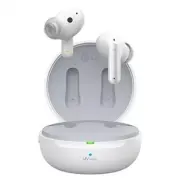


 LG HBS-SL6S User Manual
 LG HBS-XL7 User Manual
 LG TONE-FP3 User Manual
 LG TONE-FP5 User Manual
 LG TONE-FP8 User Manual
 LG TONE-FP9 User Manual
 LG TONE-T60Q User Manual
 LG TONE-T90Q User Manual
 LG HBS-730 User Manual
 LG HBS-770 User Manual
 LG HBS-780 User Manual
 LG HBS-810 User Manual
 LG HBS-830 User Manual
 LG HBS-900 User Manual
 LG HBS-910 User Manual
 LG HBS-A100 User Manual
 LG HBS-FN4 User Manual
 LG HBS-FN5W User Manual
 LG HBS-FN6 User Manual