Page 2 - ENGLISH; LICENSES; NOTE
2 ENGLISH LICENSES Supported licenses may differ by model. For more information about licenses, visit www.lg.com. Manufactured under license from Dolby Laboratories. Dolby, Dolby Vision, Dolby Audio, and the double-D symbol are trademarks of Dolby Laboratories. The terms HDMI and HDMI High-Definitio...
Page 3 - SAFETY PRECAUTIONS; Indoor Installation
3 ENGLISH SAFETY PRECAUTIONS Please take note of the safety instructions to prevent any potential accident or misuse of the projector. • Safety precautions are given in two forms, i.e., WARNING and CAUTION as detailed below. WARNING Failure to follow the instructions may cause serious injury and eve...
Page 7 - When in Use
7 ENGLISH • Never disassemble the power supply devices (AC adapter/power cord, etc.). - This may damage the power cord and result in a fire or electric shock. • Connect the AC adapter and the power cord firmly. - Not doing so may result in a product failure or fire. • Do not place heavy objects or p...
Page 14 - CONTENTS
14 ENGLISH CONTENTS LICENSES 2 SAFETY PRECAUTIONS 3 PREPARATION 15 Accessories 15Optional Extras 16 Parts and Components 17 - Main Unit 17 - Side 18 - Back 19 Using the Joystick Button 20 - Basic functions 20 - Adjusting the menu 21 Projector Status Indicators 21 Installation 22 - Installation Preca...
Page 15 - PREPARATION; Accessories
15 ENGLISH PREPARATION The pictures may differ slightly from the actual product. Accessories Accessories included with the projector are show below.Accessories are subject to change without prior notice.New accessories may be added or old ones removed. Magic Remote Control Two AA Batteries Owner's M...
Page 16 - Optional Extras
16 ENGLISH Optional Extras To purchase optional accessories, visit an electronics store or online shopping site or contact the retail store where you purchased the product. Optional accessories are subject to change without prior notice. Projection Screen Tripod HDMI Cable Audio Cable RF Cable Optic...
Page 17 - Parts and Components; Main Unit
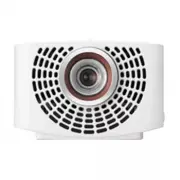
17 ENGLISH Parts and Components This projector is manufactured using high-precision technology. You may, however, see tiny black dots and/or bright colored dots (red, blue, or green) that continuously appear on the projector screen. This is a normal result of the manufacturing process and does not i...
Page 18 - Side
18 ENGLISH Side USB 1 USB 2 1 2 3 5 6 4 Description 1 PUSH button 2 (Headphone Port) 3 OPTICAL DIGITAL AUDIO OUT Port 4 USB 1 / USB 2 Port 5 LAN Port 6 Port
Page 19 - Back
19 ENGLISH Back 2 1 3 4 No. Description 1 IR Receiver 2 Port 3 DC IN Port 4 Port
Page 20 - Using the Joystick Button; Basic functions
20 ENGLISH Using the Joystick Button You can operate the projector by pressing the button or moving the joystick left, right, up, or down. Basic functions Power On When the projector is turned off, place your finger on the joystick button, press it once, and release it. Power Off When the projector ...
Page 21 - Adjusting the menu; Projector Status Indicators
21 ENGLISH Adjusting the menu When the projector is turned on, press the joystick button one time.You can adjust the menu items ( , , , ) moving the joystick button left, right, up, or down. Move to the desired menu item, and then press the joystick button once to select it. Turns the power off. Cha...
Page 22 - Installation; Installation Precautions
22 ENGLISH Installation Installation Precautions • Place the projector in a well- ventilated environment. - To prevent internal overheating, install the projector in a well- ventilated place. Do not place anything near the projector. That may block its air vents. If the air vents are blocked, the in...
Page 23 - Projection Distance per Screen Size
23 ENGLISH Projection Distance per Screen Size 1 Place the projector on a sturdy, level surface, together with the PC or audio/ video source. 2 Place the projector an appropriate distance away from the screen. The distance between the projector and the screen determines the actual size of the image....
Page 25 - How to Install the Projector On a Tripod
25 ENGLISH How to Install the Projector On a Tripod • You can install the projector using a camera tripod. • As shown below, you can mount the projector instead of a camera on the tripod. • When stabilizing the tripod, we recommend using a locking bolt of standard size 4.5 mm or less. The maximum si...
Page 26 - Kensington Security System
26 ENGLISH Kensington Security System • This projector has a Kensington Security Standard connector as an anti-theft mechanism. Connect a Kensington Security System cable as shown below. • For more information on installation and use of the Kensington Security System, refer to the user’s guide provi...
Page 27 - MAGIC REMOTE CONTROL
27 ENGLISH MAGIC REMOTE CONTROL If the battery low message appears while using the Projector, replace the batteries. As shown in the figure, press the top of the battery cover and slide it down the cover. Insert two new and identical batteries (1.5 V, AA type) with + and - poles pointing in the corr...
Page 29 - To Register the Magic Remote Control
29 ENGLISH To Register the Magic Remote Control To use the Magic Remote control, register it with your projector first. 1 Put batteries into the Magic Remote and turn the Projector on. 2 Point the Magic Remote at your projector and press the Wheel (OK) on the remote control. • If the projector fails...
Page 30 - Using the Magic Remote Control
30 ENGLISH Using the Magic Remote Control • Shake the Magic Remote slightly to the right and left or press , (INPUT) buttons to make the pointer appear on the screen. • If the pointer has not been used for a certain period of time or Magic Remote is placed on a flat surface, then the pointer will di...
Page 31 - USING THE PROJECTOR; Connecting the Antenna or Cable
31 ENGLISH USING THE PROJECTOR Connecting the Antenna or Cable To watch TV using an indoor/outdoor antenna, connect a wall terminal and the antenna port of the Projector using an RF cable (75 Ω). You can watch terrestrial or cable (analog, digital) TV. (The RF cable is sold separately.) • Make sure ...
Page 32 - Focus and Position of the Screen Image
32 ENGLISH Focus and Position of the Screen Image When an image appears on the screen, check if it is in focus and fits the screen properly. Focus Ring Zoom Ring • To adjust the focus of the image, rotate the focus ring. • To adjust the size of the image, rotate the zoom ring. To move the screen ima...
Page 33 - Watching With the Projector
33 ENGLISH Watching With the Projector 1 When in standby mode, press the (POWER) button to turn the projector on. 2 Select the (INPUT) • All Inputs and select the input signal you want. 3 Control the projector using the following buttons while watching projector. Button Description Changes the TV ch...
Page 34 - CONNECTING DEVICES
34 ENGLISH CONNECTING DEVICES You can connect various external devices to the projector.  Computer/Notebook Digital Device Headphone USB DVD LG Audio Device Games Console HDMI - Page 35 Headphone - Page 37 Digital Amp - Page 38 Mobile Phone
Page 35 - Connecting to HD; HDMI Connection
35 ENGLISH Connecting to HD Receiver, DVD, or External Devices Connect an HD receiver, DVD, or external devices to the projector and select an appropriate input mode. HDMI Connection • (INPUT) • All Inputs • HDMI1 / HDMI2 With an HDMI cable, you can enjoy high quality picture and sound.Using a HDMI ...
Page 36 - Connecting a PC; Connecting a Laptop
36 ENGLISH Connecting a PC The projector supports Plug and Play. Your PC will automatically detect the projector and requires no driver installation. HDMI Connection • (INPUT) • All Inputs • HDMI1 / HDMI2 Using an HDMI cable, connect the port of the projector to the HDMI output port of your PC. Both...
Page 37 - Connecting Headphones
37 ENGLISH The table below shows examples of switching the output. For more information, refer to the External Output , Connecting to an External Monitor , or similar sections of the owner’s manual of your computer. Brand Switching Output NEC [Fn]+[F3] Panasonic [Fn]+[F3] Toshiba [Fn]+[F5] IBM [Fn]+...
Page 38 - Connecting a Digital
38 ENGLISH Connecting a Digital Amp Using an optical cable, connect the digital audio input port of a digital amp to the OPTICAL DIGITAL AUDIO OUT port of the projector. The output of an amp with a digital converter must be set to the desired audio format. When using a HDMI cable to connect a home t...
Page 39 - MAINTENANCE; Cleaning; Cleaning the Lens; Cleaning the Projector Case
39 ENGLISH MAINTENANCE Clean your Projector to keep it in optimal condition. Cleaning Cleaning the Lens If there is any dust or staining on the lens surface, you must clean the lens.Use an air spray or a cleaning cloth to clean the lens.To remove dust or stains, use an air spray or apply a small amo...
Page 40 - SPECIFICATIONS
40 ENGLISH SPECIFICATIONS MODEL PF1500W (PF1500W-NA) Resolution (Pixel) 1920 (Horizontal) × 1080 (Vertical) Aspect ratio 16:9 (Horizontal:Vertical) Panel size 11.938 mm Projection distance (Screen size) 905 mm to 3698 mm (762 mm to 3048 mm) Ratio of upward projection 100 % Power consumption 100 W AC...
Page 45 - SYMBOLS
45 ENGLISH SYMBOLS Refers to alternating current (AC). Refers to direct current (DC). Refers to class II equipment. Refers to stand-by. Refers to “ON” (power). Refers to dangerous voltage.
Page 48 - ENJOY LIVE TV
2 ENGLISH CONTENTS ABOUT LG WEBOS PROJECTOR 4 Home Tutorial 4 - Using the Home feature of the LG WebOS Projector 4 Prepare Live TV 8 - Watching TV broadcasting 8 Network Setting 8 - Network Setting 8 HOW TO OPERATE PROJECTOR 11 SIMPLINK (HDMI-CEC) 11 - Using SIMPLINK 11 Using the LG TV Plus App 13 M...
Page 49 - PLAY OTHER DEVICE FILES 30
3 ENGLISH PLAY OTHER DEVICE FILES 30 Photo & Video 30 - Viewing Photos and Videos 30 - Photo Player 31 - Video Player 33 - Supported Video Files 35 - Cautions for Video Playback 37 Music 38 - Playing Music 38 - Using the Music Player 39 File Viewer 41 - Viewing Files 41 - Browsing File Viewer 42...
Page 50 - ABOUT LG WEBOS PROJECTOR; Home Tutorial; Using the Home feature of the LG WebOS Projector
4 ENGLISH ABOUT LG WEBOS PROJECTOR Home Tutorial Using the Home feature of the LG WebOS Projector You can open the Home screen by pressing the button on your remote control. You can combine frequently used apps on a single screen and use whichever you want at any time. 1 2 3 4 5 6 Description 1 You ...
Page 54 - Prepare Live TV; Watching TV broadcasting; Network Setting
8 ENGLISH Prepare Live TV Watching TV broadcasting 1 Connect the broadcast antenna/cable to the projector. You may also connect a piece of equipment that can receive broadcasting such as a set-top box instead of the antenna/cable. Press the button on the remote control. To see the details, select Se...
Page 57 - HOW TO OPERATE PROJECTOR; Using SIMPLINK
11 ENGLISH HOW TO OPERATE PROJECTOR SIMPLINK (HDMI-CEC) Using SIMPLINK You can conveniently control and use various multimedia devices connected through HDMI with the projector’s remote control. 1 Connect the SIMPLINK HDMI Output port to the projector’s HDMI IN port with an HDMI cable. 2 Press the (...
Page 59 - Using the LG TV Plus App
13 ENGLISH Using the LG TV Plus App You can control the functions of your projector by using the app installed on your smart device. • You can watch TV shows, movies, and recommended content. Also, you can make a wishlist. (This feature is available in certain countries only.) • You can search for a...
Page 61 - Magic Mobile Connection; Using Magic Mobile Connection
15 ENGLISH Magic Mobile Connection Using Magic Mobile Connection Magic Mobile Connection lets you share and enjoy the content stored on people’s smart devices through your projector. • It is recommended that your Android smart devices run Lollipop or later versions of Android. Connecting a Smart Dev...
Page 62 - Using a Keyboard and Mouse; Using a USB Wired/Wireless Mouse; Using a USB Wired/Wireless Keyboard
16 ENGLISH Using a Keyboard and Mouse Using a USB Wired/Wireless Mouse Connect your mouse to the USB port. Use the mouse to move the pointer on the projector screen and select the menu you want. Mouse Left Button OK Button on Magic Remote Mouse Wheel Button Wheel Button on Magic Remote • The right b...
Page 63 - Using a Gamepad
17 ENGLISH Using a Gamepad Connect your gamepad to the USB port on the projector if the game requires a gamepad. • It is recommended that you use a gamepad that has been tested for compatibility with LG projectors. - LOGITECH F310, LOGITECH F510, LOGITECH F710, LOGITECH Rumblepad 2, LOGITECH Cordles...
Page 64 - Live Menu; Using Live Menu
18 ENGLISH ENJOY LIVE TV Live Menu Using Live Menu You can use the relevant features with ease when watching TV broadcasts. 1 Run Live TV by pressing . 2 Move the Magic Remote’s pointer to the right side of the projector screen. You can also press the button on your Remote Control to see the Live Me...
Page 65 - My Channels; Using My Channels
19 ENGLISH • The channels displayed in Channel List are a configuration of channels provided by the broadcast service provider. Therefore, if the broadcast service provider has changed its channel configuration without notice, the channels displayed in Channel List may differ from the actual TV chan...
Page 66 - Viewing Guide
20 ENGLISH Guide Viewing Guide You can view programs and the schedule of each program. 1 Press the button on the remote control. 2 You can launch the Guide application. 1 4 5 6 2 3 Description 1 You can view information about the program you are currently watching as well as the focused program info...
Page 67 - Checking Program Info; Viewing Program Information
21 ENGLISH Checking Program Info Viewing Program Information Information about the program you are currently watching, the current time, etc. are displayed. 1 Click the channel banner that appears when you change channels. 2 You can view detailed information about the program you are currently watch...
Page 68 - Using Advanced Broadcast Settings
22 ENGLISH Using Advanced Broadcast Settings If the broadcast you are watching contains Closed Caption , AUDIO LANGUAGE , or Multi Audio information, you can use such features. 1 Press the Wheel (OK) button on your remote control. 2 Select your desired feature in the top of the screen and set the fe...
Page 69 - HOW TO USE VARIETY OF CONTENTS; LG Content Store
23 ENGLISH HOW TO USE VARIETY OF CONTENTS LG Content Store You can quickly and conveniently browse for TV Shows , Movies , and more to watch immediately. You can also download and use apps from various categories such as education, entertainment, lifestyle, news, and games. 1 Press the button on the...
Page 70 - Creating Wish List; Using My Content
24 ENGLISH Creating Wish List Using My Content By adding your desired content to My Content , you can use the content easily and quickly anytime. 1 Press the button on your remote control. 2 Select My Content in the top left of the screen. 3 Select Add Content . 4 Search for content. 5 Select your d...
Page 71 - Account Creating; Creating LG Account
25 ENGLISH Account Creating Creating LG Account In Account Management , you can use your email address to create a new LG account. 1 Press the (Q. Settings) button on the remote control and select General Account Management . 2 Select CREATE ACCOUNT . Read and accept the Terms of Service. 3 Enter an...
Page 72 - Managing your LG Account
26 ENGLISH Account Management Managing your LG Account You can manage the information of your LG account. 1 Press the (Q. Settings) button on the remote control. 2 Go to General Account Management to log in. Personal Information You can view or edit your information of the account currently logged i...
Page 73 - Search Content; Searching for Content
27 ENGLISH Search Content Search Search allows you to find and use a variety of content and information. You can search for files, including image, video, audio, and recording files. Searching for Content 1 Run Search by pressing the (SEARCH) button on your remote control. 2 Search for a variety of ...
Page 75 - Watching VOD Content
29 ENGLISH Watching VOD Content You can immediately enjoy dramas, movies, and more with real-time streaming. 1 Press the button on the remote control. 2 Launch the LG Content Store application. 3 Select your desired category from the categories shown at the top of the screen, such as TV Shows and Mo...
Page 76 - PLAY OTHER DEVICE FILES; Viewing Photos and Videos
30 ENGLISH PLAY OTHER DEVICE FILES Photo & Video Viewing Photos and Videos You can view photos and videos using the Photo & Video app. 1 Press the button on your remote control. 2 Launch the Photo & Video application. 3 Select your desired storage device. 4 Select and view your desired p...
Page 84 - Playing Music
38 ENGLISH Music Playing Music You can listen to music by using the Music app. 1 Press the button on your remote control. 2 Launch the Music application. 3 Select your desired storage device. You can select your desired songs from all of your storage devices and add them to MY PLAYLIST . 4 Select yo...
Page 87 - File Viewer; Viewing Files
41 ENGLISH File Viewer Viewing Files You can see document files stored on a connected device. 1 Press the button on your remote control. 2 Launch the File Viewer application. 3 Select your desired storage device. 4 Select and view your desired document file. 1 2 Description 1 Select your desired typ...
Page 90 - Connecting USB
44 ENGLISH Connecting USB Connect a USB storage device (USB HDD, USB Flash Drive) to the USB port on the projector to enjoy the content files stored on the USB storage device on your projector.
Page 92 - Share Smart Phone; Content Share with Smartphone
46 ENGLISH Share Smart Phone Content Share with Smartphone Content Share allows you to enjoy videos, music, and photos saved on your Smartphone that is connected to the same network. Connecting to a smartphone with your projector 1 Press the button on the remote control. 2 Launch the Device Connecto...
Page 94 - View Smart Phone; To see the Mobile Device's screen on the projector
48 ENGLISH View Smart Phone To see the Mobile Device's screen on the projector 1 Press the button on your remote control. 2 Launch the Screen Share application. 3 Enable Miracast mode on the mobile device. 4 Your projector will be displayed in the list of available devices in the menu. 5 Select your...
Page 95 - Share PC; What Is Content Share?
49 ENGLISH Share PC What Is Content Share? Content Share allows you to enjoy videos, music and photos saved on your PC. Play the content with sharing software on the PC If the computer operating system is Windows 7 or Windows 8, you can play music, video, or photos on your projector without installi...
Page 98 - View PC; To see the PC screen on the projector
52 ENGLISH View PC To see the PC screen on the projector Connect wireless 1 Press the button on the remote control. 2 You can launch the Screen Share application. 3 Start Intel® WiDi on the device you want to connect. 4 Your projector will be displayed in the list of available devices. 5 Select your...
Page 99 - BENEFITS OF SMART PROJECTOR; Using My Starter
53 ENGLISH BENEFITS OF SMART PROJECTOR Using My Starter My Starter lets you view information through your projector, such as the current time, weather, and schedules you have added to your smart device. • By setting up My Starter on your projector or in the LG TV Plus app, you can make My Starter ru...
Page 101 - Enjoying Internet; Using the Web Browser
55 ENGLISH Enjoying Internet Using the Web Browser You can enter the website when you input the web address on the URL bar. If you input the search word, it will find the information about search word base on the search engine. 1 Press the button on the remote control. 2 Launch the Web Browser appli...
Page 104 - Using Notifications
58 ENGLISH Notifications Using Notifications The Notifications transfers real-time notifications from various apps and LG services. It shows the status of apps that are currently running and allows you to view, delete, and run all notifications in one place. 1 Press the button on the remote control....
Page 105 - TOUR LIST OF SETTINGS; Quick Settings; To use Setting function quickly
59 ENGLISH TOUR LIST OF SETTINGS Quick Settings To use Setting function quickly Press the (Q. Settings) button on the remote control. Displays a set of light-weight controls quickly and simply such as Picture Mode , Aspect Ratio , Sound Out and so on. 1 2 3 4 5 6 7 Description 1 Closes the Quick set...
Page 106 - Picture Settings
60 ENGLISH Picture Settings Smart Picture Mode (Q. Settings) Picture Smart Picture Mode When this is enabled, the projector will automatically adjust to the optimal picture settings based on data it receives on the genre of the program being played. Set the option to On to enable this mode. • If you...
Page 113 - Sound Settings
67 ENGLISH Sound Settings Sound Mode (Q. Settings) Sound Sound Mode Settings Sound Mode You can select the most suitable sound mode for each genre. • Standard Optimizes the sound for all types of content. • Cinema Optimizes the sound for cinemas. • Clear Voice III Boosts voice clarity. • Sports Opti...
Page 118 - Channels Settings
72 ENGLISH Channels Settings Auto Tuning (Q. Settings) Channels Channel Tuning Auto Tuning This function automatically searches and remembers channels that are available for viewing. • If the antenna or cable is not connected properly, channels are not added. • Auto Tuning finds and adds only channe...
Page 123 - General
77 ENGLISH General Language (Q. Settings) General Language You can choose the menu language displayed on the screen and the audio language of the digital broadcast. • Menu Language You can select one of the menu languages to be displayed on the screen. • Audio Language You can choose the language yo...
Page 129 - Safety Settings
83 ENGLISH Safety Settings • Set Safety to On . • The initial password is set as “0000”. • It may differ by model. TV Lock (Q. Settings) Safety TV Program Locks TV Lock Locks the TV shows you do not want your children to watch. In addition, locks the TV shows of your choice based on ratings by using...
Page 132 - Accessibility
86 ENGLISH Accessibility Pointer Options (Q. Settings) Accessibility Pointer Options You can set the pointer speed and shape you want while it is on the screen.To see the details, click the MAGIC REMOTE CONTROL in ‘Owner’s Manual ‘. Menu Transparency (Q. Settings) Accessibility Menu Transparency You...
Page 134 - TROUBLESHOOTING; Abnormal Operation
88 ENGLISH TROUBLESHOOTING If you experience any of the problems below while using the product, please check the following. There may be no problem with the product.Information on customer service for product problems is available in (Q. Settings) General About This Projector on the projector. Abnor...
Page 135 - Screen Problems
89 ENGLISH Screen Problems First of all, perform a (Q. Settings) Picture Picture Test for check any abnormalities in the projector. The screen overlaps or there are stripe patterns on all channels or on a specific channel. • Turn the antenna toward the broadcasting station or connect the antenna cor...
Page 136 - Sound Problems
90 ENGLISH Sound Problems First of all, perform a (Q. Settings) Sound Sound Test to check for any abnormalities in the projector. The screen is fine, but it does not play any sound. • Try another channel. • (Q. Settings) Sound Sound Out Check whether the Sound Out is set to Internal Projector Speake...
Page 138 - PC Connection Problems; Photo & Video Movie Playback Problems
92 ENGLISH PC Connection Problems The screen remains blank after it is connected to a PC. • Check that the PC is properly connected to the projector. • Turn the projector off and back on using the remote control. • Restart the PC with the projector on. • Check that the current screen resolution supp...
Page 140 - Network Connection Problems
94 ENGLISH Network Connection Problems When X appears next to projector • Check the projector or the AP (Router). • Check the connection status of the projector, AP (Router) and Cable Modem. • Power off and power on in the following order; 1. The Cable Modem, wait for the Cable Modem to reset. 2. Th...
Page 141 - LG Account Problems
95 ENGLISH LG Account Problems In some countries, access to the website (www.lgappstv.com) may be restricted. I have already signed up on the projector. Do I still have to sign up again at the website (www.lgappstv.com)? • If you have already signed up on your projector, you do not have to sign up a...
Page 142 - Contents Problems; Internet Browser Problems
96 ENGLISH Contents Problems I cannot see any content in HOME. • This feature is available in certain countries only. You may not be able to see the content if the service country setting has been changed. Change to the service country you are going to use the service from in (Q. Settings) General L...