Page 2 - LICENSES
2 LICENSES LICENSES Supported licenses may differ by model. For more information about licenses, visit www.lg.com. Manufactured under license from Dolby Laboratories. Dolby and the double-D symbol are trademarks of Dolby Laboratories. This DivX Certified ® device has passed rigorous testing to ensur...
Page 3 - NOTE
3 LICENSES • Image shown may differ from your projector. • Your projector’s OSD (On Screen Display) may differ slightly from that shown in this manual. NOTE
Page 4 - SAFETY PRECAUTIONS; Indoor Installation
4 SAFETY PRECAUTIONS SAFETY PRECAUTIONS Please take note of the safety instructions to prevent any potential accident or misuse of the projector. • Safety precautions are given in two forms, i.e., WARNING and CAUTION as detailed below. WARNING Failure to follow the instructions may cause serious inj...
Page 6 - Power
6 SAFETY PRECAUTIONS Power WARNING • DISCONNECTING THE DEVICE FROM THE MAIN POWER – The Power plug is the disconnecting device. In case of an emergency, the Power Plug must remain readily accessible. • The grounding wire should be connected. – Ensure that you connect the grounding cable to avoid ele...
Page 8 - When in Use
8 SAFETY PRECAUTIONS When in Use WARNING • Do not place anything containing liquid on top of the projector such as a vase, flower pot, cup, cosmetics, or medicine; or ornaments, candles, etc. – This may result in fire or electric shock, or cause injury due to falling. • In the event that there is a ...
Page 9 - Cleaning
9 SAFETY PRECAUTIONS CAUTION • Do not place heavy objects on the projector. – It may fall down and cause personal injury. • Be careful not to allow any impact to the lens during transport. • Do not touch the lens of the projector. – The lens may be damaged. • Do not use any sharp tools on the projec...
Page 10 - Others
10 SAFETY PRECAUTIONS CAUTION • Contact your seller or our service center once a year to clean the internal parts of the projector. – If you do not clean the projector for a long period of time, dust will accumulate, which may result in fire or damage to the projector. • When cleaning plastic parts ...
Page 12 - Antenna
12 SAFETY PRECAUTIONS • Store batteries away from metallic objects, such as keys and paper clips. – Excess current may cause a rapid increase in temperature, resulting in fire or burns. • Do not store the batteries near any heat source, such as a heater. – This may result in fire or damage to the pr...
Page 14 - CONTENTS
14 CONTENTS CONTENTS LICENSES 2 SAFETY PRECAUTIONS 4 PREPARATION 18 Accessories 18 Optional Extras 19 Parts and Components 20 – Main Unit 20 – Side 21 – Back 22 Using the Joystick Button 23 – Basic functions 23 – Adjusting the menu 24 Projector Status Indicators 24Installation 25 – Installation Prec...
Page 15 - ENTERTAINMENT
15 CONTENTS ENTERTAINMENT 49 To use Smart Features 49 – To use Home Screen 49 – To use MY APPS 50 – To edit items in MY APPS 50 To Connect Network 51 – One-click Network Connection 51 – To Connect to a Network Through Set Expert 51 – To Use the Wi-Fi Direct Function 52 – Tips for Network Settings 53...
Page 16 - USING ADVANCED
16 CONTENTS To Use the Voice Recognition Function 80 – Using this Function Through Search 80 – Using this Function on the Internet 80 To Use Voice Mate Function 82 – What Is Voice Mate? 82 – How to Use Voice Mate? 83 – What Are Other Functions of Voice Mate? 83 See Avatar 84 – Using the Avatar 84 Wh...
Page 17 - CONNECTING DEVICES 124
17 CONTENTS CONNECTING DEVICES 124 Connecting to HD Receiver, DVD, or VCR Player, External Devices 125 – HDMI Connection 125 – HDMI to DVI Connection 126 – AV Connection 126 – Component Connection 127 Connecting a PC 128 – HDMI Connection 128 – HDMI to DVI Connection 128 Connecting a Laptop 129 – HD...
Page 18 - PREPARATION; Accessories
18 PREPARATION PREPARATION The pictures may differ slightly from the actual product. Accessories Accessories included with the projector are show below. Accessories are subject to change without prior notice. New accessories may be added or old ones removed. Magic Remote Control Two AA Batteries Own...
Page 19 - Optional Extras
19 PREPARATION Optional Extras To purchase optional accessories, visit an electronics store or online shopping site or contact the retail store where you purchased the product. Optional accessories are subject to change without prior notice. Projection Screen HDMI Cable RF Cable Video Cable Audio Ca...
Page 20 - Parts and Components; Main Unit
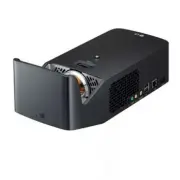
20 PREPARATION Parts and Components This projector is manufactured using high-precision technology. You may, however, see tiny black dots and/or bright colored dots (red, blue, or green) that continuously appear on the projector screen. This is a normal result of the manufacturing process and does n...
Page 21 - Side
21 PREPARATION Side 6 7 4 2 3 1 5 No. Description 1 (Headphone Port) 2 COMPONENT IN Port 3 AV IN Port 4 OPTICAL DIGITAL AUDIO OUT Port 5 (USB port) 6 LAN Port 7 Port
Page 22 - Back
22 PREPARATION Back 1 2 3 No. Description 1 Port 2 DC IN Port 3 Port
Page 23 - Using the Joystick Button; Basic functions
23 PREPARATION Using the Joystick Button You can operate the projector by pressing the button or moving the joystick left, right, up, or down. Basic functions Power On When the projector is turned off, place your finger on the joystick button, press it once, and release it. Power Off When the projec...
Page 24 - Adjusting the menu; Projector Status Indicators
24 PREPARATION Adjusting the menu When the projector is turned on, press the joystick button one time.You can adjust the menu items ( , , , ) moving the joystick button left, right, up, or down. Move to the desired menu item, and then press the joystick button once to select it. Close Projector off ...
Page 25 - Installation; Installation Precautions
25 PREPARATION Installation Installation Precautions • Place the projector in a well- ventilated environment. – To prevent internal overheating, install the projector in a well-ventilated place. Do not place anything near the projector. That may block its air vents. If the air vents are blocked, the...
Page 26 - Projection Distance per Screen Size
26 PREPARATION Projection Distance per Screen Size 1 Place the projector on a sturdy, level surface, together with the PC or audio/video source. 2 Place the projector an appropriate distance away from the screen. The distance between the projector and the screen determines the actual size of the ima...
Page 27 - Kensington Security System
27 PREPARATION Kensington Security System • This projector has a Kensington Security Standard connector as an anti-theft mechanism. Connect a Kensington Security System cable as shown below. • For more information on installation and use of the Kensington Security System, refer to the user’s guide p...
Page 28 - MAGIC REMOTE CONTROL
28 MAGIC REMOTE CONTROL MAGIC REMOTE CONTROL If the battery low message appears while using the Projector, replace the batteries. As shown in the figure, press the top of the battery cover and slide it down the cover. Insert two new and identical batteries (1.5 V, AA type) with + and - poles pointin...
Page 30 - To Register the Magic Remote Control; To Re-register the Magic Remote Control
30 MAGIC REMOTE CONTROL 1 2 1 Displayed when you press the Wheel (OK) button on the magic remote control. Check program information. 2 If you point and hold the pointer at the bottom left of the screen while watching projector, the MY APPS icon is displayed. Clicking the icon displays the MY APPS me...
Page 31 - Using the Magic Remote Control
31 MAGIC REMOTE CONTROL Using the Magic Remote Control • Shake the magic remote control lightly when there is no pointer displayed on the screen. A pointer will be displayed on the screen. – The pointer disappears if the remote control is not used for a certain period of time. • When you move the po...
Page 32 - USING THE PROJECTOR; Connecting the Antenna or Cable
32 USING THE PROJECTOR USING THE PROJECTOR Connecting the Antenna or Cable To watch TV using an indoor/outdoor antenna, connect a wall terminal and the antenna port of the Projector using an RF cable (75 Ω). You can watch terrestrial or cable (analog, digital) TV. (The RF cable is sold separately.) ...
Page 33 - Watching Projector; Initial Setup
33 USING THE PROJECTOR Watching Projector Initial Setup The menu screen display in this owner's manual is an example to help users understand how to operate the product and may look different from the actual screen. • The illustration of the menu may differ from the actual screen on the product. 1 C...
Page 36 - Focus of the Screen Image
36 USING THE PROJECTOR Focus of the Screen Image When an image appears on the screen, check if it is in focus and fits the screen properly. Focus Ring • To adjust the focus of the image, rotate the focus ring. • Make sure the product does not move when adjusting the focus. Watching With the Projecto...
Page 37 - To Set Channel; To View Program Information; To Set Favorite Channels
37 USING THE PROJECTOR To Set Channel Image shown may differ from your projector. To View Program Information Displays information on current program and / or current time, etc. 1 Move the pointer of the Magic Remote control to the top of the projector screen. 2 Click the activated channel banner ar...
Page 38 - To Use Favorite; To Set Channels Manually; To Edit Channels
38 USING THE PROJECTOR To Use Favorite (Home) → MY APPS → Ch. List Channel list will appear. Select the desired preset favorite channel from Favorite List A to D. To Set Auto Tuning (Home) → SETTINGS → CHANNEL → Auto Tuning Automatically tunes the channels. • Channels are not registered properly unl...
Page 39 - Additional Options; To adjust Aspect Ratio
39 USING THE PROJECTOR Additional Options To adjust Aspect Ratio Select (Home) → SETTINGS → PICTURE → Aspect Ratio . Selects the screen aspect ratio. Menu Description 16:9 Resizes images to fit the screen width. Just Scan Displays video images in the original size without removing parts of the edge ...
Page 40 - Using the Edge Adj (4 Corner Keystone) Function
40 USING THE PROJECTOR Using the Edge Adj (4 Corner Keystone) Function Edge Adj (4 Corner Keystone) adjusts the horizontal and vertical sides of the projected image if the projector is at an angle and not perpendicular to the screen. This feature ensures the shape of the projected image is not disto...
Page 41 - Changing Input Device
41 USING THE PROJECTOR Changing Input Device To select an external input Selects external input. • Select (Home) → INPUT LIST or press the INPUT button on the remote control to display the input selection screen. – Connected inputs are displayed first. However, AV is always activated. • Select an in...
Page 43 - To Use SIMPLINK
43 USING THE PROJECTOR To Use SIMPLINK SIMPLINK is a feature that enables you to control and manage various multimedia devices conveniently using the projector remote control only via the SIMPLINK menu. 1 Connect the projector's HDMI terminal with the SIMPLINK device's HDMI output terminal using an ...
Page 45 - Using the Quick Menu
45 USING THE PROJECTOR Using the Quick Menu You can customize frequently used menus. 1 Select (Home) → MY APPS → Quick Menu . 2 Press the or button to select a menu and press Wheel (OK) button. Menu Description Aspect Ratio Resizes the picture. Picture Mode Changes the picture mode. Sound Mode Sets ...
Page 46 - To Set Sound; To Set Sound Output
46 USING THE PROJECTOR To Set Sound To Set Sound Output To use projector’s speakers Sound is output through the projector speaker. • (Home) → SETTINGS → SOUND → Sound Out → Projector Speaker To use External Speaker Sound is output through the speaker connected to the optical or HDMI (ARC) port.SIMPL...
Page 48 - Using the Multi Audio
48 USING THE PROJECTOR Using the Multi Audio Multi Audio means stereo and multiple language broadcast from the channel provider. • (Home) → MY APPS → Quick Menu → Multi Audio In the case of digital broadcast Multiple languages can be selected depending on the multi-language signals from the TV stati...
Page 49 - To use Smart Features; To use Home Screen
49 ENTERTAINMENT ENTERTAINMENT To use Smart Features To use Home Screen • Press the ( Home) button on the remote control. With all projector features on one screen, everyone can access a wealth of content and applications conveniently via the quick and easy-to-use menu, arranged by themes such as Li...
Page 50 - To use MY APPS; To edit items in MY APPS
50 ENTERTAINMENT To use MY APPS • (Home) → MY APPS • Select MY APPS at the lower right of the home screen. • Check pre-installed apps and apps you have downloaded. To edit items in MY APPS • Select (Home) → MY APPS → (Edit) . • On the MY APPS page, select (Edit) at the top of the screen to move or d...
Page 51 - To Connect Network; One-click Network Connection
51 ENTERTAINMENT To Connect Network A wireless or wired network connection is required to use smart features.When connected to the network, you can use premium content, LG Smart World, Contents Sharing and more. One-click Network Connection Connects easily to a wired/wireless network. • (Home) → SET...
Page 52 - To Use the Wi-Fi Direct Function
52 ENTERTAINMENT To Use the Wi-Fi Direct Function Wi-Fi Direct is a function that allows your projector to connect with a Wi-Fi Direct device without Internet connection. With SmartShare™, you can watch the files stored on a device connected via Wi-Fi Direct. • Select (Home) → SETTINGS → NETWORK → W...
Page 53 - Tips for Network Settings
53 ENTERTAINMENT Tips for Network Settings • Use a standard LAN cable (Cat5 or higher with RJ45 connector, 10 Base-T or 100 Base TX LAN port). • Resetting your modem can cause network connection problems. To resolve the problem, turn the power off, disconnect and reconnect, and then turn the power b...
Page 54 - D FUNCTION; While Watching 3D
54 3D FUNCTION 3D FUNCTION 3D technology uses different video frames for each eye to add depth to the video. While Watching 3D WARNING • If you view 3D video or images too closely for a long period of time, you may experience eyestrain. • If you watch the projector or game screen for a long time wit...
Page 57 - Requirements for Watching 3D Images
57 3D FUNCTION Requirements for Watching 3D Images * Optimum viewing angle: Top/Bottom/Left/Right 9° Recommended viewing distance: 3 m to 5 m Recommended screen size: 101 cm * Watching 3D videos should be done in dark room environments only. • The pairing with the DLP-LINK glasses is affected by the...
Page 58 - To view 3D images
58 3D FUNCTION Using the DLP-LINK (DLP-Ready) Type Glasses 1 While watching 3D images from the projector, press buttons on the glasses. 2 When you press the button, the glasses flicker while synchronizing with the 3D images. (The flickering is a unique operation method of DLP- LINK type glasses. It ...
Page 59 - Supported 3D Mode
59 3D FUNCTION Supported 3D Mode Signal Resolution Horizontal Frequency (kHz) Vertical Frequency (Hz) Supported 3D Formats HDMI 720p 1280 x 720 89.9 / 90 59.94 / 60 Frame Packing 45 60 Side by side (half), Top and Bottom 1080i 1920 x 1080 33.7 60 Side by side (half), Top and Bottom 1080p 1920 x 1080...
Page 60 - SMARTSHARE; Before Using; Connecting a USB Device; Removing a USB Device
60 SMARTSHARE SMARTSHARE Smartshare is the name of contents sharing and usage function that includes USB Connection, SCREEN SHARE (Miracast™, Intel’s WiDi), Contents Sharing and others. Before Using Connecting a USB Device Connect a USB device (external HDD, USB memory) to the USB port of projector ...
Page 62 - To use SmartShareTM
62 SMARTSHARE To use SmartShare™ 1 Press the (Home) button on the magic remote control. 2 Select SMARTSHARE™ . You can watch the photo, music, video, and document on the projector by connecting a USB or home network (Contents Sharing). The photo, music, video, and document files of all devices conne...
Page 63 - Watching the Videos
63 SMARTSHARE Watching the Videos In the Videos , you can watch movies stored on the connected USB device.Controls playback and sets options while viewing videos. Playing video - warning • Some subtitles created by users may not work properly. • The video and subtitle files should be placed in the s...
Page 65 - Viewing the Photos
65 SMARTSHARE Viewing the Photos You can view photos stored on a connected device. To control photo view You can control playback using the following buttons. Item Description , Selects the previous or next photo.If no picture is selected, all photos in the current folder are displayed in a slide sh...
Page 66 - Listening to Music
66 SMARTSHARE Listening to Music You can play audio files stored on the connected device. To control music playback You can control playback using the following buttons. Changes the playing position. Item Description Plays the previous/next file. Pauses the music player.Resumes normal playback.Sets ...
Page 67 - Viewing Files
67 SMARTSHARE Viewing Files You can see document files stored on a connected device. Supported File Formats XLS, XLSX, DOC, DOCX, PPT, PPTX, TXT, PDF, HWP Microsoft Office 97/2000/2002/2003/2007 version Adobe PDF 1.0/1.1/1.2/1.3/1.4 versionHangul 2007 version • File Viewer realigns a document, so it...
Page 68 - To Set SmartShareTM Related Functions
68 SMARTSHARE To Set SmartShare™ Related Functions Select (Home) → SMARTSHARE™ → Settings . Changes settings related to SmartShare™ content playback. Advanced Setting Item Description My Projector Name Changes the name that appears when searching for the projector from other devices. Network Status ...
Page 71 - To use SCREEN SHARE; To Use the MiracastTM / Intel
71 SMARTSHARE To use SCREEN SHARE (Miracast™ / Intel ’ s WiDi Function) To Use the Miracast™ / Intel ’ s WiDi Function You can view the screen of a device with Miracast™ and Intel ’ s WiDi technologies on your projector. Contact the device manufacturer to find out if the device supports this functio...
Page 73 - To Use a Premium Service
73 SMARTSHARE To Use a Premium Service • (Home) → PREMIUM • This service gives you easy access to a wide variety of content, such as video, news, and UCC, at any time, as long as you are connected to the network. Premium content includes specialized country-specific services taking regional cultural...
Page 74 - To Use Paid Content
74 SMARTSHARE To Use Paid Content Some Premium Content is provided as for-fee services. To purchase for- fee services, use either LG Electronics’ proprietary billing system or that of each content provider. If you are using the LG billing system, you can purchase paid content after signing up for LG...
Page 75 - To Reset Premium
75 SMARTSHARE To Reset Premium • (Home) → PREMIUM → Option → Initialization of Premium • Premium list, Premium information, country setting, and user sign-in information will be reset. When an error occurs during Premium update, a reset will fix the problem. • Content on offer by service providers a...
Page 76 - To Use LG Smart World
76 SMARTSHARE To Use LG Smart World • Select (Home) → MY APPS → LG Smart World . LG Smart World is a projector application service available through Projector Service. You can download and enjoy many different apps (for fee or free) including education, entertainment, life, and news. App 1 App 8 App...
Page 77 - To Sign Up With LG Smart World; To Install An App On Your Projector
77 SMARTSHARE To Sign Up With LG Smart World • (Home) → Sign In Sign up is required to download and run apps. 1 Select Sign Up and agree to Legal Notice. 2 Enter ID and password. 3 In Confirm Password box, enter password again. 4 Select Wheel (OK) button to complete sign-up process. • You can sign u...
Page 78 - To Manage My Information
78 SMARTSHARE • You can purchase apps via PC or Projector, but you must use the Projector to install and run them. • If you have insufficient storage space on your Projector, you can download apps to a USB storage device connected through the Projector's terminal for USB apps. Apps stored on USB can...
Page 79 - To Use Search Function
79 SMARTSHARE To Use Search Function • (Home) → MY APPS → Search • You can search apps and contents using the Search function of LG Projector. When you enter keywords using the input device, such as the remote control, you can find apps of LG Smart World and some contents of the Premium service. Lin...
Page 80 - To Use the Voice Recognition Function; Using this Function Through Search; Using this Function on the Internet
80 SMARTSHARE To Use the Voice Recognition Function Using this Function Through Search 1 Go to (Home) → MY APPS → Search . Select the voice recognition icon on the left of the text field. 2 Speak slowly and clearly after the voice recognition window appears. 3 After the voice recognition is complete...
Page 82 - To Use Voice Mate Function
82 SMARTSHARE To Use Voice Mate Function What Is Voice Mate? Voice Mate allows you to search desirable programs and content with your voice and adjust the projector. 1 Press the voice recognition button on the magic remote control. 2 When the Voice Display bar is activated on the left of the screen,...
Page 83 - How to Use Voice Mate?
83 SMARTSHARE How to Use Voice Mate? • To use all the functions and services of Voice Mate, you need to set Smart Wizard and Time. Set up the network, region, auto tuning, and universal remote control through the Smart Wizard. • In order to use Voice Mate, you must set up the network, time, region, ...
Page 84 - See Avatar; Using the Avatar
84 SMARTSHARE See Avatar Using the Avatar • (Home) → SETTINGS → OPTION → See Avatar You can use the avatar when you use voice recognition. You can check the voice recognition status via the message from the avatar and it helps you to enter your speech correctly. • If you set See Avatar to On , the a...
Page 85 - To Use On Now
85 SMARTSHARE What Is On Now? On Now allows you to select and watch recommended programs currently available on your projector. The Favorite function allows you to select and watch recommended content related to the program you are watching. • This feature is available in certain countries only. To ...
Page 88 - To Use Internet
88 SMARTSHARE To Use Internet • (Home) → INTERNET • Types URL manually on projector or visits websites added to favorite. 2 1 3 Description 1 Types in the web address. 2 Chooses when you open several web browsers. 3 Add the current page to favorites. • Internet supports up to Flash 11 but does not s...
Page 89 - Frequently Asked Questions for Projector
89 SMARTSHARE Frequently Asked Questions for Projector Sign up is required to use LG Smart World.You can sign up on either your projector or the LG website (www.lgappstv.com). Free apps are available immediately after signing up.You can purchase paid apps using your credit card registered with the w...
Page 94 - USING ADVANCED FUNCTIONS; To Use Screen Remote
94 USING ADVANCED FUNCTIONS USING ADVANCED FUNCTIONS To Use Screen Remote • This feature is available in certain countries only. To Use Screen Remote Press the button on the magic remote control. Select a button on the screen remote displayed on the screen using the magic remote control. • The type ...
Page 95 - To Control a Device Connected to the Projector Using; To Use the Universal Control function
95 USING ADVANCED FUNCTIONS To Control a Device Connected to the Projector Using the Screen Remote You can control a device connected via SIMPLINK or MHL using the Screen Remote. 1 Check if the device is connected to the Projector. 2 After pressing the button on the magic remote control, select the ...
Page 97 - To Use a USB Input Device On a Projector; To Use a USB Wired/wireless Mouse; To Use a USB Wired/wireless Keyboard
97 USING ADVANCED FUNCTIONS To Use a USB Input Device On a Projector To Use a USB Wired/wireless Mouse Connect your mouse to the USB port. Use the mouse to move the pointer on the Projector screen and select the menu you want. Mouse Magic Remote Control Left Button OK Button on Magic Remote Control ...
Page 98 - CUSTOMIZING SETTINGS
98 CUSTOMIZING SETTINGS CUSTOMIZING SETTINGS SETTINGS 1 Press the (Home) button and select SETTINGS . 2 Use the or button to select the desired item and press the Wheel (OK) button. 3 Use the , , , or button to set up the desired item and press the Wheel (OK) button. 4 Press the button when complete...
Page 99 - PICTURE Settings
99 CUSTOMIZING SETTINGS PICTURE Settings 1 Press the (Home) button and select SETTINGS . 2 Use the or buttons to select PICTURE and press the Wheel (OK) button. 3 Use the , , , or button to set up the desired item and press the Wheel (OK) button. – To return to the previous menu, press the button. T...
Page 106 - SOUND Settings
106 CUSTOMIZING SETTINGS SOUND Settings 1 Press the (Home) button and select SETTINGS . 2 Use the or buttons to select SOUND and press the Wheel (OK) button. 3 Use the , , , or button to set up the desired item and press the Wheel (OK) button. – To return to the previous menu, press the button. The ...
Page 111 - LOCK Settings
111 CUSTOMIZING SETTINGS LOCK Settings • The illustration of the menu may differ from the actual screen on the product. (Depending on country.) 1 Press the (Home) button and select SETTINGS . 2 Use the or button to select LOCK and press the Wheel (OK) button. – To enter the LOCK menu, enter the pres...
Page 115 - OPTION Settings
115 CUSTOMIZING SETTINGS OPTION Settings • The illustration of the menu may differ from the actual screen on the product. (Depending on country.) 1 Press the (Home) button and select SETTINGS . 2 Use the or button to select OPTION and press the Wheel (OK) button. 3 Use the , , , or button to set up ...
Page 120 - NETWORK Settings
120 CUSTOMIZING SETTINGS NETWORK Settings 1 Press the (Home) button and select SETTINGS . 2 Use the or button to select NETWORK and press the Wheel (OK) button. 3 Use the , , , or button to set up the desired item and press the Wheel (OK) button. – To return to the previous menu, press the button. T...
Page 122 - SUPPORT
122 CUSTOMIZING SETTINGS SUPPORT • The illustration of the menu may differ from the actual screen on the product. (Depending on country.) 1 Press the (Home) button and select SETTINGS . 2 Use the or button to select SUPPORT and press the Wheel (OK) button. 3 Use the , , , or button to set up the des...
Page 124 - CONNECTING DEVICES
124 CONNECTING DEVICES CONNECTING DEVICES You can connect various external devices to the projector. Computer/Notebook Digital Device Headphone USB Mobile Phone Video/DVD LG Audio Device Games Console HDMI - Page 125 Composite (AV) - Page 126 Component - Page 127 USB Device - Page 60 Headphone - Pag...
Page 125 - Connecting to HD; HDMI Connection
125 CONNECTING DEVICES Connecting to HD Receiver, DVD, or VCR Player, External Devices Connect an HD receiver, DVD, VCR player, or external devices to the projector and select an appropriate input mode. HDMI Connection With an HDMI cable, you can enjoy high quality picture and sound.Using a HDMI cab...
Page 126 - HDMI to DVI Connection; AV Connection
126 CONNECTING DEVICES HDMI to DVI Connection Using an HDMI to DVI cable, connect the projector's port to the DVI OUT port.To output audio, use an audio cable for connection. You can also use the . Press the INPUT button on the remote control to select HDMI . You can connect with any HDMI input port...
Page 127 - Component Connection
127 CONNECTING DEVICES Component Connection You can enjoy a video by connecting the component port of an external device to the COMPONENT IN port of the projector. Press the INPUT button on the remote control to select Component . Check whether cables of the same color are connected properly. A) Opt...
Page 128 - Connecting a PC
128 CONNECTING DEVICES Connecting a PC The projector supports Plug and Play. Your PC will automatically detect the projector and requires no driver installation. HDMI Connection Using an HDMI cable, connect the port of the projector to the HDMI output port of your PC. Both video and audio are output...
Page 129 - Connecting a Laptop
129 CONNECTING DEVICES • It is recommended to use an HDMI connection for the best image quality. • Depending on the graphics card, DOS mode video may not work if a HDMI to DVI Cable is in use. • In PC mode, there may be noise associated with the resolution, vertical pattern, contrast, or brightness....
Page 130 - Connecting
130 CONNECTING DEVICES The table below shows examples of switching the output. For more information, refer to the External Output , Connecting to an External Monitor , or similar sections of the owner's manual of your computer. Brand Switching Output NEC [Fn]+[F3] Panasonic [Fn]+[F3] Toshiba [Fn]+[F...
Page 131 - Connecting a Digital
131 CONNECTING DEVICES Connecting a Digital Amp Using an optical cable, connect the digital audio input port of a digital amp to the OPTICAL DIGITAL AUDIO OUT port of the projector. The output of an amp with a digital converter must be set to the desired audio format. When using a HDMI cable to conn...
Page 132 - Using the Mirroring Function of a Mobile; MHL Connection
132 CONNECTING DEVICES Using the Mirroring Function of a Mobile Phone MHL Connection The Mobile High-definition Link (MHL) is an interface that can connect a mobile phone to the projector and play video and audio from the mobile phone through the projector.This only applies to products with a HDMI i...
Page 133 - MAINTENANCE; Cleaning the Lens; Cleaning the Projector Case
133 MAINTENANCE MAINTENANCE Clean your Projector to keep it in optimal condition. Cleaning Cleaning the Lens If there is any dust or staining on the lens surface, you must clean the lens.Use an air spray or a cleaning cloth to clean the lens.To remove dust or stains, use an air spray or apply a smal...
Page 134 - INFORMATION; To Update Projector Software
134 INFORMATION INFORMATION To Update Projector Software Uses Software Update to check and obtain the latest version.It is also possible to check manually for available updates. 1 Press the (Home) button and select SETTINGS . 2 Select SUPPORT and go to Software Update . Item Description Software Upd...
Page 135 - Before Reporting a Problem, Check the; General
135 INFORMATION Before Reporting a Problem, Check the Following: If the following symptoms occur, please carry out the checks and adjustments described below. There may be no malfunction. General Problem Solution Cannot view certain programs. • Adjust the location or orientation of the antenna. • Sa...
Page 136 - Sound
136 INFORMATION Problem Solution The screen display freezes or does not work properly during a digital broadcast. • This may occur in case of a weak signal or unstable reception. Adjust the antenna orientation and cable connections. • If the signal strength or quality is low on Manual Tuning , check...
Page 138 - PC Connection Problem
138 INFORMATION PC Connection Problem Problem Solution The screen display does not come on after connecting to the computer. • Verify that the computer and the projector are securely connected. • Turn the projector off and back on using the remote control. • Restart the PC with the projector on. • C...
Page 139 - Problems Replaying Movies in My Media
139 INFORMATION Problems Replaying Movies in My Media Problem Solution I cannot view the files on the Movie List. • Check whether the file on the USB storage device can be read on a computer. • Check whether the file extension is supported. This file is invalid. message appears or the image display ...
Page 140 - SPECIFICATIONS
140 SPECIFICATIONS SPECIFICATIONS MODELS PF1000U (PF1000U-NA) Resolution (Pixel) 1920 (Horizontal) × 1080 (Vertical) Aspect Ratio 16:9 (Horizontal:Vertical) Panel size (mm) 11.896 Projection Distance (Video size) 0.413 m to 0.686 m (152.4 cm to 254 cm) Ratio of Upward Projection 125 % Working range ...
Page 143 - Component Supported Mode
143 SPECIFICATIONS Component Supported Mode Resolution Horizontal Frequency (kHz) Vertical Frequency (Hz) 720 x 480i 15.73 59.94 15.75 60.00 720 x 480p 31.47 59.94 31.50 60.00 1280 x 720p 44.96 59.94 45.00 60.00 1920 x 1080i 33.72 59.94 33.75 60.00 1920 x 1080p 26.97 23.976 27.00 24.00 33.71 29.97 3...
Page 145 - SYMBOLS
145 SYMBOLS SYMBOLS Refers to alternating current(AC).Refers to direct current(DC).Refers to class II equipment. Refers to stand-by. Refers to “ON” (power). Refers to dangerous voltage.