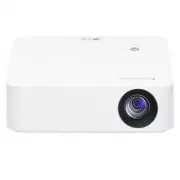
Page 2 - CONTENTS
2 ENGLISH CONTENTS LICENSES 3 Open Source Software Notice Information 4 SAFETY PRECAUTIONS 5 PREPARATION 16 INSTALLATION 23 REMOTE CONTROL 28 USING THE PROJECTOR 30 CONNECTING DEVICES 34 SPECIFICATIONS 37 SYMBOLS 41 TROUBLESHOOTING 42
Page 3 - LICENSES
3 ENGLISH LICENSES Supported licenses may differ by model. For more information about licenses, visit www.lg.com. The terms HDMI, HDMI High-Definition Multimedia Interface, and the HDMI Logo are trademarks or registered trademarks of HDMI Licensing Administrator, Inc. Manufactured under license from...
Page 4 - Open Source Software Notice
4 ENGLISH Open Source Software Notice Information To obtain the source code under GPL, LGPL, MPL, and other open source licenses, that is contained in this product, please visit http://opensource.lge.com.In addition to the source code, all referred license terms, warranty disclaimers and copyright n...
Page 5 - SAFETY PRECAUTIONS
5 ENGLISH SAFETY PRECAUTIONS Please take note of the safety instructions to prevent any potential accident or misuse of the projector.Child injuries can be prevented by following these simple safety precautions.The precautions should be followed in the same manner when you store or move your existin...
Page 6 - Indoor Installation
6 ENGLISH Read these instructions. Keep these instructions.Heed all warnings. Follow all instructions. Indoor Installation WARNING Do not install products including projectors and remote controls in the following places: — Any place exposed to direct sunlight; — Any humid place such as bathroom; — A...
Page 9 - When in Use
9 ENGLISH When in Use WARNING When thunder or lightning strikes, unplug the power cord and do not touch the antenna wire. • It may cause an electric shock. If there is a gas leak from the gas lines, do not touch the outlet and be sure to vent by opening the window. • Sparks may be caused and lead to...
Page 13 - Power
13 ENGLISH Power WARNING Make sure the power plug is securely plugged in to prevent it from shaking. • If the connection is unstable, it may cause a fire. Do not plug too many devices into one multi-power outlet. • This may result in fire due to the power outlet overheating. Do not insert a metal ob...
Page 15 - Cleaning
15 ENGLISH Cleaning WARNING Do not spray water directly onto the projector when cleaning it. • It may cause a fire or electric shock. CAUTION How to clean the projector — Disconnect the plug from the outlet before cleaning. — Do not wipe the optical system (the lens and mirror) immediately after the...
Page 16 - PREPARATION; Accessories
16 ENGLISH PREPARATION The pictures may differ slightly from the actual product. Accessories Accessories included with the projector are show below. Accessories are subject to change without prior notice. New accessories may be added or old ones removed. Remote Control Two AAA Batteries Owner's Manu...
Page 17 - Optional Extras
17 ENGLISH Optional Extras To purchase optional accessories, visit an electronics store or online shopping site or contact the retail store where you purchased the product. Optional accessories are subject to change without prior notice. Projection Screen Tripod HDMI Cable
Page 18 - Parts and Components
18 ENGLISH Parts and Components Outlet Vent 1) Inlet Vent Speaker Focus Ring Buttons Lens 2) 1) Due to the high temperature of vent area, do not get close to the vent area.2) Do not touch the lens when using the projector. The lens may be damaged. (Keep lens away from sharp objects.)
Page 20 - Using the Buttons; Basic functions
20 ENGLISH Using the Buttons You can operate the projector by pressing the button. Basic functions Power On Press the Power button once while the projector is off. Power Off (Press and Hold) Press and hold the Power button for a few seconds while the projector is on. , , , Up/Down/ Left/Right Sets f...
Page 21 - Adjusting the menu
21 ENGLISH Adjusting the menu Press the Power button once while the projector is on.Press the top, bottom, left, and right buttons to move to a menu item. After moving to the desired menu item, press the Power button once to select it. [MENU] Displays the Settings menu. [INPUT] Changes the input sou...
Page 22 - Projector Status Indicators
22 ENGLISH Projector Status Indicators LED Power Indicator LED Power Indicator Red Power standby state Off The projector is operating with the power on.
Page 23 - INSTALLATION; Projection Distance per Screen Size
23 ENGLISH INSTALLATION Projection Distance per Screen Size 1 Place the projector on a sturdy, level surface, together with the PC or audio/ video source. 2 Place the projector an appropriate distance away from the screen. The distance between the projector and the screen determines the actual size ...
Page 25 - Focus of the Screen Image
25 ENGLISH Focus of the Screen Image When an image appears on the screen, check if it is in focus and fits the screen properly.Adjust the focus of the image by rotating the Focus Ring to the left or right.Make sure the product does not move when adjusting the focus. Focus Ring
Page 26 - How to Install the Projector On a Tripod
26 ENGLISH How to Install the Projector On a Tripod • You can install the projector using a camera tripod. • As shown below, you can mount the projector instead of a camera on the tripod. • When stabilizing the tripod, we recommend using a locking bolt of standard size 4.5 mm (0.1 inches) or less. T...
Page 27 - Kensington Security System
27 ENGLISH Kensington Security System • This projector has a Kensington Security Standard connector as an anti-theft mechanism. Connect a Kensington Security System cable as shown below. • For more information on installation and use of the Kensington Security System, refer to the user’s guide provi...
Page 28 - REMOTE CONTROL
28 ENGLISH REMOTE CONTROL Open the battery cover on the back of the remote control and insert the batteries which are specified in the battery room with poles pointing in the correct direction. The new and same type of batteries (1.5 V AAA) must be used. 2 1 CAUTION • Do not mix new batteries with o...
Page 30 - USING THE PROJECTOR; Using The Battery
30 ENGLISH USING THE PROJECTOR Using The Battery • It is displayed when the battery is low. • If the screen shows a low battery message, be sure to charge the battery.
Page 32 - Battery using time information
32 ENGLISH Battery using time information Status Time and Display Charging About 2 hours (When in standby and charging) Usage Hours Up to 2 hours(Available battery using time up to 2 hours when Energy Saving mode set to Max.) Battery Level Indicator Step 5 Step 4 Step 3 Step 2 Step 1 Full Step 1 Ste...
Page 34 - CONNECTING DEVICES; Connecting with a HDMI Cable
34 ENGLISH CONNECTING DEVICES You can connect various external devices to the projector. Connecting with a HDMI Cable Connect an HD receiver, DVD, PC, Notebook, or external devices to the projector and select an appropriate input mode.With an HDMI cable, you can enjoy high quality picture and sound....
Page 35 - Connecting Headphones
35 ENGLISH Connecting Headphones You can listen to the audio through a headphone. Not provided
Page 36 - Slimport supported devices
36 ENGLISH Connecting a smart device (smartphone, tablet, etc.) • (INPUT) [HDMI] • The picture may look different from the actual product. Connect a smart device to the projector using a cable 1) and set the external input of the projector to HDMI. The smart device screen will then be displayed thro...
Page 37 - SPECIFICATIONS
37 ENGLISH SPECIFICATIONS MODEL PH30N (PH30N-GL) Resolution (Pixel) 1280 (Horizontal) × 720 (Vertical) Aspect ratio 16:9 (Horizontal:Vertical) Projection distance — Screen Size 830 mm to 3321 mm (32.6 inches to 130.7 inches) — 635 mm to 2540 mm (25 inches to 100 inches) Ratio of upward projection 10...
Page 40 - Other specifications
40 ENGLISH Other specifications Risk Group 2 CAUTION Possibly hazardous optical radiation emitted from this product. Do not stare at operating lamp. May be harmful to the eye. This label is attached to the bottom of the product and language may differ.
Page 41 - SYMBOLS
41 ENGLISH SYMBOLS Refers to alternating current (AC). Refers to direct current (DC). Refers to class II equipment. Refers to stand-by. Refers to “ON” (power). Refers to dangerous voltage.
Page 42 - TROUBLESHOOTING
42 ENGLISH TROUBLESHOOTING Please check the list below when you experience the following symptoms during use of the product. It may not be a failure. Checklist for Safety (please check a long-used projector for safety issues.) Does your device have any of the following issues? • The projector does n...
Page 44 - ABOUT LG PROJECTOR
ABOUT LG PROJECTOR Image shown may differ from your projector.Your projector’s OSD (On Screen Display) may differ slightly from that shown in this manual. [ ] : the buttons and the text to be displayed on the projector screen. Copyright © 2020 LG Electronics Inc. All Rights Reserved. P/NO : SAC37813...
Page 46 - Watching Projector; Turning on the Projector
3 ENGLISH USING THE PROJECTOR Watching Projector Turning on the Projector The menu screen display in this owner’s manual is an example to help users understand how to operate the product and may look different from the actual screen. 1 Connect the power cord correctly. 2 Place the / switch on the re...
Page 47 - Additional Options; Adjusting Aspect Ratio
4 ENGLISH Additional Options Adjusting Aspect Ratio Resize an image to view at its optimal size by pressing (RATIO) while you are using the projector. • Press the (Settings) button on the remote control and select [PICTURE] [Aspect Ratio]. • Available picture size may differ depending on the input s...
Page 48 - Using the Keystone Function
5 ENGLISH Using the Keystone Function To prevent the screen image from becoming trapezoidal, [Keystone] adjusts the top and bottom width of the image if the projector is not set up at a right angle to the screen.Because the [Keystone] function may cause inferior screen image quality, use this functi...
Page 49 - Changing Input Device
6 ENGLISH Changing Input Device To select an external input Selects external input.The illustration of the menu may differ from the actual screen on the product. • Press the (INPUT) button on the remote control to display the input selection screen. • Select an input signal using the remote control'...
Page 50 - ENTERTAINMENT; Using SCREEN SHARE
7 ENGLISH ENTERTAINMENT Using SCREEN SHARE 1 Set the external input of the projector to [SCREEN SHARE]. 2 Enable related SCREEN SHARE function on the device you wish to connect. 3 Connect the projector from the search list on the device you wish to connect. 4 If the desired device accepts the reques...
Page 51 - Setting Up Bluetooth on the Projector
8 ENGLISH Setting Up Bluetooth on the Projector This option is used to output sound from the projector through Bluetooth audio devices. • Press the (Settings) button on the remote control, and then set [Bluetooth] to [On] in the [WIRELESS] menu. NOTE • The devices that can be connected are as follow...
Page 52 - Searching for Bluetooth Devices and Connecting
9 ENGLISH Searching for Bluetooth Devices and Connecting Go to (Settings) [WIRELESS] [Bluetooth] [Search Devices] to search for nearby Bluetooth audio devices and then connect any detected devices to the projector. (If the device name is longer than 20 characters, only the first 20 will be displayed...
Page 54 - Connecting or disconnecting bluetooth devices
11 ENGLISH Connecting or disconnecting bluetooth devices In (Settings) [WIRELESS] [Bluetooth] [Search Devices], Bluetooth devices are shown in the order that they were connected, and the same devices can be reconnected simply by selecting them without having to search for them again. Connecting Sele...
Page 55 - Adjusting AV Sync. Adjust
12 ENGLISH Adjusting AV Sync. Adjust When a Bluetooth device is connected, go to (Settings) [WIRELESS] [Bluetooth] [AV Sync. Adjust] to adjust the synchronization between the video and the Bluetooth headset sound. • This feature is only available when a Bluetooth device is connected. • Audio sync ma...
Page 56 - MY MEDIA; Before Using; Connecting a USB Device
13 ENGLISH MY MEDIA Before Using Connecting a USB Device Connect a USB device (external HDD, USB memory) to the USB port of projector to enjoy the content files stored in the USB device with your projector. You cannot write or delete data in the USB device. Connect a USB flash drive as shown below. ...
Page 58 - To Use My Media
15 ENGLISH To Use My Media 1 Connect a USB storage device. 2 Press the button on the remote control to select your desired function, and then press . Select the located on the top left of the screen, and then press . 3 Select the files you want to play. (When you select more than one file, they will...
Page 63 - Watching the Videos
20 ENGLISH Watching the Videos In the [MOVIE LIST], you can watch movies stored on the connected USB device.Controls playback and sets options while viewing videos. Tips for Playing Video Files • Some subtitles created by users may not work properly. • The video and subtitle files should be placed i...
Page 65 - Viewing the Photos
22 ENGLISH Viewing the Photos In the [PHOTO LIST], you can watch photos stored on the connected USB device. Supported Photo Files PHOTO (*.JPEG)Baseline: 64-pixel (width) x 64-pixel (height) - 1920-pixel (width) x 1080-pixel (height)Progressive: 64-pixel (width) x 64-pixel (height) - 1024-pixel (wid...
Page 67 - Listening to Music
24 ENGLISH Listening to Music In the [MUSIC LIST], you can play audio stored on the connected USB device. Supported Music Files *.MP3Bit rate range: 32 Kbps to 320 Kbps • Sampling rate MPEG1 Layer3: 32 kHz, 44.1 kHz, 48 kHz • Sampling rate MPEG2 Layer3: 16 kHz, 22.05 kHz, 24 kHz
Page 69 - CUSTOMIZING SETTINGS; Settings
26 ENGLISH CUSTOMIZING SETTINGS Settings • Press the (Settings) button. [PICTURE] Adjusts the image quality for optimal viewing. [AUDIO] Sets the sound mode. [TIME] Sets time-related settings. [WIRELESS] Wireless-related features. [OPTION1] Customizes the general settings. [OPTION2] Customizes the s...
Page 70 - PICTURE Settings
27 ENGLISH PICTURE Settings 1 Press the (Settings) button. 2 Use the , , , or buttons to select [PICTURE] and press the button. 3 Use the , , , or button to set up the desired item and press the button. 4 To return to the previous menu, press the (BACK) button.
Page 73 - AUDIO Settings
30 ENGLISH AUDIO Settings 1 Press the (Settings) button. 2 Use the , , , or buttons to select [AUDIO] and press the button. 3 Use the , , , or button to set up the desired item and press the button. 4 To return to the previous menu, press the (BACK) button. • [Sound Mode] Sets the sound mode. — [Sta...
Page 74 - TIME Settings
31 ENGLISH TIME Settings 1 Press the (Settings) button. 2 Use the , , , or buttons to select [TIME] and press the button. 3 Use the , , , or button to set up the desired item and press the button. 4 To return to the previous menu, press the (BACK) button. • [Sleep Timer] Turns off the projector afte...
Page 75 - WIRELESS Settings
32 ENGLISH WIRELESS Settings 1 Press the (Settings) button. 2 Use the , , , or buttons to select [WIRELESS] and press the button. 3 Use the , , , or button to set up the desired item and press the button. 4 To return to the previous menu, press the (BACK) button. • [SCREEN SHARE] The SCREEN SHARE di...
Page 76 - OPTION1 Settings
33 ENGLISH OPTION1 Settings 1 Press the (Settings) button. 2 Use the , , , or buttons to select [OPTION1] and press the button. 3 Use the , , , or button to set up the desired item and press the button. 4 To return to the previous menu, press the (BACK) button. • [Language] Selects a desired Menu La...
Page 77 - OPTION2 Settings
34 ENGLISH OPTION2 Settings 1 Press the (Settings) button. 2 Use the , , , or buttons to select [OPTION2] and press the button. 3 Use the , , , or button to set up the desired item and press the button. 4 To return to the previous menu, press the (BACK) button. • [Keystone] To prevent the screen ima...