Page 2 - CONTENTS
2 ENGLISH CONTENTS PREPARATION INSTALLATION 11 Ceiling-Type Installation 12 How to Install the Projector On a Tripod 13 Projection Distance per Screen Size 15 Adjusting the Focus of the Projection Screen 16 Kensington Security System USING REMOTE CONTROL 17 Inserting Batteries in the Remote Control ...
Page 3 - PREPARATION; Accessories
3 ENGLISH PREPARATION The pictures may differ slightly from the actual product. Accessories Accessories included with the projector are show below. Accessories are subject to change without prior notice. New accessories may be added or old ones removed. Remote Control Two AA Batteries Owner's Manual...
Page 4 - Optional Extras
4 ENGLISH Optional Extras To purchase optional accessories, visit an electronics store or online shopping site or contact the retail store where you purchased the product. Optional accessories are subject to change without prior notice. Projection Screen Tripod LG Audio Device HDMI Cable
Page 5 - Parts and Components
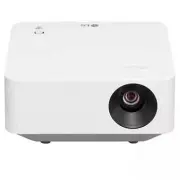
5 ENGLISH Parts and Components Lens 2) Focus Knob Inlet Vent Joystick Button Outlet Vent 1) 1) Due to the high temperature of vent area, do not get close to the vent area.2) Do not touch the lens when using the projector. The lens may be damaged. (Keep lens away from sharp objects.)
Page 8 - Using the Joystick Button
8 ENGLISH Using the Joystick Button You can operate the projector by pressing the button or moving the joystick left, right, up, or down. Basic functions Power On When the projector is turned off, place your finger on the joystick button, press it once, and release it. Power Off (Press and Hold) Pre...
Page 10 - Projector Status Indicators
10 ENGLISH Projector Status Indicators LED Power Indicator LED Power Indicator Red Power standby state Off The projector is operating with the power on.
Page 11 - INSTALLATION; Ceiling-Type Installation
11 ENGLISH INSTALLATION Ceiling-Type Installation WARNING When installing the product on the ceiling, observe the following precautions to prevent the projector from falling: — It is recommended to install the product through a professional installation services provider. (If installing on the ceili...
Page 12 - How to Install the Projector On a Tripod
12 ENGLISH How to Install the Projector On a Tripod • You can install the projector using a camera tripod. • As shown below, you can mount the projector instead of a camera on the tripod. • When stabilizing the tripod, we recommend using a locking bolt of standard size 4.5 mm (0.1 inches) or less. T...
Page 13 - Projection Distance per Screen Size
13 ENGLISH Projection Distance per Screen Size 1 Place the projector on a sturdy, level surface, together with the PC or audio/ video source. 2 Place the projector an appropriate distance away from the screen. The distance between the projector and the screen determines the actual size of the image....
Page 15 - Adjusting the Focus of the Projection Screen
15 ENGLISH Adjusting the Focus of the Projection Screen When an image appears on the screen, check if it is in focus and fits the screen properly.To adjust the focus of the image, slowly adjust the focus knob to the left or right while looking at the top center of the screen. You can adjust the focu...
Page 16 - Kensington Security System
16 ENGLISH Kensington Security System • This projector has a Kensington Security Standard connector as an anti-theft mechanism. Connect a Kensington Security System cable as shown below. • For more information on installation and use of the Kensington Security System, refer to the user’s guide provi...
Page 17 - USING REMOTE CONTROL; Inserting Batteries in the Remote Control
17 ENGLISH USING REMOTE CONTROL • Depending on country Inserting Batteries in the Remote Control Use 1.5 V, AA-type alkaline batteries. Replace the two batteries with new ones and insert them according to the direction indicator inside the remote control. 1 Remove the battery cover on the back of th...
Page 18 - Viewing the Remote Control Features
18 ENGLISH Viewing the Remote Control Features * : To use the button, press and hold for more than 3 seconds. (Power) Turns the Projector on or off. (Q. Settings) Accesses the Quick Settings. +, - (Volume Button) Adjusts the volume level. (Color Button) These access special functions in some menus. ...
Page 20 - CONNECTING DEVICES; Connecting with a HDMI Cable
20 ENGLISH CONNECTING DEVICES You can connect various external devices to the projector. Connecting with a HDMI Cable Connect an HD receiver, DVD, PC, Notebook, or external devices to the projector and select an appropriate input mode.With an HDMI cable, you can enjoy high quality picture and sound....
Page 21 - Connecting Headphones
21 ENGLISH Connecting Headphones You can listen to the audio through a headphone. Optional Extras
Page 22 - Slimport supported devices
22 ENGLISH Connecting a smart device (smartphone, tablet, etc.) • (Home) → [Home Dashboard] → [Inputs] → [HDMI 1]/[HDMI 2] • The picture may look different from the actual product. Connect a smart device to the projector using a cable 1) and set the external input of the projector to HDMI. The smart...
Page 23 - SAFETY PRECAUTIONS
23 ENGLISH SAFETY PRECAUTIONS Please take note of the safety instructions to prevent any potential accident or misuse of the projector.Child injuries can be prevented by following these simple safety precautions.The precautions should be followed in the same manner when you store or move your existi...
Page 24 - Indoor Installation
24 ENGLISH Read these instructions. Keep these instructions.Heed all warnings. Follow all instructions. Indoor Installation WARNING Do not install products including projectors and remote controls in the following places: — Any place exposed to direct sunlight; — Any humid place such as bathroom; — ...
Page 27 - When in Use
27 ENGLISH When in Use WARNING When thunder or lightning strikes, unplug the power cord and do not touch the antenna wire. • It may cause an electric shock. If there is a gas leak from the gas lines, do not touch the outlet and be sure to vent by opening the window. • Sparks may be caused and lead t...
Page 31 - Power
31 ENGLISH Power WARNING Make sure the power plug is securely plugged in to prevent it from shaking. • If the connection is unstable, it may cause a fire. Do not plug too many devices into one multi-power outlet. • This may result in fire due to the power outlet overheating. Do not insert a metal ob...
Page 33 - Cleaning
33 ENGLISH Cleaning WARNING Do not spray water directly onto the projector when cleaning it. • It may cause a fire or electric shock. CAUTION How to clean the projector — Disconnect the plug from the outlet before cleaning. — Do not wipe the optical system (the lens and mirror) immediately after the...
Page 34 - CHECKING BEFORE REPORTING; Projector Safety Check
34 ENGLISH CHECKING BEFORE REPORTING MALFUNCTION Please check the list below when you experience the following symptoms during use of the product. It may not be a failure. Projector Safety Check Symptoms • The projector does not display anything on the screen or output sound when it is turned on. • ...
Page 35 - Troubleshooting
35 ENGLISH Troubleshooting Symptoms Causes and Solutions I cannot turn on the Projector. • Please make sure your projector power plug is correctly connected to the outlet. • There may be a problem with the outlet, so try plugging the power cord of another product into the outlet where the projector ...
Page 37 - CHECKING INFORMATION; Specifications
37 ENGLISH CHECKING INFORMATION Specifications MODEL PF510Q (PF510Q-GL) PF510QC (PF510QC-GL) Resolution (Pixel) 1920 (Horizontal) × 1080 (Vertical) 1) Aspect ratio 16:9 (Horizontal:Vertical) Projection distance — Screen size 795 mm to 3185 mm (31.2 inches to 125.3 inches) — 762 mm to 3048 mm (30 inc...
Page 38 - HDMI Supported mode
38 ENGLISH HDMI Supported mode HDMI (DTV) Resolution Horizontal Frequency (kHz) Vertical Frequency (Hz) 640 x 480 31.46 59.94 640 x 480 31.5 60 720 x 480 31.47 59.94 720 x 480 31.5 60 720 x 576 31.25 50 1280 x 720 44.96 59.94 1280 x 720 45 60 1280 x 720 37.5 50 1920 x 1080 28.12 50 1920 x 1080 33.72...
Page 40 - Licenses; Open Source Software Notice Information
40 ENGLISH Licenses Supported licenses may differ by model. For more information about licenses, visit www.lg.com. The terms HDMI, HDMI High-Definition Multimedia Interface, HDMI trade dress and the HDMI Logos are trademarks or registered trademarks of HDMI Licensing Administrator, Inc. Manufactured...
Page 41 - Other specifications
41 ENGLISH Other specifications As with any bright light source, do not stare into the beam, RG2 IEC 62471- 5:2015. Risk Group 2 CAUTION Possibly hazardous optical radiation emitted from this product. Do not stare at operating lamp. May be harmful to the eye. This label is attached to the bottom of ...
Page 42 - Symbols
42 ENGLISH Symbols Refers to alternating current (AC). Refers to direct current (DC). Refers to class II equipment. Refers to stand-by. Refers to “ON” (power). Refers to dangerous voltage.
Page 46 - ABOUT LG PROJECTOR; Home Tutorial; Using the Home feature of the LG Projector
3 ENGLISH ABOUT LG PROJECTOR Home Tutorial Using the Home feature of the LG Projector You can open the Home screen by pressing the button on your remote control. Remote control allows you to select through the menu with the up/down/left/right buttons. You can open apps and content or use various fea...
Page 48 - Manage LG Projector Home
5 ENGLISH Manage LG Projector Home You can change the order of displayed apps or content lists by pressing the button on the remote control. Remote control allows you to select through the menu with the up/down/left/right buttons. You can enter edit mode by selecting located at the bottom of the scr...
Page 50 - Connecting to the Network
7 ENGLISH Connecting to the Network Connecting to the Network If you configure settings for the network, you can use various services such as online contents and applications. Setting a Wired Network 1 Connect the LAN port of the projector and the router using a LAN cable. The router should be conne...
Page 52 - LG Membership; Managing your LG Account
9 ENGLISH Managing your LG Account LG Membership Logging in with [LG Account] enables you to use customized recommended content and various app service. You can sign up for LG membership and log in with your email address in [LG Account]. Alternatively, you can sign up for LG membership using the ID...
Page 53 - HOW TO OPERATE THE PROJECTOR
10 ENGLISH HOW TO OPERATE THE PROJECTOR Using [Installation Wizard] [PJT Mode] (Q. Settings) → ( [Installation Wizard]) → [PJT Mode] This function turns the projected image upside down or flips horizontal. [High Altitude] (Q. Settings) → ( [Installation Wizard]) → [High Altitude] If the projector is...
Page 55 - Using Color buttons
12 ENGLISH Using Color buttons When you press the button on the remote control, four coloured buttons appear on the screen. These access special functions in some menus.
Page 56 - Using SIMPLINK
13 ENGLISH Using SIMPLINK With a single remote control, you can easily manage various devices such as a soundbar or set-top box connected to a projector with HDMI. • Up to three devices can be connected and used simultaneously. 1 Connect the SIMPLINK HDMI Output port to the projector’s HDMI IN port ...
Page 58 - Connecting an Input Device to USB
15 ENGLISH Connecting an Input Device to USB Using a USB Wired/Wireless Mouse Connect your mouse to the USB port. Use the mouse to move the pointer on the projector screen and select the menu you want. • The right button and the special buttons on the mouse do not work. • When using a wireless USB m...
Page 59 - APPS AND CONTENT; Installing Apps
16 ENGLISH APPS AND CONTENT Installing Apps You can install apps in a variety of categories such as games, education, and news and conveniently use them on your projectors. 1 Press the button on the remote control. 2 Launch [Apps]. 3 Select a category or press the Search button to search for an app....
Page 61 - Search Content
18 ENGLISH Search Content Searches for content by title, actor/actress, and genre. 1 Press the button on the remote control. 2 Launch . 3 Search for a variety of content and information by typing in your desired search terms. 1 3 4 2 1 Enter your desired search term. 2 Shows recent searches. 3 You c...
Page 62 - CONNECT OTHER DEVICES
19 ENGLISH CONNECT OTHER DEVICES Using [Home Dashboard] You can select or control a device (mobile, external device, etc.) connected to the projector. • Run [Home Dashboard] by pressing the button on the remote control. 1 2 3 4 5 6 7 8 1 You can check and select the external device connected through...
Page 64 - To see the Smart Device's screen on the projector; To see the Mobile Device's screen on the projector
21 ENGLISH To see the Smart Device's screen on the projector To see the Mobile Device's screen on the projector 1 Enable Screen Share mode on the mobile device. 2 Your projector will be displayed in the list of available devices. 3 Select your projector and request connection. 4 Select accept in the...
Page 65 - Playing Sound from a Smart Device through the
22 ENGLISH Playing Sound from a Smart Device through the projector’s Speakers Connect a smart device to the projector via Bluetooth to play sound from the smart device through the projector’s speakers. 1 Turn the smart device’s Bluetooth on, then select the projector from the list of devices. 2 The ...
Page 66 - Connecting USB
23 ENGLISH Connecting USB Connect a USB storage device (USB HDD, USB Flash Drive) to the USB port on the projector to easily enjoy the content files stored on the USB storage device on your projector. USB Flash Drive
Page 67 - Tips for Using a USB storage device
24 ENGLISH Tips for Using a USB storage device • A USB storage device that has a built-in automatic recognition program or uses its own driver might not be recognizable. • Some USB storage devices may not be supported or may not work properly. • If you use a USB extension cable, the USB storage devi...
Page 70 - Viewing Photos
27 ENGLISH Viewing Photos You can select a photo from the [Media Player] app and view the photo. You can use more features by pressing the down ( ) button on the remote control while viewing a photo. 1 2 3 5 6 7 8 4 1 Shows the previous content. 2 Starts the slide show. 3 Shows the next content. 4 R...
Page 71 - Playing Videos
28 ENGLISH Playing Videos You can select a video from the [Media Player] app and play the video. Pressing the left/right ( ) buttons on the remote control allows you to skip backward/forward 10 seconds. You can access more features by pressing the down ( ) button on the remote control while playing ...
Page 73 - Listening to Music
30 ENGLISH Listening to Music You can select a song from the [Media Player] app and play the song. You can use more features by pressing the down ( ) button on the remote control while playing a song. 1 2 3 4 5 1 You can set the random play mode. 2 You can set the repeat play mode. 3 Lyrics are avai...
Page 74 - View Computer Files; Watch content saved in your PC on the Projector
31 ENGLISH View Computer Files Watch content saved in your PC on the Projector You can enjoy videos/music/photos stored on your PC on the Projector when these devices are connected to the same network. Browse the content on your PC to watch on Projector (Windows 10) 1 Connect you projector and PC to...
Page 77 - To See the PC Screen on the Projector; To see the PC screen on the projector
34 ENGLISH To See the PC Screen on the Projector To see the PC screen on the projector Connect wireless 1 Enable Screen Share mode on the PC. Your projector will be displayed in the list of available devices. 2 Select your projector and request connection. 3 After the connection is established, the ...
Page 79 - MAKING THE MOST OF SMART
36 ENGLISH MAKING THE MOST OF SMART PROJECTOR Using the [Web Browser] Using the [Web Browser] You can enter the website when you input the web address on the URL bar. If you input the search word, it will find the information about search word base on the search engine. 1 Press the button on the rem...
Page 84 - Connecting a Camera to the Projector; Video Conferencing
41 ENGLISH Connecting a Camera to the Projector By connecting a camera to the projector, you can use it for video conferencing, etc. 1 Connect the camera to the USB IN port. 2 Run [Home Dashboard] by pressing the button on the remote control. 3 Select [Camera]. • For detailed description of the came...
Page 85 - SETTINGS; Quick Settings
42 ENGLISH SETTINGS The configurable items differ depending upon model. Quick Settings Quick Settings Displays a set of light-weight controls quickly and simply such as [Picture Mode], [Sound Out], [Sleep Timer] and so on. Press the (Q. Settings) button on the remote control. 1 2 3 4 5 6 7 8
Page 123 - TROUBLESHOOTING
80 ENGLISH TROUBLESHOOTING Please check the list below when you experience the following symptoms during use of the product. It may not be a failure.Information on customer service for product problems is available in (Q. Settings) → → [Support] on the projector. Perform Check-up with the [Quick Hel...
Page 124 - Troubleshooting Power/Remote Issues
81 ENGLISH Troubleshooting Power/Remote Issues Please check the list below when you experience the following symptoms during use of the product. It may not be a failure. I cannot turn on the Projector. • Please make sure your projector power plug is correctly connected to the outlet. • If you are us...
Page 126 - Troubleshooting Screen Issues
83 ENGLISH Troubleshooting Screen Issues Please check the list below when you experience the following symptoms during use of the product. It may not be a failure.First of all, perform (Q. Settings) → → [Support] → [Screen Self-diagnosis] to check for any abnormalities in the projector. If you are u...
Page 128 - Troubleshooting Sound Issues
85 ENGLISH Troubleshooting Sound Issues Please check the list below when you experience the following symptoms during use of the product. It may not be a failure.First of all, perform (Q. Settings) → → [Support] → [Sound Self-diagnosis] to check for any abnormalities in the projector. If you are usi...
Page 129 - Troubleshooting PC Connection Issues
86 ENGLISH Troubleshooting PC Connection Issues Press and hold the button on your remote control. Select → [Edit] → [Edit Inputs] in the upper right corner of [Home Dashboard]. In the edit mode, set the icon of the HDMI terminal connected to the PC to [PC] to apply the video and aspect ratio setting...
Page 130 - Troubleshooting Movie Playback Issues
87 ENGLISH Troubleshooting Movie Playback Issues Please check the list below when you experience the following symptoms during use of the product. It may not be a failure. For more information about supported files, see "Using the [Media Player]". I cannot find a file in the [Media Player]. ...
Page 132 - Troubleshooting Network Connection Issues
89 ENGLISH Troubleshooting Network Connection Issues Please check the list below when you experience the following symptoms during use of the product. It may not be a failure. Before connecting to a wireless network, check the name and password of the Wi-Fi device to connect. You can check the netwo...
Page 134 - Troubleshooting LG Account Issues
91 ENGLISH Troubleshooting LG Account Issues In some countries, access to the website (www.lgappstv.com) may be restricted. I have already signed up on the projector. Do I still have to sign up again at the website (www.lgappstv.com)? • You can use the website with the membership information that yo...
Page 135 - Troubleshooting Contents Issues
92 ENGLISH Troubleshooting Contents Issues Please check the list below when you experience the following symptoms during use of the product. It may not be a failure. I cannot see any content in HOME. • You may not be able to see the content if the service country setting has been changed. Change the...
Page 136 - Troubleshooting Internet Browser Issues
93 ENGLISH Troubleshooting Internet Browser Issues Please check the list below when you experience the following symptoms during use of the product. It may not be a failure. Some parts of a particular website are not visible when I am using the Internet. • The Web Browser supports only HTML5 media a...
Page 137 - BEING AWARE OF THE; Supported Photo Files
94 ENGLISH BEING AWARE OF THE INFORMATION Supported Photo Files File type Format Resolution jpeg, jpg, jpe JPEG Minimum: 64 x 64 Maximum Normal Type: 15360 (W) x 8640 (H) Progressive Type: 1920 (W) x 1440 (H) png PNG Minimum: 64 x 64 Maximum: 5760 (W) x 5760 (H) bmp BMP Minimum: 64 x 64 Maximum: 192...
Page 138 - Supported Video Files
95 ENGLISH Supported Video Files Maximum data transfer rate • Full HD video H.264 1920 x 1080@60P BP/MP/[email protected] Maximum 40 Mbps HEVC 1920 x 1080@60P Main/[email protected] Maximum 40 Mbps Supported external subtitles smi, srt, sub (MicroDVD, SubViewer 1.0/2.0), ass, ssa, txt (TMPlayer), ps...
Page 140 - Cautions for Video Playback
97 ENGLISH Cautions for Video Playback • Some user-created subtitles may not work properly. • A video file and its subtitle file must be located in the same folder. For subtitles to be displayed properly, make sure that the video file and the subtitle file have the same name. • Subtitles on a Networ...
Page 141 - Supported music file formats
98 ENGLISH Supported music file formats File type Item Info mp3 Bit rate 32 kbps ~ 320 kbps Sample freq. 16 kHz ~ 48 kHz Support MPEG-1, MPEG-2 Channels mono, stereo wav Bit rate - Sample freq. 8 kHz ~ 96 kHz Support PCM Channels mono, stereo ogg Bit rate 64 kbps ~ 320 kbps Sample freq. 8 kHz ~ 48 k...