Page 2 - Safety Information; CAUTION
1 Getting Started Getting Started 2 Getting S tar ted 1 Safety Information CAUTION RISK OF ELECTRIC SHOCK DO NOT OPEN CAUTION: TO REDUCE THE RISK OF ELECTRIC SHOCK DO NOT REMOVE COVER (OR BACK) NO USER-SERVICEABLE PARTS INSIDE REFER SERVICING TO QUALIFIED SERVICE PERSONNEL. This lightning flash with...
Page 4 - Table of Contents; Getting Started
Table of Contents 4 Table of Contents 1 Getting Started 2 Safety Information 6 Main Features 6 Accessories6 Introduction7 Product Overview 2 Connecting 8 Charging the Unit 8 – Checking the charging status 8 Initial Multi-Room Setup 8 – Wireless connection (Standard Wireless Connection) 9 Installing ...
Page 5 - Appendix
Table of Contents 5 1 2 3 4 5 5 Appendix 49 File requirement49 Trademarks and Licenses50 About Status LED’s Condition51 Specifications52 Handling the Speaker52 Important Information Relating to Network Services 53 TERMS OF USE Some of the content in this manual may differ from Music Flow Player app ...
Page 6 - Main Features; Android device; Music Flow Player application; Accessories; Introduction; Symbol used in this manual; Note; Caution
Getting Started 6 Getting S tar ted 1 Main Features Made for iPod/iPhone/iPad or Android device Enjoys music from iPod/iPhone/iPad or Android device with simple connection. Portable In Listens to music from your portable device. Music Flow Player application Listens to music stored on your smart dev...
Page 7 - Product Overview
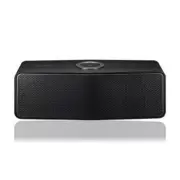
Getting Started 7 Getting S tar ted 1 Product Overview a 1/! (Standby/On) b F (Function): Selects the function and input source. c -/+ (Volume) d (Play/Pause) : Starts playback or pauses playback. e Speaker f (Wi-Fi): Connects initial Music Flow product to your network wirelessly. (page 12) g (Add):...
Page 8 - Charging the Unit; Checking the charging status; Setup; Wireless connection (Standard
2 Connecting Connecting 8 C onnecting 2 Charging the Unit This unit uses built-in battery. Before using it, charge the battery by connecting the AC Adapter. Only use the AC adapter supplied with this device. Do not use a power supply from another device or manufacturer. Using any other power cable o...
Page 9 - Installing “Music Flow; Through Apple “App Store” or; Through QR code
Connecting 9 C onnecting 2 Installing “Music Flow Player” App Through Apple “App Store” or Google “Play Store” 1. Tap the Apple “App Store” icon or Google “Play Store” icon. 2. Type in “Music Flow Player” in the search bar and tap “Search”. 3. Select “Music Flow Player” in the search result list to ...
Page 10 - Starting with Music Flow
Connecting 10 C onnecting 2 Starting with Music Flow Player app When you launch Music Flow Player app for the first time, the terms of use and Chromecast Service appear on the screen. 1. Check the contents of terms of use and select [Accept]. 2. Check the contents of Chromecast Service and select [A...
Page 11 - Connecting the
Connecting 11 C onnecting 2 Connecting the speaker to your Home Network Please refer to the documentation for your network device for further instructions. Preparation y Make sure that wireless network environment using a router is installed at your home. y Make sure that the speaker and the smart d...
Page 12 - Connecting the speaker to
Connecting 12 C onnecting 2 3. If the network password is set, security screen is displayed. Type the password. 4. After typing password, tap [Next]. 5. Tap [Finish] to finish making the connection. Connecting the speaker to your Network via the Wi-Fi Setup Method (Android) Connection overview Broad...
Page 18 - Notes on Network Connection
Connecting 18 C onnecting 2 Notes on Network Connection y Many network connection problems during set up can often be fixed by re-setting the router. After connecting the speaker to the home network, quickly power off and/or disconnect the power cable of the home network router or cable modem. Then ...
Page 19 - Connecting the additional
Connecting 19 C onnecting 2 Connecting the speakers to your Home Network (Additional) You can enjoy the music with multiple speakers and single smart device you have. Requirements y Wireless router y Smart device (Android or iOS) y Another speaker Signal interference may lead to stop playback. , Not...
Page 23 - Using the Bridge; Use as a root device (wired to; If there is no speaker with wired
Connecting 23 C onnecting 2 Using the Bridge Bridge (R1) extends a range of use of speakers. Please purchase it separately if you want to use. Use as a root device (wired to the home router) If there is no speaker with wired connection to the router When your home router is located too far from any ...
Page 24 - Use as a wireless extender; If there is at least one speaker with
Connecting 24 C onnecting 2 6. Select [Finish] to complete the connection. 7. Connect the speaker to Bridge (R1) . Refer to “Connecting the speakers to your Home Network (Additional)” on page 21. Use as a wireless extender If there is at least one speaker with wired connection to the router When you...
Page 26 - Using Media Server for; Music Flow PC Software for; About Music Flow PC Software; Sharing music files
Connecting 26 C onnecting 2 Using Media Server for PC Media server Software allows users to access audio files stored in media server and enjoy them on this speaker via home networking.Before connecting to PC to play a file, Media server Software should be installed on your PC. Make sure that wirele...
Page 27 - Nero MediaHome 4 Essentials
Connecting 27 C onnecting 2 Nero MediaHome 4 Essentials for Mac OS About Nero MediaHome Essentials Nero MediaHome 4 Essentials is a software for sharing video, audio and photo files stored on your computer to this speaker as a digital media server. Downloading Nero MediaHome Essentials 1. Start up y...
Page 28 - Basic Operations; Using; Power On; Changing the mode; Enjoying the Music
3 Operating Operating 28 Oper ating 3 Basic Operations Using 1 / ! button Power On Press the 1 / ! button. Standby mode Press and hold the 1 / ! button for 5 seconds. (page 44) The speaker switches to the standby mode if there is no music playback or no button operation for 20 minutes. , Note Changi...
Page 29 - Overview of Home menu; Edit the Online streaming Service
Operating 29 Oper ating 3 Overview of Home menu Launch Music Flow Player app on your smart device. The [Home] appears. a Menu button -Displays side menu bar. b My Songs - Displays music list on your phone. c Streaming Services – Displays the online services. You can enjoy the online radio and music....
Page 30 - Overview of the side menu
Operating 30 Oper ating 3 Overview of the side menu 1. Launch Music Flow Player app on your smart device. The [Home] appears. 2. Tap the button. 3. Side menu appears. a Home – Displays the Home menu. b My Phone – Displays the songs on this smart device. c Music Server – Displays the songs on the con...
Page 31 - Managing a playlist
Operating 31 Oper ating 3 5. Select the desired song. Then selected song is displayed and played. If the speaker is not selected, the selecting speaker pop-up appears. Select a desired speaker. , Note Managing a playlist On an album screen, tap the [ ] of the desired song. The pull down menu appears...
Page 32 - Overview of Playback; Selecting Sound effect
Operating 32 Oper ating 3 Overview of Playback You can confirm and adjust various information on the playback screen. a Displays the speaker that music plays through. b Displays current playing music. - Repeats the desired contents. Every time you click it, the state changed in the (Repeat One) - (R...
Page 33 - Group Playback
Operating 33 Oper ating 3 Sound Effect Description Standard You can enjoy optimized sound. Bass The Bass is Bass Blast. During playback, reinforce the treble, bass and surround sound effect. Flat Provides balanced sound. Boost Boosts the mid-range for sound reinforcement. Treble / Bass Reinforces th...
Page 35 - Seamless playback; Changing playing speaker from a
Operating 35 Oper ating 3 Seamless playback You can easily change the playing speaker from your smart device or the speaker to the another speaker without pause. y It is not supported when you go out of the house with your smart device. y Wi-Fi function on smart device must be turned on. y If the so...
Page 36 - Changing the active speaker to a; Setting the Speaker
Operating 36 Oper ating 3 Changing the active speaker to a different speaker without a pause You can change the playing speaker to the another speaker which is in the room you are in now using NFC tagging. y Music Flow Player app should be displayed on the smart device’s screen. y In case of the gro...
Page 37 - Overview of setting menu; User Guide
Operating 37 Oper ating 3 Overview of setting menu 1. Launch Music Flow Player app on your smart device. 2. Select [Settings] on the side menu. a General – Sets for easier use of the speaker. b Speakers – Sets connected speaker. c Alarms/Sleep Timer – Wakes on and off the speaker at a designated tim...
Page 38 - Alarms
Operating 38 Oper ating 3 [Speakers] Menu You can adjust speakers connected to your network. ab c d ef g h a Rename – Renames the speaker. b Speaker LED – Turns on or off speaker’s LED indicator. c IP Info. – Shows the IP address of the speaker. d Compressed sound transmission – Adjusts the compress...
Page 39 - Automatic Time zone; Set Time Zone
Operating 39 Oper ating 3 [Account management] Menu Manages online streaming service. [Time Zone] Menu Automatic Time zone It offers to use network provided time. Set Time Zone If you deselect [Automatic Time zone], you can select your time zone yourself. [Advanced Settings] Menu Mesh Network Channe...
Page 40 - Mesh Network direct connection
Operating 40 Oper ating 3 Mesh Network direct connection (Android only) You can directly connect the smart device to speaker connected your home network.When your smart device is placed in a position where it cannot connect to the home network, select a nearby speaker in the [Mesh Network direct con...
Page 42 - Using a Bluetooth; About Bluetooth; Bluetooth profiles
Operating 42 Oper ating 3 [Version Info.] Menu Updates the speaker to the latest version. App version info. Displays the current application’s version. Device version info. Updates the latest speaker’s firmware version. 1. Find the speakers need to update and tap the [ ]. 2. Starts the software upda...
Page 44 - Listening to Music; Standby mode
Operating 44 Oper ating 3 Listening to Music from Your External Device The speaker can be used to listen to the music from many types of external device. 1. Connect the external device to the PORTABLE IN on the speaker. External device Portable cable (Not supplied) 2. Select the input source of this...
Page 45 - Reset the Speaker; Resetting the speaker
Operating 45 Oper ating 3 Reset the Speaker If the speaker is not turned on or doesn’t respond, reset the speaker. Resetting the speaker y Press and hold the button until you hear the beep sound once. Then all wireless network ports are deactivated and the stored wireless network information is dele...
Page 46 - Troubleshooting; General; Symptoms
4 Troubleshooting Troubleshooting 46 Trouble shoo ting 4 Troubleshooting General Symptoms Cause & Solution The unit does not work properly. y Turn off the power of this unit and the connected external device ( TV, Woofer, DVD-player, Amplifier, etc.) and turn it on again. y Disconnect the power ...
Page 47 - Network
Troubleshooting 47 Trouble shoo ting 4 Network Symptoms Cause & Solution Cannot connect the speaker to your home network. The wireless communication may be interrupted from household devices that are using radio frequencies. Move the speaker away from them. Media servers are not displayed on the...
Page 48 - Application and PC Software
Troubleshooting 48 Trouble shoo ting 4 Application and PC Software Symptoms Cause & Solution Music Flow Player app doesn’t work properly. Does an error occur when accessing the app? y Make sure that your smart device is compatible with the app. y Make sure that the Music Flow Player app is the l...
Page 49 - File requirement; Trademarks and
5 Appendix Appendix 49 Appendix 5 File requirement Available File extensions : “.mp3”, “.wma”, “.flac”, “.m4a”, “.aac”, “.ogg”, “.wav” Sampling frequency : within 32 to 48 kHz (mp3, wma), up to 192 kHz/24 bit (flac) Bit rate : up to 320 kbps (mp3, wma) y The file requirements are not always compatib...
Page 50 - About Status LED’s Condition
Appendix 50 Appendix 5 About Status LED’s Condition Bluetooth Condition Color Waiting for Bluetooth pairing Blinks Bluetooth paired Portable In Condition Color Portable cable is connected Network Condition Color Waiting for network connection Blinks Connected The initial unit is being connected to t...
Page 51 - Specifications
Appendix 51 Appendix 5 Specifications General Power Supply 12 V 0 1.0 A (AC Adapter) Built-in rechargeable battery Power consumption 12 WNetworked standby : 3.7 W (If all network ports are activated.) AC adapter Model : WA-12M12FU Manufacturer: Yang Ming Industrial Input: 100 - 240 V ~ 50 - 60 Hz Ou...
Page 52 - Handling the Speaker; When shipping the speaker; Important Information
Appendix 52 Appendix 5 Handling the Speaker When shipping the speaker Please save the original shipping carton and packing materials. If you need to ship the speaker, for maximum protection, re-pack the speaker as it was originally packed at the factory. Keeping the exterior surfaces clean y Do not ...
Page 53 - TERMS OF USE
Appendix 53 Appendix 5 TERMS OF USE These Terms of Use apply to those individuals and groups who use LG’s Multiroom Speaker (LG Mutiroom Speaker), any software(s) associated with LG Multiroom Speaker, this application and any services associated this application (collectively “LG Software”). They se...
Page 55 - Open source software notice
Appendix 55 Appendix 5 If you have any questions or comments about these Terms of Use please contact www.lg.com. These Terms of Use may be updated by LGE from time to time. If we make a material change to our Terms of Use, we will update you via your LG Software or other means. Open source software ...