Page 2 - Safety Information; CAUTION
Getting Started 2 Getting Start e d 1 Safety Information CAUTION RISK OF ELECTRIC SHOCK DO NOT OPEN CAUTION: TO REDUCE THE RISK OF ELECTRIC SHOCK DO NOT REMOVE COVER (OR BACK) NO USER-SERVICEABLE PARTS INSIDE REFER SERVICING TO QUALIFIED SERVICE PERSONNEL. This lightning fl ash with arrowhead symbol...
Page 5 - Table of Contents; Getting
Table of Contents 5 1 2 3 4 Table of Contents 1 Getting Started 2 Safety Information 6 Main Features 6 Accessories 6 Introduction 7 Remote Control 8 Front Panel 8 Rear Panel 9 Connecting the AC Adapter 9 How to Attach the Ferrite Core (For EMI Only) 2 Operating 10 Basic Operations 10 – Switch to Sta...
Page 6 - Main Features; Portable In; Bluetooth®; LG Bluetooth Remote; Accessories; Introduction; Symbol Used in This Manual; Caution
Getting Started 6 Getting Start e d 1 Main Features Made for iPod/iPhone/iPad Enjoys music from iPod/iPhone/iPad with simple connection. Portable In Listens to music from your portable device. Bluetooth® Enjoys music from Bluetooth device with simple connection. BASS Reinforce BASS sound effect. LG ...
Page 7 - Remote Control
Getting Started 7 Getting Start e d 1 Remote Control 1 (Power): Switches the unit ON or OFF. P FUNCTION : Selects the function and input source. +/- ( Volume) : Adjusts volume of speaker. BASS EQ : Reinforce BASS sound effect. Y/U (Skip/Search) : -Skips fast Backward or Forward.-Searches for a secti...
Page 8 - Front Panel
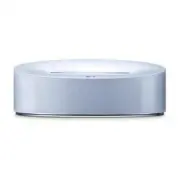
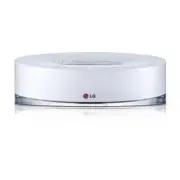
Getting Started 8 Getting Start e d 1 Front Panel a iPod/iPhone Dock (Lightning Connector) b Support for iPod/iPhone c Speaker d Display WindowDisplays each of functions. e 1/ F (Power/Function) - Power on : Press 1/ F to turn the unit on. - Power off : Press and hold 1/ F for about 3 seconds to tur...
Page 10 - Basic Operations; Switch to Standby mode
Operating 10 Operating 2 Basic Operations Switch to Standby mode Press 1 or press and hold 1/ F . The LED indicators light up and the last function you selected blinks.Then the unit switches to standby mode. Switch to Power Off Press 1 or press and hold 1/ F . The LED indicators light off and the un...
Page 12 - Note
Operating 12 Operating 2 y If iPod/iPhone/iPad operation has an error, check these problems as follows; - Your iPod/iPhone/iPad is not connected firmly.- This unit recognizes your iPod/iPhone/iPad as an unknown device.- Your iPod/iPhone/iPad is exceptionally low in power. / The battery needs to be c...
Page 13 - Auto Power Down
Operating 13 Operating 2 Turning Off the Sound Temporarily Press @ to mute the sound. You can mute the sound in order, for example, to answer the telephone. To cancel mute function, press @ again or adjust volume level by pressing +/- ( Volume). Auto Power Down This unit will power itself down to sa...
Page 14 - About Bluetooth; Bluetooth Profiles
Operating 14 Operating 2 Using a Bluetooth Wireless Technology About Bluetooth Bluetooth ® is wireless communication technology for short range connection. The available range is within 10 meters. ( The sound may be interrupted when the connection interfered by the other electronic wave or you conne...
Page 15 - Using Bluetooth App; About LG Bluetooth Remote App
Operating 15 Operating 2 y After your device is connected to the unit via Bluetooth, the function switches to BT automatically. y After searching for this unit on your Bluetooth device, connect the Bluetooth device to this unit. Then play music you want. y The sound may be interrupted when the conne...
Page 17 - Troubleshooting; Problem
Troubleshooting 17 T roubleshoo ting 3 Troubleshooting Problem Correction No Power. y Plug in the power cord. y Check the condition by operating other electronic devices. No sound. y Press P FUNCTION or 1/ F and then check the selected function. y Adjust volume of your portable device. The remote co...
Page 18 - Handling the Unit; When Shipping the Unit
Appendix 18 Appendix 4 Trademarks and Licenses “Made for iPod,” “Made for iPhone,” and “Made for iPad” mean that an electronic accessory has been designed to connect specifi cally to iPod, iPhone, or iPad, respectively, and has been certifi ed by the developer to meet Apple performance standards. Ap...
Page 19 - Specifications
Appendix 19 Appendix 4 Specifications General AC adapter requirements DC 12 V 0 2.5 A, 100 -240 V, 50/ 60 Hz Power consumption 25 W Dimensions ( W x H x D) 275 X 90 X 170 mm Net Weight (Approx.) 1.3 kg Operating temperature 5 °C to 35 °C (41 °F to 95 °F) Operating humidity 5 % to 90 % Inputs PORT. I...