LG NP3530 - User Manual
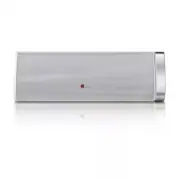
LG NP3530 Portable Speaker – User Manual, read for free online in PDF format. We hope this helps you resolve any issues you may have. If you have further questions, please contact us through the contact form.


Wireless Speaker
NP3530
ENGLISH
OWNER’S MANUAL
Please read this manual carefully before operating your set and retain it
for future reference.
Product Overview
Charging
Bluetooth Connection
App Installation
Using handsfree function
About LED Indicator
Additional Information
Press and hold to turn on or off.
Note
Operating time is approx. 15 hours. (Based on 30% volume, 1kHz
signal, 500 mV portable input and fully charged status)
It may vary depending on the battery status and operational
conditions.
Press and hold to disconnect.
Within 10 m
Select “LG Portable(XX:XX)” on your Bluetooth device.
(XX:XX means the last four digits of BT address.)
y
Depending on the bluetooth device, you need to enter the PIN code (0000).
y
Once a pairing operation is performed, it does not need to be performed
again every time you turn on the unit. (Only if the PORT.IN is not connected
and the unit is registered on the Bulutooth device.)
To use this unit more comfortably, install “LG Bluetooth Remote” on
your bluetooth devices. Select a way of installation ( , or ).
Searching for “LG Bluetooth Remote” on the
Google Play Store.
Scanning QR code below.
Tagging on the NFC sticker, if available.
Press to hang up the call.
Press and hold to reject an incoming call.
Press and hold to toggle the voice output.
Preparation:
Your smartphone must be paired with the unit via bluetooth.
Press to accept an incoming call.
Turned on red
Turned on white
Turned off
Beep sound
X 2
X 2
In Charging Fully Charged (Power Off mode)
X 2
X 2
In Charging Fully Charged (Power On mode)
X 2
X 2
Power is turned on.
X 2
X 2
Bluetooth is paired.
X 2
X 2
Battery is discharged. (Blinks rapidly.)
X 2
X 2
A button is pressed.
X 2
X 2
The unit operates abnormally. Leave the unit at room temperature (0 - 35 °C) for a while and try again.
In case that the unit freezes due to malfunction, press the reset
hole for 5 seconds using an object like a thin pin.
Reset hole
Resetting
LG Bluetooth Remote
Scan to install the App.
Notice for Auto Power Off
This unit is turned off automatically, if no button is pressed for 6
hours when the bluetooth is disconnected.
Press and hold to turn on the unit.
NFC for Easy Pairing:
You can pair simply and easily by
tagging on the NFC sticker.
ON
Approx. 3 hours
LG Customer Information Center
1-800-243-0000
USA, Consumer
1-888-865-3026
USA, Commercial
Register your product Online!
www.lg.com
Wired Connection
Note:
When bluetooth device is connected without BT remote
App, PORT. IN connection does NOT work.
About Ferrite Core (Optional)
How to attach the ferrite core
This ferrite core can reduce noises.
1. Pull the stopper [a] of the ferrite core to open.
2. Wind the portable cable and USB cable on the ferrite core.
3. Close the ferrite core until it clicks.
Printed in Indonesia
http://www.lg.com
5 V
0
2.0 A
Safety Information
NP3530-B0_BUSALLK_OM_MFL67786219_20130328.indd 1
2013-03-28 �� 6:23:35
"Loading the manual" means you need to wait until the file loads and becomes available for online reading. Some manuals are very large, and the time they take to appear depends on your internet speed.
Was this manual helpful?
About this manual
- Brand
- LG
- Model
- NP3530
- Document type
- User Manual
- Category
- Portable Speaker
- Language(s)
- English
- Pages
- 2
- File size
- 3 MB
- Format


