LG NP7550 - User Manual
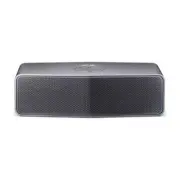
LG NP7550 Portable Speaker – User Manual, read for free online in PDF format. We hope this helps you resolve any issues you may have. If you have further questions, please contact us through the contact form.


ENGLISH
OWNER’S MANUAL
Please read this manual carefully before operating your set and retain it
for future reference.
Product Overview
Charging
Bluetooth Connection
App Installation
Dual Play Connection (Optional)
LG Sound Sync
About LED Indicator
LG Music Flow P7 (CD)
Select “LG Music Flow P7(XX)” on your Bluetooth device.
(XX means the last two digits of BT address.)
y
When you turn on the unit, the last connected bluetooth device is connected automatically.
(Only if the external device is not connected with portable cable and the unit is registered
on the Bluetooth device.)
y
Depending on the bluetooth device, you need to enter the PIN code (0000).
For additional features, install “Music Flow Bluetooth” on your
bluetooth devices.
How to check the battery life:
when the unit is turned on, press
the
.
Searching for “Music Flow Bluetooth” on the
Google Play Store or Apps Store.
Music Flow Bluetooth
Preparation :
Two speakers are needed to enjoy in stereo. For more detail, refer to the
“Music Flow Bluetooth” app.
LG Sound Sync enables you to control some functions of this unit by a remote control of your LG TV. Controllable functions are volume up/down
and mute. Make sure that your TV has LG Sound Sync logo as shown above.
Turned on red
Turned on amber
Turned on white
Turned off
In Charging Fully Charged
Power is turned on.
Battery is discharged. (Blinks rapidly)
The unit operates abnormally. Leave the unit at room temperature (5 - 35 °C) for a while and try again.
Waiting for dual play connection
Waiting for sound sync
Mute Status (Portable)
Blink :
Searching for Bluetooth device,
Stay on :
Bluetooth device is connected.
Press
to turn on the unit.
Approx. 3.5 hours
Using External Device
Printed in China
http://www.lg.com
Safety Information
Press and hold the buttons (
speaker :
,
/
speaker :
,
)
simultaneously until you hear a beep. Buttons will blink white.
Press and hold
,
simultaneously until you hear a beep.
blinks amber. If
connected,
stay amber.
Connect the
speaker using Bluetooth.
Set up the sound output of your TV : TV setting menu
[
[Sound]
[
[ TV Sound
output]
[
[LG Sound Sync ( Wireless)]
If two speakers are connected, blinking buttons will stay white with a
beeping sound.
The setting method of LG Sound Sync may differ depending on the TV. Refer to your TV manual.
,
When you connect the portable cable, the function is
changed to portable mode automatically.
,
Portable Bluetooth Speaker
NP7550 / NP7550W / NP7550B
On :
Press the
1
/
!
Off :
Press and hold the
1
/
!
When you connect portable
cable, you can select between
Bluetooth and portable input
mode.
60 %
15 %
15 %
60 %
15 %
15 %
60 %
15 %
15 %
Multi pairing :
Press and hold for 2 seconds to add another
bluetooth device.
Initializing :
Press and hold for 10 seconds.
Play/Pause :
Press
.
Forward Skip:
Press
twice.
Back Skip :
Press
three times.
Mute :
Press
. (Portable, LG Sound Sync)
Version 4.0.3 (or higher)
Version 6 (or higher)
NP7550-B0.DUSALLK_SIM_MFL68880411.indd 1
2015-02-11 1:52:21
"Loading the manual" means you need to wait until the file loads and becomes available for online reading. Some manuals are very large, and the time they take to appear depends on your internet speed.
Was this manual helpful?
About this manual
- Brand
- LG
- Model
- NP7550
- Document type
- User Manual
- Category
- Portable Speaker
- Language(s)
- English
- Pages
- 2
- File size
- 5.6 MB
- Format


