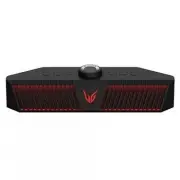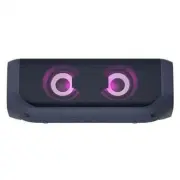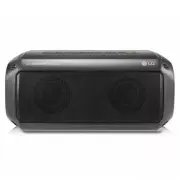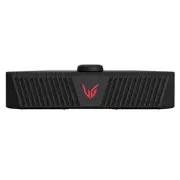
Page 2 - Gaming Speaker Quick Guide; Connecting and Using the Speaker; Charge the speaker before using it by opening the rear cover and; Soundbar Quick Guide
2 Gaming Speaker Quick Guide Connecting and Using the Speaker c a b A A AC Adapter (Not supplied) a Charge the speaker before using it by opening the rear cover and connect the speaker to an AC adapter(not supplied). Note • When you use the supplied USB cable, please use a separate USB port. The bla...
Page 4 - Table of Contents
4 Table of Contents Gaming Speaker Quick Guide 2 Connecting and Using the Speaker Exploring the Product 5 Top 7 Back Charge 8 Charging the Battery 9 Checking Battery Status Connecting via USB Cable 10 Connecting to PC for Gaming 12 Using Voice Chat Connecting to Bluetooth 13 Connecting Smartphone to...
Page 5 - Top; Exploring the Product
5 Exploring the Product Top a b c e f d a Power Turns the speaker on or off. Power LED Press and hold the Power button for 2 seconds to check the battery level while the power or the speaker is on. ( [ See “Checking Battery Status” on page 9.) Function Press the button repeatedly to select the desir...
Page 7 - Back
7 Back a b c d a RESET When the speaker does not function properly, use a sharp object such as a pin to press the hole. b DC IN 5 V 0 2 A Plug in a USB (C-Type) cable to connect the speaker to the PC.Or connect an AC adapter to charge the speaker. c Plug in the headset or earphones wire to connect i...
Page 8 - Charging the Battery; Charge
8 Charge Charging the Battery The speaker is a built-in battery. Make sure to charge the battery sufficiently before use. a Open the back cover and connect the USB cable to DC IN 5 V 0 2 A port of the speaker. b Connect the supplied USB cable to the AC adapter. c Plug the AC power cord into an AC ou...
Page 9 - Checking Battery Status; Charging Status
9 Checking Battery Status Charging Status Once the battery charging starts, the power LED indicates the charging status. LED LED Status Battery Status Turns on and off in green 15 seconds. Charging is complete. It is red. Charging is in progress. Note • Playing tracks while charging may lengthen the...
Page 10 - Connecting to PC for Gaming; Connecting via USB Cable
10 Connecting via USB Cable You can connect the device to a gaming PC to enjoy deep and rich sounds.You can play your PC games with more realistic sounds. Connecting to PC for Gaming Please check the following first. • This product can be used with gaming PCs and laptops that support UAC* (USB Audio...
Page 12 - Using Voice Chat
12 Using Voice Chat a Voice chat can be used in the USB mode. Connect the speaker to the PC via a USB cable. ( [ See “Connecting via USB Cable” on page 10.) b Press the Microphone button on the speaker to turn the built-in microphone or a microphone of headset on or off. LED LED Status Microphone St...
Page 13 - Connecting Smartphone to the Speaker via Bluetooth; Connecting to Bluetooth
13 Connecting to Bluetooth Connecting Smartphone to the Speaker via Bluetooth You can play tracks or run a music app on a Bluetooth device and enjoy the sounds through the speaker. Please check the following first. • The speaker’s Bluetooth specifications are as follows: - Bluetooth version: 5.0 - B...
Page 16 - Connecting Two Bluetooth Devices to the Speaker; Multi phone pairing
16 Connecting Two Bluetooth Devices to the Speaker Multi phone pairing a Connect one Bluetooth device to the speaker first. ( [ See “Connecting to Bluetooth” on page 13.) b Press and hold the Function button on the speaker for 2 seconds. The function LED will start to blink in blue to indicate that ...
Page 17 - Talking on the Phone Hands-free
17 Talking on the Phone Hands-free a Connect a smart device to the speaker. ( [ See “Connecting to Bluetooth” on page 13.) b When you receive a phone call on the smartphone, operate as in the table below: LED Function How to Use Receiving phone call Press the Headset button then LED turns on in gree...
Page 18 - Using Voice command
18 Using Voice command You can turn on the Google Assistant or Siri function on your smartphone and use voice command through the speaker’s microphone. Please check the following first. • Use a smart device that provides a voice command function. • This function may not work depending on the Bluetoo...
Page 19 - Installing app; Downloading with a QR code; Connecting to the GAMING SPEAKER App
19 Connecting to the GAMING SPEAKER App Use the various functions of the speaker on the LG XBOOM app and PC App. Please check the following first. • The LG XBOOM app is available in the versions listed below. - Android OS: Version 5.0 or higher - iOS OS: Version 10 or higher (Minimum supported versi...
Page 20 - Downloading in Google Play or App Store
20 Downloading in Google Play or App Store a Find the LG XBOOM app on the Google Play or App Store and install it on your smartphone. Android™ Phone iPhone b Connect the smartphone to the speaker via Bluetooth . ( [ See “Connecting to Bluetooth” on page 13.) c Open the LG XBOOM app installed on the ...
Page 21 - Installing PC app; Downloading on PC
21 Installing PC app Please check the following first. • The PC app is available in the version below. - Supported PC OS : Windows 10 (20H2 or higher) / 11 Downloading on PC a Connect to URL https://lg.com/us/support/product/lg-GP3 b Download ‘ LG_UltraGear_Gaming_Speaker_PC_App_1.0.2209.03.zip ’ or...
Page 23 - Setting Sound Effects; Setting Sound Effects with speaker; Additional Functions
23 Additional Functions Setting Sound Effects Setting Sound Effects with speaker Use the FPS , RTS , EQ buttons to select desired sound effects. Sound Effect Settings LED ( Off / On) Function Description Standard You can enjoy the natural music like the original sound. FPS You can enjoy sounds optim...
Page 25 - Setting Sound Effects with Headset or Earphones
25 Setting Sound Effects with Headset or Earphones a Plug in the headset or earphones wire to connect it to the speaker. b Press the Headset button to activate the Headset mode. c Use the EQ button to select desired sound effects. Sound Effect Settings LED ( Off / On) Function Description Headset It...
Page 28 - Using Auto Power Off
28 Using Auto Power Off If there is no playback or button input for 15 minutes, the product turns off automatically. You can enable or disable the Auto Power Off function as follows. Function How to Use Enable Press and hold the FPS button and Function at the same time for 2 seconds. • The function ...
Page 29 - Safety and Regulatory; CAUTION; Safety Precautions
29 Safety Precautions Safety and Regulatory CAUTION RISK OF ELECTRIC SHOCK DO NOT OPEN CAUTION: TO REDUCE THE RISK OF ELECTRIC SHOCK DO NOT REMOVE COVER (OR BACK) NO USER- SERVICEABLE PARTS INSIDE. REFER SERVICING TO QUALIFIED SERVICE PERSONNEL. This lightning flash with arrowhead symbol within an e...
Page 32 - Before Reporting Product Malfunction; Troubleshooting
32 Before Reporting Product Malfunction Troubleshooting If you experience the following issues while using the product, please perform several checks, as they may not be malfunctions. Symptom Cause and Solution Power is not supplied. • The battery is discharged. Recharge the battery. • Connect the s...
Page 34 - Appendix
34 Appendix Specifications General Power Supply 5 V 0 2 A (AC adapter) Built-in rechargeable battery Power consumption Refer to the main label. Dimensions (W x H x D) Approx. 330 mm x 85 mm x 93 mm (12.99 inch x 3.34 inch x 3.66 inch) Temperature 5 °C - 35 °C (41 °F to 95 °F) Humidity 5 % - 60 % RH ...
Page 35 - Registered Trademarks and Licenses
35 Registered Trademarks and Licenses All trademarks and trade names are the property of their respective owners. DTS ® for Headphones.For DTS patents, see http://patents.dts.com. Manufactured under license from DTS,Inc. (for companies headquartered in the U.S./Japan/Taiwan) or under license from DT...
Page 36 - When shipping the Product; Cleaning the product
36 Open Source Software Notice Information To obtain the source code under GPL, LGPL, MPL, and other open source licenses that have the obligations to disclose source code, that is contained in this product, and to access all referred license terms, copyright notices and other relevant documents ple...