Page 2 - TABLE OF CONTENTS
2 TABLE OF CONTENTS TABLE OF CONTENTS 3 PRODUCT FEATURES 4 IMPORTANT SAFETY INSTRUCTIONS 12 PRODUCT OVERVIEW 12 Parts12 Accessories 13 INSTALLATION 13 Before Installing the Range14 Installing the Range16 Optional Rear Filler17 Providing Adequate Gas Supply17 Connecting the Range to Gas18 Electrical ...
Page 3 - PRODUCT FEATURES
3 PRODUCT FEATURES ENGLISH PRODUCT FEATURES Multiple Gas Burner Sizes Choose a burner to fit the size of your cookware.Cooking multiple items at once is possible by using different burners at the same time. Safe and Convenient Gas Range Provides safety and convenience for cooking. Self Clean & E...
Page 4 - IMPORTANT SAFETY INSTRUCTIONS; WARNING
4 IMPORTANT SAFETY INSTRUCTIONS IMPORTANT SAFETY INSTRUCTIONS Read and follow all instructions when using the range to prevent the risk of fire, electric shock, personal injury, or damage. This guide does not cover all possible conditions that may occur. Always contact your service agent or manufact...
Page 5 - IMPORTANT SAFETY NOTICE
5 IMPORTANT SAFETY INSTRUCTIONS ENGLISH • To reduce the risk of the range tipping over, the range must be secured by properly installing the anti-tip device. • To check that the anti-tip bracket is properly installed: Remove any items on the cooktop. Grasp the top rear edge of the range back guard a...
Page 7 - INSTALLATION SAFETY PRECAUTIONS; use with either type of gas. See the installation instructions.
7 IMPORTANT SAFETY INSTRUCTIONS ENGLISH INSTALLATION SAFETY PRECAUTIONS Have the installer show you the location of the range gas shut-off valve and how to shut it off if necessary. WARNING • Make sure your range is properly installed and grounded by a qualified installer, according to the installat...
Page 8 - SURFACE BURNERS; Off
8 IMPORTANT SAFETY INSTRUCTIONS WARNING • To shut off the gas supply to the range, close the range gas shutoff valve by turning it clockwise. Adapter( 1 / 2 "-14 NPT) 1 / 2 " Adapter Lever open(use) position Pressure regulator Range gas shut-off valve Remove this label Gas Flow into Range In...
Page 9 - CAUTION
9 IMPORTANT SAFETY INSTRUCTIONS ENGLISH CAUTION • Be sure that all surface controls are set in the Off position prior to supplying gas to the range. • Never leave the surface burners unattended at high flame settings. Boilovers may cause smoke and greasy spillovers that may ignite. • Always turn the...
Page 10 - BROILER; COOK MEAT AND POULTRY THOROUGHLY; OVEN
10 IMPORTANT SAFETY INSTRUCTIONS BROILER Always use a broiler pan and a grid for excess fat and grease drainage. This will help to reduce splatter, smoke, and flare-ups. WARNING When using your broiler, the temperature inside the oven will be extremely high. Take caution to avoid possible burns by: ...
Page 11 - ENERGY SAVING TIPS; SAVE THESE INSTRUCTIONS
11 IMPORTANT SAFETY INSTRUCTIONS ENGLISH WARNING • Do not line oven walls or bottom with aluminum foil or allow them to contact exposed heating elements in the oven. Doing so could create a fire hazard or cause damage to the range. • Do not use the oven for storage. Items stored in the oven can catc...
Page 12 - PRODUCT OVERVIEW; Parts
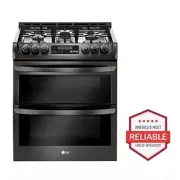
12 PRODUCT OVERVIEW PRODUCT OVERVIEW Parts Oven mode knob Gasket Rack Model & serial number plate Cooktop controller Upper oven door Lower oven door Cooktop Accessories Included Accessories Rack (2ea) Gliding rack (1ea) Wok grate (1ea) Meat probe (1ea) Griddle (1ea) Rear filler (1ea) Owner’s man...
Page 13 - INSTALLATION; Before Installing the Range; In the Commonwealth of Massachusetts
13 INSTALLATION ENGLISH INSTALLATION Before Installing the Range Make sure your range is properly installed and grounded by a qualified installer, according to the installation instructions. Any adjustment and service should be performed only by qualified gas range installers or service technicians....
Page 14 - Installing the Range; Unpacking and Moving the Range; Choosing the Proper Location
14 INSTALLATION Installing the Range Unpacking and Moving the Range CAUTION • You should use two or more people to move and install the range. (Excessive Weight Hazard) Failure to do so can result in back or other injury. • Do not use the door handles to push or pull the range during installation or...
Page 15 - Dimensions and Clearances
15 INSTALLATION ENGLISH Dimensions and Clearances Provide proper clearance between the range and adjacent combustible surfaces. These dimensions must be met for safe use of your range. The location of the electrical outlet and pipe opening (see Gas Pipe and Electrical Outlet Locations, page 14) may ...
Page 16 - Installing the Anti-tip Device; Optional Rear Filler; Installing the Rear Filler
16 INSTALLATION Installing the Anti-tip Device Anti-tip bracket Wall plate Screw must enter wood or concrete The anti-tip bracket is packaged with an installation template. The instructions include necessary information to complete the installation. Read and follow the range installation instruction...
Page 17 - Providing Adequate Gas
17 INSTALLATION ENGLISH Providing Adequate Gas Supply Your range is designed to operate at a pressure of 5" of water column on natural gas or 10" of water column on LP.Make sure you are supplying your range with the type of gas for which it is configured.This range is convertible for use on ...
Page 18 - Electrical Connections; Electrical Requirements; Sealing the Openings
18 INSTALLATION Flexible Connector Hookup 1 / 2 " Adapter 1 / 2 " Adapter 1 / 2 " Adapter Pressure regulator Flex connector (6 ft. max.) Gas shut-off valve 1 / 2 " or 3 / 4 " Gas pipe Gas Flow into Range Installer: Inform the consumer of the location of the gas shut-off valve . P...
Page 19 - Assembling the Surface; Checking Ignition of the; Electric Ignition
19 INSTALLATION ENGLISH Assembling the Surface Burners CAUTION Do not operate the burners without all parts in place. Place the burner caps and heads on the cooktop. Make sure that the caps and heads are placed in the correct locations. There is one small, one medium, one large, one oval (center), a...
Page 20 - Checking Operation of Bake / Broil; Adjusting Air Shutters (for LP; Leveling the Range
20 INSTALLATION Checking Operation of Bake / Broil Burners To check ignition of the Bake burner, follow the steps below: 1 Remove all packing from inside the oven cavity. 2 Turn oven mode knob to select Bake . 350 °F appears in the display. 3 Press Start . It may take between 30 and 90 seconds for t...
Page 21 - OPERATION; Gas Surface Burners; Before Use
21 OPERATION ENGLISH OPERATION Gas Surface Burners Before Use Read all instructions before using. Make sure that all burners are properly placed. Make sure that all grates are properly placed before using the burner. CAUTION Do not operate the burner for an extended period of time without cookware o...
Page 22 - Burner Locations; Setting the Flame Size
22 OPERATION Burner Locations Your gas range cooktop has four or five sealed gas burners, depending on the model. These can be assembled and separated. Follow the guide below. 1 4 2 3 1 Medium and Large Burners The medium and large burners are the primary burners for most cooking. These general purp...
Page 23 - In Case of Power Failure; Using a Wok; Using Stove-Top Grills
23 OPERATION ENGLISH In Case of Power Failure In case of a power failure, you can light the gas surface burners on your range with a match.Surface burners in use when an electrical power failure occurs will continue to operate normally. 1 Hold a lit match to the burner, then push in the control knob...
Page 24 - Using the Griddle
24 OPERATION Using the Griddle The non-stick coated griddle provides an extra-large cooking surface for meats, pancakes or other food usually prepared in a frying pan or skillet. NOTE It is normal for the griddle to become discolored over time. How to Place the Griddle : The griddle can only be used...
Page 25 - The Oven
25 OPERATION ENGLISH The Oven Before Use Read all instructions before using. Make sure the electrical power cord and the gas valve are properly connected. Confirm the correct usage of the range for the type of food you will cook. Make sure you know how to use the oven (temperature setting, time sett...
Page 26 - Control Panel Overview
26 OPERATION Control Panel Overview /RZHU 8SS HU FRPPR Q /RZ HU /RZ HU 5HPRWH 6WDUW 1 2 10 3 4 5 6 7 8 9 1 Smart Diagnosis TM Use during the Smart Diagnosis feature. 2 Cook Time / Clock • Press the button to set the desired amount of time for food to cook. The oven shuts off when the set cooking tim...
Page 27 - Changing Oven Settings; Clock
27 OPERATION ENGLISH Changing Oven Settings Clock The clock must be set to the correct time of day in order for the automatic oven timing functions to work properly. 1 Press and hold Cook Time for three seconds. CLO shows in the display. 2 Press plus(+) or minus(-) to select the desired time. Plus(+...
Page 28 - Settings
28 OPERATION Timer On/Off The Lower Timer On/Off serves as an extra timer in the kitchen that beeps when the set time has run out. It does not start or stop cooking.The Timer On/Off feature can be used during any of the oven control functions. Setting the Timer 1 Press Timer On/Off . 0:00 with HR in...
Page 29 - Lock Out
29 OPERATION ENGLISH Adjusting the Oven Temperature Your new oven may cook differently from the one it replaced. Use your new oven for a few weeks to become more familiar with it before changing the temperature settings. If after familiarizing yourself with the new oven, you still think that it is t...
Page 31 - Removing and Replacing the Oven; Recommended Baking and Roasting
31 OPERATION ENGLISH Removing and Replacing the Oven Racks CAUTION • Adjust the oven racks before turning the oven on to prevent burns. • Do not cover the racks with aluminum foil, or any other material, or place anything on the bottom of the oven. Doing so will result in poor baking performance and...
Page 33 - Convection Mode
33 OPERATION ENGLISH Convection Mode The convection system uses a fan to circulate heat evenly within the oven. This improves heat distribution and allows for even cooking and excellent results, especially when using multiple racks. Convection cooking can also shorten cooking times. Convection Bake ...
Page 34 - Cookware for Convection Cooking; Convection Roast
34 OPERATION Cookware for Convection Cooking Any cookware safe for use in a conventional oven will work in a convection oven. But for best results, keep the following in mind. • Make sure pans don’t touch the oven walls when centered on the racks. Use cookware that leaves room for air circulation in...
Page 35 - Broil
35 OPERATION ENGLISH Broil This oven is designed for closed-door broiling. Broil uses an intense heat radiation from the upper gas burner.The Broil function works best when broiling thin, tender cuts of meat (1" or less), poultry or fish. CAUTION • Do not use a broiler pan without a grid. The oi...
Page 37 - Pizza
37 OPERATION ENGLISH Pizza This function automatically sets the oven temperature to cook either frozen pizza with regular or rising crust, or freshly made pizza. Simply choose the type of pizza (see chart) and set the desired cook time. Setting the Oven for Pizza 1 Turn the oven mode knob to select ...
Page 38 - Meat Probe
38 OPERATION Meat Probe The meat probe accurately measures the internal temperature of meat, poultry and casseroles. It should not be used during broiling, self clean, warming or proofing. Always unplug and remove the meat probe from the oven when removing food. Before using, insert the probe into t...
Page 39 - Remote Start
39 OPERATION ENGLISH Remote Start If the appliance is registered on a home Wi-Fi network, this function starts preheating and then holds the temperature for up to an hour (including preheating time). If the appliance is not registered on the network, “OFF” appears in the display. Follow the instruct...
Page 40 - SMART FUNCTIONS; LG ThinQ Application; LG ThinQ Application Features
40 SMART FUNCTIONS SMART FUNCTIONS LG ThinQ Application This feature is only available on models with the or logo.The LG ThinQ application allows you to communicate with the appliance using a smartphone. LG ThinQ Application Features Cleaning This function helps you to check the energy efficiency, u...
Page 41 - Installing the LG ThinQ Application; Open Source Software Notice; FCC Notice (For transmitter
41 SMART FUNCTIONS ENGLISH NOTE • The wireless network name (SSID) should be a combination of English letters and numbers. (Do not use special characters.) • Smartphone user interface (UI) may vary depending on the mobile operating system (OS) and the manufacturer. • If the security protocol of the ...
Page 42 - FCC RF Radiation Exposure; Using LG ThinQ to Diagnose Issues
42 SMART FUNCTIONS FCC RF Radiation Exposure Statement This equipment complies with FCC radiation exposure limits set forth for an uncontrolled environment. This transmitter must not be co-located or operating in conjunction with any other antenna or transmitter.This equipment should be installed an...
Page 43 - MAINTENANCE; Removing and Replacing the; Cleaning Burner Heads/Caps; After Cleaning the Burner Heads/
43 MAINTENANCE ENGLISH MAINTENANCE CAUTION • Do not clean this appliance with bleach. • To prevent burns, wait until the cooktop has cooled down before touching any of its parts. • Always wear gloves when cleaning the cooktop. Removing and Replacing the Gas Surface Burners Grates and burner head / c...
Page 44 - Burner Grates; Cleaning the Burner Grates; Cleaning the Cooktop Surface; Oven Air Vents; Control Panel
44 MAINTENANCE Burner Grates The range consists of three separate professional- style grates. For maximum stability, these grates should only be used when in their proper position. The two side grates can be interchanged from left to right and front to back. The center grate can be interchanged from...
Page 45 - Front Manifold Panel and Knobs; Cleaning the Exterior; Painted and Decorative Trim; Oven Door
45 MAINTENANCE ENGLISH Front Manifold Panel and Knobs It is best to clean the manifold panel after each use of the range. For cleaning, use a damp cloth and mild soapy water or a 50/50 solution of vinegar and water. For rinsing, use clean water and polish dry with a soft cloth. CAUTION • Do not use ...
Page 46 - Door Care Instructions; Oven Racks; EasyClean
46 MAINTENANCE CAUTION Do not use harsh cleaners or harsh abrasive cleaning materials on the outside of the oven door. Doing so can cause damage. Don’t hand clean oven door gasket Do hand clean door Door Care Instructions Most oven doors contain glass that can break. CAUTION • Do not close the oven ...
Page 47 - When to Use EasyClean; Cleaning Tips
47 MAINTENANCE ENGLISH When to Use EasyClean ® Suggested Cleaning Method Example of Oven Soiling Soil Pattern Types of Soils Common Food Items That Can Soil Your Oven EasyClean ® Small drops or spots Cheese or other ingredients Pizza Light splatter Fat/grease Steaks, broiled Fish, broiled Meat roast...
Page 49 - Self Clean; Before Starting Self Clean
49 MAINTENANCE ENGLISH Self Clean The Self Clean cycle uses extremely hot temperatures to clean the oven cavity. While running the Self Clean cycle, you may notice smoking or an odor. This is normal; especially if the oven is heavily soiled.During Self Clean, the kitchen should be well ventilated to...
Page 50 - Setting Self Clean; Setting Self Clean with a Delayed
50 MAINTENANCE Setting Self Clean The Self Clean function has cycle times of 2, 3, or 4 hours. Self Clean Soil Guide Soil Level Cycle Setting Lightly Soiled Oven Cavity 2-Hour Self Clean Moderately Soiled Oven Cavity 3-Hour Self CleanHeavily Soiled Oven Cavity 4-Hour Self Clean 1 Remove all racks an...
Page 51 - After the Self Clean Cycle; Changing the Oven Light
51 MAINTENANCE ENGLISH After the Self Clean Cycle • The oven door remains locked until the oven temperature has cooled. • You may notice some white ash in the oven. Wipe it off with a damp cloth or a soap-filled steel wool pad after the oven cools. If the oven is not clean after one self-clean cycle...
Page 52 - Upper Oven
52 MAINTENANCE Removing and Replacing the Lift-Off Oven Doors CAUTION • Be careful when removing and lifting the door. • Do not lift the door by the handle. The door is very heavy. Upper Oven Removing the Door 1 Fully open the door. 2 Lift up and rotate the hinge locks toward the hinge until they st...
Page 53 - Lower Oven
53 MAINTENANCE ENGLISH Lower Oven Removing the Door 1 Fully open the door. 2 Unlock the hinge locks, rotating them as far toward the open door frame as they will go. Slot Lock Unlock Hinge lock 3 Firmly grasp both sides of the door at the top. 4 Close the door to the removal position (approximately ...
Page 54 - TROUBLESHOOTING; FAQs
54 TROUBLESHOOTING TROUBLESHOOTING FAQs What types of cookware are recommended for use with the cooktop? • The pans must have a flat bottom and straight sides. • Only use heavy-gauge pans. • The pan size must match the amount of food to be prepared and the size of the surface element. • Use tight fi...
Page 56 - Before Calling for Service
56 TROUBLESHOOTING Before Calling for Service Before you call for service, review this list. It may save you time and expense. The list includes common occurrences that are not the result of defective workmanship or materials in this appliance. Symptoms Possible Cause / Solution Top burners do not l...
Page 58 - LIMITED WARRANTY
58 LIMITED WARRANTY LIMITED WARRANTY (USA) ARBITRATION NOTICE: THIS LIMITED WARRANTY CONTAINS AN ARBITRATION PROVISION THAT REQUIRES YOU AND LG TO RESOLVE DISPUTES BY BINDING ARBITRATION INSTEAD OF IN COURT, UNLESS YOU CHOOSE TO OPT OUT. IN ARBITRATION, CLASS ACTIONS AND JURY TRIALS ARE NOT PERMITTE...
Page 64 - MEMO