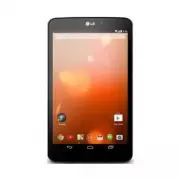
Page 3 - ENGLISH; For online help and support, visit; Quick Start Guide; LG; Google Play edition
ENGLISH For online help and support, visit support.google.com/playedition NOTE: • Some of the contents in this guide may differ from your device depending on the software of the device. All information in this document is subject to change without notice. • Always use genuine LG accessories. Failure...
Page 4 - Overview
2 Overview FRONT BACK TOP BOTTOM Charger/USB Port Microphone Back-Facing Camera Lens Speakers Earphone Jack microSD Card Slot Ambient Light Sensor Power/Lock Key Volume Keys Front-Facing Camera Lens
Page 5 - The memory card slot is located at the top of the tablet.
3 The memory card slot is located at the top of the tablet. a Place your fingernail in the cutout and pull the memory card tray out. b Insert the memory card into the slot with the contacts facing down. Carefully push the tray gently into the tablet. NOTE: The tablet supports a micro SD card with ca...
Page 6 - Turning on your tablet; Charging the tablet
4 NOTE: For your safety, do not remove the embedded battery in the product. If you need to replace the battery, take it to the nearest authorized LG Electronics service point or dealer for assistance. a The Charger/USB Port is located at the bottom of the tablet. b Insert one end of the charging cab...
Page 7 - Safety Information; For Your Safety
5 Safety Information Please read and observe the following information for safe and proper use of your tablet and to prevent damage. Caution: Violation of the instructions may cause minor or serious damage to the product. WARNING Notice for Battery replacement • For your safety, do not remove the ba...
Page 8 - Charger and Adapter Safety
For Your Safety 6 • For those host devices that utilize a USB port as a charging source, the host device’s user manual shall include a statement that the device shall only be connected to products that bear the USB-IF logo or have completed the USB-IF compliance program. Charger and Adapter Safety •...
Page 9 - Care and Maintenance
7 the deterioration of battery’s characteristics and cycle life. • Do not use or leave the device under the blazing sun or in a hot car. The device may generate heat, smoke or flame. And also, it might cause the deterioration of battery’s characteristics or cycle life. • The battery back in the devi...
Page 12 - FCC RF Exposure Information; Bodily Contact During Operation; Consumer Information About Radio
For Your Safety 10 and on, the user is encouraged to try to correct the interference by one or more of the following measures: • Reorient or relocate the receiving antenna. • Increase the separation between the equipment and receiver. • Connect the equipment into an outlet on a circuit different fro...
Page 13 - What does “SAR” mean?
11 Communications Commission (“FCC”) set policies and procedures for wireless devices. The FDA issued a website publication on health issues related to device usage where it states, “The scientific community at large … believes that the weight of scientific evidence does not show an association betw...
Page 14 - Can I minimize my RF exposure?
For Your Safety 12 the limit established by the government-adopted requirement for safe exposure. The tests are performed in positions and locations (e.g., at the ear and worn on the body) as required by the FCC for each model.The FCC has granted an Equipment Authorization for this model device with...
Page 16 - International Commission on Non-Ionizing; Consumer Information on SAR
For Your Safety 14 International Commission on Non-Ionizing Radiation Protection c/o Bundesamt fur StrahlenschutzIngolstaedter Landstr. 185764 OberschleissheimGermanyTelephone: 011 49 1888 333 2156http://www.icnirp.de Wi-Fi Caution This device is capable of operating in 802.11a/n mode. For 802.11a/n...
Page 18 - Avoid potential hearing loss.
For Your Safety 16 Caution: Avoid potential hearing loss. Prolonged exposure to loud sounds (including music) is the most common cause of preventable hearing loss. Some scientific research suggests that using portable audio devices, such as portable music players and cellular telephones, at high vol...
Page 19 - TIA Safety Information; Exposure to Radio Frequency Signal
17 American Academy of Audiology 11730 Plaza American Drive, Suite 300Reston, VA 20190Voice: (800) 222-2336Email: [email protected]Internet: www.audiology.orgNational Institute on Deafness and Other CommunicationDisordersNational Institutes of Health31 Center Drive, MSC 2320Bethesda, MD USA 20892-23...
Page 22 - Driving
For Your Safety 20 Driving Check the laws and regulations on the use of wireless devices in the areas where you drive and always obey them. Also, if using your device while driving, please observe the following: • Give full attention to driving -- driving safely is your first responsibility; • Use h...
Page 23 - Limited Warranty Statement
Limited Warranty Statement 1. WHAT THIS WARRANTY COVERS: LG offers you a limited warranty that the enclosed subscriber unit and its enclosed accessories will be free from defects in material and workmanship, according to the following terms and conditions: (1) The limited warranty for the product ex...
Page 25 - ESPAÑOL; Para obtener ayuda y soporte por internet,; Guía de inicio rápido
ESPAÑOL Para obtener ayuda y soporte por internet, visite support.google.com/playedition NOTA: • Parte del contenido de esta guía puede ser diferente al de su dispositivo, dependiendo del software del dispositivo. Toda la información de este documento está sujeta a cambios sin previo aviso. • Utilic...
Page 26 - Generalidades
2 Generalidades FRENTE POSTERIOR PARTE SUPERIOR PARTE INFERIOR Puerto para Cargador/USB Micrófono Lente posterior de la cámara Altavoz Conector del auricular Ranura para la tarjeta microSD Sensor de luz ambiental Tecla Encender/ Bloquear Teclas de Volumen Lente delantera de la cámara
Page 27 - Instalación de la tarjeta de memoria (opcional)
3 La ranura para la tarjeta de memoria está en la parte superior de la tablet. a Coloque su uña en la abertura y tire la bandeja de la tarjeta de memoria hacia afuera. b Inserte la tarjeta de memoria en la ranura con los contactos orientados hacia abajo. Empuje suavemente la bandeja dentro de la tab...
Page 28 - Encender su tablet
4 NOTA: Para su seguridad, no quite la batería incorporada en el producto. Si necesita reemplazar la batería, llévela al distribuidor o al centro de servicio técnico autorizado de LG Electronics más cercano a su domicilio para asistencia. a El Puerto para Cargador/USB está en la parte inferior de la...
Page 29 - Para su seguridad
5 Lea y revise la siguiente información para usar su tablet de manera segura y adecuada, y para evitar daños. Precaución: No cumplir con las instrucciones puede causar daños menores o graves en el producto. ADVERTENCIA Aviso de cambio de batería • Por su seguridad, no extraiga la batería incorporada...
Page 30 - Seguridad del cargador y del adaptador
Para su seguridad 6 • El uso inadecuado de la batería puede resultar en un incendio, una explosión u otro peligro. • El manual del usuario de los dispositivos que utilizan un puerto USB como fuente de carga debe incluir una declaración en la que se mencione que la tablet sólo debe conectarse a produ...
Page 32 - Cuidado y mantenimiento; Calor o frío extremos
Para su seguridad 8 Cuidado y mantenimiento El dispositivo móvil es un producto de diseño y manufactura de primera calidad, por lo que debe tratarse con cuidado. Las siguientes sugerencias le ayudarán a cumplir con cualquier obligación incluida en la garantía y le permitirá disfrutar de este product...
Page 34 - Declaración del artículo 15.19
Para su seguridad 10 Declaración del artículo 15.19 Este dispositivo cumple con la sección 15 de la normativa de la FCC. El funcionamiento está sujeto a las siguientes dos condiciones: (1) este dispositivo no puede causar interferencia dañina y (2) este dispositivo debe aceptar cualquier interferenc...
Page 35 - Información para el consumidor sobre
11 organismos de normas tanto de los EE. UU. como internacionales. El diseño de este dispositivo cumple con los lineamientos de la FCC y esas normas internacionales. Contacto corporal durante el funcionamiento Este dispositivo fue probado para el uso típico con la parte posterior de la tablet a 0 cm...
Page 36 - ¿Qué significa “SAR”?
Para su seguridad 12 respuesta a aquellas cuestiones que aún se desconocen. Esas investigaciones se realizan en todo el mundo y la FDA supervisa los avances en este campo. Puede obtener acceso al sitio web en común de la FDA y la FCC en http://www.fda.gov (en la letra “C” del índice de temas, selecc...
Page 37 - ¿Puedo minimizar mi exposición a la RF?
13 (por ejemplo, en la oreja y llevándolo en el cuerpo) según lo demanda la FCC para cada modelo.Aun cuando puede haber diferencias entre los niveles de SAR de varios dispositivos y en varias posiciones, todos ellos cumplen el requisito gubernamental para una exposición segura.La FCC ha otorgado una...
Page 40 - Sociedad de ingeniería en medicina y biología,; Información al consumidor sobre la SAR
Para su seguridad 16 Sociedad de ingeniería en medicina y biología, Comisión del hombre y la radiación (COMAR, por su sigla en inglés) del Instituto de ingenieros eléctricos y electrónicos http://ewh.ieee.org/soc/embs/comar/ Información al consumidor sobre la SAR (Tasa de absorción específica, Speci...
Page 41 - Evite una posible pérdida de la audición
17 El valor más elevado de SAR para este dispositivo cuando se lo utiliza sobre el cuerpo, según se describe en esta guía del usuario, es de 1,02 W/kg. (Las medidas para el uso en el cuerpo difieren entre los modelos de dispositivos, y dependen de los accesorios disponibles y los requerimientos de l...
Page 43 - Información de seguridad de TIA; Exposición a las señales de radiofrecuencia
19 Correo electrónico: [email protected]Internet: http://www.nidcd.nih.gov/health/hearingNational Institute for Occupational Safety and Health (Instituto Nacional para la Seguridad y Salud Laborales)Hubert H. Humphrey Bldg.200 Independence Ave., SWWashington, DC 20201Voz: 1-800-35-NIOSH (1-800-356-4...
Page 44 - Cuidado de la antena
Para su seguridad 20 El diseño de su dispositivo cumple los lineamientos de la FCC (y esas normas internacionales). Cuidado de la antena Utilice solamente la antena incluida o una antena de reemplazo aprobada. Las antenas, modificaciones o accesorios no autorizados pueden dañar el dispositivo y viol...
Page 46 - Para vehículos equipados con bolsas de aire
Para su seguridad 22 transferencia o almacenamiento de productos químicos, vehículos que usan gas de petróleo licuado (como el propano o el butano), áreas donde el aire contiene sustancias o partículas (como granos, polvo o polvillos metálicos) y cualquier otra área donde normalmente se le indicaría...
Page 47 - Declaración de garantía limitada
Declaración de garantía limitada 1. LO QUE CUBRE ESTA GARANTIA: LG le ofrece una garantia limitada de que la unidad de suscriptor adjunta y sus accesorios incluidos estaran libres de defectos de materiales y mano de obra segun los terminos y condiciones siguientes: (1) La garantia limitada del produ...