Page 2 - About this user guide
1 About this user guide Thank you for choosing LG. Please carefully read this user guide before using the device for the first time to ensure safe and proper use. • Always use genuine LG accessories. The supplied items are designed only for this device and may not be compatible with other devices. •...
Page 3 - Instructional Notices
2 Instructional Notices WARNING : Situations that could cause injury to the user and third parties. CAUTION : Situations that may cause minor injury or damage to the device. NOTE : Notices or additional information.
Page 4 - Table of contents; Features
3 Table of contents Table of contents 01 Custom-designed Features 6 Comfort view 7 Gesture shot 8 KnockON 9 Knock Code 10 Multi-tasking feature 11 Capture+ 12 QSlide 02 Basic Functions 14 Product components and accessories 15 Device overview 18 Charging the battery 20 Installing the SIM card or micr...
Page 5 - Useful Apps
4 Table of contents 03 Useful Apps 43 Contacts 45 Messaging 51 Email 52 Camera 57 Gallery 61 Chrome 62 QuickMemo+ 64 Calendar 65 Emergency Alert 65 Clock 66 Tasks 66 Calculator 67 Audio Recorder 67 File Manager 68 LG Mobile Switch 68 LG SmartWorld 69 Downloads 69 Google apps 04 Settings 72 Settings ...
Page 7 - Comfort view; Turning the comfort view on/off; Adjust the blue light filter
Custom-designed Features 6 Comfort view This feature reduces the amount of blue light on the screen to reduce eye strain. Turning the comfort view on/off • Slide the Status bar downward, tap , then tap / . OR Tap Display Comfort view , and then tap / . Adjust the blue light filter 1 Tap Display Comf...
Page 8 - Gesture shot; To take a photo
Custom-designed Features 7 Gesture shot The Gesture shot feature allows you to take a picture with a hand gesture using the front camera. To take a photo There are two methods for using the Gesture shot feature. • Raise your hand, with an open palm, until the front camera detects it and a box appear...
Page 9 - KnockON; Turning the screen on; Turning the screen off
Custom-designed Features 8 KnockON The KnockON feature allows you to double-tap the screen to easily turn it on or off. Turning the screen on While the screen is off, quickly double-tap the center of the screen to turn on the backlight and display the Lock screen. Turning the screen off Quickly doub...
Page 10 - Knock Code; Setting up the Knock Code feature; Unlocking the screen using the Knock Code
Custom-designed Features 9 Knock Code The Knock Code feature allows you to create your own unlock code using a combination of knocks on the screen. You can access the Home screen directly when the screen is off by tapping the same sequence on the screen. • You can use your Knock Code together with t...
Page 11 - Multi-tasking feature; Overview screen
Custom-designed Features 10 Multi-tasking feature Multi-window You can use two apps at the same time by separating the screen into multiple windows.While using an app, touch and hold from the Home touch buttons, then select an app from the recently-used apps list. • You can use two apps at the same ...
Page 12 - Viewing the saved memo
Custom-designed Features 11 Capture+ The Capture+ feature allows you to create memos. Using Capture+ You can use Capture+ function to easily and efficiently create memos with a saved picture or on the current device screen. 1 Slide the Status bar downward and tap . 2 Create a memo using the followin...
Page 13 - Using QSlide
Custom-designed Features 12 QSlide The QSlide function enables an overlay window on your tablet's display for easy multi-tasking. The overlay window can be moved, resized, or made transparent. QSlide windows can be opened directly from the apps that support the QSlide function. They are Video, Calen...
Page 14 - Basic Functions
Page 15 - Product components and accessories
Basic Functions 14 Product components and accessories The following items are included with your device. • Device • USB cable • Important Information Booklet • Charger • The items supplied with the device and any available accessories may vary depending on the area and service provider. • Always use...
Page 16 - Device overview; Front view
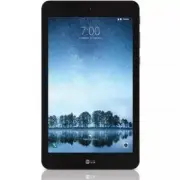
Basic Functions 15 Device overview Front view Headphone jack Speaker Volume keys QuickButton Front-facing camera Power/Lock key Charger/USB cable port Microphone
Page 17 - Back view
Basic Functions 16 Back view Rear-facing camera SIM card/ microSD card slot Connecting terminals Speaker Use to listen to the audio from the selected function (e.g., music, videos, sound clips, etc.). Headphone jack Allows you to plug in an optional headset for convenient, hands-free conversations. ...
Page 19 - Charging the battery; Charging the tablet
Basic Functions 18 Charging the battery You can charge your tablet’s battery using the included AC adapter. Charging the tablet The Charger/USB cable port is located at the bottom of the device. Insert the charger and plug it into a power outlet. Charge the battery before using it for the first time...
Page 20 - Using the battery efficiently
Basic Functions 19 • To perform a soft reset of your device A soft reset may be used to reset the device if the screen freezes, or the buttons, touch screen, or device are no longer responding. Simply press & hold the Volume down and Power/Lock keys until the device restarts. Using the battery e...
Page 21 - Installing the SIM card or microSD
Basic Functions 20 Installing the SIM card or microSD card Before you can start exploring your new device, you need to set it up.Your device supports the use of microSD memory cards of up to 2TB capacity. Multimedia contents can be saved in the microSD card. 1 With the tablet facing down, lift up th...
Page 22 - Removing the memory card
Basic Functions 21 • This device supports only Nano SIM cards. Nano Micro Standard • For problem-free performance, it is recommended to use the tablet with the correct type of SIM card. Always use a factory-made SIM card supplied by the service provider. • Do not lose your SIM card. LG is not respon...
Page 23 - Touch screen; Tapping; Touching and holding
Basic Functions 22 Touch screen You can familiarize yourself with how to control your device by using touch screen gestures. Tapping Lightly tap with your fingertip to select or run an app or option. Touching and holding Touch and hold for several seconds to display a menu with available options.
Page 24 - Dragging; Swiping
Basic Functions 23 Double-tapping Tap twice quickly to zoom in or out on a web page or map. Dragging Touch and hold an item, such as an app or widget, then move your finger to a desired location in a controlled motion. You can use this gesture to move an item. Swiping Touch the screen with your fing...
Page 25 - Pinching and spreading
Basic Functions 24 Pinching and spreading Pinch two fingers to zoom out such as on a photo or map. To zoom in, spread your fingers apart. • Do not expose the touch screen to excessive physical shock. You might damage the touch sensor. • A touch screen failure may occur if you use the device near a m...
Page 26 - Home screen; Home screen overview; Home screen layout
Basic Functions 25 Home screen Home screen overview The Home screen is the starting point for accessing various functions and apps on your device. Tap on any screen to directly go to the Home screen.You can manage all apps and widgets on the Home screen. Swipe the screen left or right to view all in...
Page 27 - Editing the Home touch buttons
Basic Functions 26 • Google search widget : Perform a Google search by inputting spoken or written keywords. • Page icon : Display the total number of Home screen canvases. Tap the desired page icon to go to the page you selected. The icon reflecting the current canvas will be highlighted. • Quick a...
Page 28 - Status icons
Basic Functions 27 Status icons When there is a notification for a calendar event or alarm, the status bar displays the corresponding notification icon. Check your device's status by viewing notification icons displayed on the status bar. No signalData is being transmitted over the networkAlarm is s...
Page 29 - Notifications panel; Switching the screen orientation
Basic Functions 28 Notifications panel You can open the notifications panel by dragging the status bar downward on the main screen. • To open the quick access icons list, drag the notifications panel downwards or tap . • To rearrange, add, or remove icons, tap EDIT . • If you touch and hold the icon...
Page 30 - Editing the Home screen
Basic Functions 29 Editing the Home screen On the Home screen, touch and hold on an empty space, then select the desired action from below. • To rearrange the Home screen canvases, touch and hold on a canvas, then drag it to a desired location. • To add a widget to the Home screen, touch and hold on...
Page 31 - Viewing the background theme; Creating folders
Basic Functions 30 Viewing the background theme You can view only the background image by hiding the apps and widgets on the Home screen.Spread two fingers apart on the Home screen. • To return to the original screen, which displays apps and widgets, pinch your fingers on the Home screen or tap . Mo...
Page 32 - Editing folders; Home screen settings
Basic Functions 31 Editing folders On the Home screen, tap a folder and do one of the following actions. • To edit the folder name and color, tap the folder name. • To add apps, touch and hold an app, then drag it over the folder and release it. • To remove an app from the folder, touch and hold the...
Page 33 - Locking and unlocking the device; Changing the screen lock method; Smart lock; Setting up the Smart Lock feature
Basic Functions 32 Locking and unlocking the device Pressing the Power/Lock Key turns off the screen and puts the device into lock mode. The device automatically gets locked if it is not used for a specified period. This helps to prevent accidental taps and saves battery power. To unlock the device,...
Page 34 - Using the keypad and entering text; Entering special characters
Basic Functions 33 3 Follow the instructions on the screen. • Before you activate Smart Lock, you need to set up a screen lock (Knock Code, Pattern, PIN or Password). On-screen keyboard You can enter text using the on-screen keyboard. The on-screen keyboard appears on the screen when you tap an avai...
Page 35 - Connecting to networks and; Connecting to Wi-Fi networks
Basic Functions 34 Connecting to networks and devices Wi-Fi You can use high-speed Internet access while within the coverage of the wireless access point (AP). Connecting to Wi-Fi networks 1 Tap Wi-Fi . 2 Tap to turn Wi-Fi on and start scanning for available Wi-Fi networks. 3 Tap a network to connec...
Page 36 - Pairing your device with another Bluetooth device; Sending data via Bluetooth
Basic Functions 35 • LG is not responsible for the loss, interception or misuse of data sent or received via the Bluetooth feature. • Always make sure that you share and receive data with devices that are trusted and properly secured. • If there are obstacles between the devices, the operating dista...
Page 37 - Receiving data via Bluetooth; Turning on Wi-Fi Direct; Content sharing; Playing content from another device; Viewing content from nearby devices
Basic Functions 36 Receiving data via Bluetooth 1 Tap Bluetooth . 2 Tap to turn Bluetooth on. 3 You will receive a request to accept data from the sending device. Be sure to select ACCEPT . Wi-Fi direct Wi-Fi Direct provides a direct connection between Wi-Fi enabled devices without requiring an acce...
Page 38 - Sending or receiving files; Sending files to a computer
Basic Functions 37 Connecting the devices Connect both your device and another device that support DLNA function to the same wireless network. • Make sure that File sharing (DLNA) is activated on both devices. Searching for nearby devices You can view a list of DLNA devices on the same network by se...
Page 39 - Transferring data between a PC and your device; Transferring data
Basic Functions 38 3 Tap Share & connect LG AirDrive , then sign in using your LG account. 4 Select a computer on the sharing list from the Gallery and File Manager apps. • You can download LG Bridge from the LG Mobile website ( www.lg.com). • When you transfer files from the device to the compu...
Page 40 - Google account setup; Creating your google account
Basic Functions 39 Google account setup The first time you open a Google application on your tablet, you will be required to sign in with your existing Google account. If you do not have a Google account, you will be prompted to create one. Creating your google account 1 Tap Accounts & sync . 2 ...
Page 41 - Installing and uninstalling apps; Installing apps; Uninstalling with the touch and hold gesture; Uninstalling by using the settings menu; Uninstalling apps from the app store
Basic Functions 40 Installing and uninstalling apps Installing apps Access an app store to search and download apps. • You can use the SmartWorld, Play Store or the app store provided by your service provider. • Some app stores may require you to create an account and sign in. • Some apps may charge...
Page 42 - App trash
Basic Functions 41 • Some apps cannot be uninstalled by users. App trash You can view the uninstalled apps on the Home screen. You can also reinstall apps within 24 hours of uninstallation. 1 Tap Management App trash . Alternatively, you can also touch and hold an empty area of the Home screen, then...
Page 44 - Contacts; Searching for a contact; Adding a contact to your favorites
Useful Apps 43 Contacts You can add contacts on your device and synchronize them with the contacts in your Google Account or other accounts that support syncing contacts. Searching for a contact 1 Tap . 2 Tap Search contacts and enter the contact name using the keyboard. Adding a new contact 1 Tap ....
Page 45 - Creating a group; Merging and separating contacts
Useful Apps 44 3 Tap the highlighted star at the top right of the contact details screen. The highlight will be removed from the star and the contact is removed from your favorites. Creating a group 1 Tap . 2 Tap Groups . 3 Enter a name for the new group. 4 Tap Add members to add contacts to the gro...
Page 46 - Messaging; Sending a text message; Compose multimedia messages
Useful Apps 45 Messaging Sending a text message Quickly compose and send text messages (SMS) on your tablet. • See your service plan for applicable charges for text messaging. 1 Tap . 2 Tap . 3 Tap the To field and enter a contact's names, phone numbers, or email addresses that you'd like to message...
Page 47 - Saving and resuming a draft message
Useful Apps 46 3 Tap the To field and enter a contact's names, phone numbers, or email addresses that you'd like to message. You can also pick from your top contacts or your whole contact list. 4 Tap the desired number or contact. 5 Tap the text field and enter your message. 6 Tap . 7 Select a multi...
Page 48 - New messages notification; Managing message conversations; Read a text message
Useful Apps 47 2 When you finish editing the message, tap . New messages notification Depending on your notification settings, the tablet will play a ringtone, vibrate, or display the message briefly in the status bar when you receive a new text or multimedia message. To change the notification for ...
Page 49 - Reply to a message
Useful Apps 48 View a multimedia message (MMS) 1 Tap . 2 On the Messenger screen, tap a message thread to open it. 3 While viewing a message, tap the play icon (on the video or audio file) to playback the file or tap the image to view the picture. • Tip The file attachment on the multimedia message ...
Page 50 - Delete conversations; Delete a single message; View contact information from a message
Useful Apps 49 Delete conversations 1 Tap . 2 On the Messenger screen, touch and hold a message thread to display . • To select multiple conversations, tap each conversation to delete. will be shown. 3 Tap and then tap DELETE to confirm. • Tip You can also delete a conversation while you're viewing ...
Page 52 - Email; Managing email accounts; To open the email application; Working with account folders
Useful Apps 51 - Phone number : Tap this to change the phone number you use to send messages. Email The Email application allows you to use email accounts other than Gmail, and supports the following account types: POP3, IMAP and Microsoft Exchange (for Enterprise users). Managing email accounts To ...
Page 53 - Composing and sending email; Camera; Camera options on the viewfinder; Rear camera
Useful Apps 52 Composing and sending email 1 In the Email application, tap to create a new email. 2 Enter an address for the message’s intended recipient. As you enter text, matching addresses will be offered from your contacts. Separate multiple addresses with semicolons. 3 Tap the Cc/Bcc field to ...
Page 54 - Front camera; Customizing the camera options
Useful Apps 53 Front camera Tap to turn on/ off the flash. Tap to swap between the rear camera lens and the front camera lens. Tap to open the camera settings menu. Tap to view the last photo or video you captured. Tap to exit the camera. Tap to start recording. Tap to take a photo. Customizing the ...
Page 55 - Taking a photo
Useful Apps 54 Storage Select if you want to store the pictures and videos in the Internal storage or SD card. (Available when the memory card is inserted.) Simple view Hide all menus from the camera screen. Additional options on the front camera Selfie shot Customize the selfie shot settings. • Ges...
Page 56 - Interval shot
Useful Apps 55 • To use this feature, switch to the front camera mode, then tap Selfie shot Gesture shot . • Make sure that your palm and fist are within the reference line so that the camera can detect them. • This feature may not be available while using some of the camera features. Interval shot ...
Page 57 - Auto shot; Recording a video
Useful Apps 56 Auto shot You can use the face detection feature to take selfies easily and conveniently. You can set the device so that, when you look at the screen, the front camera detects your face and takes a selfie automatically. • The white colored guide frame appears when the front camera det...
Page 58 - Viewing pictures
Useful Apps 57 • The timer will be displayed on the screen. 3 Tap to stop recording. • : Tap to capture a screen shot while recording a video. • : Tap to pause the recording. Gallery The Gallery application presents the pictures and videos in your storage, including those you’ve taken with the Camer...
Page 59 - Zooming in and out; Writing a memo on the photo
Useful Apps 58 Write a memo on a photo. Edit images. Back to the previous screen. Start the camera. Add to or remove from your favorit Share images. Access additional options. Delete images. es. • To display the menu items, gently tap the screen. To hide the menu items, tap the screen again. Zooming...
Page 60 - Editing photos; Playing a video
Useful Apps 59 Editing photos 1 While viewing a photo, tap . 2 Use a variety of effects and tools to edit the photo. 3 Tap SAVE to save changes. • The changes are overwritten to the original file. • To save the edited photo as another file, tap Save copy . Playing a video Add to or remove from your ...
Page 61 - Editing videos; Making a GIF file
Useful Apps 60 Editing videos 1 While viewing a video, tap . 2 Use a variety of effects and edit tools to edit the video. Adjust the resolution.Revert the edit. Automatically create a 15 sec, 30 sec or 60 sec video clip.Create a movie using various effects.Launch the KineMaster video editor. Select ...
Page 62 - Deleting files; Sharing files; Setting a photo as a wallpaper; Chrome
Useful Apps 61 Deleting files You can delete files by using one of the following options: • Touch and hold a file from the file list, then tap Delete . • Tap in an album and delete the desired files. • Deleted files are automatically moved to Trash and they can be restored to the Gallery within 7 da...
Page 63 - Creating a note
Useful Apps 62 QuickMemo+ QuickMemo+ overview You can make creative notes by using a variety of options on this advanced notepad feature, such as image management and screenshots, which are not supported by the conventional notepad. Creating a note 1 Tap QuickMemo+ . 2 Tap to create a note. • : Save...
Page 64 - Writing notes on a screenshot
Useful Apps 63 Writing notes on a screenshot 1 While viewing the screen you want to capture, drag the status bar downwards and then tap . • The screenshot appears as the notepad background theme. Memo tools appear at the top of the screen. 2 Take notes as desired. • Write notes by hand on the photo....
Page 65 - Calendar overview; Syncing events; Event pocket
Useful Apps 64 Calendar Calendar overview You can use the calendar to manage events and tasks. Adding events 1 Tap Calendar . 2 Select a date and then tap . 3 Enter event details and tap SAVE . • If you tap a date from the calendar and the date contains events, a pop-up window appears showing a list...
Page 66 - Emergency Alert; Alarm; World clock
Useful Apps 65 Emergency Alert Provides access to your emergency messages and its settings. • Tap Emergency Alert . Clock Alarm You can set an alarm to trigger it at a specified time. 1 Tap Essentials Clock Alarm . 2 Tap to add a new alarm. 3 Configure the alarm settings and tap SAVE . • If you sele...
Page 67 - Stopwatch; Tasks
Useful Apps 66 Stopwatch You can use the stopwatch to record a lap time. 1 Tap Essentials Clock Stopwatch . 2 Tap Start to initiate the stopwatch. • To record a lap time, tap Lap . 3 Tap Pause to suspend the stopwatch. • To resume the stopwatch, tap Resume . • To clear all the records and restart th...
Page 68 - Audio Recorder
Useful Apps 67 Audio Recorder You can record and save audios. Recorded audio files can be played back or shared. 1 Tap Essentials Audio Recorder . • To save the location details of recording, tap Add tags Add (under Location ). • To add an event, tap Add tags Add (under Event ). • To select where to...
Page 69 - LG Mobile Switch; LG SmartWorld
Useful Apps 68 Copy files Delete files Access additional options LG Mobile Switch You can back up, restore and move the data saved on your device. 1 Tap Management LG Mobile Switch . You can also tap Backup & reset LG Mobile Switch . 2 Follow the on-screen instructions to select a desired method...
Page 70 - Downloading SmartWorld app; Downloads; Google
Useful Apps 69 Downloading SmartWorld app If the SmartWorld app is not installed, follow these steps to download it. 1 Tap About tablet Update center App Updates . 2 From the list, tap the Download button next to SmartWorld . Downloads Use this application to see what files have been downloaded thro...
Page 71 - Drive; Hangouts; Photos
Useful Apps 70 Drive Store your content on the cloud, access it from anywhere, and share it with others. Play Music Discover, listen to, and share music on your device. Play Movies & TV Watch movies and TV shows purchased from the Play Store. Hangouts Chat with your friends individually or in gr...
Page 73 - To open the settings application
Settings 72 Settings The Settings application contains most of the tools for customizing and configuring your device. All of the settings in the Settings application are described in this section. To open the settings application • Tap .
Page 74 - WIRELESS NETWORKS; Airplane mode
Settings 73 WIRELESS NETWORKS Airplane mode Airplane Mode (flight mode) allows you to use many of your device’s features, such as games, and music, when you are in an area where data use is prohibited. When you set your device to Airplane Mode, it cannot access online data. Wi-Fi Turns on Wi-Fi to c...
Page 75 - Tethering
Settings 74 - LG G Pad F2 8.0 : Set your device’s name. - Content to share : Select the type of media content to share with other devices. - Allowed devices : View a list of devices permitted to access content on your device. - Not-allowed devices : View a list of devices not permitted to access con...
Page 76 - DEVICE; Notifications
Settings 75 DEVICE Sound Sound profile Allows you to set the sound profile to Sound or Silent . Volume Adjust the device’s volume settings to suit your needs and environment. Notification sound Select the ringtone for notifications such as new email receipt or calendar events. Keyboard sound Select ...
Page 79 - Smart cleaning
Settings 78 Auto-rotate screen Allows you to set to switch the screen orientation automatically when you physically rotate the device. Screen timeout Allows you to set the amount of time before the screen times out. Home touch buttons Allows you to set which Home touch buttons are displayed and thei...
Page 80 - Battery & power saving; BATTERY INFORMATION; Memory
Settings 79 Battery & power saving BATTERY INFORMATION The Battery charge information is displayed on a battery graphic along with the percentage of the remaining charge and its status. Battery usage Displays the battery usage level and battery use details. Tap one of the items to see more detai...
Page 81 - PERSONAL; Users; ADD USER; Location; Security; Content lock
Settings 80 PERSONAL Users This menu displays the current users you have added. ADD USER Allows you to add new account for the device and use the Multi-user feature. Location Turn on location service, your device determines your approximate location using Wi-Fi and mobile networks. When you select t...
Page 84 - Google services; SYSTEM; QuickButton
Settings 83 • Resetting your device deletes all data on it. Enter your device name, Google account and other initial information again. Google services Use this menu to manage your Google apps and account settings. SYSTEM QuickButton Select an app you wish to get quick access to using QuickButton. S...
Page 86 - System updates
Settings 85 • Persistent notification : Enable to receive repeated alerts when there are unread notifications for selected apps. • Auto-rotate screen : Enable to allow the device to rotate the screen depending on the physical device orientation (portrait or landscape). • Select to Speak : Allows you...
Page 87 - Appendix
Page 88 - LG Language Settings; Device software update
Appendix 87 LG Language Settings Select a language to use on your device. • Tap Language & keyboard Language ADD LANGUAGE , and select a language. - Touch and hold and drag it to the top of the language list to set it as a default language. Software update Device software update This feature all...
Page 89 - FAQ
Appendix 88 • Your personal data—including information about your Google account and any other accounts, your system/application data and settings, any downloaded applications and your DRM license —might be lost in the process of updating your device's software. Therefore, LG recommends that you bac...
Page 91 - More information; Open source software notice information; Trademarks
Appendix 90 More information Open source software notice information To obtain the source code under GPL, LGPL, MPL, and other open source licenses, that is contained in this product, please visit http://opensource.lge.com.In addition to the source code, all referred license terms, warranty disclaim...
Page 92 - If the screen freezes
Appendix 91 If the screen freezes If the screen freezes or the device does not respond when you try to operate it:Press and hold the Power/Lock Key + Volume Down Key for about 10 seconds to reset your device. If it still does not work, please contact the service center.
Page 93 - For Your Safety
Page 94 - Important Information; ELECTRICAL SAFETY; SAFETY PRECAUTIONS FOR PROPER GROUNDING
For Your Safety 93 Important Information This user guide contains important information on the use and operation of this device. Please read all the information carefully for optimal performance and to prevent any damage to or misuse of the device. Any changes or modifications not expressly approved...
Page 95 - SAFETY PRECAUTIONS FOR POWER SUPPLY UNIT
For Your Safety 94 SAFETY PRECAUTIONS FOR POWER SUPPLY UNIT Use the correct external power source A product should be operated only from the type of power source indicated on the electrical ratings label. If you are not sure of the type of power source required, consult your authorized service provi...
Page 97 - Safety Information
For Your Safety 96 Safety Information Please read and observe the following information for safe and proper use of your tablet and to prevent damage. Violation of the instructions may cause minor or serious damage to the product. • Do not disassemble or open, crush, bend or deform, puncture or shred...
Page 100 - Care and Maintenance
For Your Safety 99 Care and Maintenance Your mobile device is a product of superior design and craftsmanship and should be treated with care. The suggestions below will help you fulfill any warranty obligations and allow you to enjoy this product for many years: Keep your Mobile Device away from: Li...
Page 102 - FCC RF Exposure Information
For Your Safety 101 Part 15.19 Statement This device complies with part 15 of FCC rules. Operation is subject to the following two conditions: (1) This device may not cause harmful interference, and (2) this device must accept any interference received, including interference that causes undesired o...
Page 103 - Bodily Contact During Operation
For Your Safety 102 Bodily Contact During Operation This device was tested for typical use with the back of the device kept 0 inches (0 cm) from the body. Consumer Information about Radio Frequency Emissions Your wireless device, which contains a radio transmitter and receiver, emits radio frequency...
Page 107 - Consumer Information on SAR
For Your Safety 106 Consumer Information on SAR (Specific Absorption Rate) This model device meets the government’s requirements for exposure to radio waves.Your wireless device is a radio transmitter and receiver. It is designed and manufactured not to exceed the emission limits for exposure to Rad...
Page 110 - TIA Safety Information
For Your Safety 109 TIA Safety Information The following is the complete TIA Safety Information for wireless handheld devices. Exposure to Radio Frequency Signal Your wireless handheld portable device is a low power radio transmitter and receiver. When ON, it receives and sends out Radio Frequency (...
Page 113 - FDA Consumer Update
For Your Safety 112 FDA Consumer Update The U.S. Food and Drug Administration’s Center for Devices and Radiological Health Consumer Update on Mobile Tablets: 1. Do tablets pose a health hazard? The available scientific evidence does not show that any health problems are associated with using tablets...
Page 119 - Driving
For Your Safety 118 Driving Check the laws and regulations on the use of wireless devices in the areas where you drive and always obey them. Also, if using your device while driving, please observe the following: • Give full attention to driving -- driving safely is your first responsibility; • Use ...
Page 120 - LIMITED
Page 121 - Limited Warranty – USA
LIMITED WARRANTY - USA 120 Limited Warranty – USA ARBITRATION NOTICE: THIS LIMITED WARRANTY CONTAINS AN ARBITRATION PROVISION THAT REQUIRES YOU AND LG (as defined hereinafter in the Definitions) TO RESOLVE DISPUTES BY BINDING ARBITRATION INSTEAD OF IN COURT, UNLESS YOU CHOOSE TO OPT OUT. IN ARBITRAT...
Page 122 - HOW SERVICE IS HANDLED:
LIMITED WARRANTY - USA 121 or limitation of incidental or consequential damages or limitations on how long an implied warranty lasts, so the above exclusions or limitations may not apply to you. This limited warranty gives you specific legal rights and you may also have other rights that vary from s...