LG AP151MWA1 - User Manual
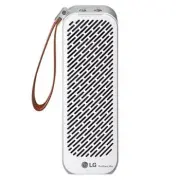
LG AP151MWA1 Air Purifier – User Manual, read for free online in PDF format. We hope this helps you resolve any issues you may have. If you have further questions, please contact us through the contact form.


PORTABLE AIR PURIFIER
OWNER'S MANUAL
MFL71380808
Rev.04_051923
Copyright © 2019 - 2023 LG Electronics Inc. All Rights Reserved.
www.lg.com
Read this owner's manual thoroughly before operating the
appliance and keep it handy for reference at all times.
AP151MWA1 AP151MBA1
Parts
Installing the Filter
Checking the Air Quality
The color of the air quality light indicates the concentration of
particulates in the air. There are 4 levels: green, yellow, orange,
and red.
• The appearance or parts of the product may vary depending on
the model.
Portable air purifier
Filter
Owner's Manual
PuriCare Mini
CAUTION
!
• To avoid product malfunction, the vinyl packaging around the
filter must be removed before use.
• The filter must be installed with the handle at the top and
facing out to avoid product malfunction.
NOTE
• The speed is set to Auto when you first turn the product on.
Auto mode controls the fan speed automatically according to
the contamination level of the indoor air.
• When the product is turned on, it retains the last fan speed
selected.
• The fan speed is indicated on the display panel.
• After the product is turned on, the air quality light remains
white for about 30 seconds while the particulate sensor
stabilizes. After 30 seconds, the light changes color to indicate
the air quality level.
Using the Turbo Mode
The product operates powerfully for 30 minutes to quickly
purify indoor air.
• Press the Fan Speed button repeatedly until all 3 LEDs turn on
to indicate the Turbo mode is active.
• Pressing the Turbo button on the main screen of the Puricare
Mini app also activates the Turbo mode.
• When you operate the product in Turbo mode, the product
operates for 30 minutes and then returns to the previous
mode.
Align the slots on the inside bottom
of the cover with the tabs inside the
filter enclosure and close the cover
until the latch snaps into place.
3
Remove the filter, remove the
vinyl packaging, and reinstall
the filter with the handle facing
out.
2
Release the latch on the filter cover
at the back of the product and pull
slightly to remove the cover.
1
UNPACKING
USB cable
SAFETY INSTRUCTIONS
READ AND SAVE THESE INSTRUCTIONS
This guide contains many important safety messages.
Always read and follow all safety messages.
All safety messages will be preceded by the safety alert
symbol and the hazard signal word WARNING or CAUTION.
WARNING
!
This indicates that failure to follow the instructions can cause
serious injury or death.
CAUTION
!
This indicates that failure to follow the instructions can cause
injury or product damage.
IMPORTANT SAFETY INSTRUCTIONS
CAUTION
!
• Use an AC adapter that is rated for use with this appliance (5V,
1.8 A).
• When connecting to a vehicle USB port or a PC USB port, the
current may be lower than the outlet, which may slow down the
charge rate or cause product failure.
• For safety, the battery may stop charging if the temperature of
the battery is excessively high or low.
NOTE
• The charging time is approximately 4 hours.
• The operating time is 2 hours in high (H) mode and 8 hours in
low (L) mode. when the battery is fully charged.
• The charging and operating time of the product may vary
depending on the operating status of the battery or the
product.
• The battery run time will gradually decrease with use, and the
battery will eventually need to be replaced.
• If the battery run time drops below half of the run time when
new, bring the product and charger in for service. (A fee is
charged for battery replacement once the warranty period is
expired.)
• The battery is not fully charged when shipped from the factory.
Fully charge the battery before using the product for the first
time.
Checking the Battery Charging Status
During charging, the battery charge LED indicates whether
charging is complete.
Checking the Charge Level
If the remaining battery level is below 15%, the power indicator
lamp will blink.
Color / Status of power indicator
Charging status
Green / On
Charging completed
Red / On
Charging in progress
Color / Status of power indicator
Remaining battery level
Green / On
More than 70 %
Orange / On
15 % ~ 70 %
Red / Blink
Below 15 %
Rear View
④
⑤
⑥
⑦
⑧
4. Filter cover latch
5. DC IN 5 V port
Charge using a USB cable
6. Filter cover
7. Air inlet
8. Particulate sensor inlet
Air is drawn into the particulate
sensor to detect particulate
concentration.
1. Start/ Stop button
Turns the product on or off.
• Before storing the product for 6 months or longer, press and
hold the Start/Stop button for 5 seconds to turn the product
off completely.
2. Fan Speed button
Adjusts the airflow of the product.
• Press and hold the button for 3 seconds to activate the
Bluetooth mode.
3. Power indicator
4. Bluetooth indicator
LED turns on when paired with a Bluetooth device.
5. Fan speed indicator
6. Air quality indicator
To reduce the risk of explosion, fire, death, electric shock, injury
or scalding to persons when using this product, follow basic
precautions, including the following:
Children in the Household
• This appliance is not intended for use by persons (including
children) with reduced physical, sensory or mental capabilities,
or lack of experience and knowledge, unless they have been
given supervision or instruction concerning use of the
appliance by a person responsible for their safety. Children
should be supervised to ensure that they do not play with the
appliance.
Installation
• Do not install the appliance:
- Where combustible gas may leak
- Where industrial oil or metallic particulates are present
- Near a vehicle window, electric pad or stove
- Inside a blanket
- In very hot or humid areas such as dry saunas or
swimming pools
- Where moisture from a humidifier can come into direct
contact with the appliance.
Operation
• Do not use the product outdoors when severe thunder and
lightning are present, and disconnect the power cable and the
charger from the product.
• Do not attempt to operate the product while driving, walking or
moving.
• Do not use or charge the product when it is wet.
• Protect the charging terminal from foreign substances.
• Only an authorized repair person from an LG Electronics service
center should disassemble, repair, or modify the appliance.
• If the appliance is immersed in water, stop using it and contact
the LG Electronics service center.
• Do not use or store flammable or combustible materials near
the product.
• If you detect any abnormal noise, odor or smoke, unplug the
product immediately and contact an LG Electronics service
center.
• Do not allow the charging cable to be pressed, bent forcibly by
a heavy object or damaged by a pet.
• Do not insert hands, metal objects or flammable objects into
the air inlet/outlet or the inlet of the particulate sensor.
• Do not place anything(coffee, flower vase or drinks etc.) on top
of the appliance.
• Do not install and use broken parts.
• Do not put foreign substances into the product when the
product cover is open.
• If you do not plan to use the product for a long period of time,
remove the charging cable from the product.
• Do not sit on the product, or topple it.
• Do not use the product for any purpose other than as an air
purifier.
• Protect the product from foreign substances such as water,
coffee and other liquids.
Battery
• The product runs on a built-in battery. Do not remove or replace
the battery by yourself. The battery should only be replaced by
service personnel authorised by LG Electronics.
• Use the battery and the charging accessories approved by LG
Electronics only.
• A battery operated fan with integral batteries or a
separate/detachable battery pack must be recharged only with
the specified charger for the battery. A charger that may be
suitable for one type of battery may create a risk of fire when
used with another battery.
Disposal
• Dispose of the packing materials (vinyl, styrofoam etc.) to keep
them out of reach of children.
• Do not incinerate this fan, even if it is severely damaged. The
batteries can explode if heated. Dispose of the fan in
accordance with the following instructions:
Because the rechargeable battery is built into this product, the
entire device should be recycled in compliance with
rechargeable battery recycling standards.
To dispose of properly, call 1.877.723.1297 or visit
www.call2recycle.org. (For USA)
Call 1.888.224.9764 or visit www.call2recycle.ca. (For Canada)
Adjusting the Fan Speed
Press the Fan Speed button during operation to adjust the
airflow.
• Repeatedly pressing the button changes the operating mode
from Auto → Low (L) → High (H) → Turbo → Auto, and so on.
Getting Started
Press the Start/Stop button to start the product.
PuriCare Mini
Appliance Overview
Front View
1. Leather strap
2. Air quality light
The current air quality is indicated
by a color.
3. Air outlet
Purified air is emitted.
NOTE
• The remaining battery capacity cannot be checked during
charging.
• If the air purifier is connected to a mobile device, you can check
the battery status through the Puricare Mini app.
The battery level in the app may differ from the actual
remaining battery level.
①
②
③
OPERATION
Charging the Battery
This product has a built-in battery. Connect the AC adapter and
charge the battery fully before using the product.
The adapter is
sold separately.
1. Connect the USB cable to an AC adapter (not provided).
2. Connect the USB cable to the DC IN 5 V port of this product.
3. Connect the power plug to the power outlet.
WARNING
!
⑤
①
⑥
②
④
③
Control and Status Display Panel
Installation
• If the product is installed on a surface that is uneven or
vibrates, the product may be noisy or vibrate.
• Do not install the product on an uneven or inclined surface.
• When using in a car, insert the product securely into a cup
holder that matches the product size.
• Do not expose the product to very high or low temperatures for
an extended time.
• Do not place the appliance near a TV, stereo equipment or an
electronic device in the vehicle.
Operation
• Do not clean with strong detergents or solvents. Use a soft
cloth.
• Watch for pinch points when detaching and reattaching parts
of the appliance.
• Do not install the appliance near curtains which could block the
air inlet or outlet.
• Do not drop or allow impacts to the appliance.
• Do not apply excessive force to the product button to press it.
• Do not place the appliance under bright light.
• If the product has not been used for a long time, fully charge
the battery before using.
• If you bring the product in for service, bring the charger for the
product as well.
CAUTION
!
"Loading the manual" means you need to wait until the file loads and becomes available for online reading. Some manuals are very large, and the time they take to appear depends on your internet speed.


