Laser NAVC-616GPS - User Manual
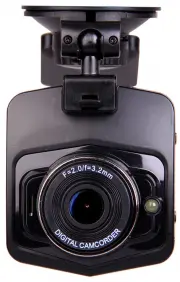
Laser NAVC-616GPS Dashcam – User Manual, read for free online in PDF format. We hope this helps you resolve any issues you may have. If you have further questions, please contact us through the contact form.


Table of Contents:
- Page 2 – USER MANUAL; TABLE OF CONTENTS
- Page 3 – IMPORTANT SAFETY INSTRUCTIONS AND PRECAUTIONS
- Page 4 – CAMERA BUTTON AND HARDWARE OVERVIEW
- Page 5 – WHAT DO THE BUTTONS DO?
- Page 6 – ON SCREEN DISPLAY; PHOTO SCREEN
- Page 7 – OPERATING THE NAVCAM-616GPS FOR THE FIRST TIME; AUTO RECORD WHEN TURNED ON
- Page 9 – USER SETTINGS
- Page 10 – TRACKING SOFTWARE – QUICK GUIDE
- Page 11 – THE GPS SOFTWARE - OVERVIEW
- Page 13 – PRODUCT SPECIFICATIONS
USER MANUAL
NAVCAM-616GPS
1
IMPORTANT SAFETY INSTRUCTIONS AND PRECAUTIONS
- Read all instructions carefully before use.
- Retain this manual for future reference.
- Use this product only in the manner described.
- Only use a water-dampened soft-cloth to clean the surface of this product.
- The following will damage this product: water or moisture ingress, exposure to prolonged
extreme heat or cold; excessive humidity, dust or sandy.
- There are no user serviceable parts in this product.
- Unauthorised attempts to dismantle or repair this product will void product warranty and
may result in a dangerous electric shock.
- Remove data cable by pulling it from the plug and not the cord.
"Loading the manual" means you need to wait until the file loads and becomes available for online reading. Some manuals are very large, and the time they take to appear depends on your internet speed.
Summary
USER MANUAL NAVCAM-616GPS 2 TABLE OF CONTENTS IMPORTANT SAFETY INSTRUCTIONS AND PRECAUTIONS 3 WHAT’S IN THE BOX 3 MICRO SD CARD REQUIREMENTS 3 CAMERA BUTTON AND HARDWARE OVERVIEW 4 WHAT DO THE BUTTONS DO? 5 ON SCREEN DISPLAY 6 WHAT DO THE LED INDICTORS MEAN? 7 OPERATING THE NAVCAM-616GPS FOR THE FIR...
USER MANUAL NAVCAM-616GPS 3 IMPORTANT SAFETY INSTRUCTIONS AND PRECAUTIONS - Read all instructions carefully before use. - Retain manuals for future reference. - Use this product only in the manner described. - Only use a water-dampened soft-cloth to clean the surface of this product. - The following...
USER MANUAL NAVCAM-616GPS 4 CAMERA BUTTON AND HARDWARE OVERVIEW 1 Bracket interface 9 LED screen 2 USB interface 10 OK button 3 Speaker 11 Up button 4 LED Lamp 12 Down button 5 TF card slot 13 Emergency record button (SOS) 6 Power button 14 MODE Button (P) 7 Menu button (M) 15 Reset (R) 8 LED indica...

