Page 3 - Contents
OPERATION GUIDE i Contents 1 Machine Parts .............................................................................................................................1-1 Components at the Front of the Printer .......................................................................................1-...
Page 5 - Legal and Safety Information; Notice on Software
OPERATION GUIDE iii Legal and Safety Information CAUTION: NO LIABILITY IS ASSUMED FOR ANY DAMAGE CAUSED BY IMPROPER INSTALLATION. Notice on Software SOFTWARE USED WITH THIS PRINTER MUST SUPPORT THE PRINTER'S EMULATION MODE. The printer is factory-set to emulate the PCL. The emulation mode can be cha...
Page 6 - USB
iv OPERATION GUIDE This product uses PeerlessPrintXL to provide the HP LaserJet compatible PCL 6 language emulation. PeerlessPrintXL is a trademark of Peerless Systems Corporation, 2381 Rosecrans Ave. El Segundo, CA 90245, U.S.A. This product was developed using the Tornado™ Real Time Operating Syst...
Page 7 - License Agreements; IBM Program License Agreement
OPERATION GUIDE v License Agreements IBM Program License Agreement THE DEVICE YOU HAVE PURCHASED CONTAINS ONE OR MORE SOFTWARE PROGRAMS (“PROGRAMS”) WHICH BELONG TO INTERNATIONAL BUSINESS MACHINES CORPORATION (“IBM”). THIS DOCUMENT DEFINES THE TERMS AND CONDITIONS UNDER WHICH THE SOFTWARE IS BEING L...
Page 9 - Typeface Trademark Acknowledgement
OPERATION GUIDE vii Typeface Trademark Acknowledgement All resident fonts in this printer are licensed from Monotype Imaging Inc. Helvetica, Palatino and Times are registered trademarks of Linotype-Hell AG. ITC Avant Garde Gothic, ITC Bookman, ITC ZapfChancery and ITC Zapf Dingbats are registered tr...
Page 10 - Compliance and Conformity; FCC Statement (for users in the United States)
viii OPERATION GUIDE 8 THE PARTIES AGREE THAT ALL OTHER WARRANTIES, EXPRESSED OR IMPLIED, INCLUDING WARRANTIES OF FITNESS FOR A PARTICULAR PURPOSE AND MERCHANTABILITY, ARE EXCLUDED. 9 Your exclusive remedy and the sole liability of Monotype Imaging in connection with the Software and Typefaces is re...
Page 11 - Precautions for Use
OPERATION GUIDE ix guarantee that interference will not occur in a particular installation. If this equipment does cause harmful interference to radio or television reception, which can be determined by turning the equipment off and on, the user is encouraged to try to correct the interference by on...
Page 12 - Safety Information; Laser Safety; Radio Frequency Transmitter
x OPERATION GUIDE Safety Information Laser Safety This printer is certified as a Class 1 laser product under the U.S. Department of Health and Human Services (DHHS) Radiation Performance Standard according to Radiation Control for Health and Safety Act of 1968. This means that the printer does not p...
Page 13 - Caution Labels
OPERATION GUIDE xi Caution Labels Caution labels have been attached to the copier at the following locations for safety purposes. Be sufficiently careful to avoid fire or electric shock when removing a paper jam or when replacing toner. NOTE: Do not remove these labels. High temperature inside. Do n...
Page 14 - CDRH Regulations
xii OPERATION GUIDE CDRH Regulations The Center for Devices and Radiological Health (CDRH) of the U.S. Food and Drug Administration implemented regulations for laser products on August 2, 1976. These regulations apply to laser products manufactured after August 1, 1976. Compliance is mandatory for p...
Page 15 - CE Marking Directive
OPERATION GUIDE xiii The manufacturer and its merchandising companies retain the following technical documentation in anticipation of the inspection that may be conducted by the authorities concerned. User’s instruction that conforms to the applicable specifications. Technical drawings. Descriptions...
Page 16 - Canadian Department of Communications Compliance Statement
xiv OPERATION GUIDE Declaration of Conformity (Australia) Manufacturer: Kyocera Mita Corporation Manufacturer's address: 2-28, 1-Chome, Tamatsukuri, Chuo-ku, Osaka, 540-8585, Japan declares that the product Product name: Page Printer Model name: FS-9130DN/FS-9530DN Description of devices: This Page ...
Page 17 - Disclaimer
OPERATION GUIDE xv EN ISO 7779 Maschinenlärminformations-Verordnung 3. GPSGV, der höchste Schalldruckpegel beträgt 70 dB (A) oder weniger gemäß EN ISO 7779. Disclaimer Kyocera Mita will not be liable to customers or any other person or entity for any loss or damage caused or alleged to be caused dir...
Page 19 - Symbols
OPERATION GUIDE xvii Symbols The following symbols indicate that the related section includes safety warnings. Specific points of attention are indicated inside the symbol. The following symbols indicate that the related section includes information on prohibited actions. Specifics of the prohibited...
Page 20 - Installation Precautions; Environment
xviii OPERATION GUIDE Installation Precautions Environment CAUTION: Avoid placing the machine on or in locations which are unstable or not level. Such locations may cause the machine to fall down or fall over. This type of situation presents a danger of personal injury or damage to the machine. Avoi...
Page 21 - Power Supply/Grounding the Machine; Other Precautions
OPERATION GUIDE xix • Avoid locations near a window or with exposure to direct sunlight. • Avoid locations with vibrations. • Avoid locations with drastic temperature fluctuations. • Avoid locations with direct exposure to hot or cold air. • Avoid poorly ventilated locations. • When casters are inst...
Page 22 - Handling of Plastic Bags
xx OPERATION GUIDE Handling of Plastic Bags WARNING: Keep the plastic bags that are used with the machine away from children. The plastic may cling to their nose and mouth causing suffocation.
Page 23 - Cautions when Using the Machine
OPERATION GUIDE xxi Precautions for Use Cautions when Using the Machine WARNING: Do not place metallic objects or containers with water (flower vases, flower pots, cups, etc.) on or near the machine. This situation presents a danger of fire or electrical shock should they fall inside. Do not remove ...
Page 27 - Guide to the Operation Guide
OPERATION GUIDE xxv Guide to the Operation Guide This Operation Guide has the following chapters: 1 Machine Parts This chapter explains the names of parts. 2 Printing Operation This chapter explains how to print from your workstation. 3 Maintenance This chapter explains how to replace the toner cont...
Page 28 - Conventions
xxvi OPERATION GUIDE Conventions This manual uses the following conventions: Convention Description Example Italic Typeface Used to emphasize a key word, phrase or references to additional information. Close the top cover . Refer to Toner Container Replacement on page 3-3 . Courier Typeface Used to ...
Page 29 - Machine Parts; This chapter contains explanations on the following topics:
OPERATION GUIDE 1-1 1 Machine Parts This section provides explanations and illustrations for you to determine the parts and their functions. Try to be familiar with the names and functions of these parts for correct use and optimal performance. This chapter contains explanations on the following top...
Page 30 - Components at the Front of the Printer
Machine Parts 1-2 OPERATION GUIDE Components at the Front of the Printer 1 Operation Panel 2 Front Cover 3 Paper Cassette 2 4 Paper Guide 5 Paper Stopper 6 Paper Cassette 1 7 Handles for Transport 8 MP (Multi-Purpose) Tray 9 Main Switch 10 Top Tray 11 Toner Container 12 Toner Container Release Lever...
Page 31 - Components at the Left and the Rear of the Printer
Machine Parts OPERATION GUIDE 1-3 Components at the Left and the Rear of the Printer 15 Power Cord Connector 16 Option Unit Connector 17 Handles for Transport 18 Left Cover 2 19 Lock Lever 20 Left Cover 1 16 17 18 20 19 15
Page 32 - Components at the Right of the Printer
Machine Parts 1-4 OPERATION GUIDE Components at the Right of the Printer 21 Memory Card Slot 22 Option Interface Slot (OPT) 23 Option Memory Slot Cover 24 USB Memory Slot (A1) 25 Parallel Interface Connector 26 Option Hard Disk Unit Slot (HDD) 27 Network Interface Connector 28 USB Interface Connecto...
Page 33 - Printing Operation
OPERATION GUIDE 2-1 2 Printing Operation This chapter contains explanations on the following topics: • Loading Printer Driver ................................................. 2-2 • Printing from Application Software .............................. 2-3
Page 34 - Loading Printer Driver
Printing Operation 2-2 OPERATION GUIDE Loading Printer Driver Ensure the printer is plugged in and connected to the PC before installing the printer driver from the CD-ROM. 1 Switch on the PC and activate Windows. NOTE: If the Welcome to the Found New Hardware Wizard dialog box displays, select Canc...
Page 35 - Printing from Application Software
Printing Operation OPERATION GUIDE 2-3 Printing from Application Software The steps required to print a document created with an application are explained below. You can select the printing Paper Size and Output Destination . 1 Load the paper required into the paper cassette. 2 From the application ...
Page 37 - Maintenance
OPERATION GUIDE 3-1 3 Maintenance This chapter contains explanations on the following topics: • General Information..................................................... 3-2 • Toner Container Replacement..................................... 3-3 • Cleaning the Printer.....................................
Page 38 - General Information
Maintenance 3-2 OPERATION GUIDE General Information This chapter describes basic maintenance tasks you can perform on the printer. You can replace the following component according to the printer's display: • Toner Container • Waste Toner Box Also, the internal parts need periodic cleaning.
Page 39 - Toner Container Replacement; Frequency of toner container replacement
Maintenance OPERATION GUIDE 3-3 Toner Container Replacement The toner container in the printer should be replaced as soon as the message display shows Toner low or soon after. If you continue to use the printer, eventually the toner supply will be exhausted at which point the printer will stop print...
Page 40 - Replenishing Toner
Maintenance 3-4 OPERATION GUIDE Replenishing Toner This section explains how to replace the toner container. When replacing the toner container, always replace the waste toner box at the same time.If this box is full, the printer may be damaged or contaminated by the waste toner that may spill over ...
Page 43 - Replacing the Waste Toner Box
Maintenance OPERATION GUIDE 3-7 8 Hold the toner container using both hands and fully insert it into the printer. 9 Close the front cover. Replacing the Waste Toner Box When replacing the toner container, the used waste toner box in the printer should also be replaced with the new one from the new t...
Page 47 - Cleaning the Printer; Cleaning the Filters
Maintenance OPERATION GUIDE 3-11 Cleaning the Printer Cleaning the Filters When replacing the toner container, also clean the filters. 1 Open the MP tray. 2 Remove the filters from the printer. Press in the tabs on the top filter while removing it. 3 Press in the tab on the right filter while removi...
Page 49 - The Inside of the Printer
Maintenance OPERATION GUIDE 3-13 The Inside of the Printer To avoid print quality problems, the interior of the printer must be cleaned. 1 Open the front cover all the way. 2 Remove the blue colored cleaning brush. 3 Pull up the lock lever on the left side of the printer, and open the left cover 1.
Page 51 - Troubleshooting; This chapter explains the following topics:
OPERATION GUIDE 4-1 4 Troubleshooting This chapter explains how to handle printer problems that may occur. If a problem cannot be corrected, contact your service representative. This chapter explains the following topics: • General Guideline ....................................................... 4-...
Page 52 - General Guideline
Troubleshooting 4-2 OPERATION GUIDE General Guideline If some kind of problem should occur, check the following before concluding the printer is broken; Symptom Check Items Corrective Action The printer will not print from the computer. Check the READY indicator. Off Look through the items below and...
Page 53 - Tips
Troubleshooting OPERATION GUIDE 4-3 Tips Printer problems may be solved easily by following the tips below. When you have encountered a problem that following the above guidelines will not solve, try the following: • Turn the printer power off and wait for several seconds. Then, turn on the printer....
Page 54 - Print Quality Problems
Troubleshooting 4-4 OPERATION GUIDE Print Quality Problems As the following table shows, there are many possible causes of print quality problems, such as blank output. The troubleshooting procedure for each type of problem is explained below. If you still cannot solve the problem, contact your serv...
Page 57 - Indicators and Messages; Indicators; READY
Troubleshooting OPERATION GUIDE 4-7 Indicators and Messages The tables on the following pages indicate how to respond to problems indicated by the operation panel indicators and messages. Indicators Maintenance Messages The following table lists maintenance messages that you can deal with by yoursel...
Page 61 - Error Messages
Troubleshooting OPERATION GUIDE 4-11 Error Messages The following table lists error messages that can be dealt with by the user. Warning image adapt Printing job cannot be done in current resolution because there is not enough internal memory. Try adding more memory or changing resolution. Warning l...
Page 64 - Correcting a Paper Jam
Troubleshooting 4-14 OPERATION GUIDE Correcting a Paper Jam The Paper jam message is displayed on the message display when paper becomes stuck in the paper transport system, the paper feed timing is incorrect, or paper fails to feed at all. The jam can be corrected by removing the paper. The printer...
Page 67 - MP Tray; Inside the MP transport
Troubleshooting OPERATION GUIDE 4-17 MP Tray Paper is jammed at the MP tray. Remove the jammed paper using the procedure given below. 1 Remove the paper jammed at the MP tray. 2 If the jammed paper remains at the MP tray, pull up the lever and remove the jammed paper. If the missed paper cannot be r...
Page 71 - Jam in Left Cover 1
Troubleshooting OPERATION GUIDE 4-21 Jam in Left Cover 1 WARNING: The printer’s fixing unit is extremely hot. Take sufficient care when working in this area, as there is a danger of getting burned. CAUTION: Take care not to leave any small pieces of paper in the printer when removing paper jams as t...
Page 72 - Left Cover 2
Troubleshooting 4-22 OPERATION GUIDE 4 If there is jammed paper in the output section, remove it. 5 Close left cover 1. Left Cover 2 1 Open left cover 2.
Page 73 - Document Finisher
Troubleshooting OPERATION GUIDE 4-23 2 Remove the jammed paper. 3 Close left cover 2. Document Finisher Paper is jammed at the option document finisher. Remove jammed paper referring to the DF-710 Operation Guide or DF-730 Operation Guide .
Page 75 - Specifications
OPERATION GUIDE 5-1 5 Specifications NOTE: Specifications are subject to change without notice. Item Description FS-9130DN FS-9530DN Printing method Electrophotography, laser scan Printing speed A4/Letter : 40 pages/minutesA3 : 23 pages/minutes B4 : 27 pages/minutes A4/Letter : 51 pages/minutesA3 : ...


 Kyocera FS-1120D Manual
 Kyocera FS-1320D Manual
 Kyocera FS-1370DN Manual
 Kyocera FS-2020D Manual
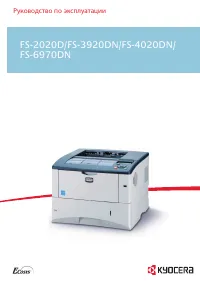 Kyocera FS-3920DN Manual
 Kyocera FS-4020DN Manual
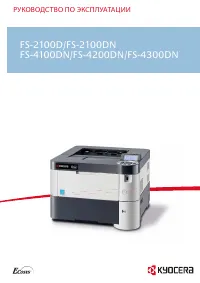 Kyocera FS-4100DN User Manual
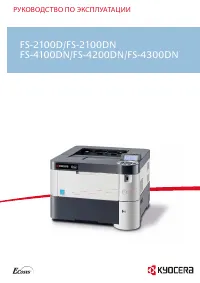 Kyocera FS-4200DN Manual
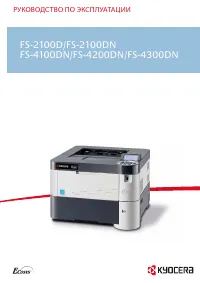 Kyocera FS-4300DN User Manual
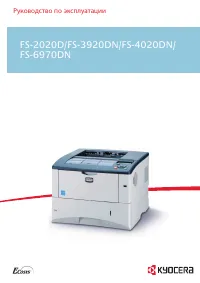 Kyocera FS-6970DN Manual
 Kyocera FS-9530DN Manual
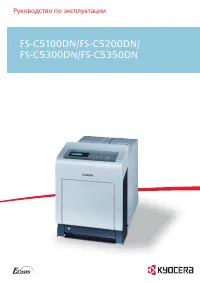 Kyocera FS-C5350DN Manual
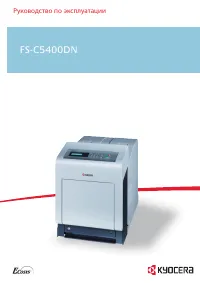 Kyocera FS-C5400DN Manual
 Kyocera FS-C8520MFP Manual
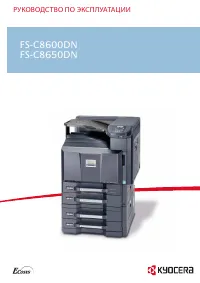 Kyocera FS-C8600DN User Manual
 Kyocera FS-C8650DN User Manual
