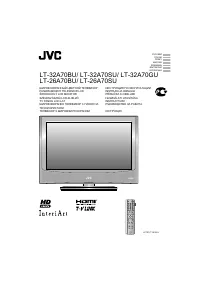
JVC LT-32BX18 - Manual

JVC LT-32BX18 TV – Manual, read for free online in PDF format. We hope this helps you resolve any issues you may have. If you have further questions, please contact us through the contact form.


Table of Contents:
- Page 2 – Never try repair the TV yourself!; If the problem cannot be solved in “Troubleshooting”; If the TV is damaged; Unplug the power cord
- Page 3 – Remote control buttons and functions
- Page 4 – Set up and connections; Care when setting; Power lamp; Power lamp lights; Remote control sensor; Switch between; Power requirements; Connect an aerial and VCR / DVD Player; AERIAL; Stand Assembly; Hole for belt
- Page 5 – You can connect many different devices to the rear panel of the TV.; OUT
- Page 6 – ID Edit
- Page 7 – Picture setting
- Page 8 – is received, “Full” and “Slim” can be
- Page 9 – Sound setting
- Page 10 – Useful functions; On Timer
- Page 12 – HDMI Setting; Size; PC Setting; button select the
- Page 13 – Troubleshooting
- Page 14 – Technical information; PC Signals that can be displayed; SD mode resolves disadvantage for better picture quality.; Resolution; Connect a “DVI” device to “HDMI-1” using “DVI-HDMI” conversion cable.
- Page 15 – Specification; Main unit; Model; • We may change the design and specifications without notice.
- Page 16 – © 2008 Victor Company of Japan, Limited
WIDE LCD PANEL TV
INSTRUCTIONS
LT - 32BX18
LT - 32EX18
LT - 42EX18
GGT0214-001C-H
Safety precautions ............................... 2
Remote control buttons and functions ... 3
Set up and connections ....................... 4
Initial settings ....................................... 6
Channel Summary ............................... 6
PREPARATION
Picture setting ...................................... 7
Sound setting ...................................... 9
Useful functions ................................. 10
Viewing Closed Caption .................... 12
Watching Video or DVDs ................... 12
Troubleshooting ................................. 13
Technical information ......................... 14
Specification ...................................... 15
FUNCTIONS
REFERENCE
Contents
ENGLISH
HIGH-DEFINITION MULTIMEDIA INTERFACE
The illustrations of LT-32EX18 is used in this instruction manual for
explanation purpose. Your TV may not look exactly the same as illustrated.
This illustration shows LT-32EX18.
"Loading the manual" means you need to wait until the file loads and becomes available for online reading. Some manuals are very large, and the time they take to appear depends on your internet speed.
Summary
2 • Follow this manual regarding setup! - Connect only to a 110-240 V, 50/60Hz AC outlet. • Make enough room for inserting and removing the power plug! • Place the TV as close to the outlet as possible! - The main power supply for this TV is controlled by inserting or removing the power plug. • Neve...
3 OK 16:9 Zoom Remote control buttons and functions • Insert the batteries Use two “AAA/R03” dry cell batteries. Insert the batteries from the · end, making sure the · and ª polarities are correct. “AAA/R03” Batteries Channel selection Select the desired channel number. For Hyper Scan PR changes wit...
4 Set up and connections TV/VIDEO MENU/OK CHANNEL VOLUME 150 mm 50 mm 150 mm 200 mm 50 mm VIDEO-2 R L V 1 2 Care when setting Power lamp ON : Lit (Blue) OFF : Unlit Power lamp lights while the TV is on. • “Power Lamp” (P. 11) Remote control sensor Switch between TV / VIDEO devices Display on-screen ...