JVC AV-HQ557115A - User Manual
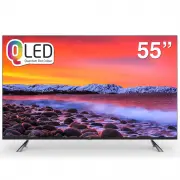
JVC AV-HQ557115A TV – User Manual, read for free online in PDF format. We hope this helps you resolve any issues you may have. If you have further questions, please contact us through the contact form.


Table of Contents:
- Page 7 – Buttons on the TV; Note; Base Installation; - Make sure the AC cord is not connected to the power outlet.; and
- Page 8 – Sockets; Note: There are 2 USB ports available for this model.
- Page 9 – Remote Control Functions; POWER; (Mic)Click to activate voice control and interact with Google; If you wait more than 2 minutes and it can’t pair,; How to Pair Remote Control with the TV; OK
- Page 10 – How to access some important functions?; to go to the smart TV homepage; General Operation; Switching on; ANTENNA IN; tch the TV on by pressing the power button.; FIRST; Switching off
- Page 11 – Network Connection; Wireless, using the internal Wi-Fi and your home wireless network.; Connecting to a wired network; Connect your ethernet cable to the router and to the; Connecting to a wireless network; Use the Network menu to configure the TV.; Initial setup; you can perform the setup later from the settings menu.
- Page 12 – Homepage Operation; This manual is for common use.; Press
- Page 13 – Using your TV; Watching connected devices; Note: Some of the functions might be unavailable; buttons; Volume; Volume control; Select this option to view TV infomation.; Picture adjustments:; Press ▲/▼ to select Channel and; TV; Note:The available source might differ depending
- Page 14 – TV Settings; Channels Setup; Channels; Analogue Setup; Channels
- Page 15 – content.Use ▲/▼ to scroll through the sound preset; content.Use ▲/▼ to scroll through the Picture preset; External Inputs; External Inputs
- Page 16 – Smart Zone; Select this option to enter into Audio Only; System
- Page 17 – CHANNELS; Press OK and then use ▲/▼ to select
- Page 18 – Frequently Asked Questions:; Multimedia; Disk; USB Feature
- Page 19 – Problems & Solutions; The video could not be played smoothly.
- Page 20 – Note: If you are still experiencing issues, contact Customer; Troubleshooting
AV-HQ657115A
65"class
AV-HQ557115A
55"class
AV-HQ507115A
50"class
"Loading the manual" means you need to wait until the file loads and becomes available for online reading. Some manuals are very large, and the time they take to appear depends on your internet speed.
Summary
4 Buttons on the TV 2 . \ button Increases/decreases the volume.In the menu system,these act like the right / left direction buttons on the remote and adjust menu controls . 1. \ button Scans up/down through the channel list. In the menu system, these act like the up/down direction buttons on the re...
Sockets 5 ANTENNA IN ANTENNA IN socket (input) This socket can be used to connect the outside aerial or cable network. USB USB sockets These sockets can be used to connect an USB device for playback or PVR recording. Note: There are 2 USB ports available for this model. LAN RJ45 plug for connecting ...
Remote Control Functions 6 Most of your television's functions are available via the menus that appear on the screen. The remote control supplied with your set can be used to navigate through the menus and to configure all the general settings. POWER (On/Standby button) Turns the TV on or switches i...