Jabra BOOST - User Manual
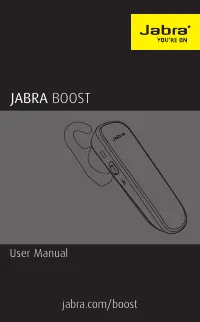
Jabra BOOST – User Manual, read for free online in PDF format. We hope this helps you resolve any issues you may have. If you have further questions, please contact us through the contact form.


Table of Contents:
- Page 2 – Declaration of Conformity
- Page 3 – ENGLISH; ATTACHING THE EARHOOK
- Page 4 – JABRA BOOST FEATURES
- Page 7 – ATTACHING THE EARHOOK
- Page 8 – HOW TO CHARGE THE
- Page 9 – CHARGE USING CAR CHARGER; Connect the headset to the dual USB car charger; It takes approx. 2 hours to fully charge the headset.; NOTE; the dual USB car charger can charge your headset and
- Page 10 – button on the
- Page 11 – switch to
- Page 12 – Volume down
- Page 13 – CALLS; Volume up
- Page 14 – MULTIPLE CALL HANDLING; MULTIPLE CALLS; function
- Page 15 – Android download - Google Play
- Page 16 – HOW TO CARE FOR YOUR HEADSET
- Page 17 – SPECIFICATIONS; JABRA BOOST HEADSET
- Page 18 – REV
jabra.com/boost
User Manual
JABRA
BOOST
"Loading the manual" means you need to wait until the file loads and becomes available for online reading. Some manuals are very large, and the time they take to appear depends on your internet speed.
Was this manual helpful?
About this manual
- Brand
- Jabra
- Model
- BOOST
- Document type
- User Manual
- Language(s)
- English
- Pages
- 18
- File size
- 1.6 MB
- Format
Summary
© 2014 GN Netcom A/S. All rights reserved. Jabra ® is a registered trademark of GN Netcom A/S. All other trademarks included herein are the property of their respective owners. The Bluetooth ® word mark and logos are owned by the Bluetooth SIG, Inc. and any use of such marks by GN Netcom A /S is und...
3 ENGLISH JABRA BOOST CONTENTS1. WELCOME .......................................... 42. HEADSET OVERVIEW ......................... 53. HOW TO WEAR ................................. 6 3.1 CHANGE EARGELS 3.2 ATTACHING THE EARHOOK 4. HOW TO CHARGE THE BATTERY ....... 8 4.1 CHARGE USING PC 4.2 CHARGE US...
4 ENGLISH JABRA BOOST 1. WELCOME Thank you for using the Jabra Boost. We hope you will enjoy it! JABRA BOOST FEATURES Voice guidance Battery and pairing status display HD voice Long talk time – Up to 9 hours Power Nap feature New comfort pack Wireless freedom - Up to 30m/98ft
Ask a question
Related manuals
Popular Jabra Other




More Jabra Other models
 Jabra Active User Manual
 Jabra BIZ 2300 headset USB User Manual
 Jabra BIZ 2400 User Manual
 Jabra BIZ 2400 USB User Manual
 Jabra Bluetooth Headset User Manual
 Jabra BT200 User Manual
 Jabra BT620s User Manual
 Jabra BT2070 User Manual
 Jabra BT2080 User Manual
 Jabra BT3030 User Manual
 Jabra C820s User Manual
 Jabra CHILL User Manual