Huawei Freebuds 3i Ceramic White (Walrus-CT025) - User Manual

Huawei Freebuds 3i Ceramic White (Walrus-CT025) Headphones – User Manual, read for free online in PDF format. We hope this helps you resolve any issues you may have. If you have further questions, please contact us through the contact form.

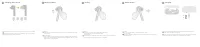
Quick Start Guide
Краткое руководство пользователя
Earphone Model: WAL-CT025
Charging Case Model: WAL-CT026
6020847_01
Initial startup
1
Откройте зарядный чехол, нажмите и удерживайте функциональную кнопку
2 секунды, чтобы включить его.
Open the charging case and press and hold the Function button for 2 seconds to power
it on.
Восстановление заводских настроек
Press and hold the Function button for 10 seconds with the charging case opened to resolve
connection issues.
Чтобы решить проблему подключения, откройте зарядный чехол, нажмите и удерживайте
функциональную кнопку 10 секунд.
EN
RU
EN
RU
Bluetooth pairing
2
Confirm that the earbuds are in the charging case. Open the charging case, and
press and hold the Function button for 2s, until the indicator light on the charging
case begins flashing.
EN
Поместите наушники в зарядный чехол. Откройте крышку зарядного чехла,
нажмите и удерживайте функциональную кнопку 2 секунды, пока не начнет
мигать индикатор на зарядном чехле.
RU
Download and install the app
3
To adjust the noise control features, customize earphone functions, or perform a
firmware update, please scan the QR code to download the app and add
HUAWEI
FreeBuds 3i
to the device list in the app.
EN
Чтобы настроить функции шумоподавления, персонализировать функции
наушников или выполнить обновление ПО, отсканируйте QR-код, загрузите
приложение и добавьте
HUAWEI FreeBuds 3i
в список устройств в приложении.
RU
4
Taking out the earbuds
Open the charging case and lift up the earbuds from the bottom to take them out.
EN
RU
Откройте зарядный чехол и аккуратно потяните за наушники, чтобы извлечь их.
Only for Android
R
"Loading the manual" means you need to wait until the file loads and becomes available for online reading. Some manuals are very large, and the time they take to appear depends on your internet speed.


