HP 2710 - User Manual
A user manual for the HP DeskJet 2700 All-in-One printer covers its core functionalities, including printing, scanning, copying, and wireless connectivity. The guide emphasizes setup procedures–such as Wi-Fi configuration and device integration–and troubleshooting common issues like connection errors or hardware malfunctions. It also highlights essential operational aspects like control panel interactions, paper management, and maintenance best practices for reliable performance.
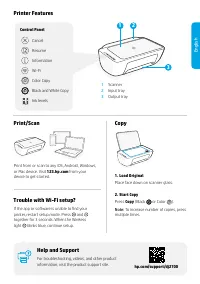
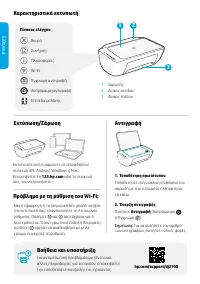
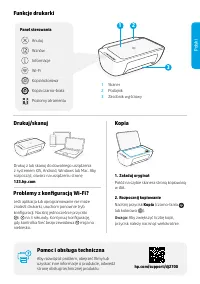
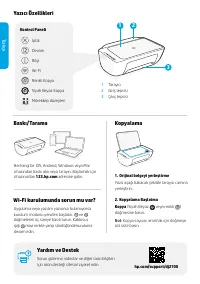

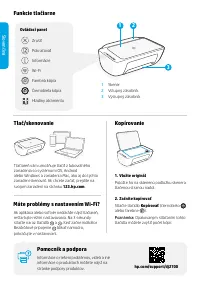
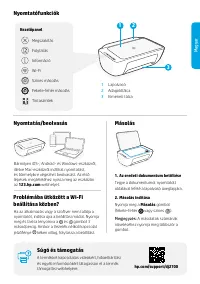
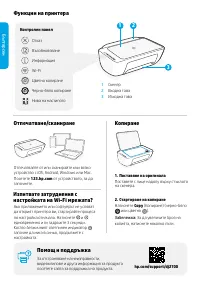
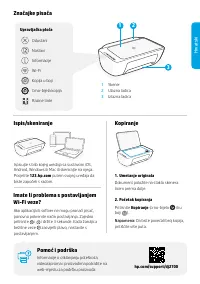
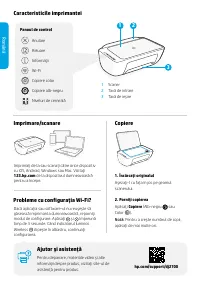
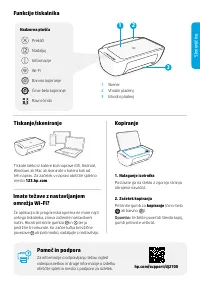
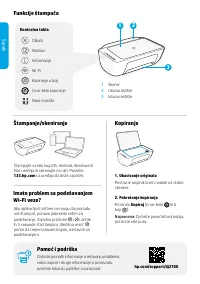
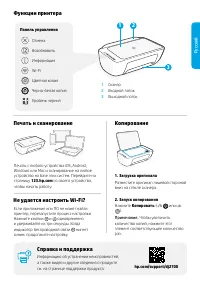
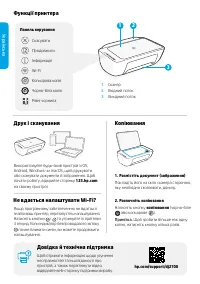
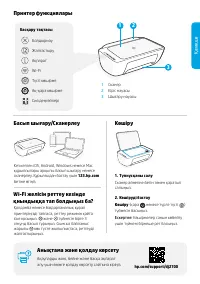
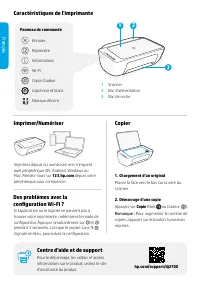
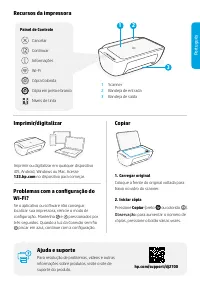
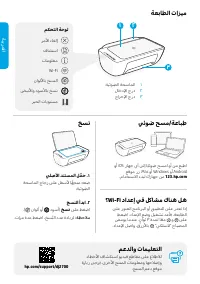
Table of Contents:
- Page 1 – Product Identification and Support Information
- Page 2 – Printer Features and Operational Instructions
- Page 3 – Basic Printer Operations and Wi-Fi Troubleshooting
- Page 4 – Printing and Copying via Web and Device Integration
- Page 5 – Printer Setup and Copying Procedures
- Page 6 – Printer Functions and Component Usage
- Page 7 – Mobile and Desktop Printing/Scanning Guidance
- Page 8 – Control Panel Functions and Connectivity
- Page 9 – Printing, Scanning, and Copying Capabilities
- Page 10 – Component Diagrams and Copying Procedures
- Page 11 – Printer Features and Troubleshooting
- Page 12 – Printing, Scanning, and Wi-Fi Setup Guidance
- Page 13 – Printer Functions and Wi-Fi Troubleshooting
- Page 14 – Multi-Device Printing and Copying
- Page 15 – Component Diagrams and Scanning Instructions
- Page 16 – Wi-Fi Functionality and Document Scanning
- Page 17 – Physical Components and Remote Operations
- Page 18 – Remote Printing and Copying via Web Interfaces
- Page 19 – Printer Installation and Setup Procedures
Reference and Support
HP DeskJet 2700
All-in-One series
[EL] Αναφορά και υποστήριξη
[TR] Referans ve Destek
[SK] Referencie a podpora
[BG] Справка и поддръжка
[RO] Referinţe şi asistenţă
[SR] Reference i podrška
[UK] Довідка й технічна підтримка
[FR] Référence et assistance
معدلاو عجرملا
[AR]
[PL] Informacje i pomoc techniczna
[CS] Reference a podpora
[HU] Referencia és támogatás
[HR] Reference i podrška
[SL] Referenca in podpora
[RU] Справка и поддержка
[KK] Анықтама және қолдау
[PT] Referência e suporte
"Loading the manual" means you need to wait until the file loads and becomes available for online reading. Some manuals are very large, and the time they take to appear depends on your internet speed.
Was this manual helpful?
About this manual
- Brand
- HP
- Model
- 2710
- Document type
- User Manual
- Category
- Multifunction Printer
- Language(s)
- German, English, Spanish, French, Italian, Dutch, Polish, Russian, Swedish
- Pages
- 20
- File size
- 9.1 MB
- Format
Other Manuals for HP 2710
Summary
Reference information, model identification, and support resources for the device.
Details on printer features, control panel functions, component locations (scanner, trays), and step-by-step instructions for printing, scanning, and copying.
Fundamental operations including printing and scanning from various devices, Wi-Fi connectivity setup, and troubleshooting steps.
Ask a question
Related manuals
Popular HP Multifunction Printers
More HP Multifunction Printers models
 HP Photosmart C6150 User Manual
 HP Photosmart C6180 User Manual
 HP Photosmart C6183 User Manual
 HP Photosmart eStation C510a User Manual
 HP 1200 Manual
 HP 7510 Manual
 HP 8600 Manual
 HP CM4540 Manual
 HP CM6040 Manual
 HP Color LaserJet CM1015 User Manual
 HP Color LaserJet CM1017 User Manual
 HP DeskJet F4172 User Manual
 HP DeskJet Plus 4120 User Manual
 HP LaserJet 3015 Manual
 HP LaserJet 3050 User Manual
 HP LaserJet 3052 User Manual
 HP LaserJet 3055 User Manual