Page 3 - Contents
Contents 1 HP Photosmart 6510 series Help .....................................................................................3 2 Get to know the HP Photosmart Printer parts....................................................................................................................6 Control ...
Page 5 - For information about the HP Photosmart, see:
1 HP Photosmart 6510 series Help For information about the HP Photosmart, see: • Get to know the HP Photosmart • How do I? • Print • Copy and scan • Work with cartridges • Connectivity • Solve a problem • Technical information HP Photosmart 6510 series Help 3
Page 7 - Printer parts
2 Get to know the HP Photosmart • Printer parts • Control panel features • Apps Manager Get to know the HP Photosmart 5
Page 8 - Front view of the HP Photosmart
Printer parts • Front view of the HP Photosmart 1 Lid 2 Glass 3 Color graphics display (also referred to as the display) 4 Photo light 5 Secure Digital (SD) memory card slot 6 Memory Stick slot 7 Output tray 8 Paper tray extender (also referred to as the tray extender) 9 Paper-width guide for the ph...
Page 9 - Top and rear views of the HP Photosmart
• Top and rear views of the HP Photosmart 21 18 19 22 20 18 Printhead assembly19 Cartridge access area20 Model number location21 Power connection (Use only with the power cord supplied by HP.)22 Rear USB port Printer parts 7
Page 10 - Control panel features; Figure 2-1 Control panel features
Control panel features Figure 2-1 Control panel features 14 1 Home : Returns to the Homescreen (the default screen when you turn on the product). 2 Directional keys : Allow you to navigate through photos and menu options. Touch the right arrow button to access the secondary Home screen. 3 Back : Ret...
Page 15 - Load media; Do one of the following:
4 Paper basics Load media ▲ Do one of the following: Load 10 x 15 cm (4 x 6 inch) papera . Pull out paper tray. ❑ Pull out photo tray and slide paper-width guide outwards. b . Load paper. ❑ Insert stack of photo paper into photo tray with short edge forward and print side down. Paper basics 13
Page 17 - Remove any other media previously loaded.
Load A4 or 8.5 x 11 inch papera . Pull out paper tray. ❑ If open, close photo tray. ❑ In main tray, slide paper-width guide outwards. ❑ Remove any other media previously loaded. b . Load paper. ❑ Insert stack of paper into main input tray with short edge forward and print side down. Load media 15
Page 20 - Slide stack of envelopes forward until it stops.
❑ Slide stack of envelopes forward until it stops. ❑ Slide paper-width guide inward against stack of envelopes until it stops. c . Close paper tray. Chapter 4 18 Paper basics
Page 22 - Related topics; Print from anywhere; To print a document from anywhere; Tips for print success
Related topics Load mediaTips for print success Print from anywhere The HP ePrint feature on your product provides convenience printing that allows you to print from anywhere. Once enabled, ePrint assigns an email address to your product. To print, simply send an email containing your document to th...
Page 25 - Scan to a computer; To scan to a computer
6 Copy and scan • Scan to a computer • Copy text or mixed documents • Tips for copy and scan success Scan to a computer To scan to a computer 1. Load original. a . Lift lid on product. b . Load original print side down on right front corner of glass. Copy and scan 23
Page 26 - Copy text or mixed documents
c . Close lid. 2. Start scan. a . Touch Scan on Home screen. The Scan To menu appears. b . Touch Computer . If product is network-connected, a list of available computers appears. Select computer to which you want to transfer to start the scan. 3. Touch job shortcut you want to use. 4. Touch Start S...
Page 29 - Click here to go online for more information
c . Select Copy. ❑ Touch Copy on Home screen. The Copy menu appears. ❑ Touch up arrow to increase number of copies. ❑ Touch Settings . The Copy Settings menu appears. ❑ To change default copy settings, specify desired paper size, paper type, quality and other settings. d . Start copy. ❑ Touch Color ...
Page 31 - Check the estimated ink levels
7 Work with cartridges • Check the estimated ink levels • Clean printhead automatically • Clean ink smear • Replace the cartridges • Align printer • Order ink supplies • Cartridge warranty information • Tips for working with cartridges Check the estimated ink levels From the Home screen, touch the r...
Page 34 - Align printer
c . Match color icons, then slide cartridge into slot until it clicks into place. d . Close the cartridge access door. Related topics Order ink suppliesTips for working with cartridges Align printer After you insert new cartridges, align the printer for best print quality. You can align printer eith...
Page 35 - Order ink supplies
To align printer from the printer software Do one of the following according to the operating system you are using. 1. On Windows: a . From the Start menu on your computer, click All Programs , click HP . b . Click the HP Photosmart 6510 series folder, click HP Photosmart 6510 series . c . Double-cl...
Page 36 - Tips for working with cartridges
During the warranty period the product is covered as long as the HP ink is not depleted and the end of warranty date has not been reached. The end of warranty date, in YYYY/MM format, may be found on the product as indicated: For a copy of the HP Limited Warranty Statement, see the printed documenta...
Page 37 - Add the HP Photosmart to a network; To connect the HP Photosmart using WiFi Protected Setup (WPS)
8 Connectivity • Add the HP Photosmart to a network • Change from a USB connection to a wireless network • Connect a new printer • Change network settings • Tips for setting up and using a networked printer • Advanced printer management tools (for networked printers) Add the HP Photosmart to a netwo...
Page 38 - Tips for setting up and using a networked printer; Wireless with a router (infrastructure network)
❑ Press and hold the button on WPS-enabled router or other networking device to activate WPS. NOTE: The product begins a timer for approximately two minutes in which the corresponding button on the networking device needs to be pressed. ❑ Touch OK . c . Install software. Use PIN methoda . Select set...
Page 41 - To open the embedded Web server; Wireless; About cookies
• Learn how to find your network security settings. Click here to go online for more information. • Learn about the Network Diagnostic Utility (Windows only) and other troubleshooting tips. Click here to go online for more information. • Learn how to change from a USB to wireless connection. See Cha...
Page 43 - Get more help; Search; Solve print problem; Setup; Solve copy and scan problem
9 Solve a problem This section contains the following topics: • Get more help • Solve print problem • Solve copy and scan problem • Solve networking problem • HP support Get more help You can find more information and help about your HP Photosmart by entering a keyword in the Search field in the top...
Page 44 - Solve networking problem; Clear the print carriage; Clear paper jam
Solve networking problem Check network configuration or print wireless test report to assist in diagnosing network connection issues. To check network configuration or print wireless test report 1. From the Home screen, touch the right directional key, and then touch the Wireless icon. 2. On the Wir...
Page 46 - HP support; Register the product; Phone support period
HP support • Register the product • HP support by phone • Additional warranty options Register the product By taking just a few quick minutes to register, you can enjoy quicker service, more efficient support, and product support alerts. If you did not register your printer while installing the soft...
Page 47 - learn more about support options.; Additional warranty options
Contact your HP dealer or call the support phone number for your country/region to learn more about support options. Additional warranty options Extended service plans are available for the HP Photosmart at additional costs. Go to www.hp.com/support , select your country/region and language, then ex...
Page 49 - 0 Technical information; Notice; Cartridge chip information
10 Technical information The technical specifications and international regulatory information for the HP Photosmart are provided in this section.For additional specifications, see the printed documentation that came with the HP Photosmart.This section contains the following topics: • Notice • Cartr...
Page 50 - Specifications
To disable the usage information function 1. Touch the Setup icon on the Home screen. The Setup menu appears. 2. Touch Preferences . 3. Touch Cartridge Chip Info . 4. Touch OK . NOTE: To re-enable the usage information function, restore the factory defaults. NOTE: You can continue to use the cartrid...
Page 51 - Environmental product stewardship program; Paper use
Cartridge yield Visit www.hp.com/go/learnaboutsupplies for more information on estimated cartridge yields. Print resolution To find out about the printer resolution, see the printer software. Environmental product stewardship program Hewlett-Packard is committed to providing quality products in an e...
Page 52 - Chemical Substances
Material safety data sheets Material safety data sheets (MSDS) can be obtained from the HP Web site at: www.hp.com/go/msds Power consumption Hewlett-Packard printing and imaging equipment marked with the ENERGY STAR® logo is qualified to the U.S. Environmental Protection Agency’s ENERGY STAR specifi...
Page 53 - Battery disposal in the Netherlands
Toxic and hazardous substance table Battery disposal in the Netherlands Dit HP Product bevat een lithium-manganese-dioxide batterij. Deze bevindt zich op de hoofdprintplaat. Wanneer deze batterij leeg is, moet deze volgens de geldende regels worden afgevoerd. Battery disposal in Taiwan Attention Cal...
Page 54 - EU battery directive
EU battery directive European Union Battery Directive This product contains a battery that is used to maintain data integrity of real time clock or product settings and is designed to last the life of the product. Any attempt to service or replace this battery should be performed by a qualified serv...
Page 56 - Regulatory model identification number; FCC statement; VCCI (Class B) compliance statement for users in Japan
• Notice to users in Korea • Noise emission statement for Germany Regulatory model identification number For regulatory identification purposes, your product is assigned a Regulatory Model Number. The Regulatory Model Number for your product is SNPRB-1101-01. This regulatory number should not be con...
Page 58 - Notice to users in Korea; Geräuschemission; LpA < 70 dB am Arbeitsplatz im Normalbetrieb nach DIN; Regulatory wireless statements; Exposure to radio frequency radiation; Caution
outdoor use, only the 2400-MHz to 2454-MHz frequency band (channels 1 to 7) may be used. For the latest requirements, see www.arcep.fr . The point of contact for regulatory matters is:Hewlett-Packard GmbH, Dept./MS: HQ-TRE, Herrenberger Strasse 140, 71034 Boeblingen, GERMANY Notice to users in Korea...
Page 59 - Notice to users in Brazil; Aviso aos usuários no Brasil; Notice to users in Canada
Notice to users in Brazil Aviso aos usuários no Brasil Este equipamento opera em caráter secundário, isto é, não tem direito à proteção contra interferência prejudicial, mesmo de estações do mesmo tipo, e não pode causar interferência a sistemas operando em caráter primário. (Res.ANATEL 282/2001). N...
Page 60 - European Union regulatory notice; Italia
European Union regulatory notice Products with 2.4-GHz wireless LAN devicesFrance L'utilisation de cet equipement (2.4 GHz Wireless LAN) est soumise a certaines restrictions: Cet equipement peut etre utilise a l'interieur d'un batiment en utilisant toutes les frequences de 2400 a 2483.5 MHz (Chaine ...
Page 61 - Notice to users in Taiwan
Notice to users in Taiwan Regulatory wireless statements 59
Page 63 - Index
Index A after the support period 44 B buttons, control panel 8 C control panel buttons 8 features 8 copy specifications 48 customer support warranty 45 E environment Environmental product stewardship program 49 environmental specifications 48 I interface card 35, 36 N network interface card 35, 36 P...


 HP Photosmart C6180 User Manual
 HP Photosmart C6183 User Manual
 HP Photosmart eStation C510a User Manual
 HP 1200 Manual
 HP 2710 Manual
 HP 7510 Manual
 HP 8600 Manual
 HP CM4540 Manual
 HP CM6040 Manual
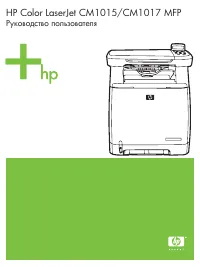 HP Color LaserJet CM1015 User Manual
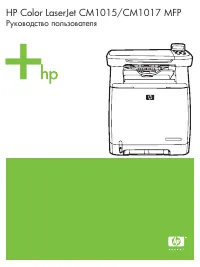 HP Color LaserJet CM1017 User Manual
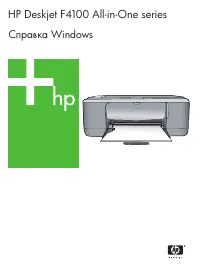 HP DeskJet F4172 User Manual
 HP DeskJet Plus 4120 User Manual
 HP LaserJet 3015 Manual
 HP LaserJet 3050 User Manual
 HP LaserJet 3052 User Manual
 HP LaserJet 3055 User Manual
 HP LaserJet 3380 User Manual