Page 2 - Read and save these instructions.; For assistance with this product please visit; Never use sharp instruments, such as a pencil
Read and save these instructions. Need Help? For assistance with this product please visit http://DIYthermostats.honeywell.com or call Honeywell Customer Care toll-free at 1-800-468-1502 ® U.S. Registered Trademark. US Patent No. 6,595,430; 7,114,554; 7,274,972; 7,225,054; D520,386 and other patents...
Page 3 - This thermostat is ready to go!; Table of contents; To prevent possible
1 69-2220EF—03 About your new thermostat Thermostat features .......................................... 2Programming at a glance .................................. 3Quick reference to controls ............................... 4Quick reference to status display ...................... 5 Programming &am...
Page 4 - Operating Manual; About your new thermostat
Operating Manual 69-2220EF—03 2 About your new thermostat Congratulations! You’ve just purchased the world’s most advanced, easy-to-use ther-mostat. It has been designed to give you many years of reliable service and touch-screen climate control. Features • 7-day program schedules maximize comfort a...
Page 5 - Set clock; See page 6; Select system setting:; To change, see page 8; You can override the program schedule at any time,
RTH8500 3 69-2220EF—03 About your new thermostat Your new thermostat is pre-programmed and ready to go. All you have to do is set the time and day. Then check the settings below and change if needed:1. Set clock ...........................................................................................
Page 6 - Quick reference to controls
Operating Manual 69-2220EF—03 4 SCHED HOLD CLOCK SCREEN MORE MON TUE WED THU FRI SAT SUN AM FAN AUTO SYSTEM HEAT Following Schedule Inside Set To OK TO PICK MULTIPLE DAYS 70 6:01 70 M28373 Press day(s) to set program schedule (see page 11) Press to select fan operation (see page 7)Press to select sy...
Page 7 - Other display messages:; Quick reference to status display
RTH8500 5 69-2220EF—03 SCHED HOLD CLOCK SCREEN MORE WED AM FAN AUTO SYSTEM HEAT Following Schedule Inside Set To Recovery 70 6:01 70 M28374 Current inside temperature Current day of week Temperature setting Program schedule on (does not display when off) Fan setting Other display messages: • Cool On...
Page 8 - The real-time clock should never require; CLOCK; Adjust time, then press; DONE; Clock setting
Operating Manual 69-2220EF—03 6 To set the current time display, press CLOCK , then press s or t to adjust the time. Press and hold s or t to advance the time more quickly. Press DONE to save & exit (or press CANCEL to exit without changing the time). Note: The real-time clock should never requi...
Page 9 - to select fan operation, then press; Press; Fan setting
RTH8500 7 69-2220EF—03 Press FAN to select fan operation, then press DONE. • On: Fan is always on. • Auto: Fan runs only when the heating or cooling system is on. Press FAN SCHED HOLD CLOCK SCREEN MORE WED AM SYSTEM HEAT Following Schedule Inside Set To 70 6:01 70 FAN AUTO M28377 Fan setting
Page 10 - System setting; The Auto and Em Heat
Operating Manual 69-2220EF—03 8 SCHED HOLD CLOCK SCREEN MORE WED AM Following Schedule Inside Set To 70 6:01 70 FAN AUTO SYSTEM HEAT M28378 Press the SYSTEM button to select, then press DONE . • Heat: Thermostat controls only the heating system. • Cool: Thermostat controls only the cooling system. •...
Page 11 - Save money by setting program schedules; WAKE
RTH8500 9 69-2220EF—03 Save money by setting program schedules It’s easy to program your system for maximum energy savings. You can program four time periods each day, with different settings for weekdays and weekends. Set to the time you awaken and the temperature you want during the morning, until...
Page 12 - Wake; Cool; Energy saving settings for maximum cost savings
Operating Manual 69-2220EF—03 10 This thermostat is pre-set to use energy saving program settings. We recommend these settings, since they can reduce your heating/cooling expenses by as much as 33%. (See next page to adjust times and temperatures of each time period.) Wake (6:00 am) Leave (8:00 am) ...
Page 13 - To adjust program schedules; CANCEL PERIOD; SCHED
RTH8500 11 69-2220EF—03 DONE WAKE LEAVE RETURN SLEEP CANCEL MON TUE WED THU FRI SAT SUN AM CANCEL PERIOD HEAT COOL OK TO PICK MULTIPLE DAYS 70 6:00 78 M28381 To adjust program schedules 1. Press SCHED , then EDIT . 2. Press day buttons ( MON-SUN ) to select day(s). 3. Press s or t to set Wake time f...
Page 14 - Adjust temperature; CANCEL; resume program schedule
Operating Manual 69-2220EF—03 12 Program schedule override (temporary) Press s or t to immediately adjust the tem- perature. This will temporarily override the temperature setting for the current time period.The new temperature will be maintained only until the time you set. When the timer expires, ...
Page 15 - HOLD; to permanently adjust the temperature. This; ) to cancel “Hold” and resume the
RTH8500 13 69-2220EF—03 Program schedule override (permanent) Press HOLD Adjust temperature Press HOLD to permanently adjust the temperature. This will turn off the program schedule. Whatever temperature you set will be maintained 24 hours a day until you manually change it or press CANCEL (or SCHED...
Page 16 - Vacation hold; Press to set time for; twice
Operating Manual 69-2220EF—03 14 Vacation hold This feature can suspend the program sched-ule for extended periods of time.Press s or t to set the temperature you want, then press s or t to set the time of day you want the schedule to resume when you return. Press HOLD twice, then press s or t to se...
Page 17 - Screen cleaning; to lock the screen for cleaning. The; to resume normal opera-; SCREEN; again if you require more time for; Do not spray any liquid directly on the; SCREEN
RTH8500 15 69-2220EF—03 Screen cleaning Press SCREEN to lock the screen for cleaning. The screen will remain locked for 30 seconds so you can clean the screen without changing any settings.After 30 seconds, press DONE to resume normal opera- tion, or press SCREEN again if you require more time for c...
Page 18 - after changing the filter, to restart the; MORE; to change reminder interval.; RESET; after changing filter.
Operating Manual 69-2220EF—03 16 About your new thermostat Furnace filter reminder If activated during installation, the furnace filter reminder alerts you when it is time to replace your filter.Press RESET after changing the filter, to restart the timer.To change the reminder interval:1. Press MORE...
Page 19 - Special features; Smart Response; This feature allows the thermostat to “learn” how; Compressor Protection:; This feature forces the compressor to wait a few minutes
RTH8500 17 69-2220EF—03 Special features Smart Response ® Technology: This feature allows the thermostat to “learn” how long the furnace and air conditioner take to reach programmed temperature settings, so the temperature is reached at the time you set. For example: Set the Wake time to 6 am, and t...
Page 20 - LO; or call Honeywell Customer Care toll-free at; Insert 3 fresh AAA alkaline batteries
Operating Manual 69-2220EF—03 18 About your new thermostat M28391 Battery replacement/Customer assistance Batteries are optional (to provide backup power) if your thermostat was wired to run on AC power when installed.Install fresh batteries immediately when the LO BATT warning begins flashing. The ...
Page 21 - Display is blank; • This button will remain blank unless the furnace filter change; In case of difficulty
RTH8500 19 69-2220EF—03 If you have difficulty with your thermostat, please try the following suggestions. Most problems can be corrected quickly and easily. Display is blank • Check circuit breaker and reset if necessary.• Make sure power switch at heating & cooling system is on.• Make sure fur...
Page 22 - • Press; minutes for the system to restart safely, without damaging the
Operating Manual 69-2220EF—03 20 In case of difficulty Heating or cooling system does not respond • Press SYSTEM to set system to Heat. Make sure the temperature is set higher than the Inside temperature. • Press SYSTEM to set system to Cool. Make sure the temperature is set lower than the Inside te...
Page 23 - -year limited warranty
RTH8500 21 69-2220EF—03 1-year limited warranty Honeywell warrants this product, excluding battery, to be free from defects in the workmanship or materials, under normal use and service, for a period of one (1) year from the date of purchase by the consumer. If at any time during the warranty period...
Page 24 - Automation and Control Solutions
Honeywell International Inc. 1985 Douglas Drive North Golden Valley, MN 55422http://DIYthermostats.honeywell.com Honeywell Limited-Honeywell Limitée 35 Dynamic Drive Toronto, Ontario M1V 4Z9 ® U.S. Registered Trademark. © 2011 Honeywell International Inc. 69-2220EF—03 M.S. 03-11 Automation and Contr...
Page 25 - Thermostat programmable à écran tactile
Mode d’emploi RTH8500 Thermostat programmable à écran tactile
Page 26 - Lisez et conservez ces instructions.; Pour obtenir de l’assistance concernant ce produit, visitez; N’appuyez jamais sur les touches d’un écran
Lisez et conservez ces instructions. Besoin d’aide? Pour obtenir de l’assistance concernant ce produit, visitez http://DIYthermostats.honeywell.com ou appelez sans frais les Services à la clientèle de Honeywell au 1 800 468-1502 ® Marque déposée aux É.-U. Brevets US N os 6,595,430; 7,114,554; 7,274,...
Page 27 - À propos de votre nouveau thermostat; Programmation et fonctionnement; Annexes; Remplacement des piles/; Ce thermostat est prêt à; Votre nouveau thermostat est; Table des matières
RTH8500 1 69-2220EF—03 À propos de votre nouveau thermostat Caractéristiques du thermostat .............................. 2 Programmation en bref .......................................... 3 Aide-mémoire sur les commandes ........................ 4 Aide-mémoire sur l’affichage .........................
Page 28 - Mode d’emploi; À propos du thermostat
69-2220EF—03 2 Mode d’emploi À propos du thermostat Félicitations! Vous venez d’acheter le thermostat le plus perfectionné et le plus facile à utiliser du monde. Il est conçu pour vous procurer de nombreuses années de service fiable et assurer la régulation de la température ambiante avec facilité p...
Page 29 - Réglage de l’horloge; Voir page 6; Sélection des réglages du ventilateur :; Voir page 7; Sélection des réglages du système :; Voir page 8; Programme de régulation :; Pré-réglages en mode économie; COMMANDE DE TEMPÉRATURE PAR TOUCHE UNIQUE :; Vous pouvez déroger au; Programmation en bref
RTH8500 3 69-2220EF—03 RTH8500 Votre nouveau thermostat est pré-programmé et prêt à fonctionner. Il suffit de régler l’heure et le jour. Vérifiez ensuite les réglages ci-dessous et modifiez-les au besoin :1. Réglage de l’horloge ..........................................................................
Page 30 - Appuyez sur les jours pour programmer les réglages (voir page 11)
69-2220EF—03 4 Mode d’emploi À propos du thermostat Aide-mémoire des commandes Appuyez sur les jours pour programmer les réglages (voir page 11) Appuyez pour sélectionner le réglage du ventilateur (voir page 7) Appuyez pour sélectionner le réglage du système (voir page 8) Appuyez pour programmer les...
Page 31 - Aide-mémoire de l’affichage d’état; Autres messages affichés :
RTH8500 5 69-2220EF—03 RTH8500 À propos du thermostat SCHED HOLD CLOCK SCREEN MORE WED AM FAN AUTO SYSTEM HEAT Following Schedule Inside Set To Recovery 70 6:01 70 M28374 Aide-mémoire de l’affichage d’état Température intérieure actuelle Jour de la semaine en cours Réglage du point de consigne Progr...
Page 32 - l’horloge temps réel ne devrait; Modifiez l’heure et appuyez sur
69-2220EF—03 6 Mode d’emploi DONE CANCEL WED AM FAN AUTO Inside Set To 70 6:02 70 M28376 SCHED HOLD CLOCK SCREEN MORE WED AM FAN AUTO Inside Set To 70 6:01 70 M28375 Réglage de l’horloge Pour régler l’affichage de l’heure actuelle, appuyez sur CLOCK , puis sur s ou t pour modifier l’heure. Appuyez s...
Page 33 - Appuyez sur; Réglages du ventilateur
RTH8500 7 69-2220EF—03 RTH8500 SCHED HOLD CLOCK SCREEN MORE WED AM SYSTEM HEAT Following Schedule Inside Set To 70 6:01 70 FAN AUTO M28377 Appuyez sur la touche FAN pour sélectionner le mode de fonctionnement du ventilateur, puis appuyez sur DONE : • On : Le ventilateur est constamment en marche. • ...
Page 34 - Réglages du système; Les options
69-2220EF—03 8 Mode d’emploi Réglages du système Appuyez sur la touche SYSTEM pour sélectionner le mode de fonctionnement, puis appuyez sur DONE : • Heat : Le thermostat ne commande que le système de chauffage. • Cool : Le thermostat ne commande que le système de climatisation. • Auto : Le thermosta...
Page 35 - Économisez de l’argent en paramétrant le programme
RTH8500 9 69-2220EF—03 RTH8500 Économisez de l’argent en paramétrant le programme Il est facile de programmer votre système afin de réaliser un maximum d’économies d’énergie. Vous pouvez programmer quatre plages horaires chaque jour, avec des réglages différents la semaine et les fins de semaine. Pr...
Page 37 - Pour modifier le programme; Vous pouvez appuyer sur; pour éliminer toute plage horaire inutile.; EDIT
RTH8500 11 69-2220EF—03 RTH8500 DONE WAKE LEAVE RETURN SLEEP CANCEL MON TUE WED THU FRI SAT SUN AM CANCEL PERIOD HEAT COOL OK TO PICK MULTIPLE DAYS 70 6:00 78 M28381 DONE WAKE LEAVE RETURN SLEEP EDIT CANCEL WED AM Following Schedule Inside Set To 70 6:00 70 FAN AUTO M28380 SCHED HOLD CLOCK SCREEN MO...
Page 38 - Réglez le point de consigne
69-2220EF—03 12 Mode d’emploi Heat On SCHED HOLD CLOCK SCREEN MORE CANCEL WED AM Inside Hold Temperature Until Set To 73 8:00 70 FAN AUTO SYSTEM HEAT M28382 Appuyez sur s ou t pour modifier immédiatement le point de consigne et déroger au programme en cours.Le nouveau point de consigne sera maintenu...
Page 39 - Modifiez le point de consigne; pour modifier le point de consigne; ) pour annuler « HOLD » et reprendre le
RTH8500 13 69-2220EF—03 RTH8500 Heat On SCHED HOLD CLOCK SCREEN MORE CANCEL WED AM Inside Set To Permanent Hold 73 8:00 70 FAN AUTO SYSTEM HEAT M28383 Appuyez sur HOLD Modifiez le point de consigne Appuyez sur HOLD pour modifier le point de consigne de manière permanente et suspendre le programme en...
Page 40 - Maintien pendant les vacances
69-2220EF—03 14 Mode d’emploi SCHED HOLD CLOCK SCREEN MORE CANCEL WED Inside DAYS Hold Temperature Until Set To 55 14 70 FAN AUTO SYSTEM HEAT M28385 SCHED HOLD CLOCK SCREEN MORE CANCEL WED PM Inside Hold Temperature Until Set To 55 6:00 70 FAN AUTO SYSTEM HEAT M28384 Cette fonction peut suspendre le...
Page 41 - pour verrouiller l’écran afin de; pour; s’il faut davantage de temps pour nettoyer.; Ne jamais pulvériser de liquide; Minuterie de verrouillage; Nettoyage de l’écran
RTH8500 15 69-2220EF—03 RTH8500 OK TO CLEAN SCREEN 30 M28387 SCHED HOLD CLOCK SCREEN MORE WED PM Following Schedule Inside Set To SCREEN LOCKED 70 6:00 70 FAN AUTO M28386 Appuyez sur SCREEN pour verrouiller l’écran afin de le nettoyer. L’écran restera verrouillé pendant 30 sec-ondes pour permettre d...
Page 42 - Lorsque le rappel; pour changer; après avoir changé le filtre.; Rappels - Remplacement du filtre
69-2220EF—03 16 Mode d’emploi DONE Filter Days 60 M28389 SCHED HOLD CLOCK SCREEN MORE WED PM RESET CHANGE FILTER Inside Set To 55 6:00 70 FAN AUTO SYSTEM HEAT M28388 Lorsque le rappel CHANGE FILTER s’allume, il est temps de remplacer le filtre de l’apparel de chauffage.Appuyez sur RESET après avoir ...
Page 43 - Commutation automatique :; La fonction de commutation chaud-froid est utilisée; Smart Response® Technology :; Cette fonction permet au thermostat «d’apprendre»; Protection du compresseur :; Cette fonction force le compresseur à attendre; automatique si la température extérieure descend sous 10 °C (50 °F).
RTH8500 17 69-2220EF—03 RTH8500 À propos du thermostat Fonctions spéciales Commutation automatique : La fonction de commutation chaud-froid est utilisée dans les régions où il peut arriver que le système de chauffage et le système de refroidissement soient utilisés le même jour. Lorsqu’il est réglé ...
Page 44 - Remplacement des piles/Services à la clientèle; LO BATT; commence à clignoter. L’avertissement; Installez 3 piles alcalines AAA neuves
69-2220EF—03 18 Mode d’emploi M28391 Remplacement des piles/Services à la clientèle Les piles sont facultatives (pour fournir une alimentation de secours) si le thermostat a été câblé pour fonctionner sur secteur (alimentation c.a.) lors de l’installation.Installez des piles neuves dès que l’avertis...
Page 45 - chauffage ou de la climatisation est sur marche.; En cas de difficultés
RTH8500 19 69-2220EF—03 RTH8500 À propos du thermostat Si vous éprouvez des difficultés avec votre thermostat, veuillez essayer les sugges-tions ci-dessous. La plupart des problèmes se corrigent rapidement et facilement. Écran vide est vide • Vérifiez le disjoncteur et réenclenchez-le.• Vérifiez que...
Page 46 - • Appuyez sur la touche; de climatisation est en marche.
69-2220EF—03 20 Mode d’emploi À propos du thermostat Le système de chauffage ou de climatisation ne réagit pas • Appuyez sur la touche SYSTEM pour mettre le système à HEAT (chauffage). Vérifiez que le réglage du point de consigne est supérieur à la température intérieure. • Appuyez sur la touche SYS...
Page 47 - Garantie limitée de un an
RTH8500 21 69-2220EF—03 RTH8500 Honeywell garantit ce produit, à l’exception des piles, contre tout vice de fabrication ou de matière dans la mesure où il en est fait une utilisation et un entretien convenables, et ce, pour un (1) an à partir de la date d’achat par le consommateur. En cas de défectu...
Page 48 - Solutions de régulation et d’automatisation
® Marque déposée aux É.-U. © 2011 Honeywell International Inc. 69-2220EF—03 M.S. 03-11 Honeywell International Inc. 1985 Douglas Drive North Golden Valley, MN 55422http://DIYthermostats.honeywell.com Honeywell Limited-Honeywell Limitée 35 Dynamic Drive Toronto, Ontario M1V 4Z9 Solutions de régulatio...




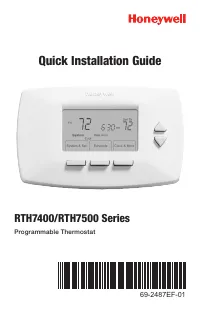 Honeywell RTH7400 Manual
 Honeywell RTH7400D Manual
 Honeywell RTH7500D Manual
 Honeywell RTH7500D1007 Manual
 Honeywell RTH7600 Manual
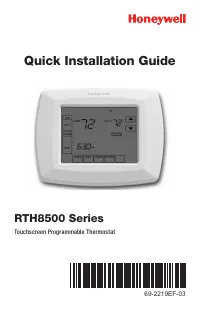 Honeywell RTH8500D Manual
 Honeywell RTH8580WF Manual
 Honeywell RTH8580WF1007 W User Manual
 Honeywell RTH9580 Manual
 Honeywell RTH9580WF User Manual
 Honeywell S Manual