Honeywell 5005B - User Manual
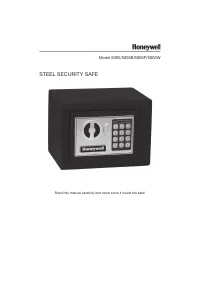
Honeywell 5005B – User Manual, read for free online in PDF format. We hope this helps you resolve any issues you may have. If you have further questions, please contact us through the contact form.


Table of Contents:
- Page 2 – PACKAGE CONTENTS; ATTENTION; PRODUCT OVERVIEW
- Page 3 – SETUP; STEP 1. OPEN SAFE WITH OVERRIDE KEY; OPERATION; TO OPEN THE SAFE
- Page 4 – Use the override access key to open safe.
- Page 6 – MOUNTING KIT; Select a suitable and convenient location for your safe.
- Page 7 – LIMITED WARRANTY
- Page 8 – CONSUMER ASSISTANCE
Model 5005/5005B/5005P/5005W
STEEL SECURITY SAFE
Read this manual carefully and never store it inside the safe!
"Loading the manual" means you need to wait until the file loads and becomes available for online reading. Some manuals are very large, and the time they take to appear depends on your internet speed.
Summary
Model 5005/5005B/5005P/5005W Steel Security Safe with Digital Lock PACKAGE CONTENTS 1 – Steel Security Safe 1 – Operation Manual 2 – Override Access Keys 4 – “AA” Batteries 1 – Mounting Kit w/ Bolts ATTENTION DO NOT RETURN SAFE TO STORE! For missing parts or difficulty operating your safe, please co...
SETUP STEP 1. OPEN SAFE WITH OVERRIDE KEY 1. Remove override key cover with small screwdriver. 2. Insert override key and turn left to unlock safe. 3. Turn knob to right and open safe door. STEP 2. INSTALL BATTERIES 1. Remove battery compartment (A) cover on inside door. Insert 4 “AA” batteries (inc...
SECURE LOCKOUT PERIODS If a wrong code is entered three times in a row, the digital keypad will begin a five-minute secure lockout period. During this secure lockout period the keypad will become disabled. Once the lockout period has expired, the safe can be unlocked using the correct passcode. You ...


