HOMCOM 823-006V80 - User Manual
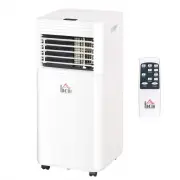
HOMCOM 823-006V80 Air Conditioner – User Manual, read for free online in PDF format. We hope this helps you resolve any issues you may have. If you have further questions, please contact us through the contact form.


Table of Contents:
- Page 3 – CONTENTS; PRODUCT OVERVIEW
- Page 4 – PRODUCT DESCRIPTION
- Page 5 – THE FOLLOWING SHOULD ALWAYS BE OBSERVED FOR SAFETY; Do not discharge the refrigerant into the atmosphere.; It collects first in low areas but can be circulated by the fans.
- Page 6 – The A-weighted sound pressure level is below 51 dB.; WARNING
- Page 9 – for detailed information.
- Page 12 – Choose your location; Never
- Page 13 – ATTACH THE EXHAUST HOSE; efficiency, even worse shut down the unit due to low backpressure.
- Page 14 – Attach the hose connector to the exhaust air outlet of unit.
- Page 16 – OPERATION; CONTROL PANEL AND DISPLAY
- Page 17 – REMOTE CONTROL
- Page 18 – MINUS; Decreasing the desired temperature or timer setting.
- Page 19 – Operation mode; B. Ventilating your room; In ventilation mode the room air is circulated, but not cooled.
- Page 20 – The sleep mode can be activated when in cool mode; TIMER SETTING; The timer has two ways of operation:; Timer
- Page 21 – Cancel timer; , the unit restart to cool operating mode.; Overload Protection; Press; timer; key then press; POWER; will also exit the timer setting.
- Page 22 – DRAINAGE; Self- evaporating system; To avoid water spillage:
- Page 23 – Pic1. Switch off the unit and remove; Do not touch the evaporator surface with bare-hand, or could cause
- Page 26 – Releasing refrigerant into atmosphere is strictly; emove exhaust hose and window kit store with the
Portable Air Conditioner
Owner’s Manual
Original instructions
R E A D A N D S A V E T H E S E I N S T R U C T I O N S
INcjg003_US_823-006V80_823-006V81
"Loading the manual" means you need to wait until the file loads and becomes available for online reading. Some manuals are very large, and the time they take to appear depends on your internet speed.
Summary
3 CONTENTS 1. BEFORE YOU BEGIN ....................................................... 03 2. FOR YOUR SAFETY ............................................................ 07 3. PRODUCT OVERVIEW ....................................................... 13 4. INSTALLATION ...................................
4 1. BEFORE YOU BEGIN 1.1 PRODUCT DESCRIPTION Our powerful portable air conditioners are great cooling solutions forsingle rooms, creating a comfortable atmosphere in your space. It alsohas ventilation and dehumidifying function for circulating air and removalof moisture. They're self-contained syst...
5 THE FOLLOWING SHOULD ALWAYS BE OBSERVED FOR SAFETY This appliance is intended to be used by expert or trained users inshops, in light industry and on farms, or for commercial use by laypersons. This appliance can be used by children aged from 8 years andabove and persons with reduced physical,...


