Page 3 - CONTENTS; PRODUCT OVERVIEW
3 CONTENTS 1. BEFORE YOU BEGIN ....................................................... 03 2. FOR YOUR SAFETY ............................................................ 07 3. PRODUCT OVERVIEW ....................................................... 13 4. INSTALLATION ...................................
Page 4 - PRODUCT DESCRIPTION
4 1. BEFORE YOU BEGIN 1.1 PRODUCT DESCRIPTION Our powerful portable air conditioners are great cooling solutions forsingle rooms, creating a comfortable atmosphere in your space. It alsohas ventilation and dehumidifying function for circulating air and removalof moisture. They're self-contained syst...
Page 5 - THE FOLLOWING SHOULD ALWAYS BE OBSERVED FOR SAFETY; Do not discharge the refrigerant into the atmosphere.
5 THE FOLLOWING SHOULD ALWAYS BE OBSERVED FOR SAFETY This appliance is intended to be used by expert or trained users inshops, in light industry and on farms, or for commercial use by laypersons. This appliance can be used by children aged from 8 years andabove and persons with reduced physical,...
Page 6 - The A-weighted sound pressure level is below 51 dB.; WARNING
6 2. FOR YOUR SAFETY Your safety is the most important thing we concerned! 2.1 OPERATIONAL PRECAUTIONS WARNING- to reduce the risk of fire, electric shock or injury topersons or property: If the supply cord is damaged, it must be replaced by themanufacturer, its service agent or similarly qualifie...
Page 9 - for detailed information.
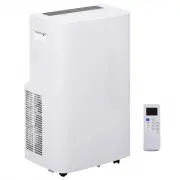
9 3. PRODUCT OVERVIEW 3.1 PRODUCT DIAGRAM 1 Control panel 4 Power cord 6 Air Exhaust 2 Air outlet with adjustable louver 5 Recessed handle 7 Drain opening with sealing plug 3 Air intake with washable filter Note: The appearance is only for reference. Please see the real product for detailed informat...
Page 10 - FEATURES
10 3.2 FEATURES High Capacity in a compact size with cooling, heating, dehumidifying and ventilating function. Temperature setting and display LED Digital display Electronic control with built-in timer, sleep mode Self-evaporating system for better efficient Auto shut off when tank full ...
Page 11 - UNPACKING; Unpack the carton and take the appliance and accessories out.
11 4. INSTALLATION 4.1 UNPACKING Unpack the carton and take the appliance and accessories out. Check the device after unpacking for any damage or scratches onit. Accessories: 1. Exhaust hose 2. Hose connector 3. Window kit adapter 4. Remote control 5. Window kit
Page 12 - Choose your location; Never
12 4.2 Choose your location If tipped more than 45°, allow theunit to set upright for at least 24hours before start up. Place the unit on a firm, level surfacein an area with at least 70cm of freespace around it to allow for proper aircirculation. Do not operate in close proximity towalls, cur...
Page 13 - ATTACH THE EXHAUST HOSE; efficiency, even worse shut down the unit due to low backpressure.
13 4.3 ATTACH THE EXHAUST HOSE The air conditioner requires being vented outside so that the exhaust air can escape the room which coming from the appliance contains waste heat and moisture. Do not replace or extend exhaust hose which will result in decreased efficiency, even worse shut down the uni...
Page 14 - It is; Attach the hose connector to the exhaust air outlet of unit.
14 Step 4: Close your window to secure the kit in place. It needs to hold the windows kit firmly in place, secure the window kit with duct tape if required. It is recommended that t he gap between the adapter and the sides of the window should be sealed off for maximum efficiency. Step 5: Attach the...
Page 16 - OPERATION; CONTROL PANEL AND DISPLAY
Page 17 - REMOTE CONTROL
Page 18 - MINUS; Decreasing the desired temperature or timer setting.
18 5.3 FUNCTION KEYS AND INDICATORS 1. POWER (LED) Press to switch the machine on or off. 2. MODE Mode button Press to switch the operation mode between cool, fan, and dry. 3. Indicators LED for four operation modes selecting by press mode button. 4. ADD Increasing the desired temperature(16 ℃ ~ 32℃...
Page 19 - Operation mode; Optional for Heating Function
19 5.4 SETTINGS 5.4.1. Start-up and Shutdown Press POWER to turn the unit on. The unit runs in in FAN as default. Press MODE button to select the desired operation mode. Press POWER again to turn off the power. 5.4.2. Operation mode The unit has five operation modes: Cool,fan, dry,sleep ( Sleep mo...
Page 20 - this function can only be used with a; The sleep mode can be activated when in cool mode and heat mode.; In heat mode; After 1 hour the preset temperature is decreased by 1
20 D. Drying your room Press MODE button on the control panel or remote control, the LED of DRY operation lights up. The fan speed is unable to select. User should connect the hose to the drain outlet at the bottom of the unit. Note: In this mode, the fan speed switches over to low speed andthe temp...
Page 21 - TIMER SETTING; The timer has two ways of operation:; Automatic Defrost; POWER; Overload Protection; Timer
21 5.4.3. TIMER SETTING ( 1hour-24hours ) : The timer has two ways of operation: To turn off (When power on) To turn on (When power off) Cancel timer 5.4.4. Automatic Defrost At low room temperatures, frost may buildup at the evaporator during operation.The unit will automatically start defrosting a...
Page 22 - DRAINAGE; Self- evaporating system; To avoid water spillage:
22 5.5 DRAINAGE Self- evaporating system The self-evaporating system uses the collected water to cool the condenser coils for better efficient performance. It is no need to empty the drainage tank in cooling operation except in heating operation, drying operation and high humidity conditions. The co...
Page 23 - Do not touch the evaporator surface with bare-hand, or could cause
23 6. CLEANING AND CARE 6.1. CLEANING THE AIR FILTER (every two weeks) Dust collects on the filter and restricts the airflow. The restricted airflow reduces the efficiency of the system and if it becomes blocked it can cause damage to the unit.The air filter requires regular cleaning. The air filter...
Page 26 - Releasing refrigerant into atmosphere is strictly
26 8. DECOMMISSIONING 8.1. STORAGE Long-Term Storage - If you will not be using the unit for an extended period of time (more than a few weeks) it is best to clean the unit and dry it out completely. Please store the unit per the following steps: 8.2. DISPOSAL WARNING!!! Releasing refrigerant into a...