Hama Fullmotion - User Manual
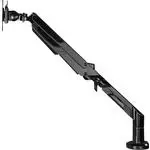
A monitor arm designed for secure mounting of displays, this product’s instructions focus on installation, safety, and adjustment. The manual covers essential topics like proper mounting techniques–including wall or desk configurations–and compliance with weight limits, screen diagonal specifications, and tilt/swivel ranges to ensure stability. Safety warnings emphasize correct handling, commercial use restrictions, and maintenance procedures to prevent damage or accidents. Technical details such as maximum load capacity and VESA compatibility are also addressed for professional setups.
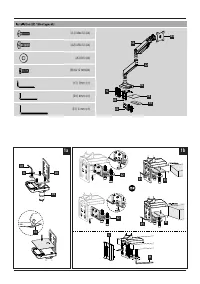
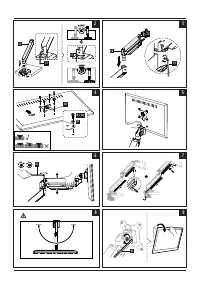
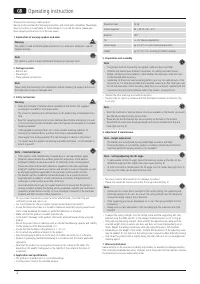
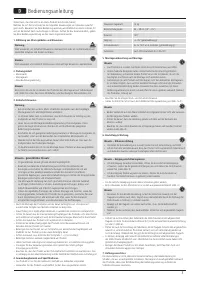
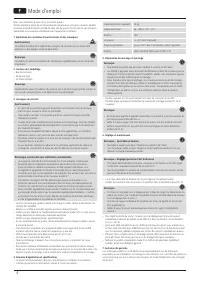
Table of Contents:
- Page 1 – Cover Page Information
- Page 2 – Installation Kit Components and Assembly
- Page 3 – Monitor Arm Assembly Instructions
- Page 4 – Product Specifications and Maintenance Procedures
- Page 5 – Installation Preparation and Safety for Monitor Mounting
- Page 6 – Safety Warnings and Mounting Procedures
- Page 7 – Monitor Mount Specifications and Adjustment
- Page 8 – Installation Safety and Handling Guidelines
- Page 9 – Product Specifications and Maintenance
- Page 10 – Operational Specifications and Leveling Requirements
- Page 11 – Product Operation, Specifications, and Calibration
- Page 12 – Installation Procedures and Adjustment Guidelines
- Page 13 – Product Safety and Mounting Specifications
- Page 14 – Safety Symbols and Installation Procedures
- Page 15 – Technical Specifications and Liability
- Page 16 – Installation Guidelines and Usage Specifications
- Page 17 – Mounting Specifications for Professional Use
- Page 18 – Service Manual and Hardware Specifications
- Page 19 – Care, Maintenance, and Troubleshooting
- Page 20 – Specific Mounting Dimensions and Limits
- Page 21 – Operational Guidance and Maintenance
- Page 22 – Service and Support Contact Information
Monitor Arm
Monitorarm
00
118497
E
SK
F
D
GB
I
S
PL
RUS
H
BG
CZ
TR
FIN
RO
GR
NL
P
Operating Instructions
Bedienungsanleitung
Mode d‘emploi
Instrucciones de uso
Gebruiksaanwijzing
Istruzioni per l‘uso
Instrukcja obsługi
Használati útmutató
Manual de utilizare
Návod k použití
Návod na použitie
Manual de instruções
Bruksanvisning
Руководство по эксплуатации
Ръководство за обслужване
Οδηγίες χρήσης
Kullanma kılavuzu
Käyttöohje
"Loading the manual" means you need to wait until the file loads and becomes available for online reading. Some manuals are very large, and the time they take to appear depends on your internet speed.
Was this manual helpful?
About this manual
- Brand
- Hama
- Model
- Fullmotion
- Document type
- User Manual
- Category
- TV Bracket
- Language(s)
- German, English, Spanish, French, Italian, Dutch, Polish, Russian, Swedish
- Pages
- 22
- File size
- 5.8 MB
- Format
Summary
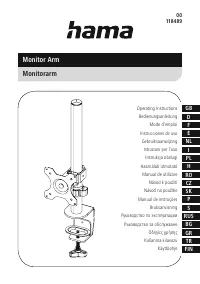
Line drawing of the monitor arm and available manual language versions.
Details on installation kit components, hardware specifications, assembly steps, and diagrams for mounting configurations.
Step-by-step illustrated instructions for attaching the monitor arm to a wall or desk, mounting the monitor, and adjusting its position.