Page 2 - LIMITED WARRANTY AND LIMITATION OF LIABILITY; Fluke Corporation
LIMITED WARRANTY AND LIMITATION OF LIABILITY This Fluke product will be free from defects in material and workmanship for three years from the date of purchase. This warranty does not cover fuses, disposable batteries, or damage from accident, neglect, misuse, alteration, contamination, or abnormal ...
Page 3 - Table of Contents; Title Page
i Table of Contents Title Page Introduction .................................................................................................................... 1 How to Contact Fluke ..................................................................................................... 1 Safety Infor...
Page 5 - iii
Contents (continued) iii Frequency ................................................................................................................. 43 Input Characteristics .................................................................................................. 43 MIN MAX Recording .........
Page 7 - List of Tables; Table Title
v List of Tables Table Title Page 1. Electrical Symbols ................................................................................................................. 7 2. Display.........................................................................................................................
Page 9 - vii; List of Figures; Figure; Display
vii List of Figures Figure Title Page 1. AC and DC Voltage Measurements ...................................................................................... 16 2. Resistance Measurements .................................................................................................... 18 3. Cont...
Page 11 - Introduction; XW; Warning; How to Contact Fluke; To register your product, visit
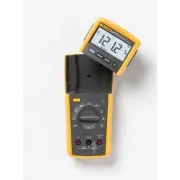
1 Introduction The Fluke 233 (hereafter the Meter) is a compact and easy to operate tool for electrical and electronic circuit measurements. XW Warning Read "Safety Information" before you use the Meter. How to Contact Fluke Use one of the telephone numbers below to speak with a Fluke repres...
Page 12 - Users Manual; Safety Information; Warnings and Cautions
233 Users Manual 2 Safety Information The Meter complies with: • ISA-82.02.01 • CAN/CSA C22.2 No. 61010-1-04 • ANSI/UL 61010-1:2004 • EN 61010-1:2001 • EN 61326-1:2006 • EN 61326-2-2:2006 • ETSI EN 300 328 V1.7.1:2006 • ETSI EN 300 489 V1.8.1:2008 • FCC Part 15 Subpart C Sections 15.207, 15.209, 15....
Page 13 - Do not use the Meter around explosive
True-rms Remote Display Digital Multimeter Safety Information 3 • Remove the test leads from the Meter before the battery door on the Meter base is opened. • Examine the test leads for damaged insulation or exposed metal. Measure the test leads for continuity. Replace damaged test leads before you u...
Page 14 - Caution
233 Users Manual 4 • Use only specified 1.5-V AA batteries (three in the Meter base and two in the display), correctly installed, for Meter power. • Comply with local and national safety requirements when in hazardous locations. • Only use test leads that have the same voltage, category, and amperag...
Page 15 - Note
True-rms Remote Display Digital Multimeter Safety Information 5 Radio Frequency Data Note Changes or modifications to the wireless 2.4 GHz radio not expressly approved by Fluke Corporation could void the user’s authority to operate the equipment. This device complies with Part 15 of the FCC Rules. O...
Page 16 - Hazardous Voltage; When the Meter senses a voltage; Test Lead Alert; briefly shows in the display and a beep
233 Users Manual 6 Hazardous Voltage When the Meter senses a voltage ≥ 30 V or a voltage overload ( ), the symbol is shown on the display and the red high-voltage LED on the Meter base illuminates to tell you a hazardous voltage is at the Meter input. For frequency measurements >1 kHz, the ...
Page 17 - Table 1. Electrical Symbols; CAT
True-rms Remote Display Digital Multimeter Test Lead Alert 7 Table 1. Electrical Symbols B AC (Alternating Current) J Earth ground F DC (Direct Current) I Fuse X Hazardous voltage P Conforms to European Union directives. W Risk of Danger. Important information. See Manual. ) Conforms to relevant Can...
Page 18 - Features; Indication; MIN MAX AVG mode on.
233 Users Manual 8 Features See Tables 3 through 4 for a list of Meter features with a short feature description. Table 2. Display meter remote Auto RangeManual Range 1 2 3 4 5 6 8 9 11 13 12 14 10 7 gcc101.eps No. Symbol Indication 1 MIN MAX AVG mode on. 2 MAX MIN AVG Maximum, minimum, or average...
Page 20 - Description; Input for 0 A to 10.00 A current measurements.; COM; Common terminal for all measurements.
233 Users Manual 10 Table 3. Inputs 1 2 3 gcc110.eps No. Terminal Description 1 A Input for 0 A to 10.00 A current measurements. 2 COM Common terminal for all measurements. 3 Input for voltage, continuity, resistance, diode, capacitance, temperature, and frequency measurements.
Page 21 - Continuity beeper turns on at
True-rms Remote Display Digital Multimeter Features 11 Table 4. Function Switch Positions Switch Position Description Hz (button) AC voltage from 0.06 to 1000 V. Frequency from 5 Hz to 50 kHz. DC voltage from 0.001 V to 1000 V. AC voltage from 6.0 to 600.0 mV, dc-coupled. DC voltage from 0.1 t...
Page 22 - Error Messages; Table 5. Error Messages; Internal error. The Meter must be repaired before it will operate.
233 Users Manual 12 Error Messages Table 5 contains possible error messages and the steps to clear the error. Table 5. Error Messages Error Messages Display-module batteries must be replaced before the Meter will operate. Meter-base batteries must be replaced before the Meter wil...
Page 23 - True-rms Remote Display Digital Multimeter; MIN MAX AVG Record Mode
True-rms Remote Display Digital Multimeter Battery Saver™(Sleep Mode) 13 Battery Saver™(Sleep Mode) The Meter powers-down (Sleep mode) if there is no function change, range change, or button push for 20 minutes. The lowest power drain occurs when the display module is docked with the Meter base. Wit...
Page 24 - Display Hold; Manual and Autoranging; Auto Range
233 Users Manual 14 Display Hold XW Warning To prevent electrical shock, when Display HOLD is on, disable Display HOLD to measure the voltage that is possibly different than the Display HOLD measurement. Display HOLD freezes the display. 1. Push to activate Display HOLD. ( is shown.) 2. To exit ...
Page 25 - Backlight; Options
True-rms Remote Display Digital Multimeter Backlight 15 Backlight Push to toggle the backlight on and off. The backlight automatically extinguishes after 40 seconds. To disable backlight auto-off, hold down while turning the Meter on. Power-Up Options Hold a button down while the function switch...
Page 26 - How to Make Measurements; leads, remove the common test lead last.; AC and DC Voltage Measurements; Push; AC Voltage; Figure 1. AC and DC Voltage Measurements
233 Users Manual 16 How to Make Measurements The sections that follow tell how to make measurements with the Meter. To connect the test leads to the circuit or device, connect the common ( COM ) test lead first. To remove the test leads, remove the common test lead last. AC and DC Voltage Measuremen...
Page 28 - Circ; OFF; In-Circuit Resistance Measurements; Isolating a Potentiometer; Disconnect; Isolating a Resistor; Figure 2. Resistance Measurements
233 Users Manual 18 1 2 3 1 3 2 Circ u it Po w er OFF In-Circuit Resistance Measurements Disconnect Isolating a Potentiometer Disconnect Isolating a Resistor gcc106.eps Figure 2. Resistance Measurements
Page 29 - Continuity Tests
True-rms Remote Display Digital Multimeter How to Make Measurements 19 Temperature Measurements The Meter measures the temperature of a type-K thermocouple (included). Choose between degrees Celsius ( ° C) or degrees Fahrenheit ( ° F) by pushing C . W Caution To prevent possible damage to the Meter ...
Page 30 - rn circ; Figure 3. Continuity Tests
233 Users Manual 20 For in-circ u it tests, t u rn circ u it po w er off. OFF(open) O N (closed) Acti v ates contin u ity b eeper gcc103.eps Figure 3. Continuity Tests
Page 31 - or short circuit. The display shows “
True-rms Remote Display Digital Multimeter How to Make Measurements 21 Diode Tests W Caution To prevent possible damage to the Meter or to the equipment under test, disconnect power and discharge all high-voltage capacitors before a diode test. Do a diode test on diodes, transistors, silicon control...
Page 32 - Figure 4. Diode Test
233 Users Manual 22 + + Typical Reading For w ard Bias Re v erse Bias Bad Diode Open Shorted Single Beep or gcc109.eps Figure 4. Diode Test
Page 33 - Select; Figure 5. Capacitance Measurements
True-rms Remote Display Digital Multimeter How to Make Measurements 23 Capacitance Measurements W Caution To prevent possible damage to the Meter or to the equipment under test, disconnect power and discharge all high-voltage capacitors before capacitance measurements. Use the dc voltage function to...
Page 34 - Put the black test lead into the; red test lead into the
233 Users Manual 24 AC and DC Current Measurements XW Warning To prevent possible electrical shock or personal injury, do not make an in-circuit current measurement where the open-circuit potential to earth is >1000 V. Meter damage or injury can occur if the fuse blows during such a measurement. ...
Page 35 - for meas; to disconnect meter.; Current Through One Component
True-rms Remote Display Digital Multimeter How to Make Measurements 25 5 5 Circ u it Po w er: OFF to connect meter. ON for meas u rement. OFF to disconnect meter. Current Through One Component Total Current to Circuit 3 1 2 gcc107.eps Figure 6. Current Measurements
Page 36 - Remote Operation
233 Users Manual 26 Frequency Measurements A frequency measurement is a count of the number of times an ac voltage or current signal crosses a threshold point each second. To make a frequency measurement: 1. Set the function switch to for voltage or for current. 2. Connect the Meter to the signa...
Page 37 - Push in on the latches on the sides of the display; Figure 7. Display Module Separation
True-rms Remote Display Digital Multimeter Remote Operation 27 Remove the Display Module To remove the display module (see Figure 7): 1. Push in on the latches on the sides of the display module. 2. Pull the display module off of the top end of the Meter base. The Meter base and display module can b...
Page 38 - flashes in the display. Dock the display; Dock the Display Module with the Meter base; Set the display on the top 10 millimeters of the Meter; Figure 8. Dock Display Module with Meter Base
233 Users Manual 28 If the radios in the Meter base and display module do not connect, flashes in the display. Dock the display module with the Meter base and turn the Meter off and then on. When the Meter is turned on, the red high-voltage LED on the Meter base flashes. If not, replace the M...
Page 39 - Maintenance; General Maintenance; Battery Replacement
True-rms Remote Display Digital Multimeter Maintenance 29 Maintenance XW Warning To prevent a possible electrical shock or personal injury, have an approved technician repair the Meter. General Maintenance Clean the case with a damp cloth and weak detergent. Do not use a solvent or cleaners with abr...
Page 40 - Figure 9. Meter Base Battery Replacement
233 Users Manual 30 2 1 3 4 gcc112.eps Figure 9. Meter Base Battery Replacement
Page 41 - To replace the batteries in the Meter base:
True-rms Remote Display Digital Multimeter Maintenance 31 To replace the batteries in the Meter base: 1. Turn the Meter off and remove all test leads. 2. Lift the tilt stand up as shown in Figure 9. 3. Turn the battery-door latch with a standard screwdriver until the unlocked symbol ( ) aligns wit...
Page 42 - Figure 10. Display-Module Battery Removal
233 Users Manual 32 To replace the batteries in the display module: 1. Remove the display module from the Meter base. See the “Remove the Display” section. 2. Remove the battery door of the display module as shown in Figure 10. 3. Remove the two AA batteries and replace them with new ones. Use the c...
Page 43 - Figure 11. Fuse Test
True-rms Remote Display Digital Multimeter Maintenance 33 Fuse Test To do a fuse test: 1. Set the function switch to . 2. Connect a test lead to the jack as shown in Figure 11. 3. Touch the other end of the test lead to the A jack. A good fuse will show a resistance of 0.5 Ω or less. Replace the...
Page 44 - Figure 12. Fuse Replacement
233 Users Manual 34 Fuse Replacement To replace the fuse: 1. Remove the test leads from the Meter. 2. Remove the display module from the Meter base. See the “Remove the Display Module” section. 3. As shown in Figure 12, remove four screws from the case bottom. 4. Pull the case bottom from the case t...
Page 45 - Service and Parts; Table 7. Replacement Parts
True-rms Remote Display Digital Multimeter Service and Parts 35 Service and Parts If the Meter fails, replace the battery and do a fuse test. Read this manual to make sure the Meter is applied correctly. Replacement parts and accessories are shown in Table 7 and Figure 13. To get parts and accessori...
Page 46 - Figure 13. Replacement Parts
233 Users Manual 36 AC72 Alligator Clips 233 Getting Started Manual 233 Display Battery AA 1.5 V Fuse, 11A, 1000 V, Fast 233 Users Manual CD Battery Door Meter Base Battery Door Display Module TL75 Test Lead Set 80BK-A Integrated DMMTemperature Probe gcc116.eps Figure 13. Replacement Parts
Page 47 - Table 8. Accessories
True-rms Remote Display Digital Multimeter Service and Parts 37 Table 8. Accessories Item Description TPAK ToolPak Magnetic Hanger TL223 SureGrip™ Electrical Test Lead Set TL220 Industrial Test Lead Set AC285 SureGrip™ Alligator Clips AC87 Heavy Duty Bus Bar Clip Set i400s AC Current Clamp (requires...
Page 48 - General Specifications
233 Users Manual 38 General Specifications Maximum voltage between any terminal and earth ground ........................................... 1000 V rms W Fuse for A inputs ..................................................... 11 A, 1000 V 17000A interrupt rating Fuse Display ...........................
Page 49 - Detailed Specifications
True-rms Remote Display Digital Multimeter Detailed Specifications 39 Weight ............................................................................ 604 g (1.3 lbs) Safety Compliance ........................................................ Complies with ANSI/ISA S82.01-2004, CSA 22.2 No. 61010-...
Page 50 - Temperature
233 Users Manual 40 DC Voltage, Conductance, and Resistance Function Range Resolution Accuracy mV dc 600.0 mV 0.1 mV 6.000 V 0.001 V 60.00 V 0.01 V 600.0 V 0.1 V V dc 1000 V 1 V ± (0.25 % + 2) 600.0 Ω 0.1 Ω ± (0.9 % + 2) 6.000 k Ω 0.001 k Ω 60.00 k Ω 0.01 k Ω 600.0 k Ω 0.1 k Ω 6.000 M Ω 0.001 M Ω ± ...
Page 51 - DC Current
True-rms Remote Display Digital Multimeter Detailed Specifications 41 AC Current Function Range Resolution Accuracy (45 – 500 Hz) 6.000 A 0.001 A A ac [1,2,3] 10.00 A 0.01 A ± (1.5 % + 3) [1] All ranges are specified from 5 % of range to 100 % of range. [2] Crest factor of ≤ 3 at 4000 counts, decrea...
Page 52 - Diode
233 Users Manual 42 Capacitance Range Resolution Accuracy 1000 nF 1 nF 10.00 μ F 0.01 μ F 100.0 μ F 0.1 μ F 9999 μ F 1 μ F ± (1.9 % + 2) [1] [1] >1000 μ F: 5 % + 20 Diode Range Resolution Accuracy 2.000 V 0.001 V ± (0.9 % + 2)
Page 53 - MIN MAX Recording
True-rms Remote Display Digital Multimeter Detailed Specifications 43 Frequency AC coupled, 5 Hz to 50 kHz, for V ac; dc coupled, 45 Hz to 5 kHz for A ac switch position. Range Resolution Accuracy 99.99 Hz 0.01 Hz 999.9 Hz 0.1 Hz 9.999 kHz 0.001 kHz 50.00 kHz 0.01 kHz ± (0.1 % + 2) MIN MAX Recording...