Page 2 - LIMITED WARRANTY AND LIMITATION OF LIABILITY; Fluke Corporation
LIMITED WARRANTY AND LIMITATION OF LIABILITY This Fluke product will be free from defects in material and workmanship for three years from the date of purchase. This warranty does not cover fuses, disposable batteries, or damage from accident, neglect, misuse, alteration, contamination, or abnormal ...
Page 3 - Table of Contents; Title
i Table of Contents Title Page Introduction ................................................................................................................. 1 How to Contact Fluke ................................................................................................. 1 Safety Information ...
Page 4 - Users Manual; ii
381 Users Manual ii Display.................................................................................................................... 17 Measurements............................................................................................................ 19 AC and DC Current (Jaw) ........
Page 5 - Introduction; XW; Warning; The Fluke 381 is a handheld, battery-operated Clamp Meter (the; How to Contact Fluke; To contact Fluke, call one of the following telephone numbers:
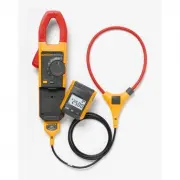
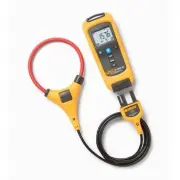
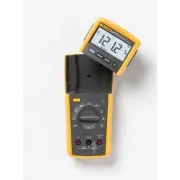
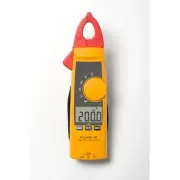
1 Introduction XW Warning Read "Safety Information" before you use the Meter. The Fluke 381 is a handheld, battery-operated Clamp Meter (the Meter) that has a remote-display module and detachable iFlex (Flexible Current Probe). The Remote Display can be removed from the Meter body and read a...
Page 6 - To register your product, visit; Safety Information; identifies conditions and actions that pose hazard(s) to the user A; Caution; identifies
381 Users Manual 2 • Singapore: +65-738-5655 • Anywhere in the world: +1-425-446-5500 Or, visit Fluke's website at www.fluke.com . To register your product, visit http://register.fluke.com . To see, print, or download the latest manual supplement, visit http://us.fluke.com/usen/support/manuals . Saf...
Page 7 - or
Remote Display True-rms Clamp Meter Safety Information 3 • Examine the test leads for damaged insulation or exposed metal. Check test lead continuity. Replace damaged test leads before using the Meter. • Do not use the Meter if it operates incorrectly. Protection can be compromised. When in doubt, h...
Page 9 - Symbol Meaning Symbol; Earth ground
Remote Display True-rms Clamp Meter Safety Information 5 Table 1. Symbols Symbol Meaning Symbol Meaning B AC (Alternating Current) J Earth ground F DC (Direct Current) P AC and dc current. X Hazardous voltage P Conforms to European Union directives. W Risk of Danger. Important information. See Manua...
Page 10 - CAT III
381 Users Manual 6 Symbol Meaning Symbol Meaning CAT III IEC Measurement Category III CAT III equipment has protection against transients in equipment in fixed-equipment installations, such as distribution panels, feeders and short branch circuits, and lighting systems in large buildings. CAT IV IEC...
Page 11 - Radio Frequency Data; Note
Remote Display True-rms Clamp Meter Radio Frequency Data 7 Radio Frequency Data Note Changes or modifications to the wireless 2.4 GHz radio not expressly approved by Fluke Corporation could void the user's authority to operate the equipment. This device complies with Part 15 of the FCC Rules. Operat...
Page 12 - Reorient or relocate the receiving antenna.; Features; Remote Display
381 Users Manual 8 off and on, the user is encouraged to try to correct the interference by one or more of the measures that follow: • Reorient or relocate the receiving antenna. • Increase the separation between the equipment and receiver. • Consult the dealer or an experienced radio/TV technician ...
Page 13 - shows in the display.; Figure 1. Remote Display
Remote Display True-rms Clamp Meter Features 9 The Meter base and display can be a maximum of 10 meters from each other before the radio signal connection is broken. This distance can change with the obstacles between the Meter base and display. There is a radio connection when shows in the displa...
Page 14 - Hazardous Voltage Indicator; Auto Power Off
381 Users Manual 10 Hazardous Voltage Indicator When the Meter senses a voltage ± 30 V or a voltage overload (OL), Y is shown on the display and the red high-voltage LED ( ) on the Meter base illuminates to tell you a hazardous voltage is at the Meter input. Flexible Current Probe XW Warning To av...
Page 15 - Backlight
Remote Display True-rms Clamp Meter Features 11 Backlight Push to toggle the Backlight on and off. The Backlight automatically goes off after 2 minutes. To disable the Backlight Auto Off feature, hold down while turning on the Meter. Display Hold To capture and hold the present display reading, ...
Page 16 - Inrush
381 Users Manual 12 Inrush Inrush Current is surge current that occurs when an electrical device is first powered on. The Meter can capture this surge current reading. Current spikes from motor drives are one example of such an event. The Inrush function takes approximately 400 samples over a 100 ms...
Page 17 - Figure 2. Meter Features
Remote Display True-rms Clamp Meter Features 13 600 V CAT 10 0 0 V CAT 10 0 0 A ZERO REMO T E D IS P L A Y T R M S C L AM P M E TE R 38 1 iFle x 1 16 14 15 3 4 5 6 9 12 13 10 11 7 8 2 ghn02.eps Figure 2. Meter Features
Page 18 - Table 2. Meter Features
381 Users Manual 14 Table 2. Meter Features Item Description A Current sensing Jaw B Tactile Barrier C Rotary Function Switch, see Table 3. D Hazardous-voltage indicator E Display release button F Display G Backlight button: turns the Backlight on and off. The Backlight stays on for 2 minutes when t...
Page 19 - Item Description; Jaw
Remote Display True-rms Clamp Meter Features 15 Item Description J Zero/Shift button: removes dc offset from dc current measurements. Also used to shift and corresponds to the yellow items on the Rotary Function Switch. K Inrush button: push to enter inrush mode. Push a second time to exit inrush mo...
Page 20 - Table 3. Rotary Function Switch
381 Users Manual 16 Table 3. Rotary Function Switch Switch Position Function OFF Meter is powered down K AC voltage L DC voltage K Resistance and continuity A AC current. Push Z to shift to frequency. C DC current D AC current and frequency measurement using the Flexible Current Probe. Push Z to shi...
Page 21 - Display
Remote Display True-rms Clamp Meter Features 17 Display To view all segments on the display at once, push H while turning the Meter on. See Figure 3 and Table 4. 12 13 11 10 14 15 1 2 4 5 6 7 8 9 3 ghn01.eps Figure 3. Display
Page 22 - Item Description Item
381 Users Manual 18 Table 4. Display Item Description Item Description A Inrush is active H Meter base low-battery symbol B Hold is active I Measurement is taken at the Jaw. C Volts J RF signal is being sent to remote display. D Amps K Continuity E Ohms, DC, AC, Hz L Hazardous voltage is present. F ...
Page 23 - Measurements
Remote Display True-rms Clamp Meter Measurements 19 Measurements Note Prior to first use, remove the battery isolator (small piece of plastic between the batteries and battery contacts). AC and DC Current (Jaw) XW Warning To avoid electric shock or personal injury: • When making current measurements...
Page 25 - Figure 4. Current Measurement with Jaw
Remote Display True-rms Clamp Meter Measurements 21 REMO TE DIS PL A Y TR MS C LA MP ME TE R 38 1 iFle x 600 V CAT 1000 V CAT 1000 A 60 0 V CAT 100 0 V CAT 100 0 A ghn04.eps Figure 4. Current Measurement with Jaw
Page 26 - Connect the Flexible Current Probe to the Meter. See Figure 5.
381 Users Manual 22 AC Current (Flexible Current Probe) XW Warning To prevent possible electrical shock or personal injury: Do not apply the Flexible Current Probe around or remove from HAZARDOUS LIVE conductors. Take special care during fitting and removal of the Flexible Current Probe. De-energize...
Page 27 - COM; terminal and the red test lead to the
Remote Display True-rms Clamp Meter Measurements 23 Note When the measured current is < 0.5 A, the center dot in the display icon ( X ) will flash on and off. With current > 0.5 A, the center dot will be steady. 5. Observe the current value on the Meter display. If the Flexible Current Probe d...
Page 28 - Figure 5. Flexible Current Probe Connection
381 Users Manual 24 1 2 ghn09.eps Figure 5. Flexible Current Probe Connection
Page 30 - Resistance/Continuity; Inrush Current Measurement (Jaw and Flexible Current Probe)
381 Users Manual 26 Resistance/Continuity To measure resistance or continuity: 1. Turn the Rotary Function Switch to K . 2. Remove power from the circuit being tested. 3. Connect the black test lead to the COM terminal and the red test lead to the G terminal. 4. Measure the resistance by touching th...
Page 31 - Off; Figure 7. Inrush Current Measurement
Remote Display True-rms Clamp Meter Measurements 27 600 V CAT 1000 V CAT 1000 A REMOTE DISPL AYTRMS CLAMP METER 381 iFlex 600 V CAT 1000 V CAT 1000 A REMOTE DISPL AYTRMS CLAMP METER 381 Off On 100 ms 1 2 4 3 INRUSH ghn11.eps Figure 7. Inrush Current Measurement
Page 32 - Frequency Measurement (Jaw and Flexible Current Probe); Hz; Maintenance; Cleaning the Meter and Flexible Current Probe
381 Users Manual 28 Frequency Measurement (Jaw and Flexible Current Probe) To measure frequency: 1. Turn the Meter Rotary Function Switch to A or D if the Flexible Current Probe is being used for the measurement. 2. Center the Jaw or Flexible Current Probe around the measurement source. 3. Push Z on...
Page 33 - Battery Replacement
Remote Display True-rms Clamp Meter Maintenance 29 Battery Replacement To replace the batteries in the Meter body, see Figure 8: 1. Turn the Meter OFF. 2. Use a flat head screwdriver to loosen the battery compartment door screw on the Meter base, and remove the door from the case bottom. 3. Remove t...
Page 34 - Figure 8. Battery Replacement
381 Users Manual 30 ghn03.eps Figure 8. Battery Replacement
Page 35 - User-Replaceable Parts; Description; Battery Door - Display Module
Remote Display True-rms Clamp Meter User-Replaceable Parts 31 User-Replaceable Parts Table 5. User-Replaceable Parts Description Qty. Fluke Part Number Battery, AAA 1.5 V 5 2838018 Battery Door - Display Module 1 3625529 Battery Door - Meter Base 1 3766406 Fluke 381 Remote Display 1 3766445 Soft Cas...
Page 36 - Specifications; Electrical Specifications; AC Current Via Jaw
381 Users Manual 32 Specifications Electrical Specifications AC Current Via Jaw Range ..................................................... 999.9 A Resolution ............................................... 0.1 A Accuracy ................................................. 2 % ± 5 digits (10-100 Hz) 5...
Page 37 - AC Current via Flexible Current Probe; digits
Remote Display True-rms Clamp Meter Specifications 33 AC Current via Flexible Current Probe Range ..................................................... 999.9 A / 2500 A (45 Hz – 500 Hz) Resolution ............................................... 0.1 A / 1 A Accuracy .....................................
Page 38 - Position Sensitivity; Figure 9. Position Sensitivity
381 Users Manual 34 Position Sensitivity A B C ghn12.eps Figure 9. Position Sensitivity
Page 39 - Distance from; DC Current; AC Voltage
Remote Display True-rms Clamp Meter Specifications 35 Distance from Optimum i2500-10 Flex i2500-18 Flex Error A 0.5 in (12.7 mm) 1.4 in (35.6 mm) ± 0.5 % B 0.8 in (20.3 mm) 2.0 in (50.8 mm) ± 1.0 % C 1.4 in (35.6 mm) 2.5 in (63.5 mm) ± 2.0 % Measurement uncertainty assumes centralized primary conduc...
Page 40 - DC Voltage; Frequency – Via Jaw
381 Users Manual 36 DC Voltage Range ..................................................... 600.0 V /1000 V Resolution ............................................... 0.1 V / 1 V Accuracy ................................................. 1 % ± 5 digits Frequency – Via Jaw Range .........................
Page 41 - Frequency via Flexible Current Probe; Resistance
Remote Display True-rms Clamp Meter Specifications 37 Frequency via Flexible Current Probe Range ..................................................... 5.0 to 500.0 Hz Resolution ............................................... 0.1 Hz Accuracy ................................................. 0.5 % ± ...
Page 42 - Environmental Specifications
381 Users Manual 38 Flexible Current Probe Cable Length (head to electronics connector) .............. 1.8 m Environmental Specifications Operating Temperature........................... -10 ° C to +50 ° C Storage Temperature .............................. -40 ° C to +60 ° C Operating Humidity ........
Page 43 - Temperature Coefficients
Remote Display True-rms Clamp Meter Specifications 39 RSS-210 IC: 6627A-F381 Temperature Coefficients Add 0.1 x specified accuracy for each degree C above 28 ° C or below 18 ° C Wireless Frequency ................................ 2.4 GHz ISM Band 10 meter range Safety Compliance .......................