Page 2 - LIMITED WARRANTY AND LIMITATION OF LIABILITY
LIMITED WARRANTY AND LIMITATION OF LIABILITY This Fluke product will be free from defects in material and workmanship for one year from the date of purchase. This warranty does not cover fuses, disposable batteries, or damage from accident, neglect, misuse, alteration, contamination, or abnormal con...
Page 3 - Table of Contents; Title
i Table of Contents Title Page Introduction ............................................................................................................... 1 How to Contact Fluke ............................................................................................... 1 Safety Information .......
Page 4 - ii
106/107 Users Manual ii Measure Capacitance........................................................................................... 19 Measure Frequency and Duty Cycle (107 Only) .................................................. 19 Maintenance .......................................................
Page 5 - Introduction; The Product is battery powered with a digital display.; How to Contact Fluke; To contact Fluke, call one of the following telephone numbers:
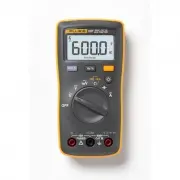
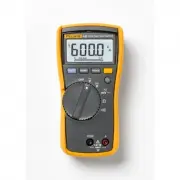
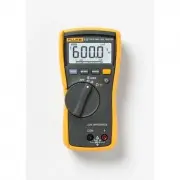
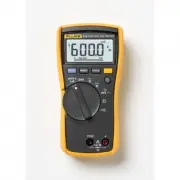
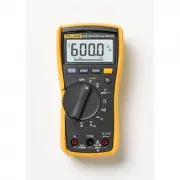
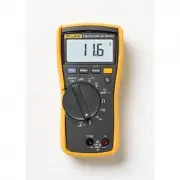
1 Introduction The Fluke 106 and 107 Digital Multimeters (the Product) are 6000-count instruments. The Product is battery powered with a digital display. Except where noted, the descriptions and instructions in this Users Manual apply to both the 106 and 107. Unless otherwise identified, all illustr...
Page 6 - Safety Information; Warning
106/107 Users Manual 2 • Russia: +8-495-664-75-12 • Singapore: +65-6799-5566 • Anywhere in the world: +1-425-446-5500 Or, visit Fluke's website at www.fluke.com . To register your product, visit http://register.fluke.com . To view, print, or download the latest manual supplement, visit http://us.flu...
Page 9 - Use only specified replacement parts.
Digital Multimeters Safety Information 5 • Replace the batteries when the low battery indicator shows to prevent incorrect measurements. • Use only specified replacement parts. • Use only specified replacement fuses. • Limit operation to the specified measurement category, voltage, or amperage ratin...
Page 12 - Instrument Overview; Terminals
106/107 Users Manual 8 Instrument Overview Terminals hhc01.jpg Item Description Input terminal for ac and dc current measurements to 10 A and current frequency (107 only) measurements. Common (return) terminal for all measurements. Input terminal for voltage, resistance, continuity, diode (107...
Page 14 - Auto Power Off; To restart the Product, turn the rotary switch back to the; OFF; position and then to a; YELLOW; button when turning on the
106/107 Users Manual 10 Table 2. Display Item Description Item Description High voltage Frequency is selected Display Hold is enabled Farads Continuity selected Millivolts Diode test is selected Amps or volts Duty Cycle is selected Dc or ac voltage or current Decimal prefix A...
Page 15 - Auto Backlight Off; To disable the Auto Backlight Off function, hold down; Measurements; Data Hold; To hold the present reading, push
Digital Multimeters Auto Backlight Off 11 Auto Backlight Off The backlight automatically turns off after 2 minutes of inactivity. To disable the Auto Backlight Off function, hold down when turning on the Product, until LoFF shows on the display. Note To disable both the Auto Power Off function and...
Page 16 - Measure AC and DC Voltage; COM
106/107 Users Manual 12 Measure AC and DC Voltage To measure ac and dc voltage: 1. Choose ac or dc by turning the rotary switch to or . 2. Connect the red test lead to the terminal and the black test lead to the COM terminal. 3. Measure the voltage by touching the probes to the correct test po...
Page 17 - Figure 2. Measure AC and DC Voltage
Digital Multimeters Measurements 13 hhc03.jpg Figure 2. Measure AC and DC Voltage
Page 18 - Measure AC or DC Current
106/107 Users Manual 14 Measure AC or DC Current Warning To prevent possible electrical shock, fire, or personal injury, remove circuit power before you connect the Product in the circuit when you measure current. Connect the Product in series with the circuit. 1. Turn the rotary switch to . 2....
Page 19 - Figure 3. Measure AC and DC Current
Digital Multimeters Measurements 15 hhc04.jpg Figure 3. Measure AC and DC Current
Page 20 - Measure Resistance; Test for Continuity
106/107 Users Manual 16 Measure Resistance 1. Turn the rotary switch to (106 does not have ). Make sure power is disconnected from the circuit to be measured. 2. Connect the red test lead to the terminal and the black test lead to the COM terminal. 3. Measure the resistance by touching the pro...
Page 22 - Turn the rotary switch to; button twice to activate the diode test mode.; Read the forward bias voltage value on the display.
106/107 Users Manual 18 Test Diodes (107 Only) 1. Turn the rotary switch to . 2. Push the YELLOW button twice to activate the diode test mode. 3. Connect the red test lead to the terminal and the black test lead to the COM terminal. 4. Connect the red probe to the anode and the black test lead t...
Page 23 - Measure Frequency and Duty Cycle (107 Only)
Digital Multimeters Measurements 19 Measure Capacitance 1. Turn the rotary switch to . 2. Connect the red test lead to the terminal and the black test lead to the COM terminal. 3. Touch the probes to the capacitor leads. 4. Let the reading stabilize (up to 18 seconds). 5. Read the capacitance va...
Page 24 - Maintenance
106/107 Users Manual 20 Maintenance Beyond replacing the batteries and fuse, do not attempt to repair or service the Product unless you are qualified to do so and have the relevant calibration, performance test, and service instructions. The recommended calibration cycle is 12 months. Warning To ...
Page 26 - Caution
106/107 Users Manual 22 Test the Fuse 1. Turn the rotary switch to (106 does not have ). 2. Plug a test lead into the terminal and touch the probe to the A terminal. • A good A terminal fuse is indicated by a reading less than 0.5 Ω . • If the display reads , replace the fuse and test again....
Page 27 - Figure 5. Replace Batteries and the Fuse
Digital Multimeters Maintenance 23 hhc07.jpg Figure 5. Replace Batteries and the Fuse
Page 28 - Service and Parts; Replacement parts are:
106/107 Users Manual 24 Service and Parts If the Product fails, first check the batteries and fuse. Then, review this manual to make sure you are operating the Product correctly. Replacement parts are: Item Fluke Part Number Batteries 2838018 Battery door 4319659 Test leads TL175 4306653 Fuse 803293...
Page 29 - General Specifications
Digital Multimeters General Specifications 25 General Specifications Maximum voltage between any terminal and Earth Ground ............................................................ 600 V Fuse protection for A input ............................................ 11 A, 1000 V, IR 17 kA Display (LCD) ...
Page 30 - Temperature Coefficient; Weight
106/107 Users Manual 26 Temperature Coefficient ................................................. 0.1 X (specified accuracy) / ° C (<18 ° C or >28 ° C) Size (HxWxL) .................................................................... 142 mm x 69 mm x 28 mm Weight .................................
Page 32 - Accuracy Specifications; Function
106/107 Users Manual 28 Accuracy Specifications Accuracy is specified for 1 year after calibration, at operating temperatures of 18 ° C to 28 ° C, relative humidity at 0 % to 75 %. Accuracy specifications take the form of: ± ([% of Reading] + [Number of Least Significant Digits]). Function Range Res...
Page 34 - Hz
106/107 Users Manual 30 Function Range Resolution Accuracy 106 107 Frequency [2] Hz (10 Hz to 100 kHz) 50.00 Hz 500.0 Hz 5.000 kHz 50.00 kHz 100.0 kHz 0.01 Hz 0.1 Hz 0.001 kHz 0.01 kHz 0.1 kHz NA 0.1 % + 3 Duty Cycle [2] 1 % to 99 % 0.1 % NA 1 % typical [3] [1] Specifications do not include errors d...