Page 3 - Contents; SAVE THESE INSTRUCTIONS
1 Contents Introduction 3 Safety and warnings 4 The control panel 7 Setting the clock and first use 8 Using your oven 9 Oven functions 11 Using the rotisserie 12 Using the timer 14 Automatic cooking 15 Cooking chart 17 User preference settings 18 Sabbath setting 20 Care and cleaning 22 Troubleshooti...
Page 5 - Before you start; Introduction
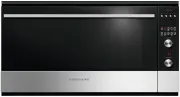
3 Congratulations on your new purchase. Your Fisher & Paykel oven has a number of features to make cooking a great experience for you: a choice of nine oven functions, including Rotisserie intuitive electronic controls and displays illuminated halos around the dials for visual feedback preferenc...
Page 6 - Safety and warnings; Hot Surface Hazard; Operation; Electrical Shock Hazard
4 Safety and warnings WARNING! Hot Surface Hazard Accessible parts may become hot when in use. To avoid burns and scalds, keep children away. Use oven mitts or other protection when handling hot surfaces such as oven shelves or dishes. Use care when opening the oven door. Let hot air or steam escape...
Page 7 - Important safety instructions
5 Safety and warnings Important safety instructions To reduce the risk of fire, electrical shock, injury to persons, or damage when using the oven, follow the important safety instructions listed below: Read all the instructions before using the oven. Use the oven only for its intended purpose as de...
Page 9 - Locking the control panel; To lock the control panel; To unlock the control panel; The control panel
7 Roast - + Locking the control panel You can lock the control panel to prevent unintended use (eg children playing with the oven). Doing so will disable the dials and all the buttons. To lock the control panel 1 Make sure the oven is not in use (the function dial is turned to Off ) and neither auto...
Page 10 - First use: conditioning the oven; Setting the clock; Setting the clock and fi rst use
8 1 Ensure the power supply to the oven is on. 4 Set the time by pressing the scroll buttons. Holding the buttons down will speed up the scrolling. 5 Press the select button to confirm. The clock indicator will soon disappear but the clock is now set. 2 Select the clock by pressing the right scroll ...
Page 11 - Using your oven; Fitting the side racks and catalytic panels
9 Using your oven Fitting the side racks and catalytic panels 1 Remove all shelves and trays. 2 For easier access to the fixing screws, you may remove the oven door first. See ‘Removing and refitting the oven door.’ 3 Using a small coin or a flat-head screwdriver, loosen and remove the front fixing ...
Page 13 - Oven functions
11 Oven functions Off Selecting this will turn the oven off. Bake This is the traditional method of baking. It is best to bake on only one shelf at a time in thisfunction. Ideal for large cakes and dishes that bake for several hours. Fan Bake Ideal for dishes like lasagne that need to brown on top a...
Page 14 - Using the rotisserie
12 Using the rotisserie 1 Prepare the rotisserie supports. Place the grill tray on the benchtop. Insert the supports into the lock studs making sure the supports face inwards. Push the supports all the way down to lock them in firmly. 3 Position the skewer on the supports. Place the skewer on the su...
Page 15 - When you have finished using the rotisserie
13 Using the rotisserie When you have finished using the rotisserie 1 Turn the oven off. 2 Using oven mitts, carefully disengage the right end of the skewer from the rotisserie drive hole. 3 Slide out the grill tray and place it on a heat-resistant surface. 4 Twist the handle onto the left end of th...
Page 16 - Using the timer; To modify the timer setting
14 Using the timer You can use the timer at any time, even if you are not using the oven. If the time is more than an hour, the display will count down in minutes (hr:min). If it is less than an hour, it will count down in seconds (min:sec). You can set the timer for up to 23 hours 59 minutes. Impor...
Page 17 - Automatic cooking; Set the cooking time
15 Automatic cooking You can set the oven to automatically turn on later, cook for a preset time (cooking time), then automatically turn off at a preset stop time. See the example and instructions below (steps 1 to 7). If you start cooking manually and only want the oven to turn off automatically af...
Page 18 - When automatic cooking is set; When the stop time is reached; To check the set cooking time and stop time; To cancel automatic cooking; Select function and temperature
16 Automatic cooking 7 Set the temperature. When automatic cooking is set The oven and the lights will stay off, the halos will be unlit, but your oven is now set for automatic cooking. It will automatically turn on at the required time. In a few seconds, the display will show the time of day with t...
Page 19 - Cooking chart; Food
17 Cooking chart Please note: The settings in the following chart are guidelines only. Follow the instructions in your recipe or on food packaging and be prepared to adjust the oven settings, shelf positions and baking times to achieve the best possible results for you. Shelf positions are counted f...
Page 20 - User preference settings; How to change preference settings
18 User preference settings You can set your oven to: display the temperature in degrees Celsius or Fahrenheit give audio feedback (tones and beeps) or operate quietly display time as 12-hr or 24-hr operate with the display off have its lights on or off during cooking operate in Sabbath setting (see...
Page 21 - Setting; TEMPERATURE SCALE
19 User preference settings 5 Press the right scroll button to scroll through the options for that particular setting. Refer to the table below. 6a Press the select button to save the new option . 6b For all options except ‘Display off ’ : press the cancel button to quit the user preference menu. Se...
Page 22 - Sabbath setting; While your oven is in Sabbath setting; How to set Sabbath setting
20 Sabbath setting This setting is designed for religious faiths that observe a ‘no work’ requirement on the Sabbath. While your oven is in Sabbath setting The display, dial halos and indicators will be unlit, the buttons will be unresponsive. No tones or beeps will sound. No alert codes or temperat...
Page 23 - To quit Sabbath setting
21 Sabbath setting The display, indicators and dial halos will be unlit and unresponsive, but the oven will bake until you quit Sabbath setting. To quit Sabbath setting Press and hold the cancel button until the time of day appears in the display and the oven turns off. 3a Press the right scroll but...
Page 24 - Care and cleaning; DOs; Don’t use a steam cleaner.
22 Care and cleaning DOs DON’Ts Before any manual cleaning or maintenance, first wait for the oven to cool down to a safe temperature to touch, then disconnect it from the power supply. Read these cleaning instructions and the ‘Safety and warnings’ section before you start cleaning your oven. See th...
Page 27 - Drop-down grill element
25 Care and cleaning Drop-down grill element Important! Turn off the oven at the wall and wait until the element has cooled completely before starting. To lower the grill element: use a flat-head screwdriver or a small coin to loosen the element fixing screws. When you have finished cleaning the ove...
Page 28 - Removing and refitting the sliding shelf supports
26 Care and cleaning Left Do not use that level Right Refitting the sliding shelf supports Removing and refitting the sliding shelf supports Important! Remove the side racks first to make removing the sliding shelf supports easier. The sliding shelf supports can only be used on shelf position 1, 3 a...
Page 29 - Removing and refitting the oven door; To remove the door
27 Care and cleaning Removing and refitting the oven door We recommend removing the door to make cleaning the interior parts of the ovenor replacing the light bulb(s) easier. Important! Take care, the oven door is heavy. If you have any doubts, do not attempt to remove the door. Make sure the oven a...
Page 30 - To refit the door
28 Care and cleaning To refit the door 5a Lift the door and disengage the hinges. 5b Rest the door on a soft surface. Ensure you lay it with the handle side down. 1 Hold the door firmly. 3 Open the door to its full extent. 2 Insert the hinge tongues into the slots, making sure that the notches on bo...
Page 31 - Removing and replacing the inner glass pane; To remove the inner glass pane
29 Care and cleaning Removing and replacing the inner glass pane The oven door has two panes of glass. The inner panecan be removed to make cleaning the glass easier. Important! Take extreme care when handling the glass pane. Avoid the edges of the glass bumping against any surface. This may result ...
Page 32 - Replacing the oven light bulbs; Note: oven bulb replacement is not covered by your warranty.
30 Care and cleaning Replacing the oven light bulbs The oven light bulbs (12V/20 W halogen) have a very long life, but if you should need to replace one, use only a replacement bulb purchased from your nearest Fisher & Paykel dealer and follow these steps. Note: oven bulb replacement is not cove...
Page 33 - Troubleshooting; Troubleshooting chart; Problem; General; The oven does not work.
31 Troubleshooting Troubleshooting chart If there is a problem, check the chart below to see if you can fix it. If the problem cannot be fixed or persists, call your Authorised Repairer or Customer Care. Problem Possible causes What to do General The oven does not work. No power. Check that the main...
Page 35 - What to do if an alert code is displayed; OR; Alert code; Alert codes
33 If there is a problem, the oven will: automatically suspend all oven functions beep five times display an alert code. Important! Do not turn off the mains power supply to the oven (wall switch) if you get an alert code, unless the instructions in the chart following specifically instruct you to. ...
Page 36 - Warranty and service
34 Warranty and service Before you call for service or assistance ... Check the things you can do yourself. Refer to the installation instructions and your user guide and check that: 1 your product is correctly installed. 2 you are familiar with its normal operation. If after checking these points y...