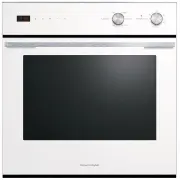
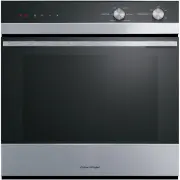
Page 3 - CONTENTS; Registration
3 CONTENTS Safety and warnings 4 First use 9 Menu 11Quick start functions 12 Extra functions 13 Setting a function 14 Conditioning the oven 16 Wi-Fi connection and remote mode 17 Cooking options 19 Temperature sensor (some models only) 21 Sabbath Mode 23 Oven shelves 25 Care and cleaning 26 Side rac...
Page 4 - SAFETY AND WARNINGS; Electric Shock Hazard; Fire Hazard; Failure to follow this advice may result in
4 SAFETY AND WARNINGS WARNING! Electric Shock Hazard Failure to follow this advice may result in electrical shock or death. • Turn the oven off at the wall before replacing the oven lamp. • Before carrying out any work on the electrical section of the appliance, it must be disconnected from the main...
Page 5 - Cut Hazard; Failure to use caution could result in injury.; Hot Surface Hazard; Failure to follow this advice could result in
5 SAFETY AND WARNINGS WARNING! Cut Hazard Failure to use caution could result in injury. • Take care: some edges are sharp. WARNING! Hot Surface Hazard Failure to follow this advice could result in burns and scalds. • To avoid burns and scalds, keep children away from this appliance. • Surfaces of t...
Page 6 - READ AND SAVE THIS GUIDE; described in these instructions.
6 SAFETY AND WARNINGS READ AND SAVE THIS GUIDE WARNING! To reduce the risk of fire, electrical shock, injury to persons or damage when using the oven, follow the important safety instructions listed below. Read all the instructions before installing or using the oven. Use the oven only for its inten...
Page 7 - Food Safety
7 SAFETY AND WARNINGS Food Safety z Leave food in the oven for as short a time as possible before and after cooking. This is to avoid contamination by organisms which may cause food poisoning. Take particular care during warm weather. General Use z This product has been designed for use in a domesti...
Page 8 - Self Cleaning; following conditions:
8 z Do not use a steam cleaner to clean any part of the oven. z The door gasket is essential for a good seal. Care should be taken not to rub, damage or move the gasket. Self Cleaning z Spillages must be removed before starting a Self Clean cycle. z Before starting a Self Clean cycle, remove oven sh...
Page 9 - FIRST USE; Features and accessories
9 FIRST USE Not all accessories are provided with all models. To purchase additional accessories go to www.fisherpaykel.com Features and accessories 1 Oven controls 2 Oven light 3 Shelves 4 Side racks 5 Temperature sensor 6 Broil rack 7 Grid 8 Broil pan
Page 11 - MENU; Turn the oven lights
11 MENU Menu TIMER Use the timer to keep track of cooking times. You can use it at any time, even if you are not using the oven. The timer does not turn the oven off. Refer to ‘Cooking options’ for automatic cooking options. LOCK Lock the oven controls to prevent accidental use. When locked, the con...
Page 12 - QUICK START FUNCTIONS
12 QUICK START FUNCTIONS FUNCTION DESCRIPTION BAKE Heat radiates from the top and bottom of the oven and is evenly distributed by natural convection. Moisture is retained to provide light, succulent dishes. For best results, bake on only one shelf. TRUE AERO Heat generated at the rear of the oven is...
Page 13 - EXTRA FUNCTIONS
13 EXTRA FUNCTIONS FUNCTION DESCRIPTIONS VENT BAKE Ideal for slow roasting meat. Vents remove excess moisture from the oven, promoting the gradual development of delicious, savoury flavours. Heat from upper and lower elements gently cooks to give a succulent and tender result. PIZZA BAKE The oven fa...
Page 14 - SETTING A FUNCTION; Before you begin; Ensure all cable ties and packaging have been removed.; and select
14 SETTING A FUNCTION 3 Turn the dial to adjust the temperature if needed. Position the shelves at the required height. Refer to ‘Oven shelves’ for guidance. 1 Before you begin z Ensure all cable ties and packaging have been removed. z Set the time. To change the time at any point go to SETTINGS and...
Page 15 - Preheating
15 SETTING A FUNCTION Preheating A progress bar will show on the screen while the oven is heating. To prevent burning, wait until the oven has reached temperature before placing food inside.Some functions do not need to preheat and will not show a progress bar. Place food in the oven when ready to s...
Page 16 - CONDITIONING THE OVEN
16 After conditioning: z Wait for the oven to cool completely. z Wipe oven with a damp cloth and mild detergent. z Dry with a clean, lint-free cloth. CONDITIONING THE OVEN We recommend conditioning your oven for 1 hour before initial use to eliminate any manufacturing residue. A small amount of smok...
Page 17 - WI-FI CONNECTION AND REMOTE MODE; Getting started; Connecting to your home Wi-Fi
17 WI-FI CONNECTION AND REMOTE MODE Your oven may be connected to your home wireless network and operated remotely using the app.Connect your oven to ensure it stays up to date with the latest software and features. Getting started z Ensure your home Wi-Fi network is turned on. z You will be given s...
Page 18 - Enabling Remote Mode; Select; then press; Remote Mode is now enabled.
18 WI-FI CONNECTION AND REMOTE MODE Enabling Remote Mode Go to the menu. 1 Select REMOTE . 2 Select ON then press CONFIRM . Remote Mode is now enabled. 3
Page 19 - COOKING OPTIONS; Delayed start
19 COOKING OPTIONS Delayed start Set the oven to turn on later, cook for a set length of time and turn off automatically. Auto off Set the oven to turn off after a set length of time. Temperature sensor Use the sensor to monitor cooking and automatically turn the oven off when food is done.
Page 20 - Food safety; Ensure meat is fully defrosted before cooking.; we do not recommend using; or; Accessing options; Select a function then press to access.
20 COOKING OPTIONS Food safety z Leave food in the oven for as short a time as possible before and after cooking. z Ensure meat is fully defrosted before cooking. z Rest meat after cooking to allow the internal temperature to continue to rise. z High risk foods such as fish should reach a minimum in...
Page 21 - Using the temperature sensor; Go to; Select a food type and doneness level.
21 TEMPERATURE SENSOR (SOME MODELS ONLY) Using the temperature sensor 1 Go to OPTIONS and select TEMPERATURE SENSOR . 2 Select a food type and doneness level. Select a temperature and press the dial to confirm. Preheat if required. 3 Insert the sensor.Position the sensor in the thickest part of the ...
Page 24 - Cancelling Sabbath Mode; Press and hold the dial to cancel.
24 SABBATH MODE Cancelling Sabbath Mode The oven will heat for the set length of time and then turn off. At the end of the cook time, the oven will remain in Sabbath Mode until cancelled. Press and hold the dial to cancel. 1
Page 25 - OVEN SHELVES; Positioning the oven shelves; Slide shelves into the cavity.; Wire shelves
25 Ensure shelves are level and correctly positioned with the guard rail at the back OVEN SHELVES Positioning the oven shelves Place shelves in the oven at the required level before heating the oven. Grip shelves at the front, holding the wire shelf and frame together.Place the shelf on top of the s...
Page 26 - CARE AND CLEANING; Cleaning surfaces
26 CARE AND CLEANING Turn the oven off at the wall and allow it to cool before doing any cleaning or maintenance. Cleaning surfaces Wipe with a damp cloth and mild detergent, then dry with a clean, lint-free cloth. We do not recommend using the following cleaning products as they may damage the surf...
Page 28 - SIDE RACKS; Removing the side racks
28 SIDE RACKS Removing the side racks Remove the side racks to access the oven lights or to make cleaning easier. Remove all shelves. 1 Unscrew the nut holding the rack in position. Use a coin to loosen if required. 2 Pull the front of the rack clear of the screw and slide forward to remove. 3
Page 29 - Refitting the side racks
29 SIDE RACKS Refitting the side racks Slide the prongs into the holes. Ensure the rack sits flush against the side of the oven. 1 Align the tab with the screw and secure with the nut. Use a coin to tighten if required. 2
Page 30 - OVEN LIGHTS; Oven light specifications; Remove all shelves and side racks.; Replacing the oven lights; Remove the faulty bulb from the socket.
30 OVEN LIGHTS Oven light specifications G9 120V/25W halogen bulbs Remove all shelves and side racks. 1 Replacing the oven lights Remove the glass light bulb cover. Prise off using a small flat-head screwdriver in the notches between the cover and oven wall.Take care not to drop the cover. 2 Remove ...
Page 32 - SELF CLEAN; Setting Self Clean; CLEAN CYCLE
32 SELF CLEAN Before you begin z Remove shelves and accessories from the oven. z Enamelled side racks can be left in the oven during Self Clean. Chrome side racks must be removed before running Self Clean. z Clean inside oven door with mild detergent and a soft cloth to avoid permanent staining. z W...
Page 33 - When Self Clean is finished; Wait for the oven to cool down completely.
33 SELF CLEAN 4 Follow the instructions onscreen to start the cycle. 5 For your safety, the oven door will be locked shut during the cycle. The cycle will not start until the door is properly closed. When Self Clean is finished z Wait for the oven to cool down completely. z Remove the grey ash with ...
Page 34 - Press the power button to cancel.; Cancelling Self Clean
34 Press the power button to cancel. SELF CLEAN Cancelling Self Clean The oven door will not unlock until the oven has cooled to a safe temperature.Do not turn the oven off at the wall. Turning off the power while the oven is too hot may damage the oven and its surrounding cabinetry.We do not recomm...
Page 35 - TROUBLESHOOTING; PROBLEM
35 TROUBLESHOOTING PROBLEM POSSIBLE CAUSES WHAT TO DO The oven does not work No power. Check that the mains power supply (wall switch) is turned on, the fuse has not tripped and there is no power outage in your area. The oven controls are unresponsive The controls are locked. Press and hold the dial...
Page 37 - FAULT CODES; How do I know if there is a problem?; FAULT CODE
37 FAULT CODES How do I know if there is a problem? Your oven will beep and an alert will show in the display. What to do First try to fix the issue and clear the alert according to the instructions onscreen or the steps in the following table. Do not turn the oven off at the wall unless it is compl...
Page 38 - MANUFACTURER’S WARRANTY AND SERVICE GUIDE; To access your Warranty and Service Guide; US; Complete and keep for safe reference:
38 MANUFACTURER’S WARRANTY AND SERVICE GUIDE To access your Warranty and Service Guide Scan the QR code with your smartphone to access your warranty and book a service, refer to your separate warranty and service book or view online at https://www.fisherpaykel.com/us/help-and- support/warranty-infor...