Page 3 - MEET THE ELITE FIELD; Thank you for purchasing the; INSTALLING BATTERIES; will be displayed in the
ELITE FIELD OWNER’S MANUAL 3 MEET THE ELITE FIELD Thank you for purchasing the Etón ELITE FIELD AM/ FM/SW Radio . We want you to thoroughly enjoy the use of this product. To take advantage of its many excellent and unique features, we urge you to carefully read the user’s manual. INSTALLING BATTERIE...
Page 4 - flashes, it indicates that batteries are low and; USING AC POWER; TUNING
ELITE FIELD OWNER’S MANUAL 4 LCD; if flashes, it indicates that batteries are low and the radio will soon turn off automatically. USING AC POWER Plug AC adapter into the socket on the right side of the radio. Use only the AC adapter supplied. When the AC adapter is plugged in, the will show in the u...
Page 5 - • Long press the UP or DOWN button to seek the next; TUNING IN FM STATIONS; FM MONO/STEREO OPERATION
ELITE FIELD OWNER’S MANUAL 5 • Long press the UP or DOWN button to seek the next station up or down in frequency • Press the PRESET button to tune to the next preset station Short press the Q.TUNE button to increment quickly up the frequency range. The Q.TUNE button steps up in frequency by 1000kHz ...
Page 6 - CHANGING THE TUNING STEPS (9kHz or 10kHz)
ELITE FIELD OWNER’S MANUAL 6 INFO button will enable the display of RDS information as PS/PTY/RT/DATA in cycle. The icon will be displayed in the lower left corner of the display in RDS mode. PS: station name , when no station information, just display “NO PS”; PTY: program category, no program, jus...
Page 7 - USING THE SW RF GAIN KNOB; CHANGING THE TUNING SPEED USING THE TIMER
ELITE FIELD OWNER’S MANUAL 7 MW, or medium wave stations, known as AM stations in North America, range from 520 to 1710 KHz in North America and from 522 to 1620 KHz in other parts of the world. In North America they tune in 10 KHz steps and in other parts of the world they may tune in 9 KHz steps. ...
Page 8 - For “STOP” mode, the rotating tuning knob is disabled.; ANTENNA DX/LOCAL SWITCH
ELITE FIELD OWNER’S MANUAL 8 For“SLOW” mode, rotate tuning knob to increase or decrease frequency for FM at 10kHz, MW at 1kHz, SW at 1kHz; For “FAST” mode,rotate tuning knob to increase or decrease frequency for FM at 100kHz, MW at 9kHz or 10kHz, SW at 5kHz; For “STOP” mode, the rotating tuning knob...
Page 9 - OPTIMIZING SHORTWAVE RECEPTION; At night, frequencies below 13 MHz are usually best.
ELITE FIELD OWNER’S MANUAL 9 SW appears in frequency range of 1711 to 29999 KHz. Tune in the station with the TUNING knob or by pressing the UP/DOWN button or by pressing and holding the UP/DOWN button for one second to engage auto tuning. TUNING TO SW FREQUENCY RANGES (BANDS) Tune to these frequenc...
Page 10 - WORLD RADIO TV HANDBOOK; STORING STATIONS TO PRESET LOCATIONS
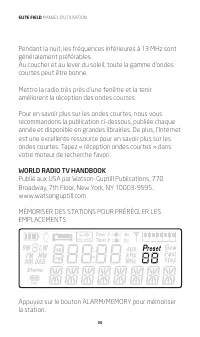
ELITE FIELD OWNER’S MANUAL 10 Around sunset and sunrise, the entire shortwave range may be good. Getting very close to a window and holding the radio improves shortwave reception. To learn about shortwave we recommend the publication below, published yearly and available from major booksellers. Addi...
Page 11 - RETRIEVING STATIONS FROM PRESETS; to begin pairing, now activate the
ELITE FIELD OWNER’S MANUAL 11 buttons to select memory address (1~10) ” ”, press the ALARM/MEMORY button again to store station to selected address and exit memory status. The user can repeat this procedure to store other favorites, then press PRESET button to recall memorized stations. Note: The ra...
Page 12 - In order to save power, the radio will power off; SETTING THE CLOCK; Turn the tuning knob in either direction or press the UP; SETTING, ACTIVATING AND DEACTIVATING THE; Display Timer A/Timer B
ELITE FIELD OWNER’S MANUAL 12 In Disconnected mode,the ”>” icon is flashing slowly. In Connected mode,the ”>” icon is on all the time. 5. In order to save power, the radio will power off automatically if the bluetooth is not paired successfully in more than 10 minutes. SETTING THE CLOCK The EL...
Page 13 - SETTING TIMER A / TIMER B values
ELITE FIELD OWNER’S MANUAL 13 Short press TIMER A or TIMER B button, “ ” or “ ” icon will flash indicating which timer’s time is currently being displayed. SETTING TIMER A / TIMER B values Long press TIMER A or TIMER B until the timer is flashing.Press ▲ button to change hour, then rotate tuning kno...
Page 14 - SETTING AND DEACTIVATING THE SLEEP TIMER; icon will appear in the upper left of the display and a
ELITE FIELD OWNER’S MANUAL 14 continue to flash but the buzzer or radio will be off during the Snooze time. After 5 minutes, the buzzer or radio will come on again. The Snooze function can be enabled 4 times, after the 4th time the press of any button will disable the Timer alarm. To immediately dis...
Page 15 - ” icon is; SETTING DEFAULT BACKLIGHT BRIGHTNESS; USING THE LOCK BUTTON; (front top of the radio) until you see a
ELITE FIELD OWNER’S MANUAL 15 If you want to change sleep timer, press Power & Sleep button continuously when the “60” and “ ” icon is displayed, the digit will be changed to your desired time. The “ON” icon indicates the power is on . With the radio on, press Power & Sleep button to turn of...
Page 16 - ENABLING AND DISABLING BUTTON FEEDBACK; Volume Control; USING THE EARPHONE JACK
ELITE FIELD OWNER’S MANUAL 16 ENABLING AND DISABLING BUTTON FEEDBACK With the Radio off, Press and hold the ALARM button, the text BUZZER ON will be displayed. In this mode, a button press feedback beep will be played each time, the user presses a button. Release the ALARM button and press and hold ...
Page 17 - USING THE LINE IN/OUT SOCKETS
ELITE FIELD OWNER’S MANUAL 17 The earphone jack can be used with stereo headphones using an 1/8 inch (3.5 millimeter) plug. FM sound is in stereo if the signal is sent in stereo and the ST position is selected with the BANDWIDTH switch. The internal speaker will be muted when a device is connected t...
Page 18 - USING THE GRUNDIG AN200 ANTENNA FOR; Etón Corporation
ELITE FIELD OWNER’S MANUAL 18 FM/SW EXT. ANT.socket – Located on the back of the radio is primarily for antennas designed to be fed with 50 or 75 ohm coaxial cable, such as dipoles or comparable antennas. It can also be used for long wire antennas. Use F plugs for feeding this socket. USING THE GRUN...
Page 19 - WARNING; • Unplug immediately if liquid has been spilled or any; ENVIRONMENT; Disposal
ELITE FIELD OWNER’S MANUAL 19 M-F, 8:00AM-4:30PM, Pacific Standard Time www.etoncorp.com. WARNING • Do not expose this appliance to rain or moisture. • Do not submerge or expose for extended period to water.• Protect from high humidity and rain.• Only operate within specified temperature range (0 °C...
Page 20 - WARRANTY REGISTRATION; Please go to; LIMITED WARRANTY; com; in the Support section.; SERVICE FOR YOUR PRODUCT; If your product is still in warranty and the
ELITE FIELD OWNER’S MANUAL 20 are unsure, please call the appropriate local authority to find out how to dispose of them safely and help protect the environment. WARRANTY REGISTRATION To ensure full warranty coverage or product updates, registration of your product should be completed as soon as pos...
Page 22 - DÉCOUVREZ LA ELITE FIELD; Nous vous remercions d’avoir acheté la radio; . Nous voulons que vous profitiez; INSTALLATION DES PILES
ELITE FIELD MANUEL D’UTILISATION 22 DÉCOUVREZ LA ELITE FIELD Nous vous remercions d’avoir acheté la radio ELITE FIELD AM/FM/OC Etón . Nous voulons que vous profitiez pleinement de l’utilisation de ce produit. Afin de profiter de ses nombreuses fonctionnalités uniques et excellentes, nous vous encour...
Page 23 - INDICATEUR DU NIVEAU DE BATTERIE; s’affiche sur l’écran LCD Si; UTILISER UNE ALIMENTATION SECTEUR
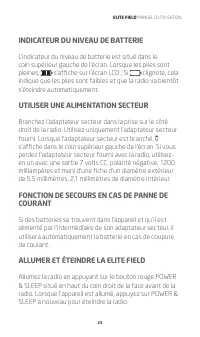
ELITE FIELD MANUEL D’UTILISATION 23 INDICATEUR DU NIVEAU DE BATTERIE L’indicateur du niveau de batterie est situé dans le coin supérieur gauche de l’écran. Lorsque les piles sont pleines, s’affiche sur l’écran LCD ; Si clignote, cela indique que les piles sont faibles et que la radio va bientôt s’ét...
Page 24 - SYNTONISATION; SYNTONISER DES STATIONS FM
ELITE FIELD MANUEL D’UTILISATION 24 SYNTONISATION Il existe plusieurs façons de régler la radio à la station de votre choix : • Tournez la molette de syntonisation pour sélectionner la fréquence • Appuyez de façon brève sur la touche Up ou DOWN (haut ou bas) pour un changement étape par étape à la f...
Page 25 - FONCTIONNEMENT FM MONO/STÉRÉO
ELITE FIELD MANUEL D’UTILISATION 25 FONCTIONNEMENT FM MONO/STÉRÉO Faites tourner le sélecteur de bande sur la position FM, en mode FM, puis faites un appui court sur le bouton « MONO/STEREO ». Si la station actuelle est une station stéréo, l’écran LCD affiche « Stereo » et « --AUTO-- ». Faites de no...
Page 26 - MODIFIER LE PAS DE SYNTONISATION (9 kHz ou 10 kHz)
ELITE FIELD MANUEL D’UTILISATION 26 Par exemple, l’écran LCD va dérouler pour afficher sous la forme WGSS, mardi 25 mars 2014 2h15, SYNTONISATION DES STATIONS MW (MA) Placez le commutateur du haut de bande passante en position W ou N (large ou étroite). Placez le commutateur du bas de la bande passa...
Page 27 - UTILISER LE BOUTON SW RF GAIN; CHANGER LA VITESSE DE SYNTONISATION À
ELITE FIELD MANUEL D’UTILISATION 27 UTILISER LE BOUTON SW RF GAIN Lorsque vous écoutez des stations de radiodiffusion SW, ce bouton de réglage doit être composé à ou près de la position 5. Si vous écoutez une station faible, augmenter le gain, en écoutant les stations extrêmement puissantes, diminue...
Page 28 - COMMUTATEUR DX/ANTENNE LOCALE; SYNTONISATION DES STATIONS OC (ondes courtes)
ELITE FIELD MANUEL D’UTILISATION 28 Pour le mode « STOP », le bouton de syntonisation rotatif est désactivé. COMMUTATEUR DX/ANTENNE LOCALE Si la station que vous êtes en train d’écouter est si puissante que le son est déformé, tournez ce commutateur à la position « LOCAL ». Sinon, laissez-le sur DX,...
Page 29 - OPTIMISER LA RÉCEPTION DES ONDES COURTES
ELITE FIELD MANUEL D’UTILISATION 29 bouton UP/DOWN pendant une seconde pour engager l’autoréglage. SYNTONISATION POUR LES PLAGES DE FRÉQUENCES (BANDES) OC Syntonisez à ces plages de fréquences pour de meilleurs résultats. La radio peut aussi capter entre ces plages. Bande de mètres (m) Fréquence Mei...
Page 31 - ” clignote à l’écran. Appuyez sur les boutons flèche; RÉCUPÉRATION DES STATIONS DEPUIS PRESETS; pour commencer le
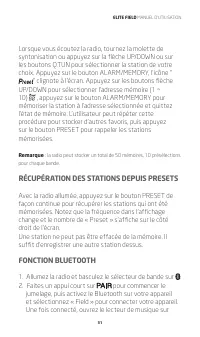
ELITE FIELD MANUEL D’UTILISATION 31 Lorsque vous écoutez la radio, tournez la molette de syntonisation ou appuyez sur la flèche UP/DOWN ou sur les boutons Q.TUN pour sélectionner la station de votre choix. Appuyez sur le bouton ALARM/MEMORY, l’icône “ ” clignote à l’écran. Appuyez sur les boutons fl...
Page 32 - RÉGLAGE DE L’HORLOGE; Pour régler l’horloge :
ELITE FIELD MANUEL D’UTILISATION 32 votre appareil pour lire de la musique. Faites un appui court sur le bouton PLAY/PAUSE pour lire la musique ou la mettre en pause. 3. 3.1 Faites un appui court sur le bouton pour passer à la chanson suivante sur votre appareil. 3.2 Faites un appui court sur le bou...
Page 33 - RÉGLER, ACTIVER ET DÉSACTIVER LE RÉVEIL; Affichage Minuterie A / minuterie B
ELITE FIELD MANUEL D’UTILISATION 33 5. Appuyez rapidement sur le bouton T.SET pour finaliser l’entrée. Remarque : si les étapes ci-dessus ne sont pas achevées assez rapidement, le mode réglage de l’heure s’arrêtera. S’il s’arrête, dans ce cas, recommencez simplement. RÉGLER, ACTIVER ET DÉSACTIVER LE...
Page 34 - : indique vibreur sonore d’alarme; RÉGLER ET DÉSACTIVER LA MINUTERIE DE
ELITE FIELD MANUEL D’UTILISATION 34 : indique vibreur sonore d’alarme : indique le radioréveil Si ni l’icône ou n’est affiché l’ALARME est désactivée. Fonction vibreur sonore d’alarme ou fonction d’alarme Radio (via TIMER) Lorsque le signal sonore de la minuterie d’alarme est activé, le signal de so...
Page 35 - minuterie de SOMMEIL, l’icône
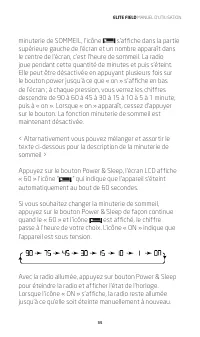
ELITE FIELD MANUEL D’UTILISATION 35 minuterie de SOMMEIL, l’icône s’affiche dans la partie supérieure gauche de l’écran et un nombre apparaît dans le centre de l’écran, c’est l’heure de sommeil. La radio joue pendant cette quantité de minutes et puis s’éteint. Elle peut être désactivée en appuyant p...
Page 36 - RÉGLAGE DE LA LUMINOSITÉ DU; UTILISER LE BOUTON DE VERROUILLAGE
ELITE FIELD MANUEL D’UTILISATION 36 RÉGLAGE DE LA LUMINOSITÉ DU RÉTROÉCLAIRAGE PAR DÉFAUT Avec la radio éteinte, appuyez sur le bouton Q.TUNE, le rétro-éclairage de l’écran bascule entre BASSE, MOYENNE et HAUTE luminosité du rétro-éclairage. Le dernier réglage sélectionné est activé quand la radio j...
Page 37 - COMMANDES DU VOLUME AUDIO ET DE LA; Contrôle du volume; UTILISER LES PRISES DE LA LIGNE ENTRÉE/
ELITE FIELD MANUEL D’UTILISATION 37 COMMANDES DU VOLUME AUDIO ET DE LA TONALITÉ Contrôle du volume Augmentez le volume en tournant le bouton volume (bouton au coin inférieur gauche de la radio) dans le sens horaire (vers la droite), baissez en tournant le bouton dans le sens antihoraire (vers la gau...
Page 38 - ANTENNES EXTERNES; COMMUTATEUR SÉLECTEUR D’ANT. : EXT ou INT; UTILSEZ UNE ANTENNE AN200 GRUNDIG POUR
ELITE FIELD MANUEL D’UTILISATION 38 d’entrée audio. Lorsqu’un périphérique est connecté à la prise d’entrée audio, le mot « AUX » s’affiche sur l’écran. La prise de sortie audio peut être utilisée pour alimenter la radio ELITE FIELD à des haut-parleurs externes amplifiés. Le haut-parleur interne ser...
Page 39 - POUR RÉINITIALISER LA RADIO ELITE FIELD; MISE EN GARDE; • Débranchez immédiatement si du liquide a été renversé
ELITE FIELD MANUEL D’UTILISATION 39 peut être achetée en contactant Etón ou l’un de nos distributeurs. Appelez-nous pour plus de détails. POUR RÉINITIALISER LA RADIO ELITE FIELD Si la radio fonctionne mal ou ne fonctionne pas correctement, insérez un trombone dans l’orifice sur le côté droit inférie...
Page 40 - • Nettoyez uniquement avec un chiffon sec. N’utilisez pas; ENVIRONNEMENT; MISE AU REBUT; ENREGISTREMENT DE GARANTIE; Veuillez aller à
ELITE FIELD MANUEL D’UTILISATION 40 • Nettoyez uniquement avec un chiffon sec. N’utilisez pas de solvants chimiques ou détergents car cela pourrait endommager le fini. • Débranchez et déconnectez les antennes extérieures pendant les orages. • N’enlevez pas le capot [ou dos].• Adressez-vous à un tech...
Page 41 - pour; GARANTIE LIMITÉE
ELITE FIELD MANUEL D’UTILISATION 41 https://etoncorp.com/pages/contact-us pour enregistrer votre produit. GARANTIE LIMITÉE Conservez votre preuve d’achat ou de réception. Les informations sur la Garantie limitée peuvent être consultées sur www.etoncorp.com dans la section Assistance. MAINTENANCE DE ...
Page 43 - CONOZCA LA ELITE FIELD; Gracias por adquirir la; radio Etón ELITE FIELD AM/; . Queremos que disfrute del uso de este producto; INSTALACIÓN DE BATERÍAS
ELITE FIELD BT MANUAL DE USUARIO 43 CONOZCA LA ELITE FIELD Gracias por adquirir la radio Etón ELITE FIELD AM/ FM/OC . Queremos que disfrute del uso de este producto en su totalidad. Para aprovechar todas sus magníficas y exclusivas funciones, le recomendamos que lea cuidadosamente el manual del usua...
Page 44 - totalmente cargadas, aparecerá; UTILIZACIÓN DE ENERGÍA AC; SINTONIZACIÓN
ELITE FIELD MANUAL DE USUARIO 44 totalmente cargadas, aparecerá en la pantalla LCD; si destella, indica que las baterías están bajas y la radio pronto se apagará automáticamente. UTILIZACIÓN DE ENERGÍA AC Enchufe el adaptador AC en el tomacorriente en el lateral derecho de la radio. Utilice solo el ...
Page 45 - SINTONIZACIÓN EN ESTACIONES FM
ELITE FIELD BT MANUAL DE USUARIO 45 • Gire la perilla de sintonización para seleccionar la frecuencia • Presione rápidamente el botón UP (POSTERIOR) o DOWN (ANTERIOR) para cambiar paso a paso la frecuencia e ir más adelante o más atrás • Presione prolongadamente el botón UP o DOWN para buscar la sig...
Page 46 - Formato de la semana:
ELITE FIELD MANUAL DE USUARIO 46 emisora actual emite en estéreo, la pantalla LCD muestra “Stereo” y “--AUTO--”. Presionando de nuevo brevemente el botón, cambia a “MONO”. Presione rápidamente el botón para cambiar entre “MONO” y “ESTÉREO”. RDS/INFORMACIÓN: La radio ELITE FIELD admite RDS INFO Data ...
Page 47 - CÓMO CAMBIAR LA SINTONIZACIÓN (9 kHz o 10 kHz)
ELITE FIELD BT MANUAL DE USUARIO 47 SINTONIZACIÓN EN ESTACIONES DE OM (AM) Ubique el interruptor superior de ancho de banda en la posición W o N (ancho o angosto). Posicione el interruptor BANDWITH (ancho de banda) en la posición MW. Posicione el interruptor SW RF GAIN en la posición 5, o más alto s...
Page 48 - CÓMO CAMBIAR LA VELOCIDAD DE
ELITE FIELD MANUAL DE USUARIO 48 atrase la perilla. Para escuchar estaciones de Onda corta, posicione el control al máximo y gírelo para disminuir lo necesario. CÓMO CAMBIAR LA VELOCIDAD DE SINTONIZACIÓN CON EL TEMPORIZADOR A/ BOTÓN DE SINTONIZACIÓN Con la radio encendida, presione rápidamente TIMER...
Page 49 - ANTENNA DX/INTERRUPTOR LOCAL; SINTONIZACIÓN DE ESTACIONES DE OC (onda corta)
ELITE FIELD BT MANUAL DE USUARIO 49 ANTENNA DX/INTERRUPTOR LOCAL Si la estación que está escuchando tiene tanta recepción que suena distorsionada, ubique el interruptor en la posición LOCAL. De lo contrario, déjelo en DX, que significa distancia máxima. SINTONIZACIÓN DE ESTACIONES DE OC (onda corta)...
Page 50 - OPTIMIZACIÓN DE LA RECEPCIÓN DE LA ONDA
ELITE FIELD MANUAL DE USUARIO 50 SINTONIZACIÓN EN RANGOS DE FRECUENCIA DE OC (BANDAS) Sintonice estos rangos de frecuencia para mejores resultados. La radio puede, además, sintonizar entre estos rangos. Banda en metros (m) Frecuencia Mejor momento del día 90 m 3,200-3,400 kHz 75 m 3,900-4,000 kHz 60...
Page 51 - CÓMO GUARDAR ESTACIONES EN UBICACIONES
ELITE FIELD BT MANUAL DE USUARIO 51 Por la noche, las frecuencias menores a 13 MHz son, generalmente, mejores.Sobre el atardecer y el amanecer, es probable que el rango de onda corta, en su totalidad, sea bueno. Si se acerca considerablemente a una ventana con la radio en mano, la recepción de la on...
Page 52 - ” destellará en la pantalla. Presione los botones; RECUPERACIÓN DE ESTACIONES A PARTIR DE; Encienda la radio y mueva el selector de banda a la
ELITE FIELD MANUAL DE USUARIO 52 Cuando esté escuchando la radio, gire la perilla o presione la flecha UP/DOWN o los botones Q.TUN para seleccionar la estación deseada. Presione el botón ALARM/MEMORY, el ícono “ ” destellará en la pantalla. Presione los botones con flechas UP/DOWN para seleccionar d...
Page 53 - CONFIGURACIÓN DEL RELOJ; Para configurar el reloj:
ELITE FIELD BT MANUAL DE USUARIO 53 de su dispositivo para reproducir la música. Presione brevemente el botón PLAY/PAUSE para reproducir o pausar la reproducción. 3. 3. 3.1 Presione brevemente el botón para pasar a la siguiente canción de su dispositivo. 3.2 Presione brevemente el botón para volver ...
Page 54 - CONFIGURACIÓN, ACTIVACIÓN Y DESACTIVACIÓN; CONFGURACIÓN DE los valores TIMER A/TIMER B
ELITE FIELD MANUAL DE USUARIO 54 4. Presione rápidamente el botón DOWN y los minutos comenzarán a destellar, gire la perilla de sintonización para configurar los minutos. 5. Presione rápidamente el botón T.SET para finalizar la entrada. Nota: si los pasos antes mencionados no se completan lo suficie...
Page 55 - Selección de alarma con radio o timbre
ELITE FIELD BT MANUAL DE USUARIO 55 Selección de alarma con radio o timbre Mientras en TIMER A o TIMER B, en el modo de ajuste presione para seleccionar entre alarma con timbre o radio. : indica alarma con timbre : indica alarma con radio Si ninguno de los íconos o aparece en la pantalla, la ALARMA ...
Page 56 - CONFIGURACIÓN Y DESACTIVACIÓN DEL; ”, que indica que la unidad se apagará
ELITE FIELD MANUAL DE USUARIO 56 CONFIGURACIÓN Y DESACTIVACIÓN DEL TEMPORIZADOR DE DESCANSO Presione el botón rojo POWER & SLEEP en la esquina superior derecha del frente. Cuando la radio se encienda, verá la palabra “ON” en la pantalla por un momento. Presione el botón POWER & SLEEP nuevame...
Page 57 - CONFIGURACIÓN DE BRILLO DE FONDO POR; UTILIZACIÓN DEL BOTÓN DE BLOQUEO
ELITE FIELD BT MANUAL DE USUARIO 57 Con la radio encendida, presione el botón Power & Sleep para apagar la radio y mostrar el estado del reloj.Cuando el ícono “ON” aparece en la pantalla, la radio permanecerá encendida hasta que se apague manualmente de nuevo. CONFIGURACIÓN DE BRILLO DE FONDO PO...
Page 58 - CONTROLES DE VOLUMEN DEL AUDIO Y TONOS; Control del volumen; UTILIZACIÓN DEL TOMA DE AURICULARES
ELITE FIELD MANUAL DE USUARIO 58 sonido de devolución de botones cada vez que el usuario presione un botón. Libere el botón ALARM y presione y mantenga nuevamente para apagar el timbre, aparecerá BUZZER OFF en la pantalla. En este momento, los sonidos de devolución del usuario se desactivarán. CONTR...
Page 59 - ENTRADA/SALIDA DE LÍNEA
ELITE FIELD BT MANUAL DE USUARIO 59 ENTRADA/SALIDA DE LÍNEA Estos tomacorrientes están en el lateral derecho de la ELITE FIELD, un tipo de estéreo de 1/8 pulgadas (3.5 mm). Se puede reproducir un dispositivo de audio externo (como un reproductor MP3) al conectar una línea AUXILIAR del dispositivo al...
Page 60 - UTILIZACIÓN DE LA ANTENA GRUDIG AN200; ADVERTENCIA; • No exponga este dispositivo a la lluvia o humedad.
ELITE FIELD MANUAL DE USUARIO 60 UTILIZACIÓN DE LA ANTENA GRUDIG AN200 PARA UN RENDIMIENTO MEJORADO DE LA FRECUENCIA AM (OM) (NO INCLUIDA) No es necesario que conecte la antena de bucle de banda AN200 AM (OM) o cualquier modelo similar, solo colóquela al lado de la radio y sintonícela en la misma fr...
Page 61 - MEDIO AMBIENTE; Eliminación
ELITE FIELD BT MANUAL DE USUARIO 61 • No lo sumerja o exponga al agua por periodos prolongados. • Protéjalo de los altos niveles de humedad y lluvia.• Debe funcionar solo dentro del rango de temperaturas especificado (0 °C a 40 °C). • Desenchúfelo inmediatamente si se ha derramado líquido o algún ob...
Page 62 - para; GARANTÍA LIMITADA; GARANTÍA
ELITE FIELD MANUAL DE USUARIO 62 registración de su producto lo antes posible luego de la compra o de obtener la factura.Diríjase a https://etoncorp.com/pages/contact-us para registrar el producto. GARANTÍA LIMITADA Conserve la información de la garantía en su tarjeta de garantía con el comprobante ...
Page 63 - SIN GARANTÍA
ELITE FIELD BT MANUAL DE USUARIO 63 SIN GARANTÍA Si el producto no está cubierto por la garantía y debe ser reparado, nuestro personal técnico lo derivará al taller de reparación más cercano apto para realizar la reparación.Para acceder al servicio de reparación fuera de Norteamérica, tome como refe...