Page 2 - All service or repairs must be carried out by an; Never use the robot:; Safety precautions
22 Safety precautions This appliance can be used by children aged from 8 years and above and persons with reduced physical, sensory or mental capabilities or lack of experience and knowledge if they have been given supervision or instruction concerning use of the appliance in a safe way and understa...
Page 4 - 安全注意事项
44 安全注意事项 对于8岁及以上的儿童和存在身体、感觉或精神障碍以及缺乏相关经验和知识的人士,在得到有关安全使用的监督或指导并能理解相关危害的情况下,才可以使用设备。 机器人只能用于家庭/室内环境中的正常吸尘用途。 确保机器人存放在干燥位置。 所有维护或修理必须由授权的 Electrolux 服务中心提供。 在清洁或维护机器人之前,将机器人从充电器处断开。 请勿让儿童玩耍此设备。 所有包装材料(如塑料或织物袋)应置于儿童接触不到的地方,以防窒息。 该机器人吸尘器设计用于特定电压。检查您的电源电压是否与充电适配器铭牌上所标示的电压相同。 只能使用专为本机器人吸尘器设计的原装充电基座和适配器。 ...
Page 7 - English; 简体中文版; Before starting; Enjoy your Electrolux PUREi9 robot vacuum cleaner!; Description of your robot vacuum cleaner; * Accessories may vary from model to model.
77 VI KOTH CTID GBCS English 简体中文版 Before starting • Unpack your Electrolux PUREi9 robot vacuum cleaner and check that all accessories are included.* • Read the instruction manual carefully. • Pay special attention to the Safety advice chapter. We recommend that you download the ”PUREi9” App, and up...
Page 8 - Place the Charging base; Place the base in range of the WiFi router.; Place the robot on the Charging base.; Installation of the robot vacuum cleaner; 安装机器人吸尘器; To preserve the battery life and performance:; To remove the batteries see instruction page 15.; Battery/Charging status
88 How to use the robot vacuum cleaner / 如何使用机器人吸尘器 1. Place the Charging base on the floor against the wall. Plug the adaptor to the power jack on the side of the base. Connect the Power cord plug to the main socket. Wind up excessive cord on the back of the base. Make sure there is an empty area o...
Page 9 - Large rooms will be divided into cells of at most 2 x 2 m.; How to use the robot vacuum cleaner /; Download the ”PUREi9” App in the App Store or; and then follow the instruction to create the; During the process the App will ask you to turn the; to activate the WiFi module and scan; Cleaning modes; 我们建议在首次使用之前下载应用并更新软件。; 清洁模式; Cleaning schedule; 清洁计划
99 VI KOTH CTID GBCS 2. Large rooms will be divided into cells of at most 2 x 2 m. Note: The cleaning pattern is more efficient if the robot is started next to a wall. 2. 大房间将分为最大2 x 2米的区域。 注意: 如果机器人吸尘器靠近墙壁启动,清洁 模式将更高效。 ~ 2 m How to use the robot vacuum cleaner / 如何使用机器人吸尘器 1. Download the ”PUREi9” ...
Page 10 - When cleaning is completed,; If the robot is not started from the charging base,; Should recharging be needed during cleaning,; 节能模式; Stop cleaning and send the robot to the charging base:
10 10 When cleaning is completed, the robot automatically returns to the charging base. Note: If the robot is not started from the charging base, it will return to the start position when finished. Should recharging be needed during cleaning, the home button will light up and the robot will return t...
Page 11 - 准备清洁区域; Tips on how to get the best results /; Preparing the cleaning area; 准备清洁区域
11 11 VI KOTH CTID GBCS Preparing the cleaning area 准备清洁区域 (A) Leave a space of 40 cm around furniture without legs. (B) The robot easily crosses thresholds with a height up to 22 mm. (C) It cleans under furniture with more than 95 mm space under. (D) Place the charging base on the left side of a do...
Page 13 - Emptying the Dust container, Replacing/Cleaning the Filter /; For best performance, we recommend to clean the; The dust container icon flashes to indicate that the; After emptying the container, close the lid and put; If the Dust container has not been properly assembled; Emptying the Dust container; 清空集尘盒; Cleaning the Filter
13 13 VI KOTH CTID GBCS 清空集尘盒,更换/清洁滤网 Emptying the Dust container, Replacing/Cleaning the Filter / 2. Remove the filter: Remove the Dust container by swinging it upwards (B). Open the lid by swinging it upwards. Swing the Filter frame downwards (C). Remove the filter (D). 3. Rinse the filter with co...
Page 14 - Cleaning the Wheels; 清洁滚轮; Remove entangled threads by snipping them; Clean the Side brush.; 清洁侧毛刷; Cleaning the Side brush
14 14 Maintenance / 保养 The 3D Vision System works best if the windows (A,B,C) are kept clean and free from scratches. Clean off light dust by using a dry soft cloth. If its heavily soiled you can use a mild detergent to clean it. 1. Remove entangled hairs or such from the main wheels so that they ca...
Page 15 - Changing the batteries; 更换电池; For a complete list of the error codes and solutions, see; 清洁空气通道; Cleaning the Air channel
15 15 VI KOTH CTID GBCS Cleaning the Air channel, Changing the batteries / 清洁空气通道,更换电池 1. The battery compartments are located on the bottom side of the robot. Use a screwdriver (PH2) to unscrew the battery compartment lids. Replace the battery packs and refit the battery compartment lids. Caution! ...
Page 16 - Troubleshooting; Consumables
16 16 1x 3x 3x Troubleshooting Problem Error Code Cause Solution Wrong time is displayed on the robot. The robot has not received updated time from the WiFi network. Make sure the robot is connected to the WiFi network and wait until it receives the correct time. If it does not update within 24 hour...
Page 17 - 故障排除
17 17 VI KOTH CTID GBCS 故障排除 1x 3x 3x 问题 错误代码码 原因 解决方法 软件问题 E:30 软件无法正常工作。 请更新机器人吸尘器的软件。 E:31 软件升级失败。 请重新进行软件更新。 需要服务 E:40 - 请联系Electrolux授权服务中心。 系统错误 E:41 内部错误。 请重启所需操作。 E:42 如有任何其他问题,请在APP或我们的网站上查看服务区信息。 问题 错误代码码 原因 解决方法 显示为空白。 - 电池电量耗尽。 请给电池充电。 机器人吸尘器不启动。 未安装集尘盒或未正确关闭。 将集尘盒放在机器人吸尘器中,正确关闭盒盖。 (x3) ...
Page 18 - 安全注意事項
18 安全注意事項 本機設計不適合 8 歲以下兒童、體格、感官或精神能力不健全,或者是缺少經驗和知識的人士使用,除非有監護人在場或是已透過負責他們安全的人士獲得有關使用本機的說明。 本掃地機器人吸塵器(機器人吸塵器)只適用於居家/室內環境的一般清掃。 請務必將機器人吸塵器存放於乾燥的地方。 所有的服務或維修請於伊萊克斯客服中心連繫,由伊萊克斯原廠維修中心進行產品檢修。 在清潔或保養機器人吸塵器之前,請先將機器人吸塵器從充電座上取下。 請勿讓兒童自行使用本機。 包裝物料(例如塑膠袋或織物袋)皆不應放置在兒童可接觸到的地方,以免導致窒息等人身傷害。 本機器人吸塵器專為特定的電壓而設計。請檢查您的供...
Page 20 - Semua layanan atau perbaikan harus dilakukan oleh; Jangan pernah gunakan robot:; Kunjungi situs web kami untuk:; Tindakan pencegahan keamanan
20 Tindakan pencegahan keamanan Alat ini dapat digunakan oleh anak-anak berusia setidaknya 8 tahun dan ke atas serta orang dengan kemampuan mental, sensorik, dan fisik yang kurang atau memiliki sedikit pengalaman dan pengetahuan jika mereka diberikan pengawasan dan pengarahan tentang cara menggunaka...
Page 22 - Gambaran umum robot
22 Gambaran umum robot 機器人吸塵器概覽 / 17 17 21 19 15 20 18 12 22 23 24 25 26 14 15 13 16 27 29 28 6 7 9 10 11 8 2 4 1 3 5 22
Page 23 - Bahasa Indonesia; Sebelum memulai; Isi; 繁體中文; 使用前
23 VI KOTH CTID GBCS Bahasa Indonesia Sebelum memulai • Buka kemasan pembersih debu robot Electrolux PUREi9 dan periksa apakah semua aksesori sudah ada.* • Baca buku petunjuk dengan saksama. • Baca dengan saksama bab Saran keselamatan. Kami menyarankan Anda untuk mengunduh aplikasi ”PUREi9” dan memp...
Page 24 - Cara menggunakan pembersih debu robot; Letakkan robot di Dudukan pengisi daya.; 安裝掃地機器人吸塵器; Pemasangan pembersih debu robot; Letakkan Dudukan pengisi; Letakkan dudukan di dalam jangkauan peruter; Untuk menjaga kinerja dan masa pakai baterai:; Untuk mengeluarkan baterai, lihat petunjuk halaman 31.; Status Pengisian Daya/Baterai
24 Cara menggunakan pembersih debu robot 掃地機器人吸塵器使用說明 / 1. 將充電座靠 牆放置於地板上。將充電變塵器插 入充電座側面的電源插孔。將電源線插頭連接至電源插座。將多出的電源線纏繞在充電座的背面。請確認充電座的兩側和前方分別留有 0 .5 公尺和 1 .5 公尺的空間。 WiFi 機型: 請將充電座放置在 WiFi 路由器的 連線範圍內 2. 裝上側邊毛刷。 注意: 如果使用掃地機器人吸塵器來清掃鋪有 全室地毯的空間時,請拆下側邊毛刷以達到最佳清掃效果。 3. 將機器人吸塵器放在充電座上。 電池圖示將會閃爍,表示機器人吸塵器正在充 電。 3....
Page 25 - balikkan robot kembali; 清掃模式; Mode pembersihan; 清掃排程; Jadwal pembersihan
25 VI KOTH CTID GBCS 2. 機器人吸塵器會將大房間劃分最多 2 x 2 公尺的區塊。 注意: 如果機器人吸塵器從牆壁旁邊開始作 業,則清掃模式將更有效率。 2. Ruangan yang luas akan dibagi menjadi sel-sel dengan luas maksimum 2 x 2 m. Catatan: Pola pembersihan akan lebih efisien jika robot mulai membersihkan dari samping dinding. ~ 2 m 掃地機器人吸塵器使用說明 / 1. 在網路App Store...
Page 26 - Jika pembersihan sudah selesai,; robot secara otomatis; tombol halaman utama akan menyala dan robot akan; 節能模式; Mode ramah lingkungan:; Untuk pembersihan yang lebih; Hentikan pembersihan dan kirim robot ke dudukan; Tekan tombol Halaman Utama. Jika robot; Sebelum melewati pintu atau memanjat penghalang,
26 清掃完成時, 機器人吸塵器會自動返回充電座。 注意: 如果機器人吸塵器並非從充電座開始掃地 動作,則清掃完成時將會返回起始位置。 如需在清掃期間充電, 返回充電座按鈕會亮起,機器人吸塵器將返回充電座。返回充電座按鈕 (A) 亮起。電池與啟動/暫停按鈕 (B) 會閃爍,表示機器人吸塵器正在充電,完成後將從停止處繼續作業。機器人吸塵器最多將充至 80% 的電量,加速繼續進行清掃為完成的清掃工作。 充電時間約為 2 小時。 Jika pembersihan sudah selesai, robot secara otomatis kembali ke dudukan pengisi daya....
Page 27 - Menyiapkan area yang dibersihkan; Menyiapkan area yang dibersihkan; Kiat-kiat cara mendapatkan hasil yang terbaik
27 VI KOTH CTID GBCS 規劃清掃區域 Menyiapkan area yang dibersihkan (A) 在沒有柱腳的家具四周預留 40 公分空間。 (B) 機器人吸塵器可以輕鬆地跨越最高 2 .2 公分的門檻。 (C) 機器人吸塵器可以在底部留有 9 .5 公分以上空間的家具下方清掃。 (D) 將充電座放置在面對門口的左側。 (E) 機器人吸塵器能夠偵測樓梯和陡峭的段差。 (A) Sisakan ruang selebar 40 cm di sekitar perabot yang tidak berkaki. (B) Robot dapat dengan mudah...
Page 29 - Kosongkan wadah debu secara rutin; Ikon wadah debu yang berkedip menunjukkan; Setelah mengosongkan wadah, tutup penutup; Jika Wadah debu tidak dipasang dengan benar; 清空集塵盒; Mengosongkan Wadah debu; 清潔濾網; Mengosongkan Wadah debu, Mengganti/Membersihkan Filter
29 VI KOTH CTID GBCS 清空集塵盒、更換/清潔濾網 / 2. 移除濾網: 往上方擺動集塵盒以取出盒子 (B)。 往上方擺動以開啟蓋子。 往下方擺動濾網框架 (C)。 移除濾網 (D)。 3. 用冷水沖洗濾網。 輕敲濾網框架以去除水分。 讓濾網陰乾 24 小時,再裝回機器中。 2. Keluarkan filter: Keluarkan Wadah debu dengan mengayunkannya ke atas (B). Buka penutup dengan mengayunkannya ke atas. Ayunkan Bingkai filter ke bawah ...
Page 30 - 清潔 3D Vision 系統(鏡頭); Membersihkan Roda; Ambil benang yang terjerat dengan; Bersihkan Sikat; Membersihkan Sikat sisi; 清潔側邊毛刷; Pemeliharaan
30 維護 / 如果視窗(A、B、C)保持乾淨無刮痕,則 3D Vision系統可發揮最佳效果。 使用乾燥軟布來清潔微塵。如果髒污嚴重,可使用溫和清潔劑來清潔。 1. 清除主滾輪上的纏繞毛髮等異物, 確保能夠順 暢轉動。 2. 如果小滾輪卡住, 請使用小型螺絲起子謹慎地 將滾輪取出並加以清潔。 2. Jika roda yang kecil tidak dapat bergerak, lepaskan dengan hati-hati menggunakan obeng kecil dan bersihkan roda. Sistem Visi 3D akan berfungsi dengan...
Page 31 - 更換電池組; Mengganti baterai; Untuk melihat daftar lengkap kode kesalahan dan; Membersihkan Saluran udara; 清潔空氣管道; Membersihkan Saluran udara, Mengganti baterai
31 VI KOTH CTID GBCS 清潔空氣管道、更換電池組 / 1. 電池盒位於機器人吸塵器的底部。 使用螺絲起 子 (PH2) 來轉開電池盒蓋上的螺絲。更換電池組,然後裝回電池盒蓋。 注意! 請務必同時更換兩個成對的電池組。 2. 請只使用原廠供應商的電池組。 棄置機器之前,務必先將電池組取出並安全地 棄置。 (ANC:405 537 959/0) 1. Kompartemen baterai diletakkan di sisi bawah robot. Gunakan obeng (PH2) untuk membuka penutup kompartemen baterai. G...
Page 32 - 疑難排解
32 1x 3x 3x 疑難排解 問題 錯誤代碼 原因 解決方法 軟體問題 E:30 軟體未正常運作。 請更新機器人吸塵器的軟體。 E:31 軟體升級失敗。 請重新執行軟體更新。 需要服務 E:40 - 請聯絡伊萊克客服中心。 系統錯誤 E:41 內部錯誤。 請重新啟動所需的操作。 E:42 如果有任何其他問題,請參見應用程式或我們網站上的「服務」頁面。 問題 錯誤代碼 原因 解決方法 顯示器空白。 - 電池沒電。 將電池充電。 機器人吸塵器未啟動。 集塵盒未裝入或未正確闔上。 將集塵盒裝入機器人吸塵器、正確地闔上蓋子。 (x3) 機器人吸塵器被舉起。 啟動前請將機器人吸塵器放置在地板上。 機...
Page 33 - Pemecahan masalah; Benda Habis Pakai & Aksesori
33 VI KOTH CTID GBCS 1x 3x 3x Pemecahan masalah Masalah Kode Kesa- lahan Penyebab Solusi Waktu tidak ditampilkan. Waktu saat ini tidak diatur. Saat robot terhubung ke WiFi, waktu akan secara otomatis diatur. Waktu yang salah ditampilkan pada robot. Robot belum menerima waktu yang diperbarui dari jar...
Page 34 - 안전 주의 사항
34 안전 주의 사항 8세 이상 어린이 및 신체, 감각 또는 지적 능력이 낮거나 경험과 지식이 부족한 사람도 안전한 제품 사용과 관련된 지시 또는 감독을 받은 경우나 제품 사용과 관련된 위험을 이해하는 경우 이 제품을 사용할 수 있습니다. 로봇을 실내 환경에서 일반 진공 청소기로만 사용하십시오. 로봇은 건조한 장소에 보관하십시오. 모든 정비나 수리는 공인 Electrolux 서비스 센터에서 수행해야 합니다. 로봇을 세척하거나 유지보수하려면 먼저 로봇을 충전기에서 분리하십시오. 어린이가 제품을 갖고 놀지 못하게 해야 합니다. 질식을 ...
Page 36 - ข้อควรระวังเพื่อความปลอดภัย
36 ข้อควรระวังเพื่อความปลอดภัย เด็กที่อายุตั้งแต่ 8 ปีขึ้นไปและบุคคลผู้มีความบกพร่อง ทางร่างกาย ทางประสาทสัมผัสหรือทางจิต หรือผู้ที่ ขาดประสบการณ์และความรู้ สามารถใช้งานหุ่นยนต์ ดูดฝุ่นนี้ได้ก็ต่อเมื่ออยู่ภายใต้การดูแลหรือการแนะนำา ในการใช้หุ่นยนต์ดูดฝุ่นด้วยวิธีการที่ปลอดภัย และ ตระหนักถึงอันตรายที...
Page 39 - ภาษาไทย; 한국어; ก่อนเริ่มใช้งาน; เราขอแนะนําาให้คุณดาวน์โหลดแอพพลิเคชั่น ”PUREi9” และอัปเดต; สารบัญ; 시작하기 전에
39 VI KOTH CTID GBCS / ภาพแสดงส่วนประกอบของหุ่นยนต์ดูดฝุ่น ภาษาไทย 한국어 ก่อนเริ่มใช้งาน • แกะหุ่นยนต์ดูดฝุ่นอีเลคโทรลักซ์รุ่น PUREi9 ออกจากบรรจุภัณฑ์ และ ตรวจดูอุปกรณ์เสริมที่ให้มาว่าครบหรือไม่* • อ่านคู่มือการใช้งานอย่างละเอียด • อ่านคำาแนะนำาเพื่อความปลอดภัยเป็นพิเศษ เราขอแนะนำาให้คุณดาวน์โหลดแอพพล...
Page 40 - วางหุ่นยนต์ลงบนแท่นชาร์จ; 로봇 진공 청소기 설치; การติดตั้งหุ่นยนต์ดูดฝุ่น; วางแท่นชาร์จบนพื้นติดกับผนัง; สถานะแบตเตอรี่/การชาร์จ
40 / วิธีใช้หุ่นยนต์ดูดฝุ่น 로봇 진공 청소기 사용 방법 1. 충전대의 후면이 벽을 향하도록 하여 충전대를 바닥에 놓아 주십시오. 어댑터를 충전대 후면의 전원 잭에 꽂아 주십시오. 전원 코드를 연결하여 주십시오. 충전대 후면에 여분의 코드를 감아 두십시오. 충전대의 측면에 0.5m, 앞쪽에 1.5m의 여유 공간을 남겨 두십시오. WiFi 모델: 충전대를 WiFi 가 잡히는 범위 안에 놓아 두십시오. 2. 사이드 브러쉬를 장착하십시오. 참고: 바닥 전체에 걸쳐 카펫이 깔려있는 방을 청소하는 경우에는 사이드 브러쉬...
Page 41 - WiFi; 청소 모드; เราขอแนะนําาให้คุณดาวน์โหลดแอพและอัปเดตซอฟต์แวร์ก่อนใช้งานครั้งแรก; โหมดการทําาความสะอาด; การกําาหนดเวลาทําาความสะอาด; 청소 예약
41 VI KOTH CTID GBCS ~ 2 m / วิธีใช้หุ่นยนต์ดูดฝุ่น 로봇 진공 청소기 사용 방법 3. 설정이 완료되면 로봇을 정상 위치로 돌려 놓으십시오. 로봇이 홈 네트워크에 연결되었음을 알리는 WiFi 기호 (A)가 켜집니다. 참고: 로봇의 시계가 모바일 기기와 자동으로 동기화되기까지 잠깐 시간이 걸릴 수 있습니다. 참고: WiFi 기호가 깜박이는 것은 로봇이 네트워크 연결을 시도 중임을 알리는 것입니다. 1. ดาวน์โหลดแอพ ”PUREi9” ใน App Store หรือ Google Play ...
Page 42 - 도킹; การเชื่อมต่อ/การชาร์จอัตโนมัติ; 청소 중 자동 충전; การชาร์จอัตโนมัติระหว่างการทําาความสะอาด การข้ามธรณีประตู; / วิธีใช้หุ่นยนต์ดูดฝุ่น
42 청소가 완료되면 로봇이 자동으로 충전대로 복귀합니다. 참고: 로봇의 출발 위치가 충전대가 아니면 청소를 마친 후 출발 위치로 돌아갑니다. 청소 중 충전이 필요하면 홈 버튼이 켜지고 로봇이 충전대로 복귀합니다. 홈 버튼 (A)이 켜집니다. 배터리 및 시작/정지 버튼 (B)이 깜박여 로봇이 충전 중임을 나타내고 멈추었던 곳부터 청소를 재개합니다.청소를 더 빨리 재개하기 위해 로봇은 최대 80%까지 충전합니다. 충전 소요 시간은 약 2시간입니다. เมื่อทำาความเสร็จแล้ว หุ่นยนต์จะกลับไปที่แท่น ชา...
Page 43 - การเตรียมพื้นที่ที่จะทําาความสะอาด; 청소 공간 준비; การเตรียมพื้นที่ที่จะทําาความสะอาด
43 VI KOTH CTID GBCS 청소 공간 준비 การเตรียมพื้นที่ที่จะทำาความสะอาด (A) 가구 주변에 40 cm의 여유 공간을 남겨 두십시오. (B) 로봇은 최대 22 mm 높이까지는 턱을 쉽게 넘습니다. (C) 가구 밑에 95 mm의 여유공간이 있다면 가구 밑 청소가 가능합니다. (D) 문 왼쪽에 충전대를 놓아 두십시오. (E) 로봇은 계단 및 급경사를 탐지합니다. (A) เว้นระยะห่างระหว่างเฟอร์นิเจอร์ที่ไม่มีขาตั้งกับผนังอย่างน้อย 40 ซม. (B...
Page 44 - ยกหุ่นยนต์ด้วยสองมือเสมอโดยหงายด้านหน้า; การทําาความสะอาดบ้านที่มีหลายชั้นสามารถ; 최상의 청소결과를 얻기 위한 팁
44 A B / เคล็ดลับการใช้งานเพื่อผลลัพธ์สูงสุด 로봇은 항상 정면을 위로 해 두 손으로 옮기십시오. 직접 로봇 옮기기: 청소 중에 로봇을 옮기면 처음부터 청소를 다시 시작하므로 이는 바람직하지 않습니다. ยกหุ่นยนต์ด้วยสองมือเสมอโดยหงายด้านหน้า ขึ้น การเคลื่อนย้ายหุ่นยนต์ด้วยตัวเอง: ไม่แนะนำาให้เคลื่อนย้ายหุ่นยนต์ขณะกำาลังทำาความ สะอาด เนื่องจากหุ่นยนต์อาจต้องเริ่มทำาควา...
Page 45 - 먼지통 비우기; การเทฝุ่นในกล่องเก็บฝุ่น; 필터 청소
45 VI KOTH CTID GBCS / การเทฝุ่นในกล่องเก็บฝุ่น การเปลี่ยน/การทำาความสะอาดไส้กรอง 먼지통 비우기, 필터 교체/청소 / เคล็ดลับการใช้งานเพื่อผลลัพธ์สูงสุด A B C D A B 1. 정기적으로 먼지통을 비워주십시오. 먼지통 아이콘이 켜져 있으면 먼지통을 비워 주셔야 합니다. 먼지통을 비웠는데도 먼지통 기호가 켜져 있으면 필터를 청소하십시오. 2. 분리 버튼 (A)을 누른 뒤 먼지통을 위로 들어 올려 꺼내십시오(B). 덮개를 위로 당겨 여십시오...
Page 46 - 관리; D 비전 시스템 청소; การทําาความสะอาดล้อ; การทําาความสะอาดระบบประมว; การทําาความสะอาดแปรงปัดด้านข้าง; 사이드 브러쉬 청소
46 / การบำารุงรักษา 관리 3D 비전 시스템은 창(A,B,C)이 깨끗하고 긁힌 곳이 없을 때 가장 잘 작동합니다. 가벼운 먼지는 부드럽고 마른 헝겊을 사용해 닦으십시오. 심하게 더러워졌으면 연한 세제를 사용해 닦으십시오. 1. 메인 휠이 매끄럽게 회전하도록 메인 휠에 얽혀 있는 머리카락같은 이물질들을 제거해 주십시오. 2. 작은 바퀴가 걸렸을 경우에는 작은 드라이버를 사용하여 조심스럽게 분리한 뒤 바퀴를 세척하십시오. 2. หากล้อเล็กหมุนติดขัด ให้ใช้ไขควงขนาดเล็ก ถอดล้อออกอย่...
Page 47 - / การทําาความสะอาดช่องระบายลม / การเปลี่ยนแบตเตอรี่; 배터리 교체; การเปลี่ยนแบตเตอรี่; การทําาความสะอาดช่องระบายลม; 공기 흡입구 청소
47 VI KOTH CTID GBCS / การทำาความสะอาดช่องระบายลม / การเปลี่ยนแบตเตอรี่ 공기 흡입구 청소, 배터리 교체 1. 배터리 칸은 로봇 바닥면에 있습니다. 드라이버 (PH2)를 사용해 배터리 칸 덮개를 분리하십시오. 배터리 팩을 교체한 뒤 배터리 칸 덮개를 다시 장착하십시오. 주의! 배터리 팩 두 개를 동시에 교체하십시오. 2. 공급업체 정품 배터리만 사용하십시오. 로봇을 폐기하기 전에 먼저 배터리를 분리해 안전하게 폐기해야 합니다. (ANC: 405 537 959/0) 1. ช่อง...
Page 48 - 배터리 팩
48 1x 3x 3x 문제해결 소모품 및 액세서리 www.electroluxshop.co.kr PUREi9 Performance 퍼포먼스 키트 Ref: ERK2 PNC: 9001677674 배터리 팩 ANC: 405 537 959/0 충전대 ANC: 406000071 PUREi9 Power 파워 브러쉬 REF: EBSB2 PNC: 9001683938 4x 문제해결 문제 오류 코드 원인 해결책 디스플레이가 공백 상태입니다. - 배터리가 없습니다. 배터리를 충전하십시오. 로봇이 작동하지 않습니다. 먼지통이 없거나 올바로 닫히지 않았습니...
Page 49 - การแก้ไขปัญหาเบื้องต้น; วัสดุสิ้นเปลืองและอุปกรณ์เสริม
49 VI KOTH CTID GBCS 1x 3x 3x ปัญหา รหัส ข้อผิด พลาด สาเหตุ วิธีแก้ไข ไม่มีข้อมูลแสดงบนหน้าจอ - แบตเตอรี่หมด ชาร์จแบตเตอรี่ หุ่นยนต์ไม่เริ่มทำางาน ไม่ได้ใส่กล่องเก็บฝุ่นเข้าไปในหุ่นยนต์หรือไม่ได้ปิดฝาให้สนิท ใส่กล่องเก็บฝุ่นเข้าไปในตัวหุ่นยนต์ แล้วปิดฝาให้สนิท (x3) หุ่นยนต์ถูกจับยกขึ้น วางหุ่นยนต์ลง...
Page 50 - Mọi công việc bảo dưỡng hoặc sửa chữa thiết; Tuyệt đối không sử dụng robot:; Các biện pháp an toàn
50 Các biện pháp an toàn Trẻ em từ 8 tuổi trở lên và những người có khuyết tật về thể chất, giác quan hoặc thần kinh hoặc thiếu kinh nghiệm và kiến thức chỉ được phép sử dụng thiết bị này nếu họ được giám sát hoặc chỉ dẫn sử dụng một cách an toàn và hiểu rõ các mối nguy hiểm liên quan.Chỉ nê...
Page 52 - Tổng quan về robot
52 Tổng quan về robot 17 17 21 19 15 20 18 12 22 23 24 25 26 14 15 13 16 27 29 28 6 7 9 10 11 8 2 4 1 3 5 22
Page 53 - Tiếng Việt; Trước khi khởi động; Chúng tôi khuyên bạn nên tải về ứng dụng ”PUREi9” và cập nhật; Mô tả về robot hút bui
53 VI KOTH CTID GBCS Tiếng Việt Trước khi khởi động • Mở hộp robot hút bụi Electrolux PUREi9 và đảm bảo rằng tất cả các phụ kiện đều đầy đủ.* • Đọc kỹ sách hướng dẫn sử dụng. • Đặc biệt lưu ý chương Lời khuyên về an toàn. Chúng tôi khuyên bạn nên tải về ứng dụng ”PUREi9” và cập nhật phần mềm tr...
Page 54 - Cách sử dụng robot hút bụi; Lắp đặt robot hút bụi; Để duy trì tuổi thọ pin và hiệu suất máy:
54 Cách sử dụng robot hút bụi 1. Đặt đế sạc trên sàn và tựa vào tường. Cắm bộ sạc vào giắc cắm ở dưới đế. Cắm phích cắm dây điện vào ổ cắm nguồn. Quấn phần dây thừa phía sau đế. Đảm bảo chừa lại khoảng trống 0,5 m ở các bên và 1,5 m ở phía trước của đế sạc. Model có wifi: Đặt đế trong phạm vi phát ...
Page 55 - Các chế độ vệ sinh
55 VI KOTH CTID GBCS 2. Phòng lớn sẽ được chia thành các ô có diện tích tối đa 2 x 2 m. Lưu ý: Công tác vệ sinh sẽ hiệu quả hơn nếu robot bắt đầu làm việc từ gần tường. ~ 2 m Cách sử dụng robot hút bụi 1. Tải về ứng dụng ”PUREi9” trong Kho ứng dụng hoặc Google play , sau đó thực hiện theo hướng dẫ...
Page 56 - Nếu cần sạc trong quá trình vệ sinh,; Tự động quay lại đế sạc/sạc; Dừng vệ sinh và đưa robot về đế sạc:
56 Khi vệ sinh xong, robot sẽ tự động quay lại đế sạc. Lưu ý: Nếu robot không bắt đầu từ đế sạc, nó sẽ quay lại vị trí ban đầu khi vệ sinh xong. Nếu cần sạc trong quá trình vệ sinh, nút home sẽ sáng và robot sẽ quay lại đế sạc. Nút Home (A) sáng. Pin và nút Chạy/Tạm dừng (B) nhấp nháy cho biết robot...
Page 57 - Lời khuyên về cách để đạt được kết quả tốt nhất; Chuẩn bị khu vực vệ sinh
57 VI KOTH CTID GBCS Chuẩn bị khu vực vệ sinh (A) Chừa lại khoảng cách 40 cm xung quanh các đồ đạc không có chân. (B) Robot sẽ dễ dàng đi qua ngưỡng cửa có chiều cao lên tới 22 mm. (C) Robot có thể vệ sinh bên dưới các đồ đạc có khoảng trống bên dưới từ 95 mm trở lên. (D) Đặt đế sạc ở bên trá...
Page 58 - Khi vệ sinh một ngôi nhà có nhiều tầng, có
58 Luôn cầm robot bằng hai tay để trước ngực. Di chuyển robot thủ công: Không nên di chuyển robot trong quá trình vệ sinh, do robot có thể khởi động lại quá trình vệ sinh từ đầu. Khi vệ sinh một ngôi nhà có nhiều tầng, có thể sử dụng thêm đế sạc ở mỗi tầng. (ANC: 406000071) A B Lời khuyên về các...
Page 59 - Sau khi đổ hộp chứa bụi, đóng nắp và đặt; Đổ hộp chứa bụi
59 VI KOTH CTID GBCS Đổ hộp chứa bụi, thay/vệ sinh bộ lọc 2. Tháo bộ lọc: Tháo hộp chứa bụi bằng cách kéo nó lên (B). Mở nắp bằng cách kéo nắp lên. Kéo khung bộ lọc xuống (C). Tháo bộ lọc (D). 3. Rửa sạch bộ lọc bằng nước lạnh. Vỗ nhẹ vào khung bộ lọc để nước ra hết. Để khô trong 24 giờ trước kh...
Page 60 - Bảo trì; Vệ sinh hệ thống hiển thị 3D (Camera) Làm sạch bánh xe
60 Bảo trì Hệ thống hiển thị 3D hoạt động tốt nhất nếu các cửa sổ (A,B,C) được giữ sạch sẽ và không bị xước. Vệ sinh vết bẩn nhẹ bằng cách dùng giẻ mềm khô. Nếu vết bẩn nghiêm trọng, bạn có thể sử dụng chất tẩy nhẹ để làm sạch. 1. Loại bỏ tóc rối hoặc các vật tương tự khỏi bánh xe chính để chúng ...
Page 61 - Vệ sinh Ống thông khí, Thay pin; Thay pin; Vệ sinh Ống thông khí
61 VI KOTH CTID GBCS Vệ sinh Ống thông khí, Thay pin 1. Ngăn chứa pin nằm ở mặt dưới của robot. Dùng tua vít (PH2) để tháo nắp ngăn chứa pin. Tháo pin và lắp lại nắp ngăn chứa pin. Cẩn thận! Đảm bảo thay hai cục pin cùng lúc. 2. Chỉ sử dụng pin của nhà cung cấp chính hãng. Pin phải được tháo và t...
Page 62 - Với các sự cố khác, vui lòng kiểm tra khu vực dịch vụ trong ỨNG; Khắc phục sự cố
62 1x 3x 3x Khắc phục sự cố Sự cố Mã lỗi Nguyên nhân Giải pháp Thời gian không được hiển thị. Chưa cài đặt thời gian hiện tại. Khi kết nối robot với wifi, thời gian sẽ tự động cài đặt. Robot hiển thị sai thời gian. Robot chưa nhận được thời gian cập nhật từ mạng wifi. Đảm bảo rằng robot được k...
Page 63 - 中国; PT Electrolux Indonesia; 台灣; For control according to international standards, please visit:
VI KOTH CTID GBCS 中国 伊莱克斯(中国)电器有限公司 上海小家电分公司中国,上海,静安区共和新路1968号大宁国际广场8号楼606室办公电话: +86 21 3178 1000传真: +86 21 3387 0368售后服务:+86 800 820 0096 +86 9510 5801 网站: www .electrolux .com .cn KOREA Electrolux Korea limited9F, Pine Avenue B,100 Euljiro, Jung-gu, Seoul, Korea 04551Tel : +(82) 2 6020-2200Fax: +(...
Page 64 - Share more of our thinking at
electrolux.com/shop Electrolux Appliances ABSankt Göransgatan 143SE 105 45 StockholmSweden Share more of our thinking at electrolux.com FL3230204
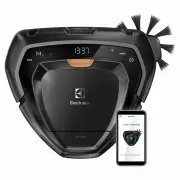


 Electrolux 14 Manual
 Electrolux 15 Manual
 Electrolux 24 Manual
 Electrolux 30 Manual
 Electrolux 30" Wall Oven Manual
 Electrolux 36 Manual
 Electrolux 90EEC, 396EEC Manual
 Electrolux 160 LT Manual
 Electrolux 161 Manual
 Electrolux 180 Manual
 Electrolux 200 Manual
 Electrolux 320 Manual
 Electrolux 350 Manual
 Electrolux 500 Manual
 Electrolux 538 E Manual
 Electrolux 700XP Manual
 Electrolux 800 Manual
 Electrolux 900 Manual
 Electrolux 900XP Manual