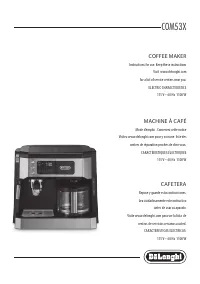
DeLonghi ESAM6900M - User Manual
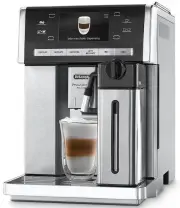
DeLonghi ESAM6900M Coffee Machine – User Manual, read for free online in PDF format. We hope this helps you resolve any issues you may have. If you have further questions, please contact us through the contact form.


Table of Contents:
- Page 2 – IntRoDUCtIon; symbols used in these instructions; sAFetY; Fundamental safety warnings; DesIGnAteD Use
- Page 4 – PReLIMInARY CHeCKs; Checking the appliance; tURnInG tHe APPLIAnCe on
- Page 5 – • When the function is active, the; oK; to confirm. The symbol alongside the current
- Page 6 – • When the main switch is turned off, the “Auto-Start” set-; MAKInG CoFFee; Corresponding; My coffee
- Page 8 – MAKInG Hot CHoCoLAte; Thick density
- Page 9 – MAKInG MILK DRInKs; Description
- Page 10 – MAKInG LonG CoFFee; DeLIVeRInG Hot WAteR AnD steAM
- Page 12 – Danger of electric shock!
- Page 14 – DesCALInG; Important! Danger of burns; settInG WAteR HARDness
- Page 15 – WAteR soFteneR FILteR; Please note
- Page 16 – DIsPLAYeD MessAGes; DIsPLAYeD MessAGe; FILL WATER TANK; INSERT WATER SPOUT; EMPTY GROUNDS CONTAINER; teCHnICAL DAtA
- Page 17 – TURN DIAL TO CLEAN
- Page 18 – tRoUBLesHootInG
- Page 19 – The; LonG; coffee has too
7
Contents
IntRoDUCtIon ...................................................... 8
Symbols used in these instructions .......................................... 8
Letters in brackets .................................................................... 8
Troubleshooting and repairs .................................................... 8
sAFetY .................................................................. 8
Fundamental safety warnings ................................................. 8
DesIGnAteD Use .................................................... 8
InstRUCtIons ....................................................... 9
DesCRIPtIon ......................................................... 9
Description of the appliance ................................................... 9
Description of touch screen ...................................................... 9
Description of milk container ................................................... 9
Description of hot chocolate carafe ......................................... 9
Description of hot water/steam spout ...................................... 9
Description of the accessories .................................................. 9
PReLIMInARY CHeCKs .......................................... 10
Checking the appliance .......................................................... 10
Installing the appliance ......................................................... 10
Connecting the appliance ...................................................... 10
Using the appliance for the first time .................................... 10
tURnInG tHe APPLIAnCe on ................................ 10
tURnInG tHe APPLIAnCe oFF ............................... 11
MenU settInGs ................................................... 11
Rinsing ................................................................................... 11
Select background ................................................................. 11
Descale .................................................................................. 11
Install water filter (some models only) .................................. 11
Set time ................................................................................. 11
Auto-start .............................................................................. 11
Auto-Off (Standby) ................................................................ 12
Energy Saving ........................................................................ 12
Coffee temperature ................................................................ 12
Setting water hardness ......................................................... 12
Beep ...................................................................................... 12
Default values (reset) ............................................................. 12
Statistics ................................................................................ 12
Setting the language ............................................................ 12
MAKInG CoFFee ................................................... 12
Selecting the coffee taste ....................................................... 12
Selecting the quantity of coffee in the cup ............................ 12
Customising the “My coffee” quantity ................................... 13
Adjusting the coffee mill ....................................................... 13
Tips for a hotter coffee .......................................................... 13
Making espresso coffee using coffee beans ............................ 13
Making espresso coffee using pre-ground coffee ................... 13
MAKInG Hot CHoCoLAte ...................................... 14
Preparing and attaching the hot chocolate carafe (D) ............ 14
MAKInG MILK DRInKs .......................................... 15
Filling and attaching the milk container ................................ 15
Adjusting the amount of froth ............................................... 15
Making flat white/cappuccino/latte/milk ............................. 15
Programming the quantities of coffee and milk in the cup .... 15
Cleaning the milk container after use .................................... 15
MAKInG LonG CoFFee .......................................... 16
Customising the “My LONG coffee” quantity ......................... 16
DeLIVeRInG Hot WAteR AnD steAM ..................... 16
Delivering hot water ............................................................. 16
Change the quantity of water delivered automatically. ........ 16
Steam delivery ...................................................................... 17
Tips for using steam to froth milk .......................................... 17
Clean the steam/hot water spout after use ............................ 17
MeMoRIsInG YoUR PeRsonAL PRoFILe ................ 17
CLeAnInG ............................................................ 17
Cleaning the machine ........................................................... 17
Cleaning the coffee grounds container ................................... 18
Cleaning the drip tray ............................................................ 18
Cleaning the inside of the machine ........................................ 18
Cleaning the water tank ........................................................ 18
Cleaning the coffee spouts .................................................... 18
Cleaning the pre-ground coffee funnel ................................. 18
Cleaning the infuser .............................................................. 18
Cleaning the hot chocolate carafe (D) .................................... 19
Cleaning the milk container (C) ............................................. 19
DesCALInG .......................................................... 20
settInG WAteR HARDness .................................. 20
Measuring water hardness .................................................... 20
Set water hardness ................................................................ 20
WAteR soFteneR FILteR ...................................... 21
Installing the filter ................................................................ 21
Replacing the filter ................................................................ 21
Removing the filter ............................................................... 21
teCHnICAL DAtA .................................................. 21
DIsPosAL ............................................................. 22
DIsPLAYeD MessAGes .......................................... 22
tRoUBLesHootInG .............................................. 24
eLeCtRICAL ReqUIReMents (UK onLY).................. 26
"Loading the manual" means you need to wait until the file loads and becomes available for online reading. Some manuals are very large, and the time they take to appear depends on your internet speed.
Summary
8 IntRoDUCtIon Thank you for choosing the ESAM6900 automatic coffee, cappuccino and hot chocolate machine. We hope you enjoy using your new appliance. Take a few minutes to read these instructions. This will avoid all risks and damage to the appliance. symbols used in these instructions Important wa...
10 PReLIMInARY CHeCKs Checking the appliance After removing the packaging, make sure the product is complete and undamaged and that all accessories are present. Do not use the appliance if it is visibly damaged. Contact De’Longhi Customer Services. Installing the appliance Important! When you instal...
11 When heating is complete, the message changes to “Rinsing”. The appliance is ready for use when an espresso coffee cup appears on the display. tURnInG tHe APPLIAnCe oFF Whenever the coffee machine is turned off after being used to make coffee, it performs an automatic rinse cycle. Danger of burns...