Comica VS09 MI - User Manual
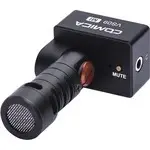
Comica VS09 MI Microphone – User Manual, read for free online in PDF format. We hope this helps you resolve any issues you may have. If you have further questions, please contact us through the contact form.

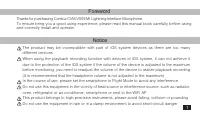
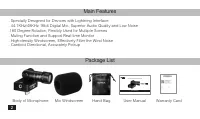
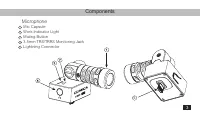
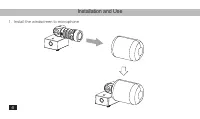
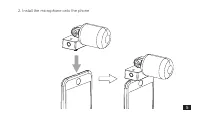
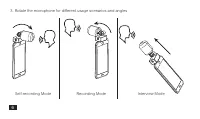
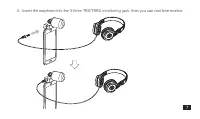
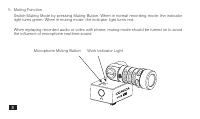
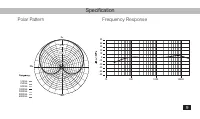
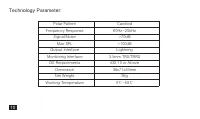
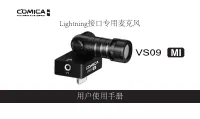

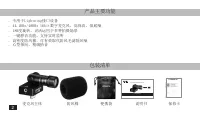
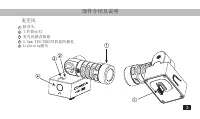
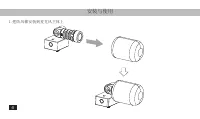
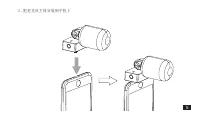
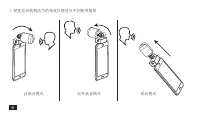
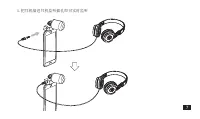
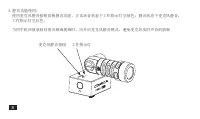
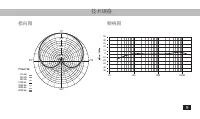
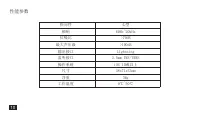




Table of Contents:
- Page 3 – Foreword; and correctly install and operate.; Notice
- Page 4 – Body of Microphone
- Page 5 – Components; Microphone
- Page 6 – Installation and Use; Install the windscreen to microphone
- Page 7 – Install the microphone onto the phone
- Page 11 – Specification
- Page 12 – Technology Parameter:
- Page 13 – 用户使用手册; Lightning接口专用麦克风
- Page 16 – 麦克风主体
- Page 17 – 部件介绍及说明; 麦克风
- Page 18 – 安装与使用
- Page 23 – 技术规格
- Page 24 – 性能参数
User Manual
LIGHTNING INTERFACE MICROPHONE
"Loading the manual" means you need to wait until the file loads and becomes available for online reading. Some manuals are very large, and the time they take to appear depends on your internet speed.
Summary
Foreword Thanks for purchasing Comica CVM-VS09 MI Lightning Interface Microphone. To ensure bring you a good using experience, please read this manual book carefully before using and correctly install and operate. Notice The product may be incompatible with part of iOS system devices as there are to...
Main Features . Specially Designed for Devices with Lightning Interface. 44.1KHz/48KHz 16bit Digital Mic, Superior Audio Quality and Low Noise.180 Degree Rotation, Flexibly Used for Multiple Scenes. Muting Function and Support Real-time Monitor. High-density Windscreen, Effectively Filter the Wind N...
5 Components Microphone Mic CapsuleWork Indicator LightMuting Button3.5mm TRS/TRRS Monitoring JackLightning Connector 1 2 3 4 5 3


