Comica BoomX-D MI1 - User Manual
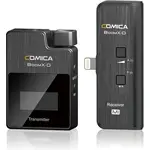
Comica BoomX-D MI1 Microphone – User Manual, read for free online in PDF format. We hope this helps you resolve any issues you may have. If you have further questions, please contact us through the contact form.
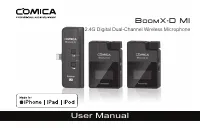

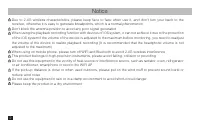
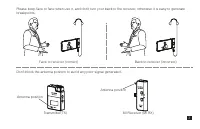
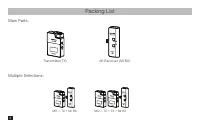
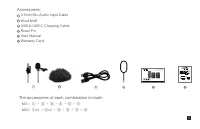
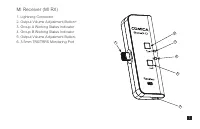
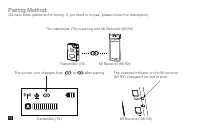
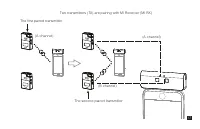
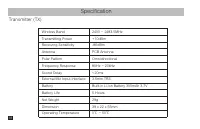
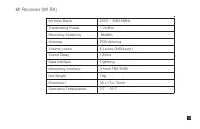
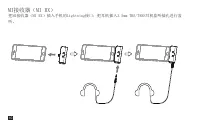
Table of Contents:
- Page 3 – Notice
- Page 5 – Packing List
- Page 6 – The accessories of each combination include:
- Page 7 – Components and Instruction
- Page 9 – Installation
- Page 12 – Function and Usage
- Page 15 – Function Introduction:; Lightning Connector
- Page 17 – Pairing Method
- Page 19 – Specification
- Page 21 – MI接收器(MI RX)
User Manual
2.4G Digital Dual-Channel Wireless Microphone
BoomX-D MI
"Loading the manual" means you need to wait until the file loads and becomes available for online reading. Some manuals are very large, and the time they take to appear depends on your internet speed.
Summary
Notice Due to 2.4G wireless characteristics, please keep face to face when use it, and don’t turn your back to the receiver, otherwise it is easy to generate breakpoints, which is a normal phenomenonDon't block the antenna position to avoid any poor signal generated When using the playback recording...
Packing List MI1 = TX + MI RX MI2 = TX + TX + MI RX MI Receiver (MI RX) Transmitter(TX) Multiple Selections: Main Parts: 4
3.5mm Mic Audio Input CableWind MuffUSB A-USB C Charging CableReset PinUser ManualWarranty Card The accessories of each combination include: Accessories: 1 2 3 4 5 6 ① + ② + ③ + ④ + ⑤ + ⑥ MI1= ①x2 + ②x2 + ③ + ④ + ⑤ + ⑥ MI2= 6 5 4 3 2 1 User Manual 2.4G Digital 1-Trigger-2 Wireless Microphone BoomX-D...


