Comica CVM-VP3 - User Manual
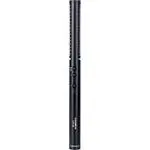
Comica CVM-VP3 Microphone – User Manual, read for free online in PDF format. We hope this helps you resolve any issues you may have. If you have further questions, please contact us through the contact form.
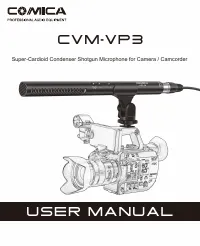

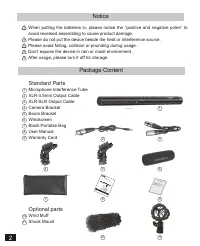
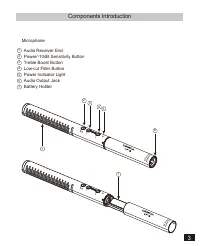
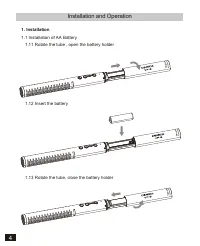

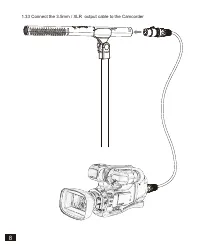
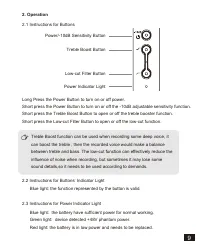


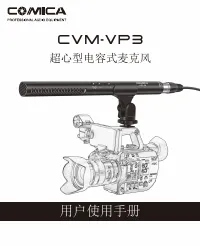

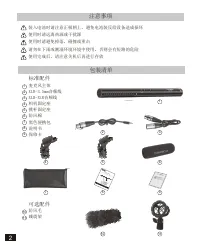
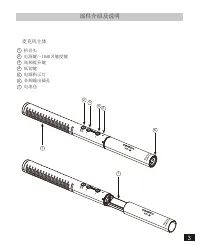
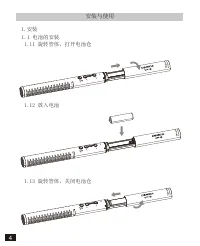
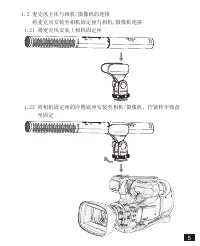
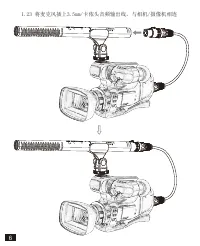

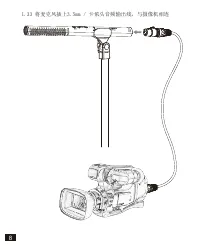
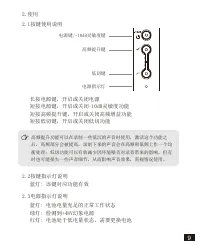
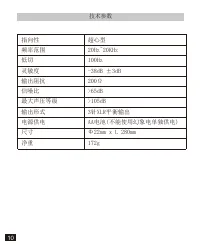

Table of Contents:
- Page 4 – Standard Parts
- Page 5 – Components Introduction
- Page 6 – Installation and Operation
- Page 12 – Tech Parameters
- Page 15 – 用户使用手册; 超心型电容式麦克风
- Page 17 – 前 言
- Page 18 – 注意事项; 包装清单; 标准配件
- Page 19 – 部件介绍及说明; 麦克风主体
- Page 20 – 安装与使用; 放入电池
- Page 26 – 技术参数
CVM-VP3
Super-Cardioid Condenser Shotgun Microphone for Camera / Camcorder
USER MANUAL
"Loading the manual" means you need to wait until the file loads and becomes available for online reading. Some manuals are very large, and the time they take to appear depends on your internet speed.
Summary
Notice When putting the batteries in, please notice the “positive and negative poles” to avoid reversed assembling to cause product damage.Please do not put the device beside the heat or interference source.Please avoid falling, collision or pounding during usage.Don’t expose the device in rain or m...
Components Introduction Microphone Audio Receiver EndPower/-10dB Sensitivity ButtonTreble Boost ButtonLow-cut Filter ButtonPower Indicator LightAudio Output JackBattery Holder 1 234567 1 2 3 4 5 7 6 3
Installation and Operation 1. Installation 1.1 Installation of AA Battery 1.11 Rotate the tube , open the battery holder 1.12 Insert the battery 1.13 Rotate the tube, close the battery holder 4


