Comica CVM-V30 - Manuals
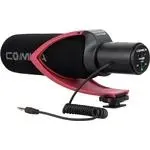
User Manual Comica CVM-V30
1
2
3
4
5
6
7
8
9
10
11
12
13
14
15
16
Summary
Page 4 - Components and Instruction; Mic Body
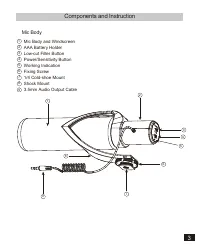
Components and Instruction Mic Body Mic Body and WindscreenAAA Battery HolderLow-cut Filter ButtonPower/Sensitivity Button Working Indication Fixing Screw 1/4 Cold-shoe Mount Shock Mount 3.5mm Audio Output Cable 1 23456789 1 9 7 8 2 3 4 6 5 3
Page 5 - Installation and Usage
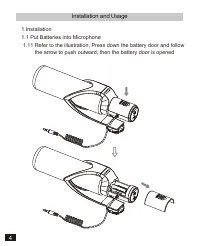
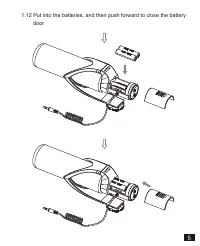
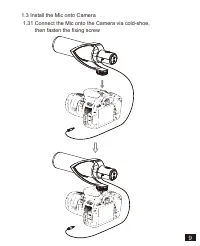
Installation and Usage 1.Installation1.1 Put Batteries into Microphone 1.11 Refer to the illustration, Press down the battery door and follow the arrow to push outward, then the battery door is opened 4
Page 7 - Insert the mic into the Wind Muff
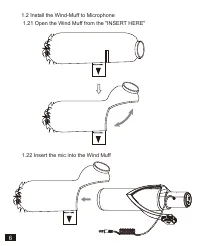
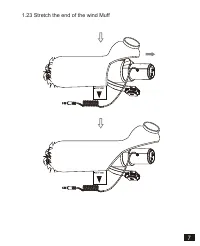
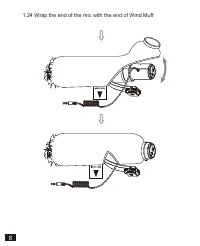
1.2 Install the Wind-Muff to Microphone 1.21 Open the Wind Muff from the "INSERT HERE" 1.22 Insert the mic into the Wind Muff 6