Comica SIG.LAV V05 MI - User Manual
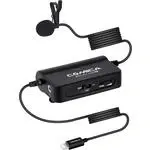
Comica SIG.LAV V05 MI Microphone – User Manual, read for free online in PDF format. We hope this helps you resolve any issues you may have. If you have further questions, please contact us through the contact form.

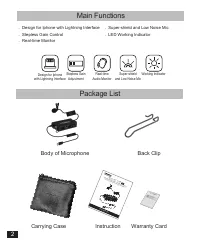
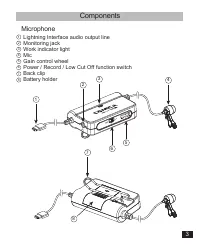
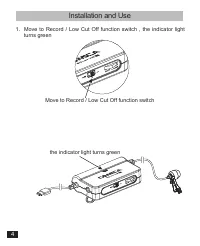
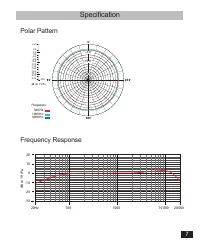
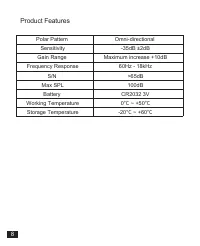
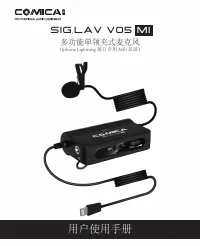
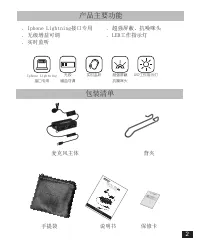
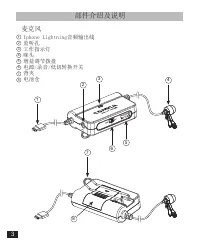
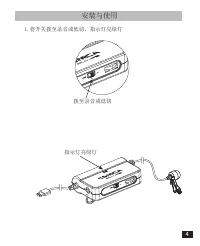
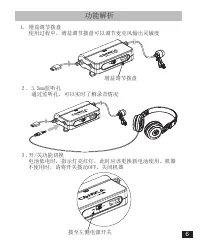
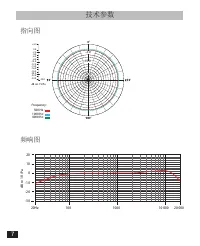
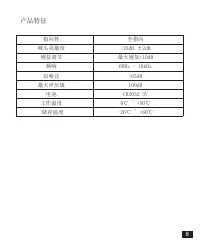
Table of Contents:
- Page 4 – Body of Microphone
- Page 5 – Components; Microphone
- Page 6 – Installation and Use; Move to Record / Low Cut Off function switch , the indicator light
- Page 8 – Function Description
- Page 9 – Polar Pattern; Specification
- Page 10 – Product Features
- Page 11 – 用户使用手册; 多功能单领夹式麦克风; (Iphone Lightning 接口专用,MFI 认证)
- Page 12 – 前 言; 感谢您购买科唛; Iphone; 注意事项
- Page 13 – 麦克风主体
- Page 14 – 部件介绍及说明; 麦克风
- Page 15 – 安装与使用; 拨至录音或低切
- Page 17 – 功能解析; 拨至左侧电源开关
- Page 18 – 指向图; 技术参数
- Page 19 – 产品特征
User Manual
SIG.LAV V05
MI
Multi-functional Single Lavalier Microphone
(For Iphone with Lightning Interface, MFI Certified)
"Loading the manual" means you need to wait until the file loads and becomes available for online reading. Some manuals are very large, and the time they take to appear depends on your internet speed.
Summary
Main Functions . Design for Iphone with Lightning Interface . Stepless Gain Control . Real-time Monitor . Super-shield and Low Noise Mic . LED Working Indicator Package List Body of Microphone Back Clip Carrying Case Instruction Warranty Card User Manual SIG.LAV V05 MI Mult i-functio nal S ingle L a...
Components Microphone Lightning Interface audio output line Monitoring jack Work indicator light Mic Gain control wheel Power / Record / Low Cut Off function switch Back clip Battery holder 12345678 1 3 7 8 2 6 5 4 3
Installation and Use 1. Move to Record / Low Cut Off function switch , the indicator light turns green Move to Record / Low Cut Off function switch the indicator light turns green 4


